Table of Contents
Studying gets messy fast—especially when you’ve got multiple classes, a pile of lecture notes, and that nagging feeling that you’ll never actually “review” everything. I’ve been there. That’s why I tried Alicia: AI Lecture Assistant to see if it could turn dense PDFs and photos into something actually usable.
Alicia Review: What It Does (and What I Actually Noticed)
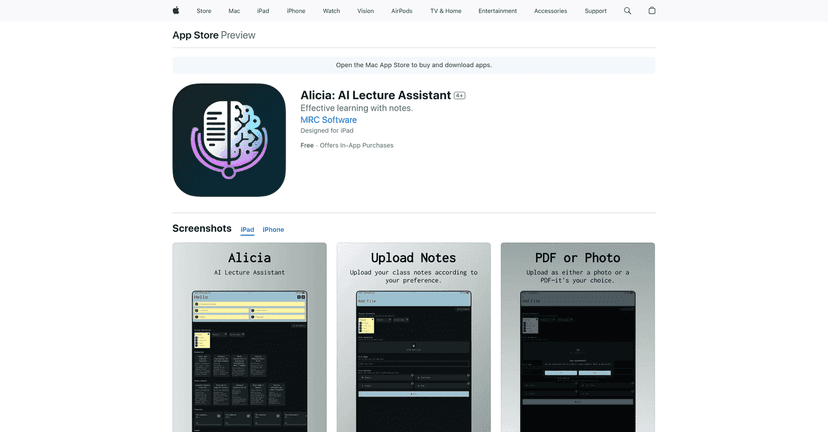
Alicia: AI Lecture Assistant is built for one thing—taking lecture notes you upload (PDF or photos) and turning them into formats you can study from. In my experience, that’s the real value: you’re not just “reading” anymore. You’re getting study materials that you can skim, quiz yourself on, and come back to later.
When I uploaded a few pages from my notes, I tried different output types because I wanted to see what would feel most natural. Alicia can generate summaries, cheat sheets, podcasts, and quizzes. That multi-format approach matters more than people think. Sometimes I want a quick overview before class. Other times I need something I can drill with—like a set of questions.
Summaries and cheat sheets worked best when the source notes were clear. If your handwriting is messy or your photo is blurry, the results can get noticeably worse. Not shocking, but it’s something to plan for. I ended up taking a minute to re-shoot one page with better lighting, and the output was instantly more useful.
Podcasts were a fun option. I didn’t use them every time, but when I was doing chores or taking a walk, having the content converted into an audio-style format made review easier. Would I replace reading? No. But it’s a nice “passive study” option when you’re busy.
Interactive quizzes were the feature I kept coming back to. The questions help you check whether you actually understand the material, not just recognize it. I also liked that it encouraged a more active study style—answer, review what you missed, then try again. If you’re the type who reads notes and then forgets everything two days later, quizzes are where Alicia starts to feel worth it.
That said, it’s not perfect for everyone. The app relies heavily on the quality of what you upload. Poorly taken notes can lead to summaries that miss key points, and quizzes that don’t quite reflect what your professor emphasized. Also, while the app is free to download, some of the best tools seem to require in-app credits. If you’re on a tight budget, that’s something you’ll want to watch.
Key Features (What You Can Use Daily)
- User-friendly AI that tailors study outputs based on the notes you upload
- Multi-format support including summaries, cheat sheets, podcasts, and interactive quizzes
- Time-saving study workflow for turning long lecture pages into something you can review quickly
- Interactive quizzes designed to reinforce knowledge with question-and-answer practice
One practical tip: if you’re going to upload photos, take them like you’re scanning for a document—not like you’re snapping a quick picture. Straighten the page, avoid shadows, and make sure text is readable. It sounds obvious, but it’s the difference between “this is helpful” and “why is this output so vague?”
Pros and Cons: My Honest Take
Pros
- Boosts productivity by converting lecture notes into ready-to-study formats
- Flexible for different study styles (quick summaries vs. deeper quiz practice)
- Easy to navigate—I didn’t feel like I had to fight the app to get results
- Quizzes help retention more than rereading the same pages over and over
Cons
- Some features may require in-app purchases depending on how much you use
- Quality depends on your uploads—blurry or messy notes can reduce usefulness
- Not a magic fix: if your original notes are missing key concepts, the outputs won’t magically restore them
Pricing Plans (Credits and Compatibility)
Alicia is free to download. If you want more credits, the in-app purchase options include:
- Buy 10 Credits for $1.99
- Buy 50 Credits for $8.99
- Buy 100 Credits for $17.99
It supports iPads, iPhones, and iPods with iOS 12.0 or later.
In my opinion, credits make sense for a tool like this, but it’s smart to pace yourself—use Alicia when you’re starting a topic review or when you need quizzes, not necessarily for every single page you own.
Wrap up
If you’re trying to make lecture review less painful, Alicia: AI Lecture Assistant is one of the better “turn notes into study tools” apps I’ve used. The summaries, cheat sheets, and especially the quizzes can make studying feel more structured—and quizzes are usually what actually sticks.
Just remember: the app’s results are only as good as the notes you upload, and the credit system may cost extra if you use it heavily. Still, for students who want a faster, more engaging way to review, Alicia is worth checking out.
Promote Alicia