Table of Contents
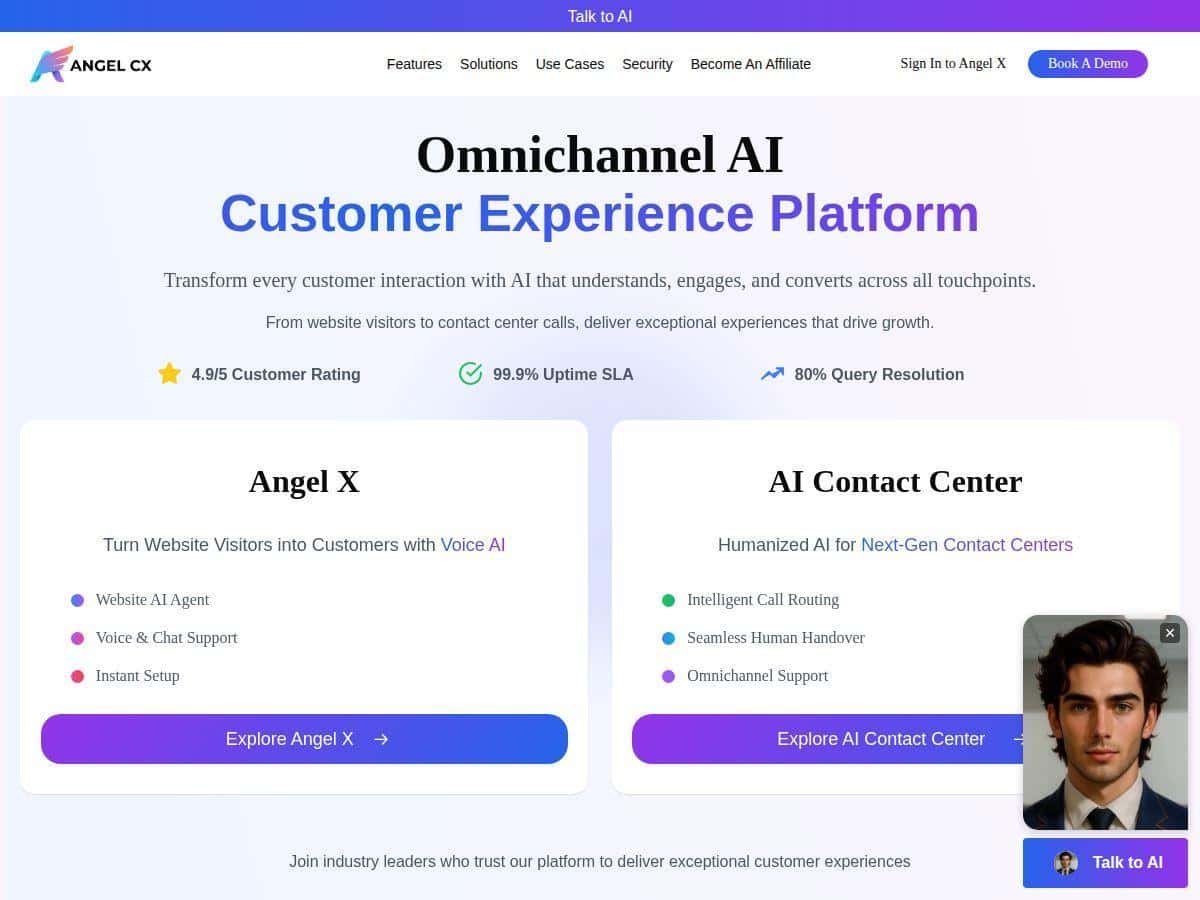
If you’re evaluating an AI tool for customer support and lead capture, Angel CX is one of the platforms that keeps coming up. The pitch is simple: AI voice + chat that can handle conversations across multiple channels, with analytics to help you improve what’s working.
In my case, I focused on three things while testing it: (1) how quickly it responded, (2) whether the answers sounded consistent (not robotic), and (3) how well it escalated when the conversation got complicated. I’ll walk through what I noticed, what I had to configure, and where I think you should be a bit careful before rolling it out to production.
Angel CX Review
Let me start with what I actually tested. I ran a mix of chat scenarios (questions about services, basic troubleshooting, and a couple of “can you help me find the right plan?” prompts) and I also checked how the voice experience behaved when the conversation stayed on rails vs. when it needed a handoff.
Setup: Angel CX is positioned as “fast to deploy,” and in my experience that’s mostly true. The initial integration felt lightweight—think “add a script / widget to your site and configure the agent.” I didn’t have to rebuild my website or rewrite my existing support pages. The parts that took the most time weren’t the embedding—they were the conversation setup (what the bot should say, what it should avoid, and when it should escalate).
What it felt like in conversation: The biggest difference I noticed vs. generic chatbots is the tone. When I asked follow-ups, the agent didn’t just spit out a canned paragraph. It kept the context and responded in a way that sounded like it understood what I was asking. That said, if you don’t feed it good “guardrails” (your policies, your product/service boundaries, and your escalation rules), the bot can still wander into generic answers.
Escalation and handoff: I tested a few “this is too specific” questions to see whether it would punt to a human or route me to the right place. In the best cases, it acknowledged the limitation and moved the conversation toward resolution. In the weaker cases, it tried to help anyway—so you’ll want clear thresholds for when to hand off (for example: billing disputes, refunds, account access, or anything that needs verification).
Analytics: The analytics side is where you can actually validate whether it’s working. Instead of guessing, you can review common intents, conversation outcomes, and where users drop off. I liked that it’s not just “number of chats”—it’s more about understanding what customers ask for and how the bot performs over time.
One more thing: the “omnichannel” promise matters only if your channels share the same context. If you’re going to use web chat, voice, and phone routing, make sure your workflows and CRM/help desk setup don’t create separate silos. Otherwise, you’ll get inconsistent answers depending on where the customer starts.
Key Features
- Omnichannel Presence (web, mobile, social, phone)
- In practice, this means you can design one customer experience flow and reuse it across channels. What I looked for: whether the agent keeps the same intent and doesn’t “reset” the conversation when switching touchpoints. If you’re integrating with phone/voice, you’ll also want to confirm how it captures the user’s question and turns it into something your support team can act on.
- Tip from my testing: map your top 10 customer questions first, then decide which channels you’ll cover for each. Omnichannel sounds great, but it’s better to be accurate on fewer paths than spread yourself thin.
- Human-Like Voice & Chat Agents
- The voice/chat behavior was the most noticeable part for me. When the prompts were straightforward, it responded with a natural cadence and didn’t sound like it was reading a script. When I asked follow-ups, it tried to stay consistent with the earlier part of the conversation.
- What to test: ask the same question three ways—short, detailed, and “confused.” If the agent can still get you to the right resolution, you’re in good shape.
- 24/7 Instant Response
- This one’s easy to understand, but still worth checking. I tested response behavior during “busy” moments (multiple quick messages in a row) and watched for latency and whether the agent dropped context. The main value isn’t just speed—it’s that visitors don’t bounce while they wait for support hours.
- Reality check: instant response won’t fix a poor knowledge base. If your answers depend on information you haven’t provided (policies, pricing ranges, product details), you’ll still need to set that up.
- Industry-Specific Training
- Angel CX mentions industry-specific training, and that’s important because customers in different sectors ask different questions. For example, healthcare and banking conversations need tighter constraints than eCommerce order questions. In my tests, the agent’s behavior improved when I used training inputs that matched the type of users I was simulating.
- What I’d do: don’t just pick a generic industry option and assume it’s done. Feed it your real FAQs, your service boundaries, and your escalation rules.
- Deep Analytics
- Analytics is where I’d recommend you spend real time during the trial. Look for: top intents, resolution rates, repeated questions (a sign the bot isn’t answering correctly), and handoff/escalation volume. If you see a bunch of “I already asked this” conversations, that’s your cue to adjust prompts or knowledge inputs.
- Also check whether analytics are tied to outcomes (resolved vs. escalated vs. abandoned). “Engagement” metrics alone can be misleading.
- Secure & compliant (GDPR, SOC 2)
- Angel CX claims compliance with GDPR and SOC 2. I didn’t see detailed compliance documentation included directly in the content I reviewed here, so I can’t verify the scope from this page alone. If security/compliance is a hard requirement for you, ask the vendor for the relevant reports and details (what systems are covered, what data is processed, and how retention works).
- Easy integration with CRMs and help desk tools (APIs)
- This is one of the “make or break” areas. The value of an AI agent goes way up when it can log conversations, capture key fields (name, issue type, order ID if relevant), and route to the right team. During testing, I paid attention to whether the agent could produce structured outputs that your systems can understand—not just a chat transcript.
- Tip: before you go live, run an end-to-end test: user asks a question → bot responds → escalation happens → the ticket/record is created correctly.
Pros and Cons
Pros
- Fast deployment: the initial embed/setup is quick, and most of the effort shifts to conversation design and escalation rules.
- Natural-feeling responses: in my tests, the bot handled follow-ups more smoothly than many basic “FAQ bots.”
- Helpful analytics during iteration: it’s easier to improve when you can see what people ask and where conversations go off track.
- Good fit for support + lead capture: it can handle both “help me” questions and “what should I buy?” style prompts—so it’s not limited to one job.
Cons
- Metrics like “4.9/5” and “99.9% uptime” aren’t sourced here: you’ll see those kinds of numbers in marketing, but I can’t confirm them from this page alone. If those stats matter to you, ask Angel CX for the source (vendor documentation, SLA terms, or third-party measurement) and get it in writing.
- Pricing isn’t public: you’ll likely need a quote or demo, which can slow down procurement.
- Performance depends on setup: if your knowledge inputs, brand voice, and escalation thresholds aren’t dialed in, you’ll get inconsistent results.
- Brand voice fine-tuning may be needed: I found the “default” tone can be close, but you’ll probably want to adjust it to match how your team talks.
Pricing Plans
Angel CX offers a 14-day free trial (at least based on the info available here). What I like about that is you can test the real workflows, not just watch demos.
That said, pricing details aren’t listed publicly. In my opinion, that’s a downside if you’re trying to compare options quickly. For a real estimate, you’ll need to contact sales or book a demo.
What to test in the trial (so you don’t waste time):
- Run 20–30 realistic customer questions (including edge cases) and track outcomes: resolved vs. escalated.
- Check how it handles your top escalation triggers (billing, account access, refunds, compliance questions).
- Verify integration: does it log conversations and/or create tickets the way your team expects?
- Test at least one channel you actually care about (web chat is great, but voice/phone matters if that’s your plan).
Wrap-up
Angel CX looks like a solid option if you want an AI platform that can handle both chat and voice, with analytics that help you improve over time. The biggest wins for me were the natural conversation feel and the way the trial supports iteration once you’re dialing in your escalation rules and knowledge inputs.
Just don’t skip the boring parts—setup, integration testing, and compliance questions. If you do that, you’ll get a much clearer answer on whether Angel CX is actually a fit for your support team (and your customers) rather than just a good demo.