Table of Contents

What Is AskIndra?
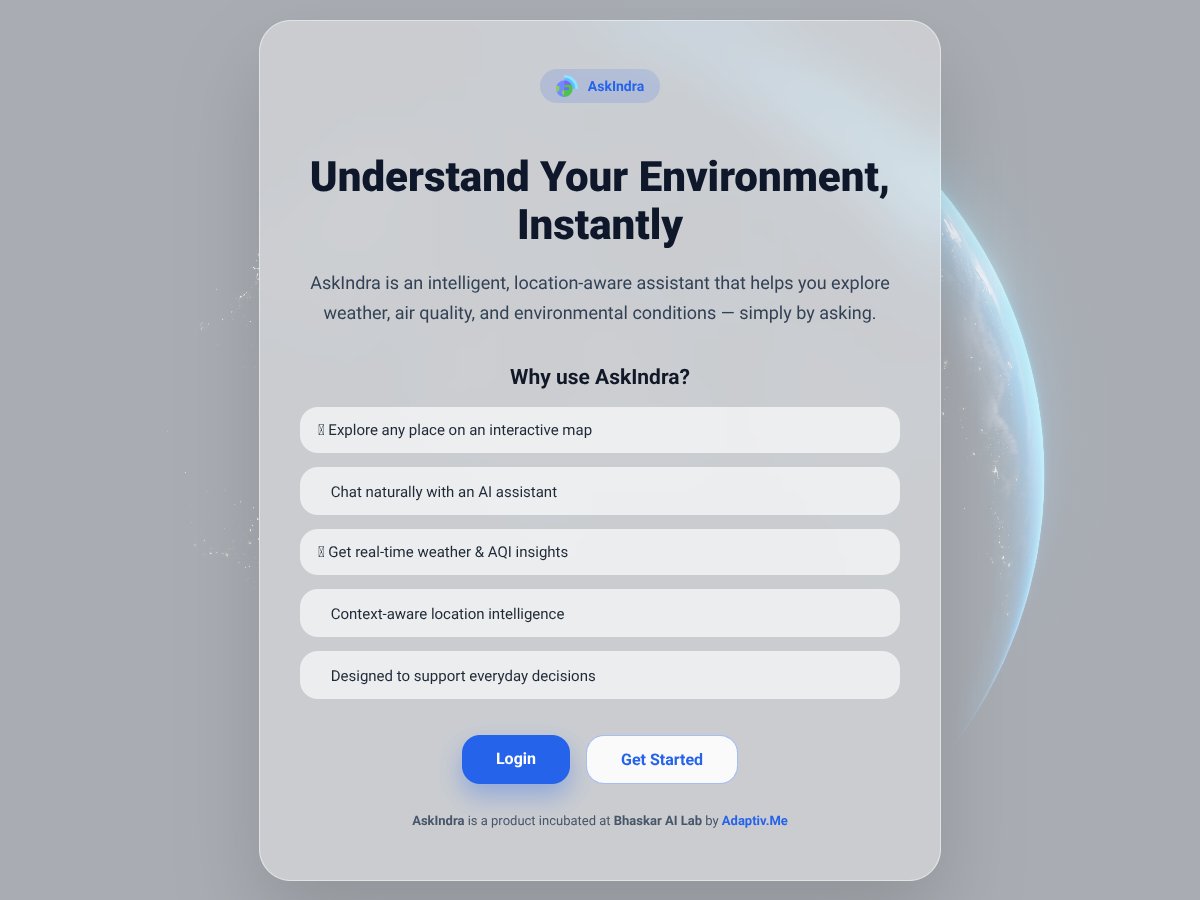
Honestly, I was a bit skeptical when I first heard about AskIndra. It promises to be an AI-powered assistant that helps you explore weather, air quality, and environmental conditions just by asking — no complicated inputs, no API calls on your end. My initial thought was, "Great, another weather app with a fancy interface?" But I was curious enough to give it a shot.
What it essentially does is provide you with real-time data about your environment based on your location. You can ask it questions like, "What’s the air quality in my area?" or "What’s the weather forecast for tomorrow?" without digging through multiple websites or apps. It’s meant to be a quick, conversational way to stay informed about your surroundings.
As far as I can tell, the team behind AskIndra is incubated at Bhaskar AI Lab by a company called Adaptiv.Me, based in Ajmer, India. They don’t scream about big credentials or flashy press releases — which is actually a bit refreshing — but it also leaves me wondering about the depth of their data sources and how reliable the info is.
My first impression? It does what it says on the tin, at least in broad strokes. The interface is simple, and it felt like chatting with a basic AI assistant. But, to be honest, I didn’t find a lot of detailed info on the website about how it fetches data or how often it updates. So, manage your expectations — this isn’t a comprehensive environmental monitoring tool. It’s more like a quick, conversational weather and AQI query service.
One thing I want to be upfront about: AskIndra isn’t marketed as a detailed environmental dashboard or a professional-grade tool. It’s designed for casual exploration. If you’re expecting advanced data analytics or highly localized environmental metrics, this probably isn’t it. Also, the lack of clear info on pricing or plans means you might want to try it out first before committing to anything.
AskIndra Pricing: Is It Worth It?
Here's the thing about the pricing for AskIndra: unfortunately, the website doesn't make it clear upfront. There’s no transparent pricing page or clearly defined plans listed publicly. What they don't tell you on the sales page is whether there’s a free tier, or what the paid plans cost — which is a bit of a red flag if you're trying to evaluate its value before committing.
| Plan | Price | What You Get | My Take |
|---|---|---|---|
| Free (assumed) | Unknown | Limited access, basic features (speculative) | Hard to say without specifics. Might be minimal or just a trial. |
| Premium/Pro | Unknown | Full access, maybe API integrations, more queries | Again, no concrete info. Expecting to pay something, but how much remains a mystery. |
Fair warning: without clear pricing info, you’re left guessing if this is a good deal or not. If they do offer a free tier, it might be limited, which could be enough for light use, but for anything more serious, you'll likely need to upgrade.
What I can say — based on similar tools — is that if they charge more than $10-20/month, you should carefully consider whether the value justifies the cost, especially since there are other environmental data tools that are either free or have transparent pricing. This might be a dealbreaker for some, particularly if you need reliable, ongoing access without hidden charges.
In summary: until they publish clear, detailed plans and prices, I’d advise caution. Be sure to check whether the features you need are included, and beware of potential usage caps or extra costs hidden behind the scenes.
The Good and The Bad
What I Liked
- Location awareness: The fact that AskIndra is designed to give environment data based on your current location is a plus — it makes asking about weather or air quality feel immediate and relevant.
- Conversational interface: Chatting naturally with an AI assistant can make getting environmental info more intuitive than digging through various websites or apps.
- Real-time insights: The promise of instant weather and AQI data, if accurate, can be very helpful for quick decisions, like planning outdoor activities or understanding pollution levels.
- Made in Ajmer, India: Supporting local innovation and a small AI lab can be a nice touch, and might mean the tool is optimized for certain regional data sources.
- Interactive map feature: The ability to explore any place on a map adds a layer of spatial awareness that’s often missing in simple weather apps.
What Could Be Better
- Lack of detailed features and documentation: Without a clear list of what AskIndra can do, it’s hard to assess whether it’s a comprehensive environmental assistant or just a basic info fetcher.
- No pricing transparency: The absence of visible plans or costs makes it difficult to evaluate if it’s worth trying or subscribing.
- No user testimonials or reviews: That’s a big gap — you’re flying blind without user feedback to see how well it works in real-world scenarios.
- Limited information on integrations and use cases: If you’re looking to embed this into a workflow or connect it with other tools, there’s no indication it supports that.
- Potential feature gaps: Features like historical data, alerts, or customizable data sources are not mentioned, which might be dealbreakers for some users.
Who Is AskIndra Actually For?
This tool seems best suited for individuals or small teams who need quick, location-specific environmental insights without fuss. For example, outdoor event planners, hikers, or local residents wanting to keep an eye on air quality might find it useful. If you’re someone who regularly checks weather and pollution levels before heading out or making decisions about outdoor activities, AskIndra could streamline that process — especially if it delivers accurate, real-time data.
It might also appeal to regional users in India or nearby areas, given its regional focus and the fact it’s developed locally. If you’re a researcher or student interested in environmental data in specific locations, and you don’t need deep customization or integrations, this could be a tool to explore.
However, for professionals needing comprehensive environmental analysis, historical data, or integration with other platforms, this might not meet your needs. It’s more of a casual, quick-reference assistant than a full-scale environmental management tool.
Who Should Look Elsewhere
If you require detailed, reliable, and verified environmental data for professional or critical use, this probably isn’t the right choice. Tools like BreezoMeter, IQAir, or Weather.com’s detailed weather services offer more transparent data, extensive features, and often more robust support. Similarly, if you need historical data, customizable alerts, or API access for integration, AskIndra likely falls short.
Fair warning: if you’re expecting a polished, well-documented platform with clear pricing and a broad feature set, you may be disappointed. This might be better suited for casual users or those experimenting with environmental data rather than serious professionals.
How AskIndra Stacks Up Against Alternatives
Weather.com App
- What it does differently: Weather.com provides detailed forecasts, radar maps, and a broad range of weather data, but it’s primarily an app and website, not a conversational assistant. AskIndra, on the other hand, aims to be a quick, natural language tool that you can ask about weather and environment conditions on the fly.
- Price comparison: Weather.com is free to use via its app or website. AskIndra’s pricing isn’t publicly clear, but most similar tools tend to have free tiers with optional paid upgrades.
- Choose this if... you want comprehensive weather forecasts, radar maps, and detailed data for planning trips or outdoor activities. It’s better for in-depth info rather than quick questions.
- Stick with AskIndra if... you prefer instant, conversational answers about current weather or air quality without digging through multiple pages or apps. It’s more lightweight and quick.
Dark Sky (Apple Weather)
- What it does differently: Dark Sky is known for hyper-local, minute-by-minute weather updates, mainly focused on precise, localized forecasts. AskIndra offers environmental data through conversational queries but may not have hyper-local minute updates.
- Price comparison: Dark Sky was purchased by Apple and integrated into Apple Weather, which is free. AskIndra’s pricing isn’t transparent, but it may have premium tiers.
- Choose this if... you need very detailed, hyper-local weather updates and are an Apple user. It’s best for precise, minute-by-minute forecasts.
- Stick with AskIndra if... you want a simple, quick way to ask about weather or air quality without switching apps or waiting for detailed updates.
AccuWeather
- What it does differently: AccuWeather offers detailed forecasts, radar, and severe weather alerts. It’s a full-featured weather app, whereas AskIndra functions more like a quick, conversational assistant for environmental info.
- Price comparison: Free with ads; premium plans start around $3-$5/month. AskIndra’s pricing isn’t public, but similar tools often have free basic access.
- Choose this if... you need comprehensive weather data, alerts, and forecasts for travel or safety purposes.
- Stick with AskIndra if... you want quick answers without navigating through multiple screens or ads.
Google Weather/Assistant
- What it does differently: Google Assistant can answer weather questions and provide environmental info via voice or text, leveraging Google’s data. AskIndra is designed specifically for environmental conditions, possibly with more specialized info.
- Price comparison: Free, included with Google services. AskIndra’s pricing isn’t clear but may have premium options.
- Choose this if... you already use Google Assistant and want quick weather answers integrated into your routine.
- Stick with AskIndra if... you want a dedicated, possibly more detailed environmental assistant for specific conditions or location-aware queries.
Final Verdict: Should You Try AskIndra?
Overall, I’d give AskIndra a solid 6.5/10. It’s a decent tool if you need a simple, conversational way to ask about weather, air quality, or environmental conditions without fussing with multiple apps or websites. Its biggest strength is quick, natural language responses, which can be handy when you’re on the go or just want a casual update.
That said, it’s not the most comprehensive or feature-rich option out there. If you’re someone who relies on detailed forecasts, radar maps, or alerts, you’ll probably be better served by dedicated weather apps like Weather.com or AccuWeather. But if you value convenience and conversational interaction, give it a shot.
Who should try it: Someone looking for a quick, easy way to get environmental info in a casual way—think outdoor enthusiasts or busy people needing fast updates.
Who should skip it: If you need hyper-local, minute-by-minute forecasts or detailed weather data, you’ll find better options elsewhere.
The free tier may be worth exploring, especially if you just want to test its basic features. Upgrading might be worthwhile if you find the conversational style useful and want more detailed or personalized info.
Personally, I’d recommend it if you often ask about weather or air quality casually. If your needs are more professional or detailed, other tools are likely better suited. If you’re just curious about environmental conditions now and then, give it a go. If you need precise data for safety or planning, stick with established weather apps.