Table of Contents
If you’re anything like me, you’ve probably watched the same YouTube video “a few times” and still felt like you weren’t really retaining it. I wanted something that would turn all that screen time into actual study. That’s why I took a closer look at Aster Lab.
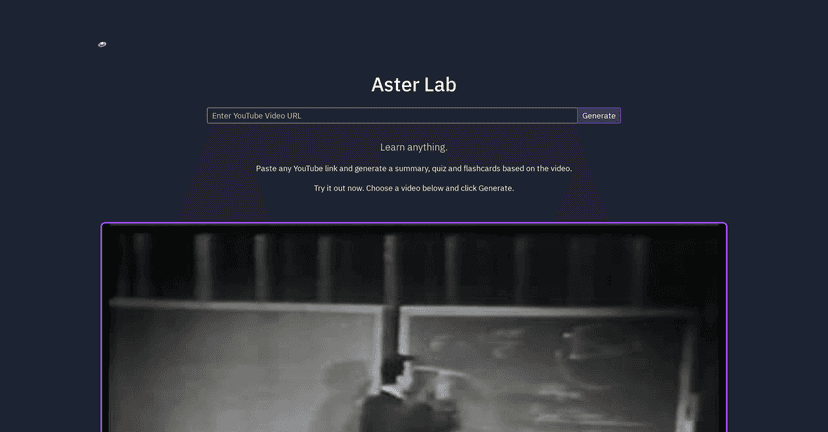
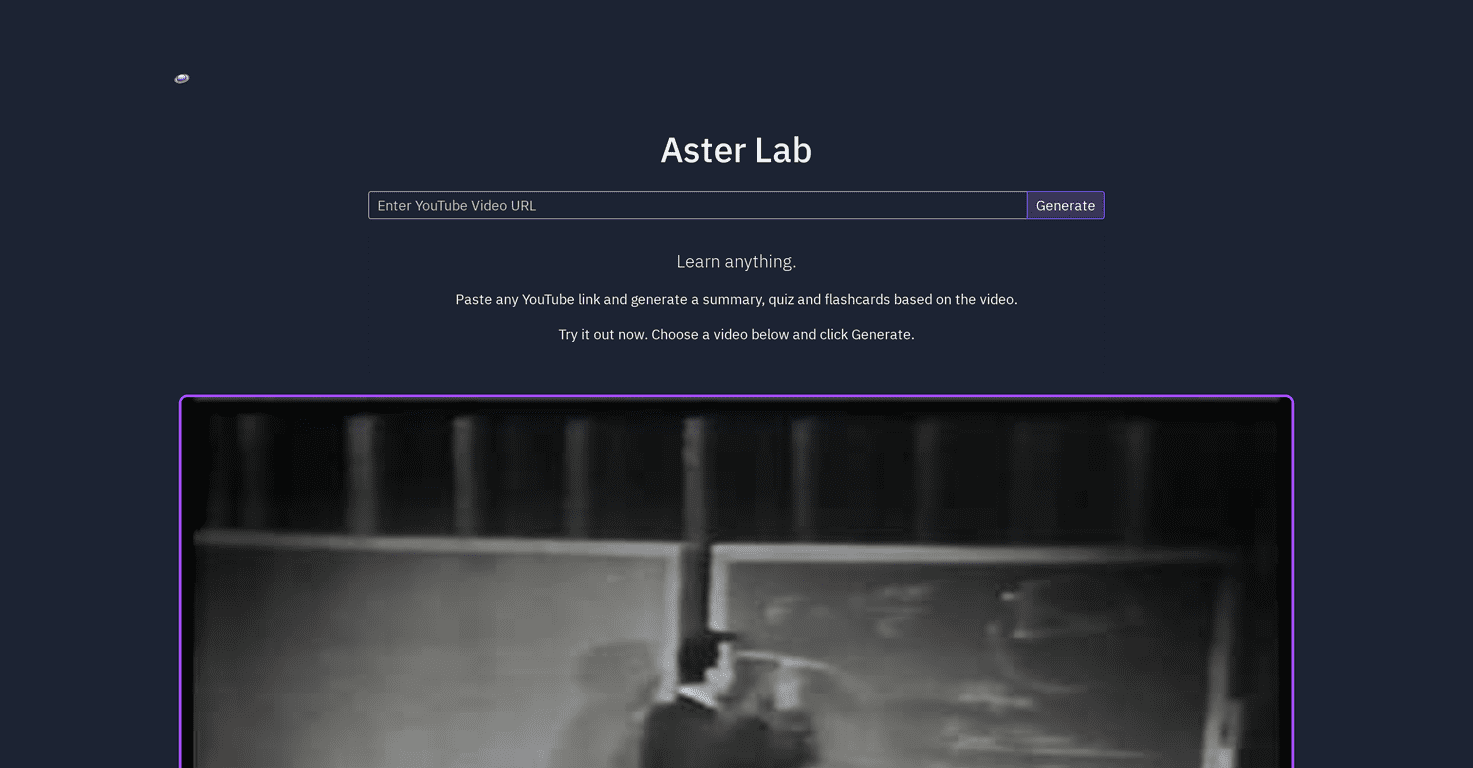
At a high level, Aster Lab is a web tool that takes a YouTube link and converts it into study materials—things like summaries, quizzes, flashcards, and reflection prompts. The idea is simple: watch less passively, and start working with the content while it’s fresh.
In my experience, the biggest win isn’t just that it “creates content.” It’s that it gives you multiple ways to interact with the same video. Summary for context. Quiz for recall. Flashcards for review. Reflection when you want to actually think, not just memorize. And yes—you can still play the video inside the app, which is handy when you want to jump back to the exact part you’re studying.

Aster Lab Review: What It Actually Does (and Who It’s For)
Here’s the basic workflow I followed. I grabbed a YouTube video I’d already watched before, pasted the link into Aster Lab, and let it generate the study materials. Then I went tab by tab—summary, quiz, flashcards, and reflection—to see how useful each piece felt.
The interface is pretty straightforward. You don’t need to be techy to figure it out. Paste the YouTube URL, wait for it to process, and then use the interactive tabs to move between different learning modes. That tab system matters more than it sounds. It keeps you from bouncing all over the place and losing your place.
One thing I liked immediately: you can play the video right inside the application. So if the quiz asks something you don’t fully remember, you can jump back and rewatch the relevant section instead of hunting for the same moment on YouTube.
As for the learning materials themselves, they’re designed to cover different study styles:
- Summaries help you get the “what is this about?” picture fast.
- Quizzes force recall instead of passive reading.
- Flashcards make it easier to review key points later.
- Reflection exercises push you to connect ideas, not just repeat them.
Do you still need to put in effort? Of course. But the tool makes it easier to turn a video into something closer to a mini lesson plan.
Also—small but important—this approach works best when the video is actually structured. If the video is super chaotic, runs on tangents, or has unclear audio, your results won’t magically become perfect. Garbage in, garbage out… but at least you’ll get a study format that helps you notice what you missed.
Key Features I’d Use Repeatedly
- Video Summary Generation — Quick overview so you can understand the main points without rewatching everything.
- Quiz Creation — Short questions that help you test recall (and spot weak areas fast).
- Flashcards — Great for spaced repetition-style review. I used them the same day and again later, and they made it easier to keep momentum.
- Reflection Exercises — Prompts that encourage you to think through the material. This is the part that feels more “learning” than “memorizing.”
- User-Friendly Interface — Paste a YouTube link and go. No complicated setup.
- Interactive Tabs — Summaries, quizzes, flashcards, connections, and transcripts are easy to switch between.
- Embedded Video Playback — Lets you verify details without leaving the page.
Pros and Cons (My Honest Take)
Pros
- Easy to use — I didn’t have to figure out a bunch of settings. It’s basically: paste link → generate → study.
- Multiple study formats — You’re not stuck with one output type. Summary + quiz + flashcards + reflection is a solid mix.
- Interactive experience — The tabbed layout makes it feel like a study session, not just a text dump.
- Better retention than “just watching” — In my experience, quizzes and flashcards are what really help the information stick.
Cons
- Dependent on the YouTube video — If the source is weak (unclear audio, messy structure), the learning materials won’t be as strong.
- Scope can feel limited — Sometimes the quiz or flashcards focus on the most obvious points instead of deeper nuance. You may still want to add your own notes.
- Requires internet access — Not a big surprise, but it means you can’t rely on it offline for review.
One more thing: I wouldn’t treat it as a replacement for full coursework. If you’re learning something technical, you’ll still want to cross-check details with a textbook, official docs, or a course instructor. But for turning YouTube into structured study, it’s genuinely useful.
Pricing Plans
The original information I found didn’t list any exact pricing details for Aster Lab. If you want the most up-to-date subscription fees or membership options, you’ll need to check the Aster Lab website directly.
If you want to compare plans, I’d suggest looking for answers to a few practical questions: Do you get limits on how many videos you can process per month? Is there a difference between free and paid outputs (like quiz depth or flashcard quantity)? And do they offer any export options for the materials?
Wrap up
Aster Lab is one of those tools that makes you wonder why you didn’t do this sooner. If you regularly use YouTube for learning, it helps you convert videos into something you can actually review—summaries for understanding, quizzes for recall, flashcards for practice, and reflection to tie it all together.
It’s not perfect, though. You’re still limited by the quality of the source video and you’ll need internet access. But overall, it feels like a practical way to study smarter from the content you’re already watching.
If you want to turn a “watch later” playlist into real progress, Aster Lab is worth trying.