Table of Contents
If you want to play around with audio creation and editing without immediately paying for a full DAW, Audio Muse is worth a look. I tested it with a few different tasks—some music generation prompts and a couple of cleanup/conversion jobs—and what stood out to me right away was how quickly I could get from “idea” to “something I can actually use.” No complicated setup. No endless menus.

Audio Muse Review
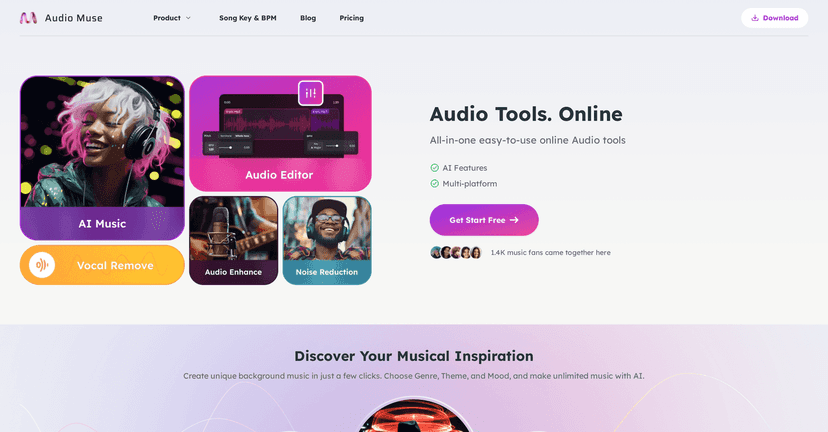
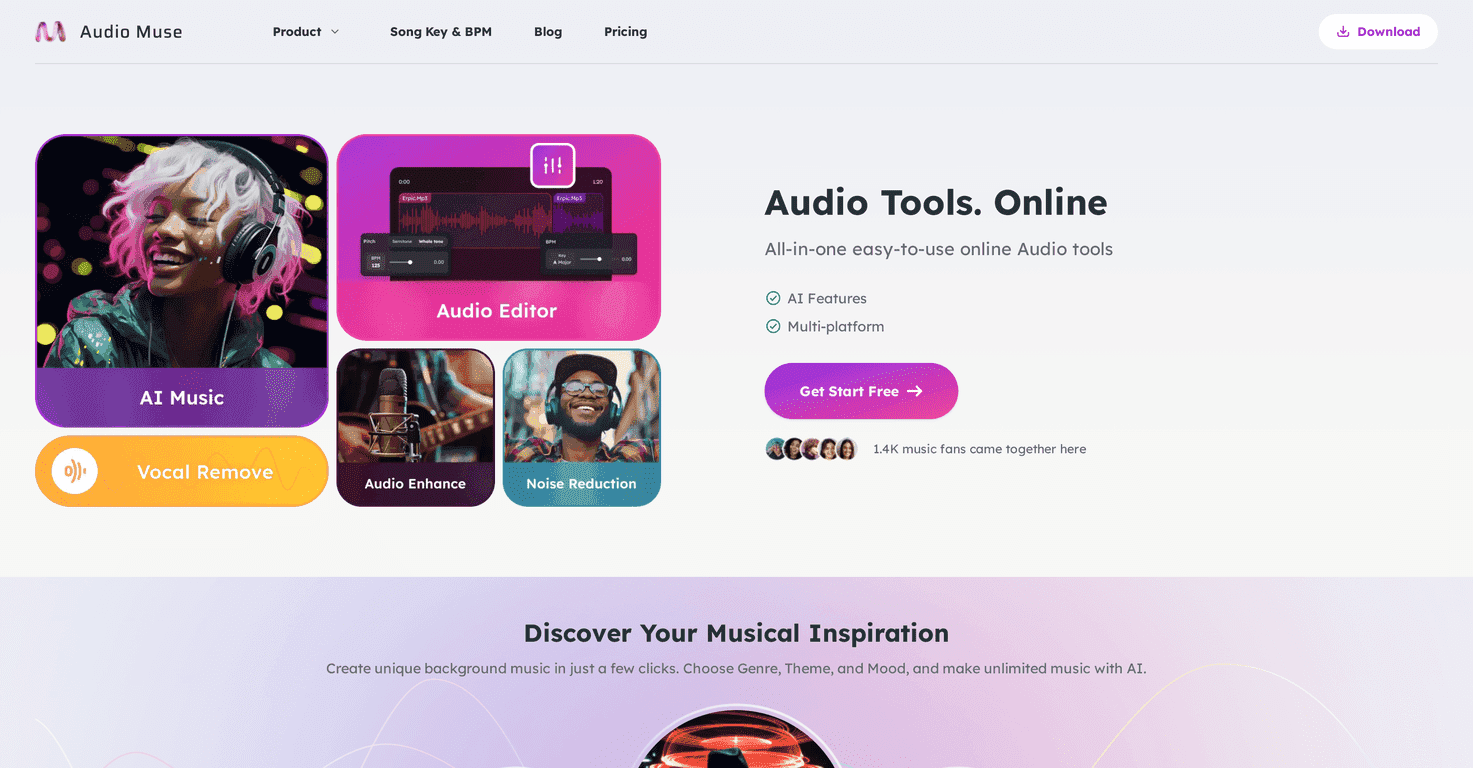
Audio Muse is basically a “do a bunch of audio tasks in one place” platform. It mixes AI-assisted music generation with the more practical stuff—enhancing audio, reducing noise, converting formats, and even basic editing. In my experience, that combination is the main selling point. Instead of bouncing between tools (and learning a new interface every time), you stay in one workflow.
What I liked most: the interface feels straightforward. I didn’t have to watch a tutorial to figure out where to start. Pick a tool, upload or enter a prompt, and let it run. If you’re not trying to do ultra-technical mastering, it’s a pretty smooth experience.
That said, it’s still an online tool. If your internet is spotty, expect delays. And if you’re used to professional DAWs with deep routing, automation, and plugins, Audio Muse won’t fully replace that. But for quick results and everyday audio improvements? It’s genuinely handy.
Key Features
- AI Music Generator — You can generate tracks based on genres, themes, and moods. I tested a couple prompts like “lo-fi chill for late-night study” and “upbeat indie for a summer drive,” and the results were surprisingly usable as starting points.
- Audio Enhancer — This is the feature I reached for when I had files that sounded a bit dull. In my tests, it generally brightened things up and made the audio feel clearer, without me needing to tweak a bunch of settings.
- Easy-to-use Audio Editor — For small edits, it’s convenient. Think trimming, basic adjustments, and getting the file into a better shape quickly.
- Song Key and BPM Finder — If you work with loops, samples, or you’re trying to match tempos, this kind of tool saves time. I found it especially useful when I didn’t know the BPM offhand.
- Audio Converter — Converting between formats is one of those “I’ll do it later” tasks that always ends up being urgent. Audio Muse supports multiple formats, and it’s straightforward enough that I didn’t run into weird export issues.
- Noise Reduction — This is great for removing background hiss or low-level noise. I noticed it works best when the noise isn’t totally overpowering the original audio. If the recording is super messy, you may still need a more advanced editor.
- Multi-platform Support — Since it’s web-based, you can use it across devices. That flexibility matters if you bounce between laptop and desktop.
Pros and Cons
Pros
- Fast to get started — The layout is simple enough that you can run your first task quickly.
- Free access to a lot of functionality — I was able to test multiple tools without immediately hitting a paywall.
- AI features are practical — The music generator and enhancer aren’t just “cool demos.” They’re actually useful for getting drafts and improving audio.
- All-in-one platform — You’re not juggling a bunch of separate websites for generation, cleanup, and conversion.
- Regular updates — It feels like the product is actively maintained, not abandoned.
Cons
- Some advanced features may be subscription-only — I ran into limits depending on what I tried to do, so you may need premium access for certain workflows.
- Performance depends on your connection — Because it’s online, upload/export speed can make or break the experience.
- Not a full replacement for pro audio software — If you need deep mixing, advanced routing, or specialized plugins, you’ll likely still want a DAW.
Pricing Plans
Audio Muse doesn’t present a super detailed pricing breakdown in the way some tools do, at least not in a way that’s easy to summarize here. What I can say is: many features are available for free, which makes it a good “try it and see” option. If you’re planning to use it regularly—especially for the more advanced AI tools or higher usage—you’ll want to check the pricing section on the site so you don’t get surprised later.
My advice? Do a couple test runs first. Generate one or two tracks, enhance a sample, and try noise reduction on a file that actually has background noise. If it saves you time compared to your current workflow, then it’s probably worth paying for. If not, you can still get value from the free tools.
Wrap up
Overall, I think Audio Muse is a solid option if you want quick audio improvements and AI-assisted music generation without a steep learning curve. It’s especially good for beginners, creators who need fast drafts, and anyone who just wants an easy way to convert, enhance, or clean up audio files.
Just keep expectations realistic: it’s an online toolkit, not a replacement for a full professional studio setup. But for everyday audio tasks and getting ideas moving, it does the job—and it does it without making you fight the interface.