Table of Contents
Have you ever changed the font on your Kindle and suddenly realized you could read for way longer without feeling that annoying eye fatigue? Yeah—that’s the kind of small tweak that actually matters. In my experience, the best font for Kindle isn’t just about how “pretty” the text looks. It’s about comfort, clarity, and whether your brain can stay locked onto the story instead of constantly adjusting.
When you land on a font that works for you, it feels like the words flow more naturally. You stop noticing the typography and start noticing the plot. And if you’re an author publishing for Kindle, you want that exact effect—because the last thing you want is readers bouncing off your book because the text feels hard to track.
So let me walk you through what I’ve noticed about font choice, which options tend to work best, and how you can test things quickly (without overthinking it).
Best Font for Kindle: My Top Picks (and What I Notice)
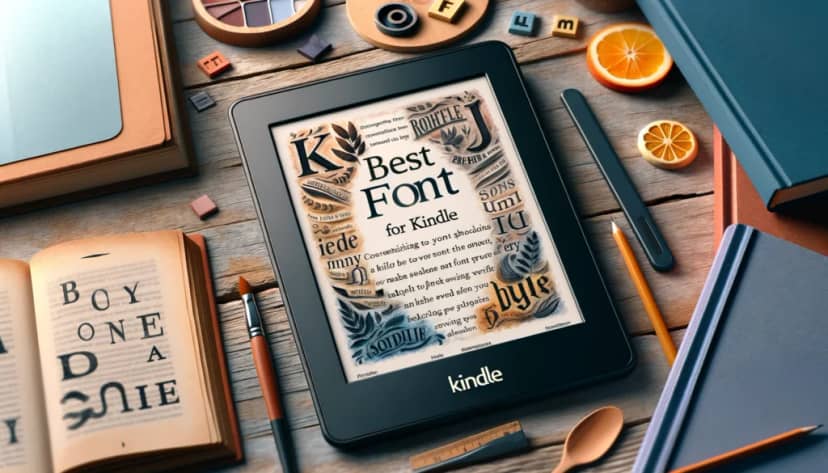
Picking the best font for Kindle might seem like a “small thing,” but once you start paying attention, it’s hard to go back. Fonts affect how quickly you can track lines, how much your eyes struggle with tight spacing, and whether the text feels crisp or slightly blurry.
And yes—there’s also that mood factor. The font you choose can make the same story feel warmer, sharper, more serious, or more playful. I’ve definitely had moments where a scene felt totally different just because the typography felt different.
Why Font Matters for Kindle Reading
Let’s be real: your eyes don’t treat a backlit screen and an e-ink display the same way. Even on e-ink, though, readability still depends on the font. The right one helps your eyes move smoothly from word to word instead of pausing every few lines.
Here are the big things I notice when I test fonts:
- Eye strain: Some fonts look fine at first, then your eyes start feeling “tired” after 20–30 minutes. The better options stay comfortable longer.
- Line tracking: If a font blends together, it’s harder to keep your place. That’s when you end up re-reading the same line.
- Clarity at smaller sizes: A font that only looks good at large text sizes isn’t very helpful if you like reading at medium settings.
- Comfort with long sessions: If you read for an hour or more, you’ll notice when the typography feels dense or overly “tight.”
Also, Kindle isn’t one-size-fits-all. Lighting matters. What feels great in bright daylight might feel slightly harsher at night. That’s why it’s worth testing a couple of fonts and sticking with the one that feels easiest across your normal reading conditions.
If you’re tweaking your Kindle settings, you might also find it helpful to review how changing the change Kindle font size affects readability. Font choice and font size work together—you can’t really judge one without considering the other.
Popular Fonts for Kindle (Serif vs Sans Serif)
Before you get lost in a list of names, here’s the simple framework: Kindle fonts usually fall into two camps—Serif and Sans Serif.
Serif fonts have those little lines at the ends of letters. They often feel more “book-like” and can make reading longer paragraphs feel smoother.
Sans serif fonts are cleaner and more modern-looking, with no extra strokes on the ends. A lot of people find these easier when they’re reading for long stretches.
Both can be great. It mostly comes down to what your eyes prefer.
Serif Fonts
In my experience, serif fonts are the ones that tend to feel most natural for classic reading. The serifs help visually guide your eyes across each line, which can reduce that “where am I?” feeling.
- Bookerly: Amazon’s default-style option for Kindle. I like it because it feels balanced—easy to read, not overly stylized, and it holds up well when you increase or decrease text size.
- Georgia: Georgia has a generous x-height, which usually means letters look a bit clearer at smaller sizes. If you’ve ever tried to read something and thought, “Why does this feel fuzzy?”, Georgia is often a solid fix.
- Times New Roman: It’s familiar. Familiar can be good because your brain doesn’t have to “re-learn” the shapes of letters. I also see fewer issues with line tracking when readers stick to this classic style.
Sans Serif Fonts
If you prefer a clean look with less visual noise, sans serif fonts are usually your friend. They tend to feel straightforward and can be easier on the eyes when you’re tired.
- Verdana: Verdana is one of those fonts that feels intentionally designed for screens. The letter shapes are wide enough that you don’t lose details, especially on smaller devices.
- Arial: Simple and reliable. I’ve noticed Arial works well when you want consistent readability without any “quirks” in the letterforms.
- Helvetica: Another clean option that reads smoothly. It’s popular across platforms for a reason—neutral, clear, and generally comfortable for long reading sessions.
How to Test and Select the Best Font for Kindle (Quick, Practical Steps)

Here’s the honest truth: you can read reviews all day, but your eyes are the ones that have to live with the decision. So I test fonts the same way every time—simple, fast, and based on what I feel while reading.
Here’s my process for finding the best font for Kindle without turning it into a whole project.
1) Start in Kindle settings. Go to your font settings (usually under display/theme or typography options). Pick one font and read a page or two.
2) Pay attention to three things:
- Letter clarity: Can you clearly distinguish characters, especially in smaller text?
- Line tracking: Do you lose your place or re-read lines?
- Comfort: Do you feel fine after a few minutes, or do your eyes start working too hard?
3) Test both serif and sans serif. Don’t just try three fonts from one category. I usually pick one serif (like Bookerly or Georgia) and one sans serif (like Verdana or Arial) and compare them directly.
4) Adjust font size and spacing a little. This is where things get interesting. Two fonts can look totally different at the same size. If you’re deciding between, say, Verdana and Georgia, changing size by even a couple steps can make one of them feel dramatically better.
Also, spacing matters more than people think. If the text feels “dense,” it can feel harder to read—even if the font itself is technically readable.
5) Test across lighting. I’ll be honest: I’ve picked a font that felt perfect in daylight, then hated it at night. So I always test at least once in dimmer conditions—headlamp, lamp light, whatever your normal nighttime setup is.
6) Give your top choice a real trial. After I narrow down to 1–2 winners, I use the top font for a week. Why a week? Because the “first 10 minutes” feeling can trick you. After a few sessions, you’ll know if it’s genuinely comfortable.
And if your preference changes later? That’s normal. Different books, different moods, different reading habits. I’ve switched fonts mid-year more than once.
Do the testing your way, but keep it consistent. That’s how you end up with a font that actually fits your reading life.
Impact of Font Choice on Reader Engagement (What Actually Happens)
Sure, you can change the format, and readers can also adjust the font on their devices. But here’s what I’ve noticed: the font still influences engagement—because it affects how smoothly people can read before they start customizing.
Even small friction adds up. If the text feels too small, too tight, or slightly hard to track, readers may skim more or stop earlier. That’s not “just aesthetics.” It’s basically usability.
Let’s break it down.
Improving Reader Engagement
When the font is comfortable and easy to read, people keep going. It’s like having the volume on a podcast just right—your brain doesn’t have to fight the audio. Same deal with typography.
On the flip side, fonts that are dense or awkward at common Kindle settings can create friction. And once readers feel that friction, they start mentally bargaining: “Should I push through?” or “Maybe I’ll come back later.”
Reading Speed and Comprehension
Font choice can affect reading speed, and it can also influence comprehension. There are studies suggesting that slightly harder-to-read fonts can sometimes increase engagement because the reader has to pay closer attention.
For example, a study published in the Journal of Cognitive Psychology reported that certain fonts that are a bit harder to read (like Comic Sans or Bodoni MT) may improve comprehension by forcing more active processing.
But here’s my take: “harder to read” has to stay in a sweet spot. If a font is so difficult that it feels like effort, you’ll lose readers instead of improving understanding.
There’s also familiarity. Fonts like Arial or Times New Roman are instantly recognizable, and that can speed up reading. The risk is that familiarity can lead to mindless skimming—people read fast but don’t always process deeply.
So if you’re choosing fonts for Kindle content, you’re balancing two things: readability and active engagement. The best fonts don’t “show off.” They help readers stay focused.
Expert Opinions (and What I Agree With)
Readability researchers and typography experts tend to recommend fonts designed for screens. Fonts like Amazon’s Bookerly and Google’s Roboto are common picks because they’re built to look good on digital displays.
In practice, what that usually means is better contrast, fewer weird shapes at smaller sizes, and smoother letterforms for long reading sessions.
That’s why I think font choice matters for authors too. Even if readers can switch fonts on their own, your default presentation still sets the tone for whether they keep reading right away.
The bottom line? The right font helps readers start smoothly, stay comfortable, and understand what they’re reading—without constantly fighting the text.
What to Consider When Publishing on Kindle (Especially if You Want People to Finish)

If you’re publishing on Kindle, font choice isn’t just a design decision. It’s part of how readers experience your work—especially when they open your book for the first time and decide whether they want to stick with it.
Here’s what I’d focus on if I were setting up an ebook and wanted it to feel polished.
The Genre (and Tone) of Your Work
Fonts do a lot of silent storytelling. They can signal “serious,” “cozy,” “modern,” or “classic” before readers even get into the plot.
For example:
- Serif fonts often fit historical fiction, literary work, or anything that wants a traditional feel.
- Sans serif fonts can match contemporary genres like sci-fi, tech-heavy stories, or self-help—anything that feels clean and modern.
Think of it like cover design. The typography is part of the vibe. A mystery novel might benefit from a slightly sharper, more distinctive style that supports suspense. A romance might feel softer and more intimate with a calmer, smoother look.
Legal Considerations (Don’t Skip This)
This part matters more than people realize. Some fonts are free to use personally, but commercial distribution requires a license. If you ignore licensing, you’re taking a real risk.
- Check licensing agreements: Before you finalize anything, confirm you’re allowed to embed and distribute the font in an ebook. The “free” version might not cover commercial use.
- Choose fonts with clear commercial licensing: If you want fewer headaches, use fonts explicitly licensed for commercial projects. Google Fonts is often a good place to start because licensing is straightforward.
- Custom fonts and branding: If you’re building a brand and want something unique, custom typography can help. Just remember it can be expensive and time-consuming—so weigh that against your budget and timeline.
When you pair a genre-appropriate font with proper licensing, you get something that feels professional and avoids potential legal problems later.
Conclusion
The best font for Kindle isn’t just about appearance. It’s about readability, comfort, and how smoothly people can stay engaged with your content. If the text is easy to track and doesn’t make readers work too hard, they’re more likely to keep going—and that’s everything for authors.
So test what you can, pick what feels right, and don’t forget the legal side if you’re embedding fonts in your ebook. When the font fits the genre, fits the reader, and fits the rules, your book tends to feel more effortless from page one.
FAQ
What font is easiest to read on Kindle?
In practice, the “easiest” font depends on your eyes, but Bookerly and Georgia are consistently popular for readability. Bookerly is made specifically for Kindle-style reading, and Georgia tends to feel clear even when you’re not using huge text sizes.
What font is used for Kindle books?
Amazon’s Bookerly is the default font style many Kindle books use. It’s designed to be comfortable on digital screens, especially for longer reading sessions.
What is the best font for Kindle eye strain?
If your eyes get tired, sans serif fonts like Verdana and Helvetica are often recommended. Their clean shapes and straightforward letterforms can feel easier to read on screens, particularly if you tend to read for a while.
What is the best font for ebooks?
The best ebook font usually balances readability and comfort. Bookerly, Georgia, and Verdana are common “safe bets” because they’re widely liked across devices and reading preferences.
Best Kindle font for ADHD?
For ADHD readers, the goal is usually focus without visual clutter. Arial and Verdana are often helpful because they’re clear, consistent, and easy to follow line by line—so your attention doesn’t keep getting pulled by the text.