Table of Contents
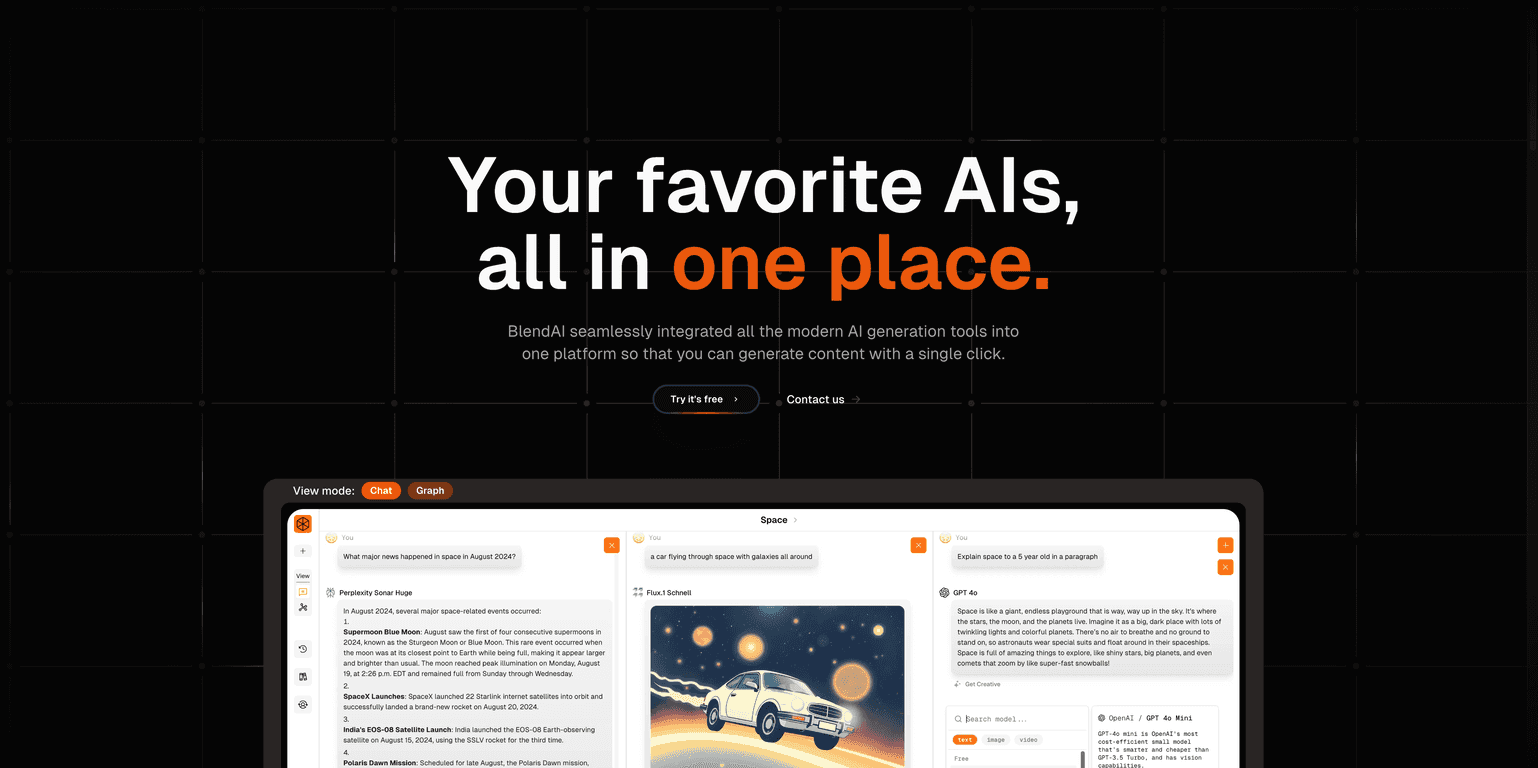
I’ve used a bunch of “all-in-one” AI writing tools over the last year, and BlendAI v0.9 is one of the few that actually feels like it’s built for real workflows instead of just demo prompts. The big promise here is simple: you get multiple AI models in one place, and you can generate text, images, and videos without jumping between five different websites.
So does it live up to the hype? I tested it with a mix of blog-style prompts, marketing copy, and a couple of image requests to see how consistent the outputs were. Overall, it’s pretty straightforward—type your prompt, hit generate, and you’re off. If you like having everything in one interface, you’ll probably like BlendAI v0.9. And if you need more control, there are still ways to steer results, but you’ll want to spend a few minutes learning the prompt style that works best for you.
Here’s my Blend AI v0.9 review—what I liked, what felt limiting, and who I think it’s best for.
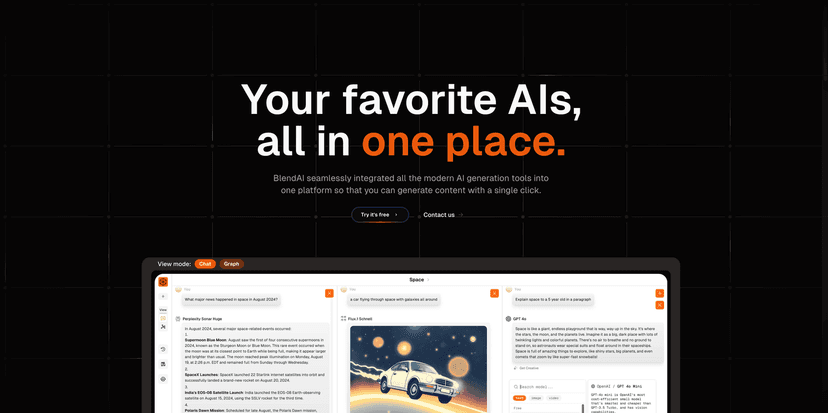
Blend AI v0.9 Review (What I Noticed After Testing It)
First thing I noticed: BlendAI v0.9 is built around doing “tasks,” not just generating one-off answers. The interface encourages you to keep going—generate text, then move on to images, then refine. That might sound small, but it matters when you’re trying to produce consistent content quickly.
In my testing, the biggest win was how fast I could go from prompt to usable draft. For example, when I asked for a blog outline and then requested a full section based on that outline, the results stayed on-topic without me needing to babysit the conversation every step. It’s not magic—you still need to provide a decent prompt—but it felt less frustrating than tools that constantly drift.
Where BlendAI v0.9 really stands out is that it supports multiple content types in one place. If you’re doing marketing work, that’s huge. You can draft copy, request supporting visuals, and keep everything tied together instead of copying and pasting between different tools.
One more thing: it’s pretty friendly if you’re not technical. I didn’t feel like I had to “learn AI” to get value. Still, if you want top-tier outputs, you’ll get better results by being specific—audience, tone, length, and an example of what you consider “good.”
Key Features (And How They Show Up in Real Use)
- Integration of multiple AI models for diverse content types
I liked that I wasn’t stuck with a single “style.” Depending on what I was making—short ad copy vs. longer blog sections—the model choice helped me get closer to the tone I wanted. - Fast and efficient content generation with a single click
This is where the time savings show up. I could generate drafts quickly, then iterate instead of waiting around for complex setups. - Capable of chatbot creation with advanced features
If you’re building a chatbot for support or sales, this is a useful angle. It’s not just for generating text—you can actually move toward a more interactive setup. - Supports online file searches and recurring instructions
In practice, this helps when you’re reusing the same constraints (brand voice, formatting rules, recurring facts). It’s the kind of feature that keeps you from rewriting the same instructions every time. - Access to high-performance models including OpenAI’s GPT
Model availability matters, and having access to stronger options can make the difference between “okay draft” and “publish-ready structure.”
Pros and Cons (Honest Take After Hands-On Testing)
Pros
- User-friendly interface, and I didn’t need a technical background to get useful results.
- Free tier available so you can test without entering a credit card. I always recommend doing that first—don’t commit before you know how it fits your workflow.
- Access to a variety of advanced models, which helps when you’re switching between tasks like blog drafts, ad copy, and image prompts.
- Good for both simple and more complex use. If you’re just generating text, it’s easy. If you’re building something like a chatbot, it feels like it’s meant for that too.
Cons
- Free tier limits access to the latest models. You can still try things, but don’t expect the very best model options on the $0 plan.
- Paid plans may be necessary if you’re generating a lot (especially images/videos). The credits are what will drive your decision, not just the monthly price.
Pricing Plans (Credits and What They Mean for You)
BlendAI v0.9 pricing is based on monthly plans with a credit allowance, which is pretty standard for tools like this. Here’s the breakdown:
- Free Plan: $0/month with 500 credits (good for testing and getting a feel for the interface)
- Starter Plan: $7/month with 7,000 credits (a solid step up if you’re generating content more than occasionally)
- Pro Plan: $20/month with 22,000 credits (best for people focused on frequent text + image generation)
- Enterprise Plan: $50/month with 60,000 credits (for heavier usage and teams)
Quick tip from my side: if you’re mostly writing, you’ll probably get more mileage per credit than someone doing lots of image/video generations. So before you upgrade, think about what you’re actually producing each week. Are you drafting 10 blog posts? Or are you generating lots of visuals to match them?
Wrap up
BlendAI v0.9 is a practical option if you want one platform for multiple types of content—especially if you’re doing marketing work and you hate switching tools constantly. The interface is easy to use, the generation speed is noticeable, and the model variety helps you get closer to the tone you’re aiming for.
That said, the free tier has limits, and if you’re going to lean heavily on the newest/best models or generate lots of images/videos, you’ll likely end up on a paid plan. For me, it hit a nice balance between “easy to start” and “powerful enough to keep using.” If that sounds like what you need, BlendAI v0.9 is worth a serious look.
Promote Blend AI v0.9