Table of Contents
Writing a captivating book description can feel overwhelming, right? You know it’s important to grab readers’ attention, but how do you distill your entire story into a few enticing sentences? It’s a challenge many authors face—even the seasoned ones!
But don’t worry! If you stick around, I’ll share some helpful insights on using a book description generator that’ll make crafting those perfect summaries a breeze. You’ll find tips, common pitfalls to avoid, and even examples that shine.
Get ready to transform your book’s appeal with a few simple tools and techniques. Let’s dive in and unlock the art of writing engaging book descriptions together!
Key Takeaways
- A book description generator simplifies writing enticing book summaries, making it faster and easier for authors.
- Look for generators with an intuitive interface, customization options, genre-specific templates, and editing tools.
- Provide detailed information about your book to the generator for the best output.
- Key elements to include in a description are a hook, character highlights, conflict, emotional stakes, and a call to action.
- Avoid vagueness, jargon, clichés, and grammatical errors in your descriptions.

Book Description Generator: Create Captivating Book Summaries
Imagine having the ability to craft enticing summaries for your books without breaking a sweat. A book description generator can be your best friend in this endeavor. It streamlines the writing process, allowing you to focus on what truly matters: your story. Whether you’re a seasoned author or a first-timer, this tool takes the guesswork out of writing descriptions that draw readers in.
With a few prompts, you can generate engaging summaries that highlight the core of your book while captivating potential readers right off the bat. Say goodbye to staring at a blank page, and hello to crafting descriptions that sell.
Why Use a Book Description Generator?
The main reason to use a book description generator is simply efficiency. Writing a good book description takes time and skill, and these generators are designed to speed up that process.
They help you structure your thoughts, making it easier to convey your book’s themes and characters. Plus, many of them offer examples that can inspire you or help you see what works and what doesn’t.
In an age where attention spans are short, having a compelling description can be the difference between a sale or a missed opportunity. So, employing a generator can save you hours of brainstorming, ensuring you hit the sweet spot in your writing.
Features of a Good Book Description Generator
When searching for a book description generator, some features can make all the difference. First and foremost, an intuitive interface is key. You want a tool that’s easy to navigate without a steep learning curve.
Next, look for customization options. The best generators allow you to input specific details about your book, like genre, key characters, and plot points. This helps ensure that the generated descriptions feel unique and tailored to your work.
Another helpful feature is the inclusion of templates based on popular genres or styles. For instance, a romance novel might need a different approach than a thriller. Having genre-specific templates can be invaluable.
Finally, great generators also come with an editing tool. You want the option to tweak the final descriptions further to ensure they align with your voice as a writer. Remember, you’re not just looking for any description; you want one that echoes your creativity.
How to Use a Book Description Generator Effectively
Using a book description generator can be straightforward, but there are some tips for maximizing its potential. Start by gathering your thoughts about your book. Jot down the main themes, character arcs, and the essence of what makes your story special.
Input this information into the generator, paying attention to the prompts it provides. It often asks for key elements like genre, tone, and target audience. Be specific here; the more details you provide, the better the output will be.
Once the generator presents you with a description, take a moment to read it and see how well it captures your book. If it feels a bit off, don’t hesitate to modify it. Play around with different versions until you find something that resonates.
Additionally, consider leveraging other resources like tips on titling your book or examples of effective summaries for insight. And remember, no generator can replace your creative touch, so leave room for your unique voice in the final edit.
Tips for Writing an Engaging Book Description
Crafting a book description that catches attention is all about balance: you want to intrigue without giving everything away.
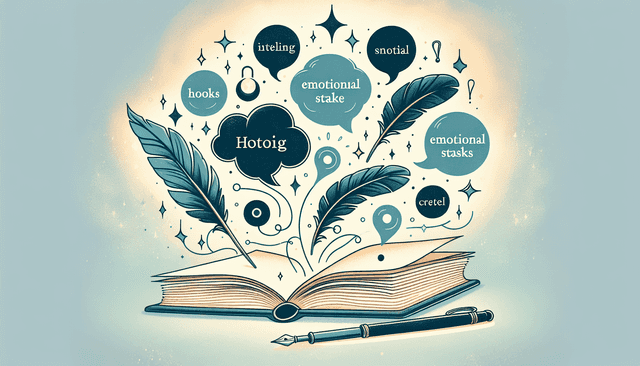
Start with a hook—a question or statement that piques curiosity.
For example, “What if the person you trusted most was the one who betrayed you?” invites readers in and sets the stage neatly.
Next, highlight your main character or protagonist; give a little background but keep it intriguing.
Follow this with a brief summary of the conflict they face, which adds urgency to your description.
Make sure to include emotional stakes that resonate with readers, enabling them to connect with your characters.
Keep your tone consistent with the genre; a thriller demands a different approach than a cozy romance.
Lastly, include a call to action at the end, inviting readers to “Join her journey” or “Discover the truth” to create a sense of urgency.
After all, you want them eager to dive into your book, right?
Common Mistakes to Avoid in Book Descriptions
When it comes to writing a book description, a few slip-ups can quickly turn potential readers away.
One of the biggest mistakes is being too vague. If you don’t provide specifics about the plot or characters, readers may lose interest before they even start.
Another misstep is writing like you’re summarizing the whole novel. Keep it concise and focus on the hook, conflict, and stakes without giving away the ending.
Watch out for jargon or overly complicated language too. Your goal is to draw in a broad audience, so stick to accessible language.
Don’t forget the importance of proofreading. Typos or grammatical errors could signal carelessness, leading readers to doubt your book’s quality.
Also, avoid clichés—phrases like “bestselling author” can sound contrived. Instead, showcase what makes your book unique.
Lastly, make sure to avoid writing in the passive voice. Active voice is more engaging and makes your description feel lively.
Examples of Effective Book Descriptions
Learning from successful examples can significantly enhance your own book description writing.
A great example is the description for “The Silent Patient” by Alex Michaelides. The description hooks readers with a compelling question about the protagonist and focuses on the mystery behind her silence.
For fiction aimed at younger audiences, a book like “Harry Potter and the Sorcerer’s Stone” offers a straightforward approach that introduces the protagonist, Hogwarts, and hints at the adventure ahead.
In non-fiction, consider “Becoming” by Michelle Obama, which gives readers a glimpse into her life story while inviting them to explore the complexities of her journey.
When examining these examples, note how each effectively operates within its genre while establishing emotion and intrigue.
Use them as a launching pad to craft your own descriptions, ensuring they resonate with the same vigor and clarity.
Choosing the Right Book Description Generator for Your Needs
Selecting a book description generator that fits your unique writing style is crucial for crafting an engaging summary.
Start by exploring user reviews and testimonials to understand how well a generator meets user needs.
Assess whether the generator offers features tailored to your specific genre, as this can make a significant difference in the quality of your output.
Look for options that allow you to personalize your input; detailed prompts enhance the depth of the generated content.
Additionally, consider the flexibility of the tool. Some generators allow you to save, edit, and compare different versions of your descriptions, a handy feature for later tweaks.
Lastly, many generators offer free trials or limited access. Use these trials to play around with the interface and gauge if it resonates with your writing process.
Finding the right tool can be a game changer, helping you easily craft descriptions that speak to your audience.

Frequently Asked Questions about Book Description Generators
When exploring book description generators, you might have a few questions in mind. One common question is: “Are these generators really effective?” The answer is yes, especially when used correctly. They can save time and offer fresh ideas, but the output should always be personalized.
Another frequent inquiry is: “Can I trust the quality of the descriptions generated?” Many reputable generators produce high-quality text, but it’s always a good idea to proofread and tweak the final output to make sure it aligns with your style.
Many users wonder, “Do I need to have writing experience to use a generator?” Not at all! These tools are designed for everyone, from beginners to experienced authors, making the process straightforward and accessible.
Lastly, people often ask, “Can I use a generator for genres other than fiction?” Certainly! Book description generators can help with non-fiction, self-help, and even academic texts, provided you offer the right input to guide the output.
FAQs
A book description generator is a tool that helps authors create engaging and compelling summaries of their books. It streamlines the writing process by providing suggestions, structure, or templates tailored to the book’s genre and target audience.
Yes, an enticing book description can capture the attention of potential readers and encourage them to purchase your book. A generator helps craft engaging descriptions that highlight your book’s unique features, boosting its market appeal.
Yes, several free book description generators exist online. While they may offer basic features, premium options typically provide more customization and advanced capabilities to help create captivating descriptions tailored to specific genres.
When choosing a book description generator, look for features such as user-friendly interface, genre-specific templates, customization options, and the ability to create appealing summaries. Also, check user reviews and output quality to ensure effectiveness.