Table of Contents
Let me be honest: I’ve read a lot of “AI-written” posts that sounded fine at first… and then you notice the same patterns everywhere. The phrasing gets a little too smooth, sentences start to feel interchangeable, and it stops sounding like a real person was behind the keyboard. That’s exactly why I tried BypassGPT.co. I wanted to see if it could take AI text and make it read more naturally.

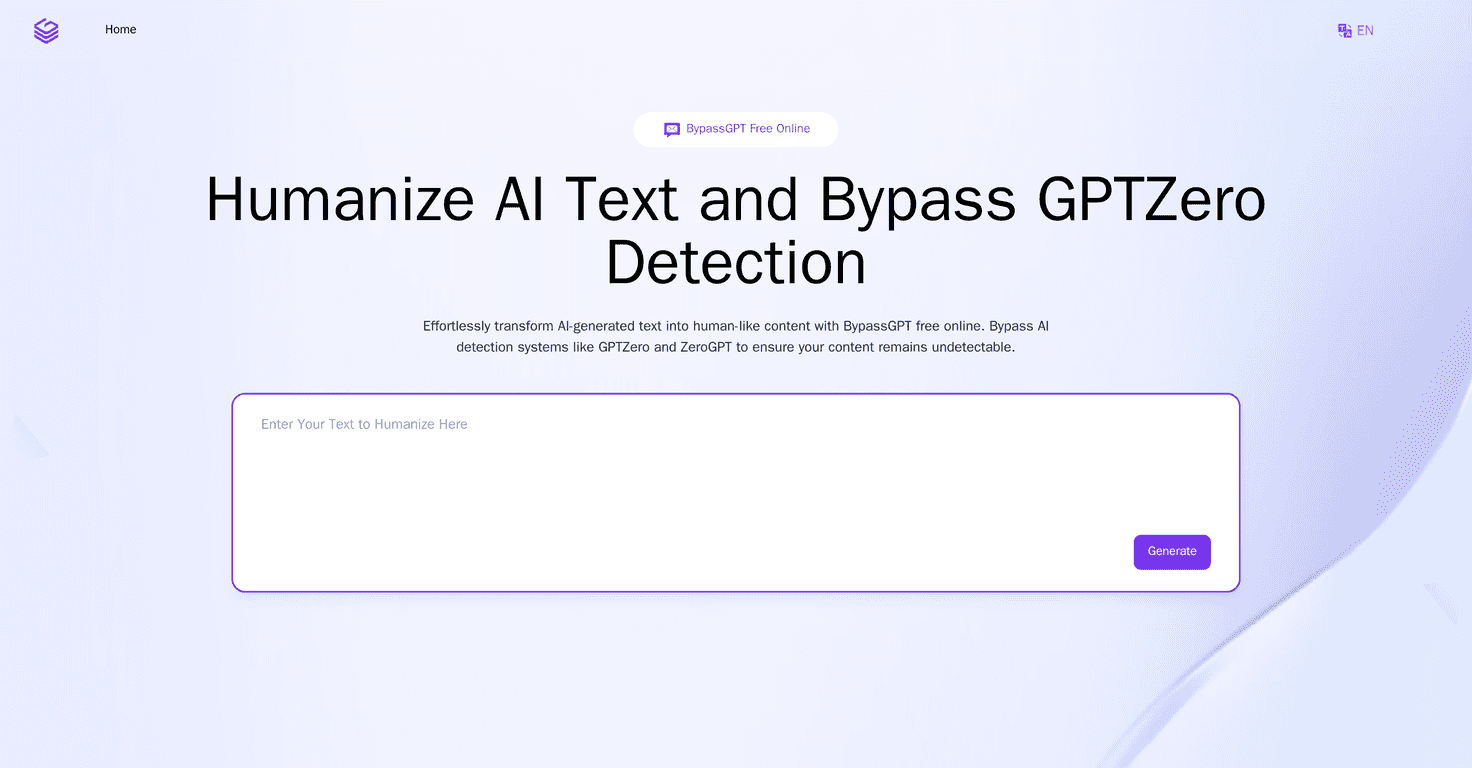
BypassGPT.co is built around one main idea: take AI-generated text and run it through a “humanizer” so it sounds less mechanical. The pitch is pretty straightforward—one-click transformation, cleaner wording, and a more natural flow. In my experience, that part is the easiest to use. You paste text, hit the button, and you get a rewritten version without having to tweak a bunch of settings.
Another thing I liked is that it supports multiple languages. If you’re writing for an audience outside English (or you’re translating your own content), it’s helpful to have the tool work across languages instead of forcing you to do everything in English first and then convert later.
Now, about the “bypass detection” angle. The site claims it can help with AI detection tools like GPTZero and ZeroGPT. I can’t promise what any detection system will do (those tools change constantly), but what I noticed is that the output tends to vary sentence structure and wording more than the original AI text. And honestly, that’s usually what readers pick up on—repetition, bland structure, and generic phrasing.
It’s also positioned as something you can use on different devices. I tested it on a couple of setups (desktop and mobile), and it’s the kind of web tool that doesn’t feel like a hassle to access when you’re editing on the go. Plus, they mention data security/ethical compliance, which matters if you’re pasting anything sensitive (even just client drafts or internal notes). I still recommend you avoid pasting anything truly confidential, but it’s at least good to see the topic addressed.
BypassGPT.co Review: Does It Actually Sound Human?
Here’s what I looked for when I tested it: not just “does it rewrite,” but does it sound like a person. I tried a few different types of text—short paragraphs, more structured blog-style sections, and a couple of “generic” prompts that usually produce stiff writing.
What improved:
- Sentence variety: The rewritten text usually has more variation in length and rhythm. It doesn’t always read like the same template repeated.
- Less repetitive phrasing: AI text often leans on similar transitions and stock phrases. BypassGPT’s output tends to swap those out more often.
- More natural readability: The final version is generally easier to skim. It feels less like a report and more like something you’d actually publish.
What didn’t magically fix everything:
- Complex prompts: If the original AI text is very dense or highly structured, you might still need to do light editing after the humanizer runs.
- Voice consistency: If you want a very specific tone (super casual, ultra-formal, brand voice, etc.), you’ll probably want to adjust a few lines manually.
- “Bypass” expectations: Detection tools are inconsistent. Even if the text looks more human, you can’t treat this as a guaranteed “never flagged” solution.
So, is it legit? For the “paste text → get a more natural rewrite” use case, I’d say yes. But I wouldn’t treat it like a replacement for editing. Think of it as a fast first pass, not a final draft machine.
Key Features
- One-Click AI Humanizer for quick transformation of text (no complicated setup)
- Multi-Language Support so you can work beyond English without doing extra steps
- AI detection-focused rewriting aimed at tools like GPTZero and ZeroGPT
- Free online access (no paywall to try it)
- Security/ethical compliance messaging for users who care about what gets processed
- Cross-device accessibility so you can rewrite from wherever you’re editing
Pros and Cons
Pros
- Human-like rewrite quality: In my tests, the output generally reads more naturally than the original AI text.
- Useful across different use cases: It can help with blog drafts, business copy, and even academic-style summaries (though you should still review for accuracy).
- Simple interface: It’s easy to figure out quickly—no steep learning curve.
- Security is addressed: They at least acknowledge data protection and ethical compliance, which I appreciate.
- Free to use: That makes it easy to test before you commit to anything.
Cons
- Results vary with text complexity: If the input is very long or highly structured, you may need extra editing.
- Ethical concerns still apply: If you’re using it to misrepresent authorship, that’s on you. I’m not going to pretend that’s fine.
- Large-volume limits: Depending on how much you paste at once, you might run into practical constraints.
Pricing Plans
Good news: BypassGPT is completely free. You can humanize AI text and try the detection-focused rewriting without paying. For anyone who just wants to test the workflow, that’s a big plus.
How I’d Use BypassGPT (Quick Tips)
- Start with a rough draft, not your final truth: If the content is fact-heavy, verify details after rewriting.
- Paste smaller sections: I get better readability when I humanize in chunks (like one section of a blog post at a time).
- Do a tone check: Read the result out loud once. If it sounds “almost right” but not quite your voice, tweak a few phrases.
- Watch for over-polishing: Sometimes rewrites can sound slightly generic again. If that happens, keep the best sentences from both versions.
Wrap up
BypassGPT.co is a solid option if you want a fast way to turn AI-generated text into something that feels more human. The one-click approach is genuinely convenient, and the multi-language support is a nice touch if you write for more than one audience. Just don’t expect it to do all the thinking for you—especially with complex writing or strict brand voice.
If you’re curious, it’s free, so you might as well test it on a paragraph you already wrote and compare the before/after. That’s the only way you’ll know if it matches your style.