Table of Contents
What Is Chiron?
Honestly, when I first heard about Chiron, I was intrigued but skeptical. The idea of having an AI-powered music production mentor that lives inside my DAW sounded almost too good to be true—especially since it claims to be built entirely on my local machine, with no cloud or subscription fuss. If you’re like me, you’ve probably spent countless hours digging through plugin manuals, watching tutorials, and toggling between different windows just to figure out how a particular plugin works or how to set up a certain effect. So, I was curious whether Chiron could actually cut down that time and frustration.
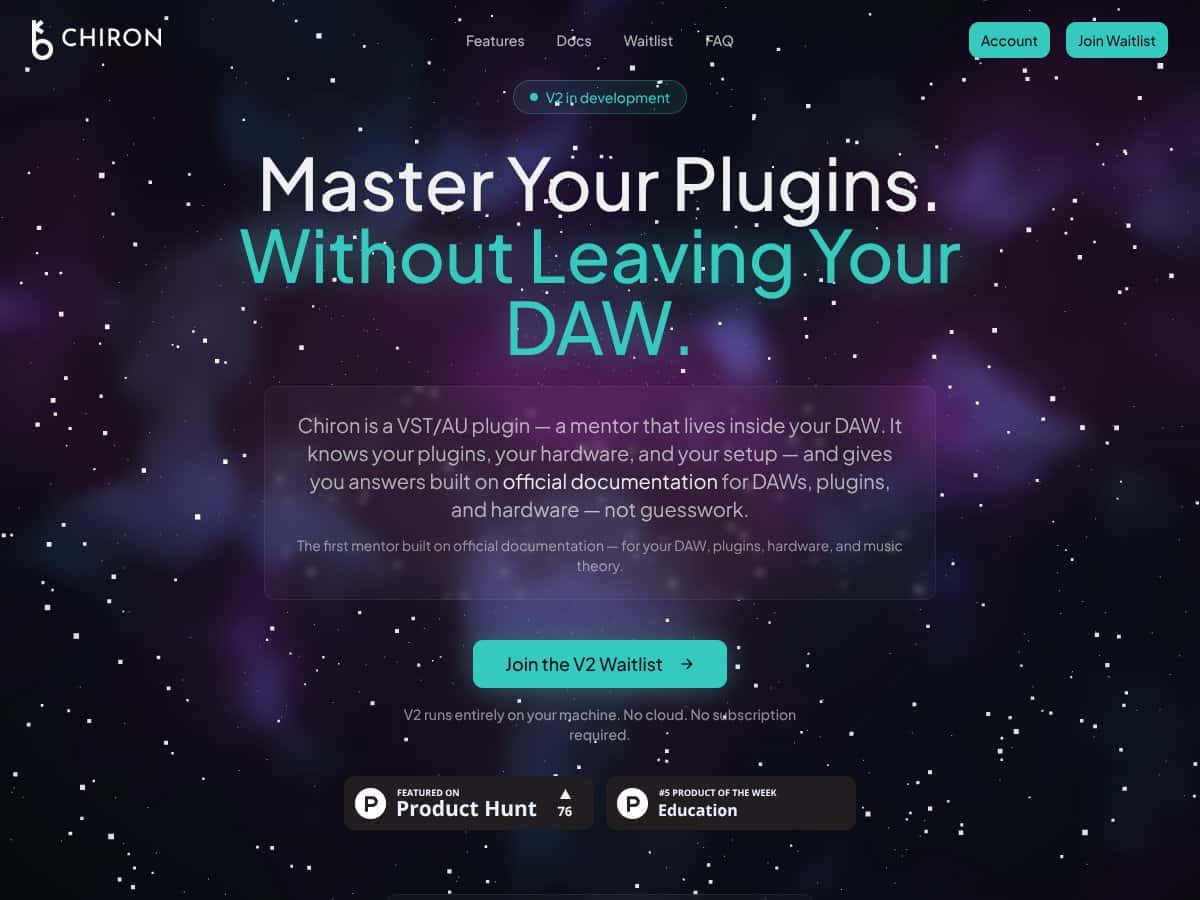
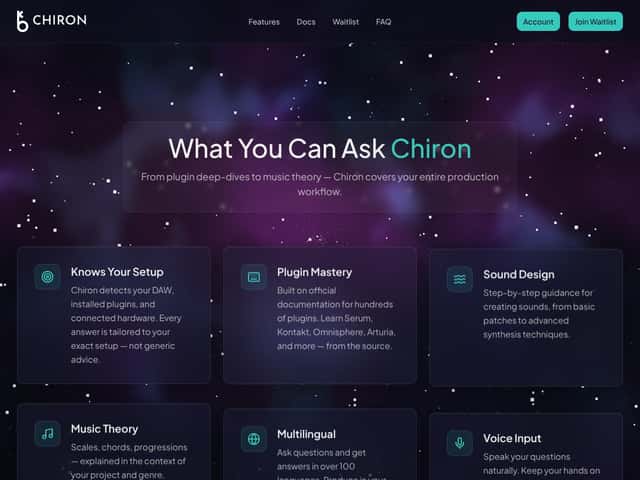
In plain English, Chiron is a plugin that runs inside your DAW—think of it as a super-knowledgeable assistant that knows your plugins, your hardware, and your music theory. You ask it questions, either by typing or speaking, and it searches official documentation, manuals, and technical resources to give you precise answers. It’s not meant to generate music or melodies; rather, it’s a reference tool that helps you troubleshoot, learn, and understand your setup better. The main problem it’s trying to solve is the time-consuming, often confusing process of manual lookups—especially when you’re in the middle of a session, and every second counts.
As for who’s behind it, the company OpUniverse is developing Chiron, and from what I could gather, they’re a team of producers and developers who understand both music production and software. It’s a niche product, aimed squarely at producers who want a smarter way to learn their tools without leaving their DAW environment.
My initial impression? It’s as advertised—at least in the sense that it’s a plugin that provides official, documentation-backed answers. That’s a big plus compared to general AI chatbots that tend to hallucinate or give vague advice. But, I’ll be honest, it’s still in beta, and I found a few quirks that suggest it’s not quite a finished product yet. It’s important to manage expectations: this isn’t a creative assistant or a plugin that composes your tracks. Think of it more like an encyclopedia you can talk to directly from your DAW.
One thing to keep in mind: since it’s still in development, some features might be limited, and support for Windows isn’t there yet—at least, not officially. So, if you’re a Windows user, you might have to wait a bit longer or look for updates.
Overall, my first impression is that Chiron is promising for a niche crowd—those who want accurate, official guidance without the hassle of manual searches. But it’s early days, and I’d suggest trying it out with a grain of salt. It’s not a magic wand, but it could be a handy reference tool if it works reliably in your setup.
Chiron Pricing: Is It Worth It?
Here's the thing about the pricing... As of now, Chiron is still in private beta, especially for Mac users, and the developers haven't publicly disclosed detailed plans or costs. What they don't tell you on the sales page is whether there will be a subscription model, a one-time fee, or tiered plans, which makes it tough to do a straightforward cost analysis. The only hint is that it runs entirely on your machine, so no cloud or ongoing subscription—potentially a good thing for those wary of recurring charges.
Since the product is in beta, especially with limited platform support, it's possible they'll introduce paid plans once fully launched. If they do, I’d expect a tiered system, perhaps with a free tier for basic questions and paid tiers for advanced features or plugin support. But honestly, this might be a dealbreaker for some—if you're expecting to pay upfront without knowing the final pricing or features, it’s a gamble.
| Plan | Price | What You Get | My Take |
|---|---|---|---|
| Free Tier | Unknown | Limited access, possibly basic queries, fewer plugins | Likely useful for testing, but probably not enough for serious work |
| Pro/Full Access | Not disclosed | Full plugin support, advanced features, priority updates | Fair warning: until they publish details, it’s hard to say if this is worth the investment. Expect to pay more for full features. |
My honest assessment? If the final pricing is competitive—say, a one-time fee or modest subscription—it could be a worthwhile investment, especially if you frequently need quick, accurate plugin or setup guidance. But if they charge a premium without clear value, or if you’re on Windows (since it’s still in Mac beta), you might want to hold off.
Ultimately, without concrete numbers, I’d advise waiting until they announce official plans and prices. Fair warning: don’t commit without understanding the full scope of what you’re paying for.
The Good and The Bad
What I Liked
- Accurate, source-based answers: Unlike chatbots that hallucinate, Chiron pulls directly from official docs—huge for reliability.
- Seamless DAW integration: Running inside your DAW means no tab-switching or external tools, which streamlines workflow.
- Plugin-aware guidance: It recognizes your specific plugins and hardware, giving tailored advice—no generic tips here.
- Multiple language support and voice input: Speaking questions naturally or typing in your language makes it accessible worldwide.
- Educational focus: It’s not trying to generate beats or melodies, but instead helps you learn and master your tools faster.
What Could Be Better
- Limited platform support: Mac beta only. If you're on Windows or Linux, this isn’t an option yet, which is a huge limitation.
- Lack of public documentation or clear roadmap: You can’t see what features are coming or how it will evolve, which makes planning difficult.
- No free trial or tier disclosures: Without knowing what’s free or paid, it’s risky to invest early.
- Absence of testimonials or reviews: Hard to gauge how real users feel after prolonged use, especially since it’s still in beta.
- Potential bugs or incomplete coverage: Beta stage means you might encounter crashes or missing features, which could hamper your workflow.
Who Is Chiron Actually For?
If you’re a solo producer or a small studio that relies heavily on multiple plugins—especially from Serum, Kontakt, Omnisphere, or Arturia—and you often find yourself hunting through manuals or online forums, Chiron could be a game changer. It’s best suited for those who want quick, accurate answers without breaking their flow. For example, if you’re trying to automate a parameter in Serum but get lost in the manual, Chiron can provide precise instructions tailored to your setup, saving you time and frustration.
It’s also ideal for producers still learning their DAWs or plugins, as it offers a structured, official-source-backed way to deepen understanding. If you’re navigating complex routing, sound design, or music theory, and prefer to learn on the fly rather than through lengthy tutorials, Chiron fits that niche well.
However, if your workflow involves a lot of creative generation—like composing melodies or beats—this tool is more educational than creative. Think of it as your in-studio mentor for technical questions, not a creative assistant.
Who Should Look Elsewhere
If you’re a Windows user, wait until they release a version compatible with your OS. The current Mac-only beta limits accessibility. Also, if you’re looking for a plugin that generates ideas, melodies, or full arrangements, Chiron isn’t that tool. It’s purely reference and guidance—no AI songwriting or beatmaking here. For those needs, tools like AIVA, ChatGPT-based composition assistants, or dedicated AI beatmakers might be better.
Similarly, if you prefer a standalone app outside your DAW or need cloud-based collaboration, Chiron’s local-only approach might feel restrictive. And if you’re someone who isn’t comfortable waiting for beta releases or prefers proven, fully-featured tools, it’s worth holding off until it’s officially launched and tested more broadly.
How Chiron Stacks Up Against Alternatives
Plugin Guru
- What it does differently: Plugin Guru offers an extensive library of tutorials, presets, and community-driven content for learning sound design and production techniques. It’s more of an educational platform than a real-time assistant, focusing on courses and downloadable resources.
- Price comparison: Usually subscription-based at around $20/month or a one-time fee for specific courses, making it more expensive if you're only looking for quick, in-DAW guidance.
- Choose this if... you prefer structured courses, in-depth tutorials, and community support, and don’t mind paying for a comprehensive learning resource.
- Stick with Chiron if... you want instant, context-aware answers directly integrated into your DAW without navigating through courses or tutorials. Chiron is better for quick reference and technical guidance.
SonarQube (or similar plugin analyzers)
- What it does differently: SonarQube focuses on analyzing audio quality, loudness, and mixing issues within your tracks, providing technical feedback on sound levels and balance rather than plugin or setup guidance.
- Price comparison: Usually free or included with professional DAW bundles; some advanced features cost extra.
- Choose this if... your goal is technical audio analysis and mastering quality control rather than learning plugin functions or setups.
- Stick with Chiron if... you need specific plugin or DAW setup guidance rather than audio quality metrics.
Google Search + Manuals
- What it does differently: Manually searching for plugin manuals, forums, and YouTube tutorials is the traditional way—free but time-consuming. No AI assistance, just DIY research.
- Price comparison: Free, but takes your time and effort.
- Choose this if... you prefer learning at your own pace, enjoy deep dives, and don’t mind manual lookup and cross-referencing.
- Stick with Chiron if... you want faster, more accurate info without sifting through countless tabs and forums.
Ableton’s Built-in Help & Max for Live Devices
- What it does differently: Ableton’s built-in help offers documentation and hints, while Max for Live adds custom tools and instruments. They’re useful but limited compared to a dedicated reference tool.
- Price comparison: Included with Ableton Live Suite; free but requires Ableton.
- Choose this if... you already use Ableton and want built-in guidance without extra tools.
- Stick with Chiron if... you need DAW-agnostic, plugin-specific, and detailed technical help, which Ableton’s native features may lack.
Bottom Line: Should You Try Chiron?
Overall, I’d say Chiron is a solid 7/10 for what it aims to do. It’s not a creative AI or a full-blown learning platform, but for quick, reliable, in-DAW guidance, it’s quite impressive—especially if you’re tired of jumping between manuals and tabs. The accuracy and integration are its biggest strengths, making it a real time-saver when you're deep into a session.
If you’re a producer who frequently works with plugins and wants instant, trustworthy info without leaving your workflow, give it a shot. The Mac beta is promising, and if you’re comfortable with trying early software, it’s worth testing out the free tier (if available) or joining the waitlist for updates.
However, if you need a comprehensive learning course, detailed tutorials, or cross-platform support, you might want to look elsewhere. Chiron excels at quick reference, not at replacing educational content or creative tools.
Personally, I’d recommend it to producers who value efficiency and accuracy, especially during complex sound design or technical setup tasks. If you’re just starting out and need broad tutorials, this isn’t your best bet. But if you’re deep into production and want a trusted assistant in your DAW, it’s worth keeping an eye on.
If you’re on Mac and want immediate, precise answers to plugin and DAW questions, give it a shot. If you use Windows or need more comprehensive tutorials, your money might be better spent on dedicated courses or tools.
Common Questions About Chiron
- Is Chiron worth the money? It depends. If you need fast, accurate guidance within your DAW, it’s a worthwhile investment. For casual users or beginners, it might be overkill.
- Is there a free version? Currently, Chiron is in private beta, and a free tier isn’t publicly available yet. Keep an eye on their website for updates.
- How does it compare to [competitor]? Unlike general AI chatbots, Chiron provides source-based, precise answers from manuals, making it more reliable for technical questions.
- Can I use it outside of a DAW? No, it’s designed as a plugin inside DAWs, so standalone use isn’t supported.
- Is it available on Windows? Not yet. It’s currently Mac-only during the beta phase.
- How do I get support or a refund? Support details are limited at this stage; refunds depend on the platform or store policies once full release is available.