Table of Contents
What Is ClauseCheck — Stop signing bad contracts?
Honestly, I was pretty skeptical when I first heard about ClauseCheck. The idea of an AI tool scanning contracts specifically for freelancers and highlighting dangerous clauses sounds great in theory, but I’ve seen enough so-called "smart" contract tools that overpromise and underdeliver. So, I decided to put it through its paces myself.
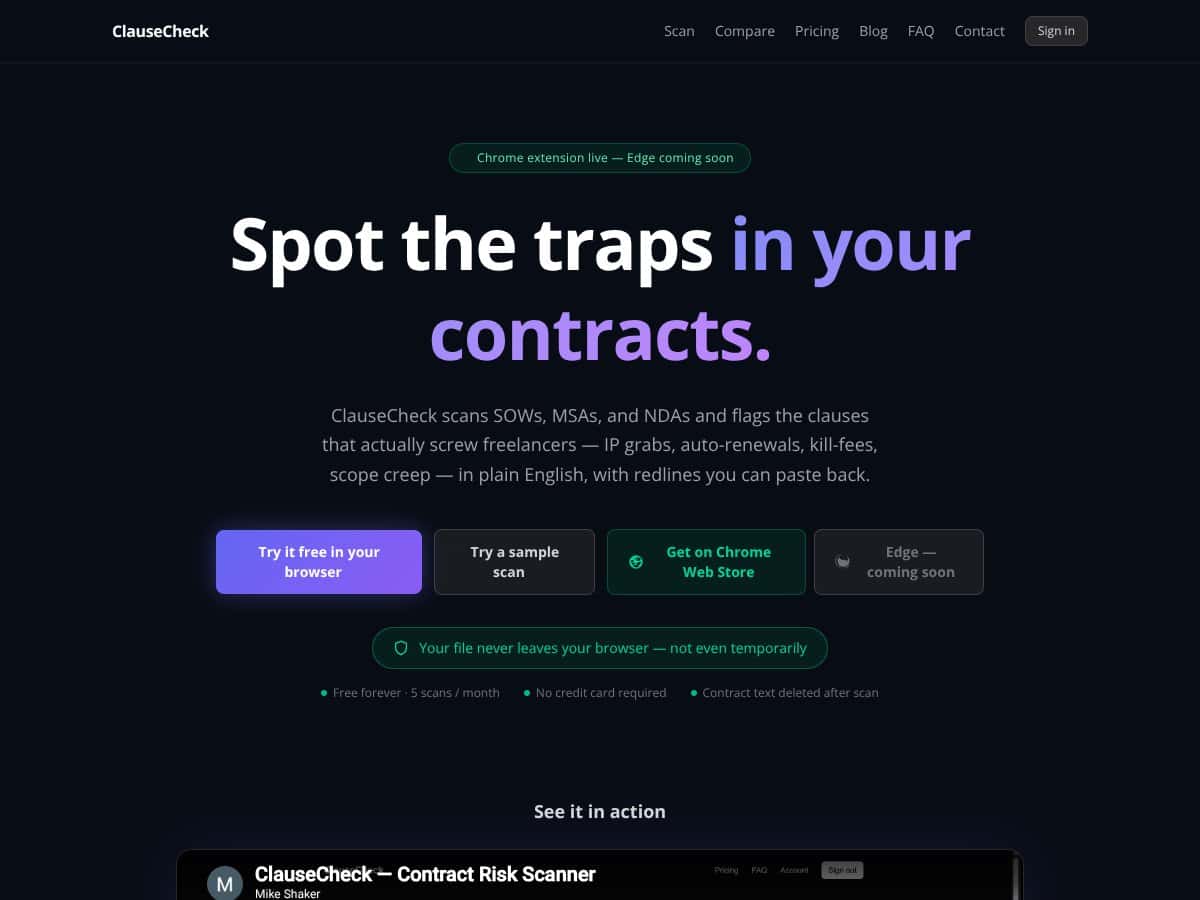
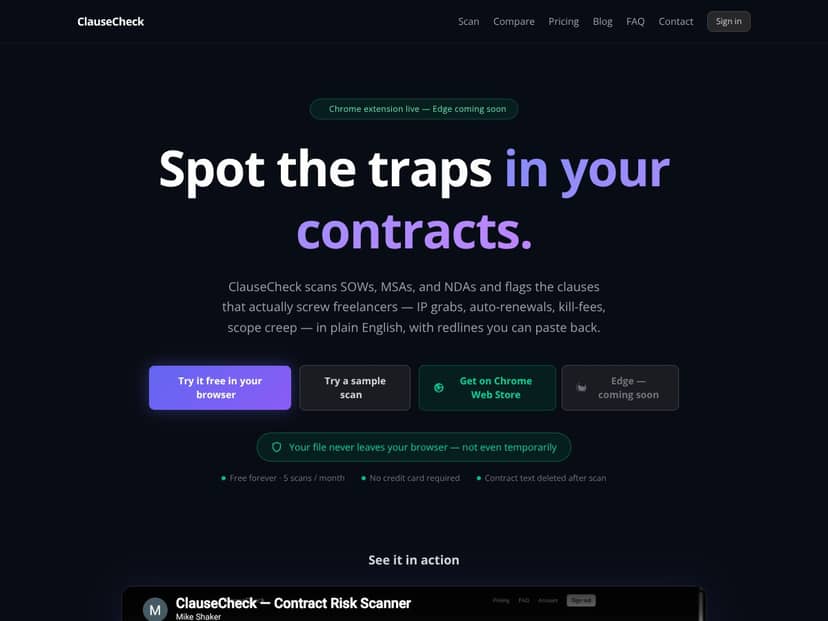
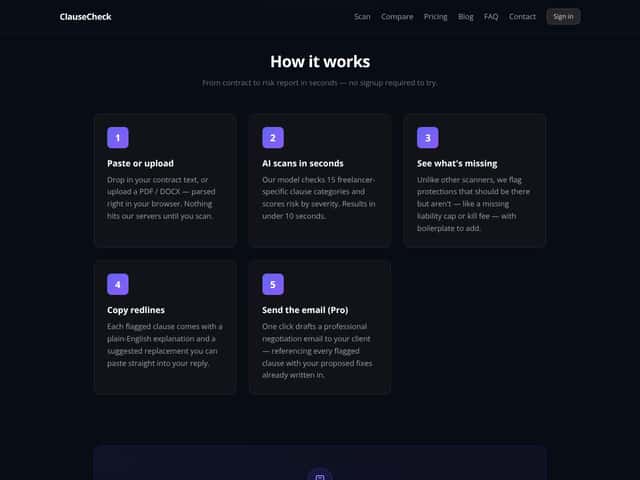
What ClauseCheck claims to do is straightforward: you paste your contract into their web app or use their browser extension, and it scans for sneaky clauses like auto-renewals, IP grabs, kill fees, scope creep, and other risks. It then provides plain-English explanations, flags the problematic parts, and offers suggested redlines you can copy into your contract. The goal? Help freelancers and small businesses avoid signing agreements that could bite them later.
As for who’s behind it, the website doesn’t reveal much about the team or company. The only info I found is that it’s built for freelancers and small teams, with a focus on privacy — your files stay in your browser, and nothing gets uploaded unless you choose to scan. It seems to be a solo project or a small startup without big marketing hype, which honestly made me more curious. If they’re not throwing lots of marketing dollars at it, maybe they’re onto something.
My initial impression was: it does what it says on the tin. You can paste a contract, and within seconds, it highlights some clauses and explains why they might be a concern. But I also kept in mind the fact that I shouldn’t expect a fully-fledged legal review—this isn’t a substitute for a lawyer. It’s a risk detector, plain and simple. A heads-up: it’s not a contract drafting tool, and it doesn’t do deep legal analysis beyond flagging common freelancer pitfalls.
What I want to stress is that this is NOT a comprehensive legal review. It’s more like a smart checklist that points out issues you might want to negotiate or clarify. If you’re expecting it to replace a lawyer or catch everything, you’ll be disappointed. But if you’re tired of blindly signing contracts that could contain hidden traps, it might be worth trying.
ClauseCheck — Stop signing bad contracts Pricing: Is It Worth It?
| Plan | Price | What You Get | My Take |
|---|---|---|---|
| Free Tier | Free (up to 5 scans/month) | Limited to 5 scans per month, local parsing, basic clause detection | Great way to test the waters, but probably insufficient if you handle more than a handful of contracts monthly. No credit card needed, so no risk to try it out. |
| Paid Plans | Pricing details not publicly available, likely tiered based on scan volume or features | More scans, possibly advanced features like email negotiation drafts, integrations, or team access (not confirmed) | Without clear info, hard to judge if worth the investment. If you’re doing frequent contract reviews or need detailed negotiations, a paid plan might be justified — but confirm pricing first. |
Here's the thing about the pricing: it looks accessible if you're just testing or have light needs, thanks to the free tier. But if you’re a freelancer or legal team that reviews dozens of contracts monthly, you'll want to dig into the paid plans. The lack of transparent pricing can be a bit frustrating — you might need to reach out or sign up first to get a quote. That said, compared to more comprehensive contract management tools that can cost hundreds per month, ClauseCheck’s basic offering seems reasonably priced for what it does. Fair warning: if you need bulk scans or advanced integrations, expect to pay more. And keep in mind, this isn’t a full contract management suite — it’s a specialized tool for spotting risky clauses. So, if your workflow involves complex negotiations or legal review beyond clause spotting, you might need a more robust platform. In summary: For freelancers or solo legal reviewers, the free tier is a low-cost way to get a risk check. For teams or heavy users, the paid plans could be worth it — just make sure to clarify the costs and features before committing."
The Good and The Bad
What I Liked
- Specific clause detection: Unlike generic scanners, ClauseCheck flags freelancer-specific risks like auto-renewals, IP grabs, and missing protections. That focus makes it genuinely useful for gig workers and small businesses.
- Plain-English explanations: The explanations help non-lawyers understand what’s risky, which is a huge plus for freelancers handling their own negotiations.
- Redlines ready to paste: The suggested clause fixes save time — I was honestly expecting a more cumbersome process, but the redlines are straightforward and ready to use.
- Privacy-conscious design: Your contract stays in your browser, and nothing is uploaded unless you scan. For anyone worried about confidentiality, this is reassuring.
- Speed and simplicity: The scans are quick — under 10 seconds — and require no signup, making it easy to try without hassle.
What Could Be Better
- Limited free scans: Five scans per month might be enough for occasional use, but heavy reviewers will find it restrictive. No clear info on the paid plan pricing makes planning difficult.
- Feature set is basic: It focuses on clause detection and redlines. Things like contract version comparison, collaboration tools, or integration with contract management platforms seem absent, which limits its usefulness for larger teams.
- No detailed guidance on workflow: It’s great at spotting risks, but it doesn’t guide you on what to do next — e.g., how to negotiate or what protections to push for.
- File support and security: While it mentions uploading PDFs or DOCXs, there’s no info on supported file sizes or formats, or how it handles sensitive data beyond the privacy claims.
- No mention of customer support or onboarding: If you run into issues or want to customize, it’s unclear whether support is responsive or if there are onboarding resources.
Who Is ClauseCheck — Stop signing bad contracts Actually For?
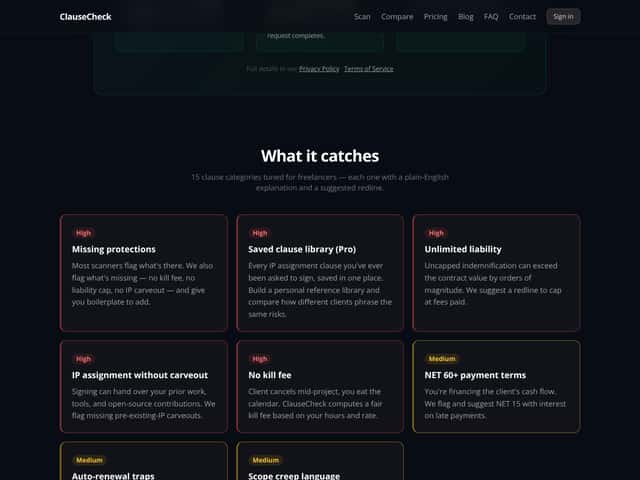
This tool is best suited for freelancers, solo entrepreneurs, and small legal teams who want a quick, reliable way to catch risky clauses before they sign. If you regularly review NDAs, SOWs, or MSAs and need a fast, plain-English risk assessment, ClauseCheck can be a real time-saver. It’s especially valuable if you handle standard contracts and want to avoid common pitfalls like auto-renewals, IP grabs, or missing protections without spending hours with a lawyer.
For example, a freelance graphic designer reviewing an NDA might use ClauseCheck to identify whether the NDA has an auto-renewal clause or an IP transfer clause that could give the client rights to all work forever. Similarly, a startup founder signing an MSA could quickly spot if there’s a hidden kill fee or an unlimited liability clause that could cost thousands down the line.
Basically, if your workflow involves reviewing contracts on a regular basis and you need plain-English insights with redlines you can paste back into your document, this tool hits the sweet spot.
Who Should Look Elsewhere
If you’re a large legal department or need detailed contract management features, ClauseCheck isn’t going to cut it. It doesn’t support complex workflows, integrations, or bulk processing. Those users should consider platforms like Concord or ContractSafe, which offer more comprehensive contract lifecycle management.
Also, if you’re a business that deals with high-stakes, multi-party agreements, or requires detailed legal review beyond clause flags, relying solely on an AI scanner could be risky. Human review remains essential in those cases. And if you need ongoing collaboration, workflows, or compliance tracking, this tool is not designed for that level of complexity.
Finally, if privacy concerns are paramount and you want a fully hosted, cloud-based platform with support and audit trails, check the privacy policies carefully. While ClauseCheck claims to keep your files local, the lack of transparency about paid plans and features might be a red flag for some.
How ClauseCheck — Stop signing bad contracts Stacks Up Against Alternatives
Denser.ai
- Denser.ai offers more detailed contract analysis with a focus on providing cited answers and Q&A style feedback. It’s designed for deeper legal insights and supports complex queries, making it more suitable for teams needing extensive review capabilities.
- Its pricing tends to be higher, often requiring enterprise plans, but it offers more comprehensive analysis features. Exact costs aren’t always transparent, but it’s generally geared toward larger organizations.
- Choose this if you want in-depth legal explanations and integrations for larger teams or ongoing legal workflows.
- Stick with ClauseCheck — Stop signing bad contracts if you’re a freelancer or small business needing quick, straightforward risk flags without the complexity or cost of enterprise tools.
Concord
- Concord is a full contract management platform that includes drafting, signing, and review features, with AI risk scoring integrated into a broader system of document handling. It’s ideal if you want a one-stop shop for contract lifecycle management.
- Pricing varies but often requires a subscription starting around $100/month or more, depending on usage and features. It’s more expensive than ClauseCheck for basic review but offers broader functionality.
- Choose this if you need comprehensive contract management beyond just risk detection, especially for larger teams.
- Stick with ClauseCheck if you only need quick risk assessments and negotiation fixes without a full management platform. It’s more lightweight and budget-friendly.
ContractSafe
- ContractSafe is primarily a contract repository with AI features that highlight risky clauses and help organize your contracts. It’s good for managing large document libraries and ensuring compliance.
- Pricing is usually on a custom quote basis, often starting around $50–$100 per month for small teams, but can get expensive with more storage and features.
- Choose this if you want a central place to store contracts with some risk detection capabilities.
- Stick with ClauseCheck if you’re focused on analyzing contracts quickly and don’t need extensive storage or management features.
CobbleStone Software
- CobbleStone offers AI-driven contract intelligence with advanced clause recognition, risk mitigation, and automation tools. It’s aimed at larger companies with complex contract needs.
- Pricing info is typically quote-based, often tailored to enterprise clients, making it less accessible for freelancers or small teams.
- Choose this if you need advanced automation, integrations, and enterprise-grade legal risk management.
- Stick with ClauseCheck if you prefer a straightforward, easy-to-use tool for basic risk detection without heavy investment.
Bottom Line: Should You Try ClauseCheck — Stop signing bad contracts?
Overall, I’d give ClauseCheck — Stop signing bad contracts a solid 7 out of 10. It’s user-friendly, quick, and effective at flagging common risky clauses, making it a good choice for freelancers, startups, and small teams who want to avoid the nastiest contract pitfalls without a legal degree. The risk scoring and negotiation scripts are especially handy.
If you’re someone who deals with contracts regularly but doesn’t want to spend hours on review, definitely give it a shot, especially since the free tier lets you do up to 5 scans per month without commitment. The paid plans, if they exist, could be worth it if you need more scans or advanced features.
That said, if you’re handling extremely complex deals, or need deep legal insights and integrations, you might want to look at more comprehensive tools like Denser.ai or Concord. For most small businesses and freelancers, ClauseCheck hits a good sweet spot.
Personally, I’d recommend trying it out if you want a quick risk check before signing on the dotted line. If your contracts are straightforward, it might save you from costly mistakes. But if you need ongoing legal support or complex negotiation tools, your money might be better spent on a dedicated legal service or more advanced platform.
In short: If you’re looking for a simple, effective risk scanner for your contracts, give ClauseCheck a try. If you need full contract lifecycle management or complex legal analysis, look elsewhere.
Common Questions About ClauseCheck — Stop signing bad contracts
Is ClauseCheck — Stop signing bad contracts worth the money?
It’s worth it if you want quick, reliable risk detection without legal fees. The free tier is a good starting point, and the value depends on how many contracts you review monthly.
Is there a free version?
Yes, it offers up to 5 free scans per month. Beyond that, you’ll need to upgrade to a paid plan if available, which isn’t clearly priced yet.
How does it compare to Denser.ai?
Denser.ai provides more detailed legal insights and cited answers, suitable for larger teams needing deep analysis, but it’s more expensive and complex. ClauseCheck is simpler and more accessible for everyday use.
What file types does it support?
Most AI review tools support common formats like PDFs and Word documents, but specific support for ClauseCheck isn’t detailed. Typically, uploading PDFs should work, but check their platform for exact file type support.
Can I get a refund?
Refund policies aren’t clearly stated online. Usually, subscription-based tools offer refunds within a limited period, but it’s best to contact support directly for clarification.