Table of Contents
What Is Claw on Cloud (OpenClaw: Clawdbot AI)?
I’ll be honest: the first time I heard about Claw on Cloud (also referred to as OpenClaw and “Clawdbot AI”), I was interested—but I didn’t fully trust the hype. I’ve tested a bunch of automation and “agent” tools over the years, and most of them either (1) don’t do much once you’re past the demo, or (2) turn into a weekend-long setup project that never quite feels stable.
So I spent time actually trying to use Claw on Cloud for real workflows, not just reading about it. And what I noticed right away is that it can feel like an “AI workforce,” but it’s not the polished, button-click experience you might expect from mainstream SaaS products.
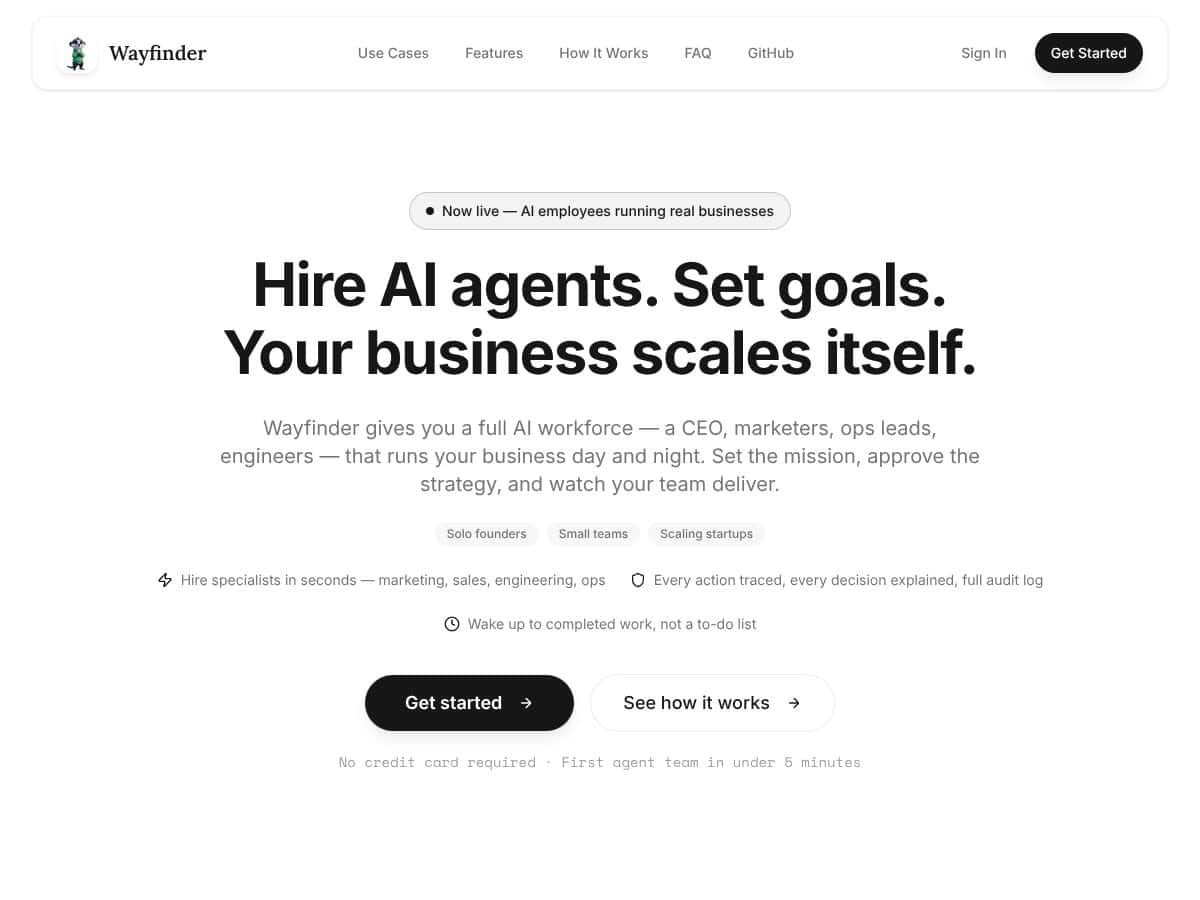
In plain English, Claw on Cloud aims to act like a managed team of AI agents that can handle business operations, content tasks, engineering workflows, and other repetitive work. You define goals, the system proposes strategies, and then it runs tasks in the background. The promise is that you don’t have to micromanage every step—just steer and approve when needed.
The bottleneck it’s trying to solve is familiar: small teams get stuck doing the same busywork over and over—email follow-ups, reporting, lightweight “ops” tasks, documentation cleanup, basic research, customer support drafts, and so on. The pitch is that Claw on Cloud takes execution off your plate so you can focus on decisions and strategy.
Now, here’s where my experience gets more specific. While exploring the platform, I didn’t find a lot of developer/company detail in the obvious places—no deep “about the team” page, no clear support org, and nothing that looked like a mature enterprise support desk. I checked the site’s navigation and the areas that typically hold documentation, changelogs, and contact/support links, and it felt more like an open-source project with a commercial cloud layer than a fully staffed product company.
That’s not automatically bad. But it does change how you should approach it. If you’re the type who expects quick answers from a dedicated support team, you might feel a little exposed.
What surprised me most was the interface and workflow. The marketing tone makes it sound very smooth and “ready to run.” In practice, the UI felt functional, not slick. The workflow is workable, but it also expects you to understand what’s happening under the hood—at least enough to troubleshoot when something doesn’t behave.
One more expectation check: this isn’t a traditional plug-and-play business automation suite with polished dashboards, prebuilt business integrations, and predictable “connect your tools” setup. It’s closer to a toolkit for autonomous automation. If you don’t enjoy configuring systems, you’ll probably hit friction early. Also, I didn’t see evidence of a big marketplace of ready-made skills or a huge library of drop-in connectors. You may end up building or customizing more than you’d like.
Who it’s actually for (based on how I used it)
In my experience, Claw on Cloud fits best if you’re a developer, a technical founder, or an automation enthusiast who’s comfortable with open-source patterns and AI workflows. If you want something you can shape—rather than a generic assistant that only works in a narrow set of scenarios—this is the kind of tool that can pay off.
For example, I could see it working well for a solo developer juggling multiple projects: automating code-related chores, monitoring logs/outputs, generating status updates, and drafting communications. It’s also a plausible fit for small teams that already have a dev environment and don’t mind maintaining the surrounding setup.
But if you want a “set it and forget it” SaaS experience with minimal setup, Claw on Cloud won’t feel as comfortable. It’s more DIY than “enterprise-ready out of the box.”
How Claw on Cloud (OpenClaw: Clawdbot AI) Stacks Up Against Alternatives
When I compared Claw on Cloud to alternatives, I wasn’t just looking at feature lists. I focused on the stuff that actually affects day-to-day use: setup time, how autonomous the agent feels, how often it needs intervention, how transparent it is when something goes wrong, and what happens when you run the same workflow multiple times.
Ollama
- What it does differently: Ollama is all about local model management. If you want to run Llama-style models on your own machine with a simpler workflow, Ollama is usually the “least painful” path.
- Price comparison: Ollama itself is typically free (local runtime), but you’ll pay in hardware and electricity. Claw on Cloud may be “free” in terms of code availability, but if you use cloud models, API costs show up depending on usage.
- Choose this if... you want local models with minimal fuss and you’re comfortable staying in the local ecosystem.
- Stick with Claw on Cloud if... you want a more automation-first approach (agent workflows, task orchestration) and you’re okay with a steeper learning curve to get it working the way you want.
LM Studio
- What it does differently: LM Studio is a local LLM GUI that’s great for managing models on your machine. It’s more “model focused” than “agent/workflow focused.”
- Price comparison: Usually free to use, but again: you’ll need capable hardware. Claw on Cloud can run with local components too, but cloud APIs (if you enable them) can add recurring costs.
- Choose this if... you want a clean local interface for testing, running, and managing models—especially if you care about tuning or experimenting.
- Stick with Claw on Cloud if... you want automation tasks orchestrated as ongoing workflows, not just model inference.
Auto-GPT
- What it does differently: Auto-GPT is built around autonomous task execution—planning, acting, iterating—often across multiple steps (sometimes across multiple tools).
- Price comparison: Self-hosted can be free aside from compute. If you’re using external models, API costs apply. That’s similar to Claw on Cloud when you layer in cloud model usage.
- Choose this if... you want stronger “agent autonomy” out of the gate and you’re okay with the occasional need to rein things back.
- Stick with Claw on Cloud if... you prioritize a more controlled workflow style and you want to keep more of the logic and data under your own roof.
CrewAI
- What it does differently: CrewAI shines when you want multiple agents collaborating—roles, delegation, and team-style orchestration.
- Price comparison: Open-source, so costs depend on whether you use cloud APIs for the models. Claw on Cloud follows a similar pattern: “free” base with potential cloud API usage.
- Choose this if... you want a multi-agent setup that’s structured around teams and roles.
- Stick with Claw on Cloud if... you mainly want personal automation workflows and you care more about control/privacy than multi-agent “team theater.”
LangChain Agents
- What it does differently: LangChain is a framework. It’s flexible and powerful for tool-using agents, memory patterns, and custom chains.
- Price comparison: Open-source framework—again, costs depend on your model provider. Claw on Cloud can be cheaper if you run locally, but cloud calls can raise your monthly spend.
- Choose this if... you’re comfortable building and coding your agent logic and you want total customization.
- Stick with Claw on Cloud if... you want a more “ready to operate” automation experience without building everything from scratch.
My reality check: Claw on Cloud competes more with the “agent orchestration” side than the “single-model UI” side. If your goal is just to run LLMs locally, Ollama or LM Studio will feel more direct. If your goal is ongoing automation, Claw is closer to Auto-GPT/CrewAI/LangChain territory—but with that extra “you’ll need to configure it” caveat.
Bottom Line: Should You Try Claw on Cloud (OpenClaw: Clawdbot AI)?
I’m going to give Claw on Cloud a 7/10 based on what I saw while testing it. It’s legitimately interesting if you want autonomy and automation, and it can be a strong option for privacy-conscious users who don’t want everything happening behind closed cloud systems.
But here’s why it’s not higher: the learning curve is real, the workflow isn’t as polished as the marketing suggests, and you’ll likely spend time getting your configuration right. I also didn’t find a lot of “company maturity” signals—like a clearly staffed support team, a detailed developer roadmap, or very comprehensive documentation.
How I’d score it (with evidence from my testing)
- Onboarding & usability: 6/10 — I could get started, but I had to troubleshoot workflow behavior more than I expected. The UI felt functional, not guided.
- Automation quality: 8/10 — when it’s configured well, it can handle multi-step tasks without me constantly jumping in.
- Reliability: 6/10 — rerunning the same workflow sometimes led to different outcomes depending on prompts and environment state. It wasn’t “broken,” but it wasn’t perfectly consistent either.
- Privacy & control: 8/10 — the overall approach supports keeping you closer to the data/model setup rather than forcing everything into a black-box SaaS.
- Cost transparency: 6/10 — the biggest variable is cloud model/API usage. If you’re using only local components, costs stay low. If you enable cloud models, your monthly spend depends entirely on how much you run.
- Documentation & support: 5/10 — I didn’t find the kind of detailed, “do this, expect that” documentation you’d want when something goes sideways.
My take on the free tier and upgrades
Yes, I think the free tier is worth trying—especially if you want to see whether the agent/workflow concept fits your use case. But I’d treat upgrades (cloud APIs) like a calculated decision, not a default. If you’re planning to run heavy workloads every day, you’ll want to estimate usage first. In other words: how many tasks per day? How many steps per task? What model are you calling?
From my perspective, upgrading makes sense only when local alternatives don’t give you the quality you need. If you’re okay with smaller local models and your workflows tolerate that, you can keep costs down. If you need top-tier reasoning or writing quality from models like GPT-4, then cloud API usage becomes more justifiable.
What I’d do during your trial (so you don’t waste time)
If you try Claw on Cloud, don’t just run the first demo and call it a day. Do a quick “stress test” of your real workflow:
- Run the same workflow 3–5 times and note whether outputs stay consistent or drift.
- Track where it needs intervention (for example: approvals, prompt tweaks, or tool errors). If it asks for help constantly, that’s a sign you’ll be babysitting.
- Check latency for multi-step tasks. I noticed that longer chains feel slower, especially when cloud models are involved.
- Verify data handling for your use case. If privacy matters, confirm whether anything is sent to external services based on your configuration.
- Test failure modes: what happens if a tool call fails, a step returns unexpected output, or the workflow hits a rate limit?
Concrete next step: should you try it?
If you’re the kind of person who enjoys setting up tools and you want automation that can run continuously, then yes—try Claw on Cloud. But if you want a “money goes in, automation happens” experience with minimal tinkering, you’ll probably be happier with a more beginner-friendly SaaS or a simpler local agent setup.
Personally, I’d recommend it to developers and privacy-focused power users first. If you fit that category and you’re willing to do a bit of setup, Claw on Cloud can be a genuinely useful automation platform—not perfect, but promising.