Table of Contents
What Is Clipo AI — One Video, 20 Content Pieces?
Honestly, I was pretty skeptical when I first heard about Clipo AI. The idea of turning a single long video or podcast into dozens of social media assets in minutes sounds too good to be true. Like many content creators, I’ve spent hours chopping up videos, making thumbnails, and trying to keep up with the constant demand for fresh content. So, when I saw Clipo promises to automate this entire process, I was curious but also cautious.
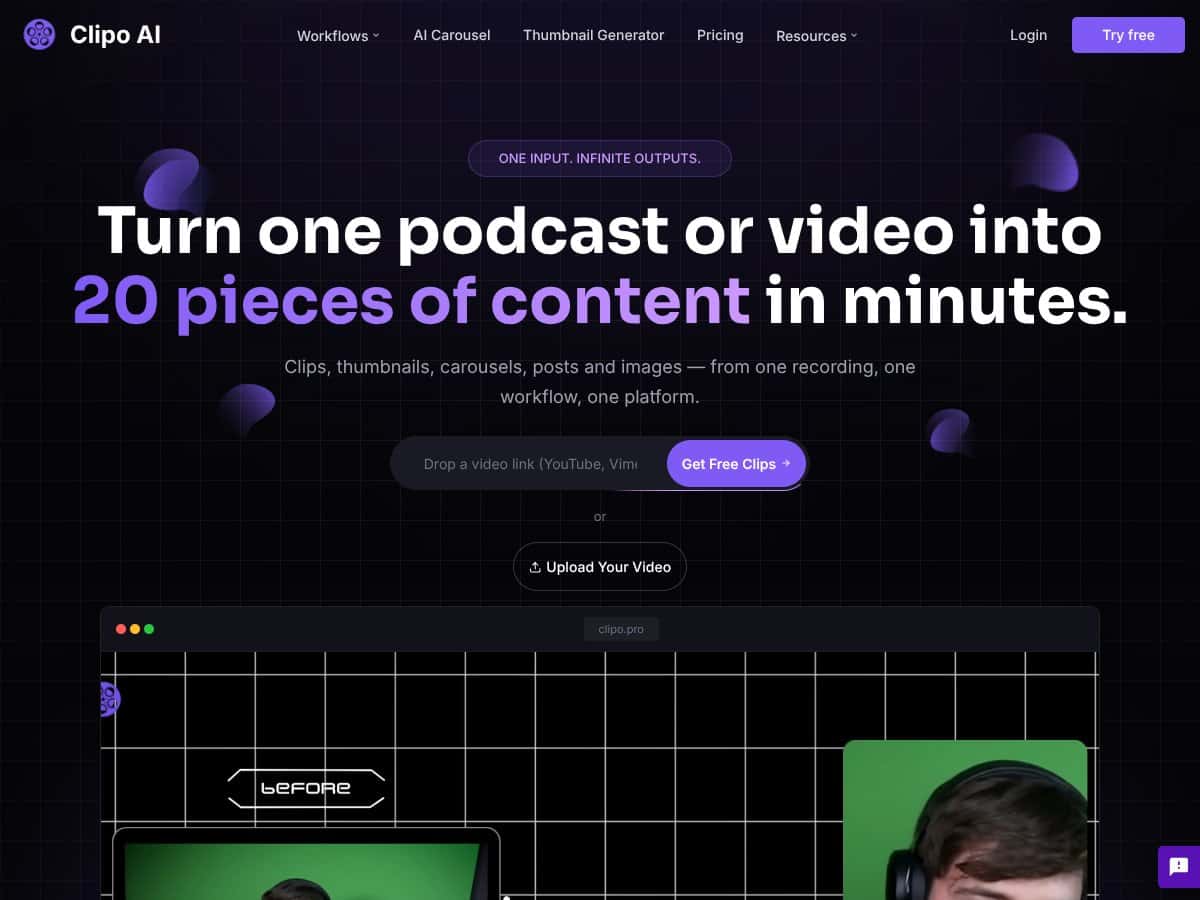
What it actually does is straightforward enough: you upload one long-form video or audio file, and the platform claims to generate around 20 different content pieces — everything from short clips and thumbnails to carousels and even blog posts. The goal is to save creators and marketers from manually repurposing content, which can be tedious and time-consuming.
The problem it’s trying to solve is pretty clear: most of us don’t have the time or resources to produce multiple formats from a single piece of content. Instead of spending hours editing and designing each asset, Clipo aims to do the heavy lifting automatically. It’s like having a content factory that takes your raw footage and spits out a variety of formats tailored for different platforms.
As for who’s behind it, Clipo AI is developed by a company called Automateed.com. They don’t have a huge public profile, but their focus seems to be on simplifying content creation for social media and marketing teams. I couldn’t find a lot of detailed info about the team or their background, which is something to keep in mind — it’s a relatively new player in the AI content space.
My initial impression? It was as advertised — at least on paper. Upload your video, click a few buttons, and get a bunch of outputs. But I also want to be upfront: it’s not magic, and I didn’t expect it to produce perfect results right out of the box. If you’re expecting fully polished, ready-to-post content without any human review, you might be disappointed. The tool is more of a time-saver than a complete solution.
One thing to manage expectations early: Clipo isn’t a platform that does everything for you. It doesn’t have detailed analytics, integrations with all social platforms, or a built-in scheduling tool (at least, none I could find). Think of it as a smart assistant that helps generate assets — but you’ll still need to do some final edits and posting yourself.
In summary, Clipo AI looks promising for anyone overwhelmed by content repurposing tasks. But it’s not a one-click miracle. It’s best used as a starting point — a way to generate ideas and drafts rather than fully finished products. Now, let’s dig into what features it offers and how well they actually work in practice.
Clipo AI — One Video, 20 Content Pieces: The Bottom Line
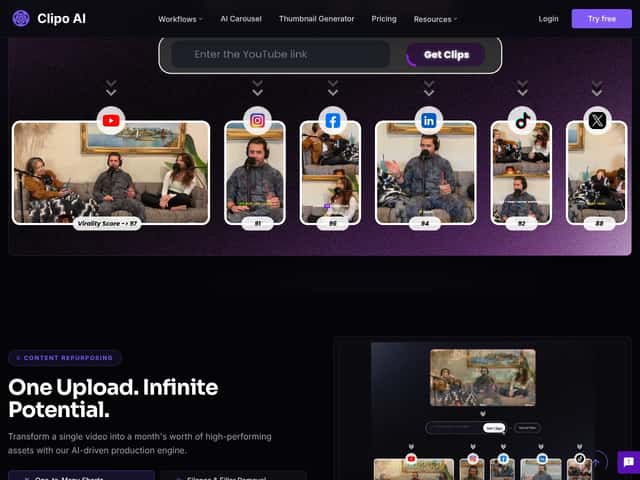
In summary, Clipo AI promises a lot: rapid content repurposing from a single video, platform-specific outputs, and automation that can save hours of manual work. However, the lack of transparent pricing and limited integrations are potential hurdles. If you’re a small creator or marketer willing to test the waters, it might be worth exploring, especially if the free tier or trial is available.
But if you need a proven, budget-friendly, and fully integrated content hub, you might want to look at more established tools with clear plans and long-term reviews.
Pros
- Automates multi-format content creation from one upload
- Time-saving screenshot navigation and micro-moment detection
- Simple prompts make it accessible for non-technical users
- One-click export simplifies publishing process
- Visual clip search reduces manual scrolling through long videos
Cons
- Unclear pricing and potential hidden costs
- Limited info on integrations or advanced editing features
- AI accuracy may require manual review
- No user reviews or long-term performance data
Ideal users
Solo content creators, small marketing teams, social media managers who want quick turnaround, and those repurposing long-form content regularly.
Not for
Big enterprises, agencies needing advanced workflows, or creators requiring high customization and branding controls.
How Clipo AI — One Video, 20 Content Pieces Stacks Up Against Alternatives
Opus Clip
- What it does differently: Opus Clip specializes in automatically turning long videos into short clips and reels, focusing heavily on quick short-form content for platforms like TikTok and Reels, with an emphasis on speed and simplicity.
- Pricing: Usually around $19/month, offering a straightforward subscription for unlimited short clip generation, which makes it a budget-friendly option.
- Choose this if... you primarily want quick, automated shorts from long videos and are okay with less customization or multi-format versatility.
- Stick with Clipo AI — One Video, 20 Content Pieces if... you need a broader range of content types, including carousels, blog posts, and optimized thumbnails, not just shorts. Clipo offers more diverse outputs and platform-specific formats.
Descript
- What it does differently: Descript combines AI-powered editing with transcription and allows you to edit videos as easily as a document. It has features for creating clips, captions, and even full podcast editing workflows.
- Pricing: Starts at around $12/month for basic plans, but advanced features like multi-format repurposing are in higher tiers (around $24/month and up).
- Choose this if... you want a comprehensive editing suite that also simplifies content repurposing, especially if you frequently edit and produce podcasts or videos with complex needs.
- Stick with Clipo AI if... you mainly need quick, automated repurposing without the need for detailed editing or transcription features.
StreamYard AI Clips
- What it does differently: Focuses on batch generating captioned, vertical shorts from live streams or recordings, with an emphasis on social media clips with captions.
- Pricing: Included with StreamYard subscriptions, which start around $20/month, but specific AI clipping features may be limited to higher tiers or add-ons.
- Choose this if... you do lots of live streaming and want quick captioned clips for social sharing, especially if you already use StreamYard.
- Stick with Clipo AI if... you want a broader range of content formats beyond captioned shorts or need platform-specific assets like carousels and blog posts.
Veed
- What it does differently: Veed offers AI-powered video editing and clipping with focus on making social media videos, including automatic captions, overlays, and trimming.
- Pricing: Plans start at around $12/month, with additional costs for higher usage and features.
- Choose this if... you want a versatile, easy-to-use editor with AI-assisted features, including some content repurposing tools.
- Stick with Clipo AI if... you prefer dedicated content repurposing automation that handles multiple formats from a single upload, rather than general editing tools.
Bottom Line: Should You Try Clipo AI — One Video, 20 Content Pieces?
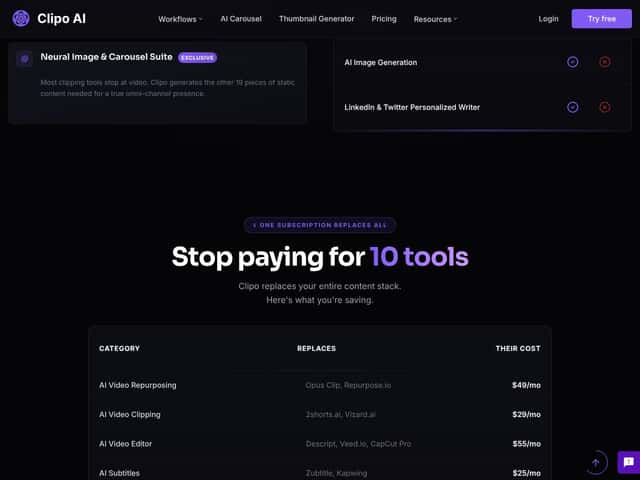
Overall, I’d give Clipo AI a solid 7/10. It’s a smart tool for creators or marketers who want to save hours and produce a variety of content from one source without fuss. The automation is impressive, and the range of outputs—from clips to carousels—is great for building a consistent social media presence.
If you’re someone who regularly needs to repurpose long-form videos into multiple formats—especially for platforms like TikTok, Instagram, and blogs—this tool can seriously streamline your workflow. The free tier (if available) is worth trying to see how well it captures your content’s essence, and the paid plans are worth upgrading to if you want the full suite of features.
However, it’s not perfect. The AI’s selections aren’t always spot-on, so some manual review is still necessary. Also, if your content needs in-depth editing, transcription, or detailed customization, you might find better value in tools like Descript or Veed.
Personally, I recommend giving it a shot if you’re looking for a time-saver and your content quality is decent enough for AI to pick key moments. If your focus is highly polished, customized videos, then you might want to invest in a more feature-rich editing platform.
In summary, if you want quick, multi-format content from one video, give Clipo AI a try. If you need more control or detailed editing, consider alternatives.
Common Questions About Clipo AI — One Video, 20 Content Pieces
- Is Clipo AI — One Video, 20 Content Pieces worth the money? It can be, especially if you want to automate content repurposing and save time. But it depends on your content quality and expectations for AI accuracy.
- Is there a free version? Usually, Clipo offers a free trial or tier with limited outputs. Check their website for current plans to see what’s included.
- How does it compare to Opus Clip? Opus Clip focuses mainly on rapid shorts creation from long videos, often at a lower price, but lacks the diverse output formats Clipo provides.
- Can I customize the generated content? To some extent—via prompts and AI controls—but manual review and editing are still recommended for best results.
- Does it handle live streams? Primarily designed for pre-recorded videos, but you can upload recorded streams for processing.
- Can I get a refund? Refund policies depend on the platform, typically available if the tool doesn’t meet your expectations within a trial period. Check their terms for specifics.