Table of Contents
If you’re trying to post more consistently and still make smart decisions based on what people are actually saying, Currents AI is the kind of tool that immediately grabbed my attention. I tested it with a pretty practical goal: find what customers in my niche were complaining about, what they were excited about, and what topics were starting to pick up steam—then turn that into content and product ideas without spending hours digging through search results.
I’m not going to pretend it’s magic. You still have to think. But what surprised me was how quickly I could go from “I wonder what people are saying” to a structured set of insights. And yes, there’s a learning curve at first—more on that below.
Currents AI Review: what I actually did (and what I noticed)
Here’s the honest version of my testing. I spent about two focused sessions with Currents AI—one for discovery, one for validation. The first session was basically: “Can I find the conversations that matter without wasting time?” The second session was: “Can I turn those conversations into something actionable—content angles, positioning tweaks, or product priorities?”
In my workflow, I started with a narrow topic (a phrase customers use when they’re frustrated) and then explored how the tool grouped related posts. What I noticed right away: it didn’t just throw a wall of links at me. Instead, it helped me move through the research steps like I’d planned it—search → filter → interpret → map patterns.
The biggest time-saver for me wasn’t “finding one great post.” It was seeing patterns across many posts without manually opening tabs for hours. For example, I used the social search capability to pull in long-tail conversations around a specific pain point, then compared that against what competitors were getting attention for. That combo is where I felt the “time saved” effect most.
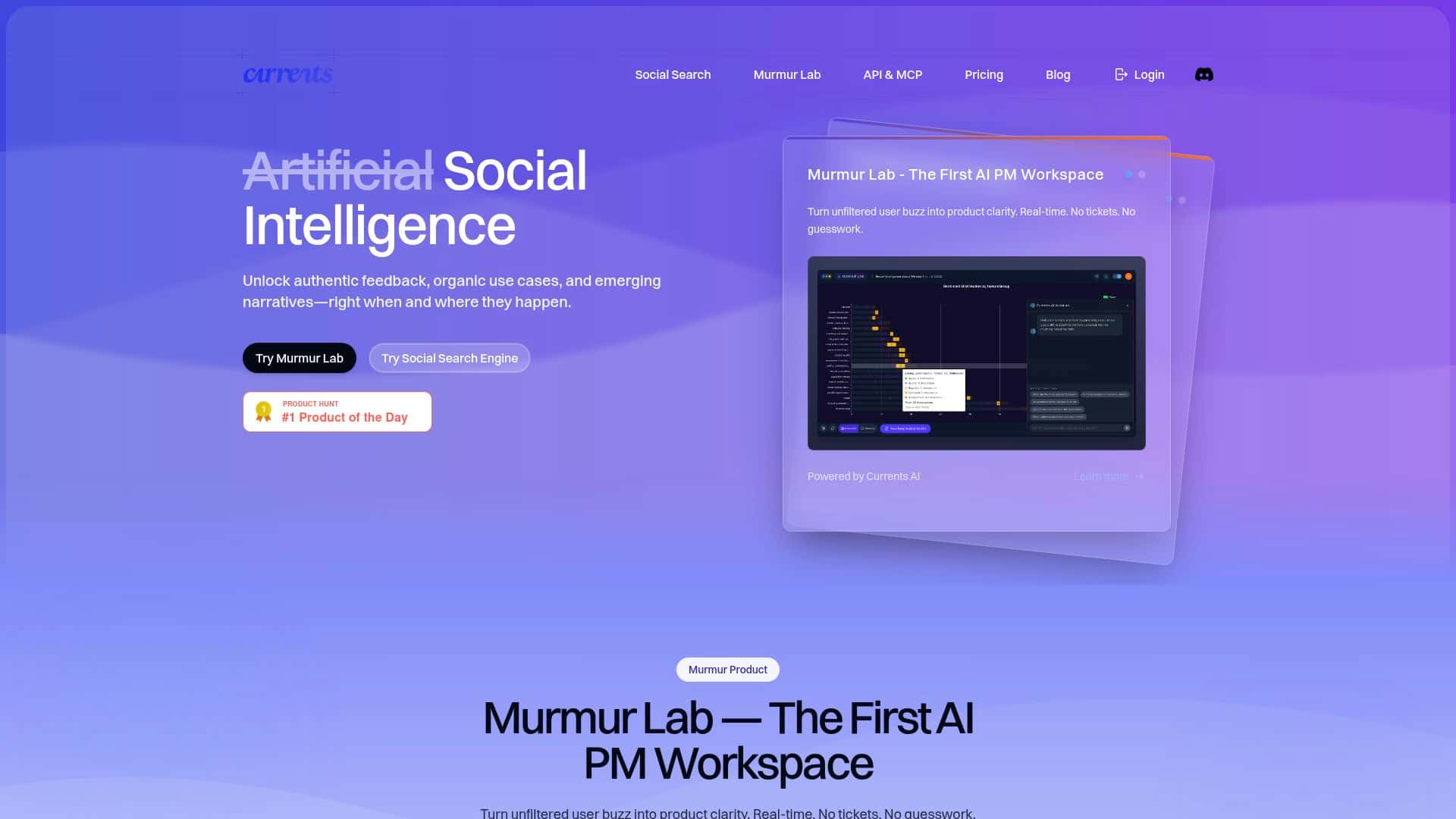
Also, the Murmur Lab workspace stood out. When I fed it the results of my search, I could quickly scan sentiment and themes instead of reading everything line-by-line. Was it perfect? No. Some posts are vague, and the sentiment labels can feel a little too confident when the wording is neutral. But overall, it made the “what are people really saying?” step faster.
Bottom line: Currents AI felt like a tool I’d use repeatedly during planning weeks—not just a one-off research spike. If you’re the type who already tracks trends manually, this could cut the grunt work. If you’re brand new, give yourself a little time to learn how the modules connect.
Key Features: how each one worked in my testing
Murmur Lab (real-time feedback analysis)
What it does: Helps you analyze customer sentiment and themes from social posts in a workspace designed for quick interpretation.
What I input: I used results from my social search (basically a set of posts tied to a niche topic) and then ran analysis to summarize what people were expressing.
What I got: Theme clusters and sentiment signals that were easy to skim. Instead of reading 50–100 individual posts, I could identify the main complaints and the “why” behind them.
Limitation I noticed: When posts were short or missing context, the themes were less specific. It’s still useful—just don’t treat every label as gospel.
Social Search Engine (find long-tail conversations)
What it does: Lets you search beyond broad keywords so you can uncover niche conversations people actually use.
What I input: I tried both a broader term and then a more specific phrase customers use when they’re describing a problem.
What I got: A set of conversations that felt more “real” and less generic. The long-tail approach mattered—my results were more actionable once I narrowed the query.
Limitation I noticed: If your query is too vague, you’ll get noise. You have to be willing to refine keywords like you would in any search tool.
Competitor Analysis
What it does: Shows what people are saying around competitors so you can spot gaps.
What I input: I compared competitor-related discussions against my primary topic. The goal was simple: “Where are competitors winning, and where are they getting criticized?”
What I got: Clearer angles for differentiation. Instead of guessing, I could point to recurring issues customers mentioned and build messaging around solutions.
Limitation I noticed: If competitor coverage is thin on the platforms you’re targeting, the comparisons can feel lopsided. It’s not the tool’s fault—data availability is real.
User Journey Discovery
What it does: Attempts to map how customers move through behaviors and decision points.
What I input: I used my topic results and then asked the tool to generate a journey-style view based on the conversations.
What I got: A structured path I could use for planning. For example, I could see where people were stuck (early confusion), where they were looking for alternatives (comparison stage), and what finally pushed them toward action (specific benefits or “fixes” they wanted).
Limitation I noticed: The journey is a model, not a transcript of actual user behavior. It’s best when you treat it like a hypothesis you validate with your own customer data.
Long-Tail Discovery (niche topic expansion)
What it does: Expands your research into adjacent niche conversations.
What I input: After I found my initial pain point, I let it explore related angles.
What I got: Additional threads I wouldn’t have found by searching one keyword alone. This is where I started collecting real content ideas—questions people ask, complaints they repeat, and the wording they use.
Limitation I noticed: Some “adjacent” topics are only loosely connected. If you’re short on time, you’ll want to quickly skim and keep only what matches your product lane.
Semantic Search (richer context)
What it does: Looks at meaning, not just exact keywords.
What I input: I searched with a keyword phrase, then tested whether the results captured posts that used different wording for the same issue.
What I got: More relevant posts than I expected. It helped when people described the same problem in different ways.
Limitation I noticed: If a topic is truly broad, semantic search can still pull in mixed intent. Filtering still matters.
Product Roadmapping Intelligence
What it does: Helps prioritize feature ideas based on what people are talking about.
What I input: I used the themes and sentiment signals from my searches to see what kept coming up.
What I got: A practical prioritization direction. Instead of “build features we think are cool,” it pointed me toward what customers were repeatedly asking for or complaining about.
Limitation I noticed: It can’t replace your internal constraints (engineering effort, roadmap timing, budget). Think of it as a strong input, not a final decision-maker.
Pros and Cons: the good, the annoying, and the “depends”
Pros
- Fast thematic insights: In my testing, I could summarize sentiment and recurring complaints without reading dozens of posts manually.
- Better-than-basic search: Long-tail and semantic search helped me find niche conversations that didn’t show up when I used generic keyword searches.
- Competitor angle is actually useful: The competitor analysis helped me spot where customers were criticizing alternatives—useful for positioning and content.
- Journey-style output: The user journey discovery gave me a structured way to plan content by stage (awareness → consideration → decision).
- Workspace flow feels designed for research: Murmur Lab made it easier to interpret results quickly.
Cons
- Learning curve: The first session took me longer than I expected while I figured out how to connect search results to workspace analysis.
- Data availability varies by platform: If social coverage is limited for your niche, you’ll see thinner results and less confident patterns.
- Pricing may not fit everyone: I couldn’t find clear public pricing in what I accessed, so small teams should be ready to request details and compare. (More below.)
Pricing Plans: what I could (and couldn’t) verify
When I looked for pricing, I didn’t see a straightforward public price list in the materials I reviewed. That means I can’t honestly quote “$X/month” from a source I can verify.
What I did confirm: pricing details appear to be something you’d need to check directly on Currents AI’s official site or by contacting their team, since there wasn’t a transparent plan table available in the content I accessed.
If you want to be efficient, here’s what I recommend you ask for (so you don’t waste time):
- Plan names and monthly/annual pricing (including any trial)
- Which social platforms are included
- Limits on searches, exports, or projects (if any)
- Whether Murmur Lab and journey discovery are included in the entry tier
That way you can compare apples-to-apples with other social listening/insights tools you might already be considering.
Wrap up
After using Currents AI for a couple of sessions, my take is pretty simple: it’s strongest when you want ongoing social insights and you don’t want to manually stitch together research from random searches. The long-tail + semantic search combo is genuinely helpful, and Murmur Lab made interpretation faster than I expected.
Just go in knowing it’s not plug-and-play. You’ll likely spend some time learning the workflow, and your results will depend on how much data is available for your specific niche. If that doesn’t scare you off, it can be a solid partner for turning social chatter into decisions you can actually act on.