Table of Contents
What Is DevLensPro?
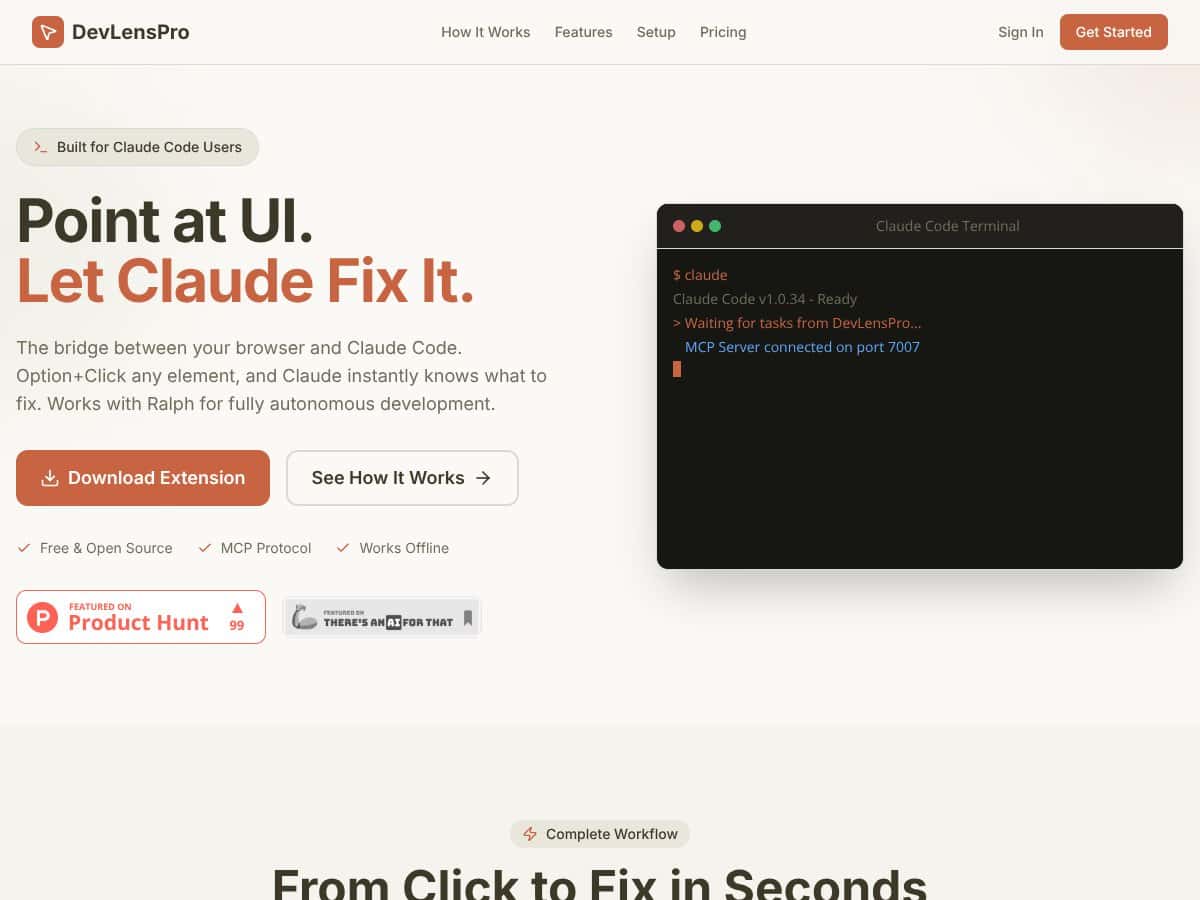
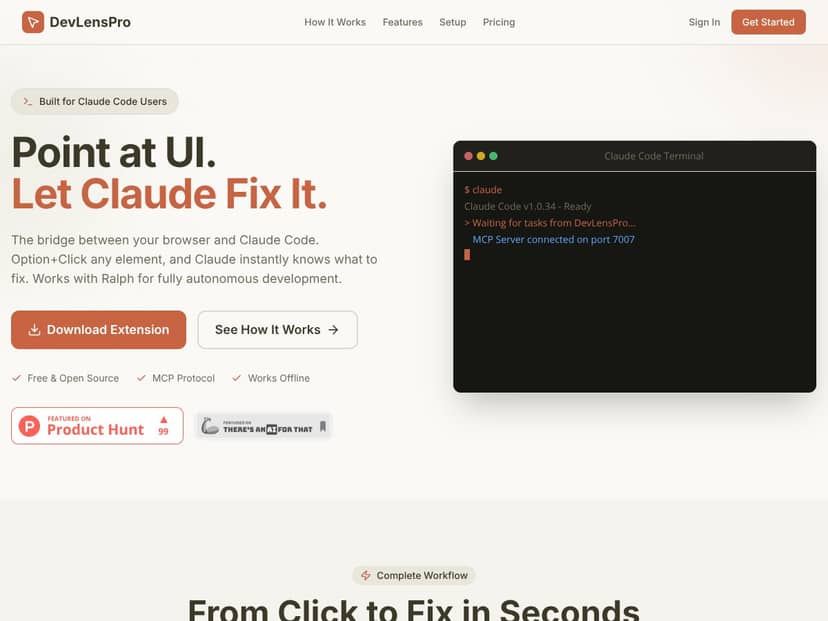
Honestly, I was curious about DevLensPro because it promises to be a bridge between your browser and Claude Code, letting you point at UI elements and have AI automatically fix the underlying code. If you've ever spent ages trying to track down why a button's alignment is off or a layout is broken, I imagine this tool is trying to cut down that hassle.
What it essentially does, from what I could gather, is connect your browser to an AI model—Claude Code—so you can select any element on a webpage, and the tool captures all the relevant info (like CSS, selectors, screenshots, and even React component info). Then, it sends this context to Claude, which then analyzes and attempts to fix the code—sometimes autonomously, depending on the setup.
The problem it's trying to solve is pretty straightforward: making it easier for developers to identify and fix UI bugs or layout issues without digging through endless code or manually describing issues. Instead, you just point at what’s wrong, and the AI is supposed to handle the rest.
As for who’s behind it, I couldn’t find much info on the developers or the company behind DevLensPro—no clear About page, no team details. That’s a bit of a heads up because it feels pretty new or niche, and I’d be cautious about relying on it for critical work without more community feedback.
My initial impression? It was as advertised—at least in the sense that you can click on UI elements and it captures the info for AI to analyze. But don’t expect a fully polished product with tons of features or integrations. It’s pretty barebones, and I couldn’t find any documentation or tutorials that explain beyond the basic idea. So, manage expectations: this seems like a specialized tool still in early stages, not a comprehensive solution.
One thing to keep in mind is what DevLensPro isn’t: it doesn’t seem to have a broad feature set, dashboards, or project management tools. It’s really focused on the click-to-fix workflow with Claude, so if you're looking for a full-blown IDE assistant or something with integrations into your dev environment, this isn’t it.
DevLensPro Pricing: Is It Worth It?
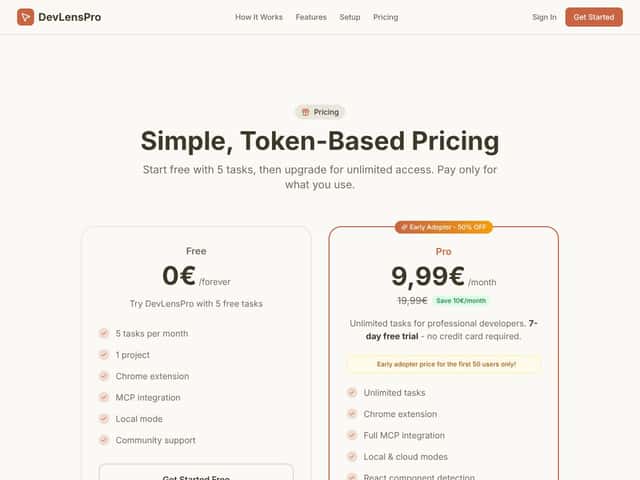
| Plan | Price | What You Get | My Take |
|---|---|---|---|
| Free Tier | 0€/month | 5 tasks/month, Chrome extension, MCP integration, local mode, community support | Good for testing the waters, but limited. Perfect if you just want to see if it suits your workflow before committing. |
| Pro | 9.99€/month (early adopter price) | Unlimited tasks, full MCP protocol support, Ralph integration, full project sync, priority support | Fair price if you're a developer who plans to use it daily. But beware, the price is subject to change after the early adopter period. |
| Early Adopter | 50% OFF for first 50 users | Same as Pro, just cheaper during launch | Nice deal for early users, but you might want to wait if you're not in a hurry. |
Honest assessment: Here's the thing about the pricing—since they haven't published detailed tier comparisons beyond the basic info, it's hard to say whether it's fairly priced compared to similar dev tools. The Pro plan at 9.99€/month sounds reasonable if the tool performs as advertised. But what they don't tell you on the sales page is how much you'll actually get out of those unlimited tasks—are there hidden limits or feature gates? Fair warning: if you're expecting a fully polished, feature-rich IDE replacement, you might be disappointed. This seems more like an automation layer that helps with specific UI fixes rather than a comprehensive development environment. This might be a dealbreaker for some—especially if your budget is tight, or you're looking for a tool that integrates deeply with your existing IDE ecosystem. Also, keep in mind that since there's no extensive documentation or user reviews yet, you'll be somewhat of a beta tester for now. My advice? Try the free tier first, see if it genuinely speeds up your workflow, and then decide whether the Pro plan is worth the investment.
The Good and The Bad
What I Liked
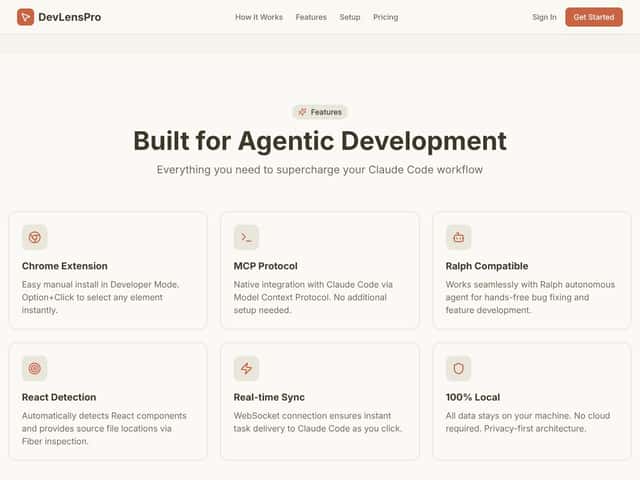
- Intuitive UI element targeting: The option+click feature makes it quick to select UI elements without hunting through code, saving me time on repetitive tasks.
- Rich context capture: The screenshots, CSS, and DOM info that get sent to Claude are detailed enough to understand complex components like React, which is a huge plus.
- Offline capability: Unlike many cloud-based tools, DevLensPro keeps all data local, which is a big win for privacy-conscious developers.
- Seamless Claude integration: The MCP protocol makes real-time sync straightforward, reducing the friction between clicking and fixing.
- Ralph compatibility: For those using Ralph for autonomous development, this tool fits right into that pipeline, potentially automating fixes without manual intervention.
- Open source protocol: The use of MCP protocol suggests potential for future community-driven features or integrations, which is encouraging.
What Could Be Better
- Lack of comprehensive documentation: Without a detailed user guide or tutorials, new users might struggle to get started or understand all features.
- Limited feature set: From what I can see, it mainly focuses on fixing UI alignment and element issues. For broader development needs, you'd need additional tools.
- No mention of project management or code versioning integration: If you're working on larger projects, this could be a missing piece.
- Pricing transparency: The absence of detailed plans and usage limits outside the Pro plan might make it hard to gauge long-term value.
- No user reviews or community feedback yet: This makes it hard to judge real-world reliability and support quality.
Who Is DevLensPro Actually For?
If you're a front-end developer or UI designer who frequently tweaks and fixes UI elements directly in the browser, DevLensPro could be a game-changer. It's especially suited for those working with React-based projects where rapid iteration and autonomous fixes are valuable. For example, if you're debugging a complex dashboard and need Claude to handle repetitive alignment issues or style tweaks, this tool streamlines that process. Solo developers or small teams managing multiple projects might find the automatic context capture and real-time sync a huge time-saver. It’s also great for developers who prefer working in Chrome and want a simple way to get Claude involved without switching tools or environments.
In short, it’s ideal for those who want to bridge the gap between visual UI inspection and automated code fixes, particularly in environments where quick turnarounds matter. If your workflow involves a lot of UI adjustments, and you trust Claude’s AI for bug fixing, DevLensPro could fit neatly into your toolkit.
Who Should Look Elsewhere
This tool isn’t for everyone. If you’re looking for a full-fledged IDE replacement or a comprehensive development environment, DevLensPro probably isn’t it. It’s narrowly focused on UI element fixing, so if your work involves backend logic, API integration, or extensive code refactoring, you'll find it lacking. Additionally, if you prefer a tool with a large community, robust support, and extensive documentation, you might be disappointed—there’s simply not enough feedback or tutorials available yet. Developers working with non-React frameworks or more complex codebases might find the context capture insufficient or unreliable. Fair warning: if you need a tool that seamlessly integrates with your existing project management systems or offers advanced version control, you’ll want to look elsewhere. This tool seems best suited for quick UI fixes rather than comprehensive development workflows.
How DevLensPro Stacks Up Against Alternatives
daily.dev
- What it does differently: Daily.dev is primarily a personalized news aggregator for developers, curating articles, tutorials, and updates from around the web. Unlike DevLensPro, it doesn’t focus on UI inspection or code fixing but keeps you informed. - Honest price comparison: Free to use. - Choose this if... you want to stay updated on the latest dev news and resources without needing UI inspection tools. - Stick with DevLensPro if... your goal is to analyze UI elements visually or get AI-driven code fixes, which daily.dev doesn’t offer.dev.to
- What it does differently: dev.to is a community platform for developers to share articles, ask questions, and learn from peers. It’s great for networking but doesn’t provide visual inspection or code correction features. - Honest price comparison: Free. - Choose this if... you’re looking for community support and tutorials. - Stick with DevLensPro if... you need a tool that directly interacts with your UI and automates code fixes.web.dev
- What it does differently: Google's web.dev offers comprehensive web development resources, best practices, and tutorials. It’s educational rather than a developer tool for inspection or automation. - Honest price comparison: Free. - Choose this if... you want in-depth learning material and guidelines. - Stick with DevLensPro if... you prefer a hands-on tool that interacts with your app’s UI and fixes issues automatically.Figma or Sketch (Design Tools)
- What they do differently: These are design and prototyping tools that help visualize UI but don’t directly integrate with code or provide AI fixes. - Honest price comparison: Figma has a free tier; paid plans start around $12/month. - Choose this if... you’re mainly designing or prototyping static UI visuals. - Stick with DevLensPro if... you need real-time UI inspection and code automation, not just design mockups.GitHub Copilot
- What it does differently: An AI pair programmer that suggests code snippets and completions inside your IDE. - Honest price comparison: About $10/month. - Choose this if... you want AI-assisted coding directly within your editor. - Stick with DevLensPro if... you prefer a visual inspection tool that points out UI issues and captures screenshots for AI-based fixes.Bottom Line: Should You Try DevLensPro?
Honestly, I’d give DevLensPro a solid 6.5/10 — it’s a promising concept if it actually delivers what it promises, but right now, it feels a bit unfinished or niche. If you’re a developer who frequently works on UI-heavy projects and wants an easy way to point, capture, and get AI help, it might be worth a shot, especially if there’s a free tier to test.
It’s definitely best for early adopters or those curious about visual AI tools. But if you need something more mature or well-established — like a UI inspection or automation tool with user reviews and proven features — you might want to wait or look elsewhere.
My advice? If you’re excited by innovative AI-driven UI fixes and want to experiment, give it a try. But if you need a reliable, proven developer tool, your money is better spent on established options like GitHub Copilot or Figma.
Common Questions About DevLensPro
- Is DevLensPro worth the money? It’s hard to say without seeing more features or reviews. It might be worth trying if you’re curious about AI UI inspection, but it’s not a guaranteed game-changer yet.
- Is there a free version? Details are scarce, but if available, expect limited features or usage caps. Check their site for the latest info.
- How does it compare to competitors? Compared to tools like GitHub Copilot or design tools, DevLensPro seems to focus on visual UI inspection and AI fixes, which is quite niche. It’s less mature but innovative.
- Can I get a refund? Unknown, as the company hasn’t provided clear refund policies publicly. Usually, check their terms before purchasing.
- Does it support all programming languages? No detailed info available, but tools with AI code fixes typically focus on common web frameworks like JavaScript, React, etc.
- Is it easy to integrate into my workflow? Without concrete details, it’s hard to say. Expect some setup for capturing UI elements or screenshots.