Table of Contents
I’ll be honest—once you start laying out an eBook, even something “simple” like endnotes vs footnotes suddenly feels complicated. You’re not just choosing where the extra info goes. You’re choosing how people will tap, scroll, and keep their place while reading.
If you'd rather not do it all by hand, our AI book generator can turn a rough outline into a finished draft in minutes.
So here’s what I did and what I noticed: I built a small test EPUB with the same set of references in two ways (footnotes at the “page” vs endnotes collected at the chapter end) and then checked how they behaved in common readers. What I found wasn’t just preference—it was how much the note system interrupted the reading experience.
If you’re publishing an EPUB or preparing content for Kindle formats, this should help you decide fast—and implement endnotes in a way that actually works on real devices.
Key Takeaways
- Endnotes usually fit eBooks better because they keep the reading flow intact on small screens—readers can jump when they want extra context.
- Footnotes can work, but only when they’re truly easy to access without breaking immersion (and you’ve tested in your target readers).
- Use endnotes for longer explanations, multi-source citations, or anything that would feel cramped in a footnote “block.”
- Link your notes from the text (and make sure the return path works) so navigation doesn’t turn into guesswork.
- Keep note text readable—don’t make it tiny. On phones, “fine print” becomes “nope.”
- Stay consistent with numbering, styling, and placement (chapter-end vs book-end) so readers can predict where things are.
1. What Are the Main Differences Between eBook Endnotes and Footnotes?
The difference sounds simple: footnotes show up at the bottom of the same page where the reference is made, while endnotes are collected at the end of a chapter or the end of the book.
In a print layout, “the same page” is clear. In an eBook, it’s trickier—pages don’t really exist the same way. Readers resize text, switch devices, and the “bottom of the page” becomes “somewhere else.” That’s why footnotes can feel unpredictable depending on the app.
On screens, this is what I noticed during testing: footnotes often interrupt your reading position more aggressively. You tap a superscript, the reader jumps, and then the context feels slightly lost. Endnotes still interrupt—but at least they’re consistently located (chapter end or book end), so readers know where they’re going.
2. Why Endnotes Are Better for eBooks than Footnotes
I’m not saying footnotes are “bad.” I’m saying they’re harder to make behave nicely across the real world of eBook apps.
In my experience, endnotes win because they’re easier to control: you can structure them predictably (usually chapter-end), and you can link to them cleanly from the text.
What to check (so this isn’t just theory)
When you test your EPUB, open it in at least two readers (for example, Apple Books and a Kindle-reading app). Then verify these exact behaviors:
- Tap/click target works: your note marker should be easy to hit on a phone (not a tiny superscript people miss).
- Navigation returns correctly: after tapping the note, the “back” action should bring readers to the right spot (or at least close to it).
- Note text isn’t microscopic: if endnotes use a smaller font than the main text, some readers will make it unreadable.
- Spacing stays consistent: long notes shouldn’t overlap, wrap weirdly, or create massive gaps.
Where endnotes actually help
For works with lots of references—think research-heavy nonfiction, academic-adjacent writing, or long-form essays—endnotes keep the main narrative from getting constantly interrupted. Readers can continue, and the extra material is there when they want it.
Also, if you’re using hyperlinks (typical for EPUB), endnotes can be navigated like a mini index. That’s the big practical difference. Footnotes may be “attached” to a location, but endnotes give you a reliable landing zone.
A quick decision matrix
- Choose endnotes if you have frequent citations, longer explanations, or you want a calmer reading experience on mobile.
- Choose footnotes if you truly need immediate clarification and your audience is likely to tolerate frequent jumps (and you’ve tested that your target apps render them acceptably).
- Use a hybrid approach for some books: short clarifications as “light” notes (endnotes can still work), and longer citations consolidated at chapter end.
3. How to Use Endnotes Effectively in Your eBook
Endnotes work best when they’re designed like a navigation feature—not like an afterthought.
1) Keep endnotes readable (not just “present”)
In plain terms: don’t dump a paragraph of dense text where readers will only see it once, on a tiny screen. If a note is long, consider breaking it into a short lead sentence plus a list.
Example structure I like:
- 1 sentence: what the source/clarification is
- 2–4 bullet points: the key details
- Source line: author + title + year (or your citation format)
2) Link from the marker to the note (and make it easy to go back)
This is the part that separates “okay” endnotes from endnotes readers actually use.
- Use a clear in-text marker (superscript number or bracket like [1]).
- Make that marker a hyperlink to the note’s anchor in your endnote section.
- Inside the endnote, include a “back to text” link (even if it’s just a simple return anchor).
Without that, you’ll get frustrated readers. They’ll tap the marker, read the note, and then… how do they find their place again? You don’t want that.
3) Place them consistently
Pick one approach and stick with it:
- Chapter-end endnotes: best for most nonfiction and long reads.
- Book-end endnotes: works if notes are occasional and you don’t expect constant reference-hunting.
Then number them in a predictable way. If you restart numbering each chapter, label it clearly so readers aren’t guessing.
4. Formatting Endnotes for eBooks: Tips for Clear and Consistent Notes
Consistency is boring… and that’s exactly why it works. Readers don’t want to relearn your note system every chapter.
Style rules I actually follow
- Pick one citation style (Chicago, MLA, APA—whatever you’re using) and keep it consistent across the whole book.
- Don’t shrink note text too far. On my phone tests, notes that were ~2–3 steps smaller than the body text became painful fast.
- Make markers obvious (clear superscripts or bracketed numbers). If your markers are too subtle, people won’t tap them.
- Visually separate notes from the main text—italics, indentation, a subtle border, or a “Notes” heading helps.
- Use lists inside long notes so readers can scan. A wall of text is the fastest way to get ignored endnotes.
What about EPUB implementation details?
If you’re building EPUBs manually or with a tool that gives you control, aim for:
- Anchor targets for each note (so links land exactly where they should).
- A dedicated endnotes section per chapter (if you’re doing chapter-end notes).
- Readable typography in your CSS for note text and headings.
And test with font resizing on. If your endnotes break when text gets bigger, that’s a problem you’ll only discover after publishing unless you check it now.
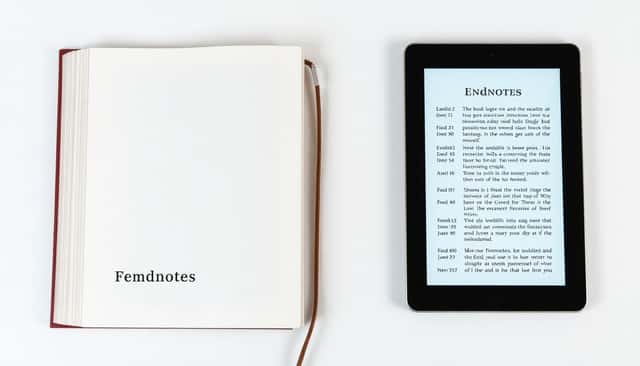
5. Comparing Endnotes and Footnotes in Print and Digital Book Formats
Print is straightforward. Footnotes “live” at the bottom of a fixed page, so readers get immediate context without losing their place.
Digital is where things get messy. Because eBooks reflow text, “bottom of the page” becomes “bottom of whatever the reader decides the page is today.” That’s why footnotes can feel intrusive on phones and tablets—things jump around, and the reading flow gets interrupted more often than you’d expect.
Endnotes, on the other hand, don’t try to pretend there’s a stable page. They’re collected at a consistent location (chapter end or book end), so navigation feels more predictable.
One thing I’ve seen repeatedly: if you don’t link notes properly, footnotes and endnotes both become annoying. But endnotes are easier to salvage because you can centralize the notes section and tighten up the navigation.
6. Best Practices: Choosing the Right Notes for Your eBook
Here’s the part people skip: the “right” choice depends on how your readers actually use your book.
If your genre is citation-heavy (nonfiction, history, reference-style writing), endnotes usually make more sense. You’re giving readers extra material without turning every paragraph into a tap-and-jump session.
If your notes are short and immediate (quick clarifications, brief definitions), footnotes can still be a good fit—just make sure your target readers don’t render them in a way that feels cramped or hidden.
Mini-scenarios (so you can decide quickly)
- Scenario A: A 300-page guide with 1–2 citations per page. I’d lean endnotes at chapter end. Your main text stays clean, and readers can still verify sources.
- Scenario B: A novel with occasional “what does this mean?” clarifications. Endnotes can work, but if the clarification is crucial to understanding a line, footnotes might be worth the testing.
- Scenario C: A textbook with frequent references. Footnotes may feel natural in print, but in eBooks you’ll want to test carefully—sometimes endnotes plus strong hyperlinks is the calmer experience.
No matter which you pick, hyperlinking your notes inside the text is the safest move. It reduces confusion and improves navigation across platforms.
And please—test your eBook on multiple devices. I’ve seen “works on my iPad” turn into “why is the note marker tiny on this phone?” more times than I can count.
FAQs
Endnotes are collected at the end of a chapter or the book, while footnotes appear at the bottom of the page (or whatever the reader app treats as “the page”). In eBooks, endnotes are usually easier to navigate because they land in a consistent location, while footnotes can interrupt reading more often.
Endnotes are less disruptive in most eReaders because they don’t rely on a fixed page layout. When they’re properly hyperlinked, readers can jump to the notes and come back without constantly breaking their place.
Put endnotes at chapter ends (or at the book end if notes are rare), link each note marker from the text to the correct endnote anchor, and include a simple “back to text” link if possible. Keep notes concise and consistent with your numbering.
Use a consistent numbering style, keep the note font size readable on small screens, and visually separate notes from the main text. Most importantly: make sure the hyperlinks work reliably and are easy to tap.