LIFETIME DEAL — LIMITED TIME
Get Lifetime AccessLimited-time — price increases soon ⏳
AI Tools

Fireflies Review – The Ultimate Meeting Helper

Updated: April 20, 2026
6 min read
#Ai tool#Transcription

Table of Contents

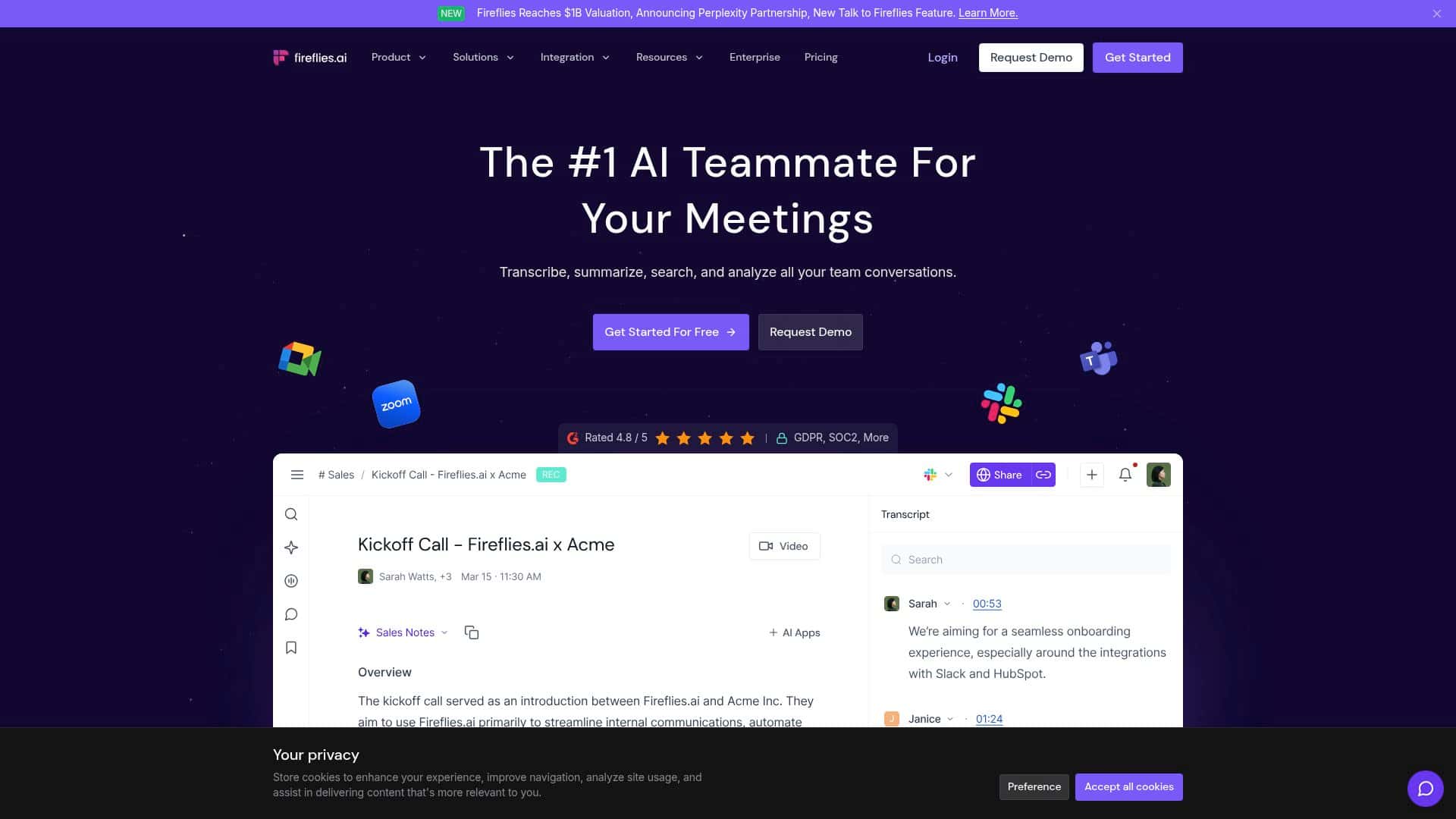
If you’ve ever sat in a meeting thinking, “I’ll remember this… right?” — you already know the pain. That’s why I tried Fireflies.ai. It’s an AI meeting assistant that turns calls into transcripts and then adds summaries and action items.

Here’s what I actually did, what I noticed, and where it disappointed me a bit. I tested it on a handful of real meetings (not just one quick demo), using Zoom and Google Meet, and I paid attention to the stuff that matters in day-to-day work: how clean the transcript is, whether speaker labels make sense, and whether the “action items” are anything you’d trust.

Fireflies Review

Fireflies.ai impressed me pretty quickly. Setup felt simple, and once it was connected I could capture meetings from the tools I already use — mainly Zoom and Google Meet. The first thing I checked wasn’t “wow, it summarizes.” I checked the transcript quality. If the transcript is messy, everything downstream (summaries, search, action items) is messy too.

In my tests, the transcripts were generally easy to follow, and speaker differentiation helped a lot. Instead of one wall of text, it actually labeled who was saying what, which made it far easier to scan and quote back later.

The summaries were the next big win. I didn’t expect them to be perfect, but they were useful for quick follow-ups — especially when I needed a 30-second recap before jumping into my next task. The action items were also a solid starting point. That said, I did notice times where the summary sounded confident but missed nuance (more on that in the “Cons” section).

Accuracy-wise, Fireflies performs best when audio is clean and people aren’t talking over each other. When the meeting got noisy or two people overlapped, the transcript still came through, but some words got garbled or swapped. That’s not unique to Fireflies — it’s just the reality of speech recognition — but it’s worth planning for if your meetings are chaotic.

Key Features

  1. Transcription quality: The vendor commonly cites high accuracy (often in the 90–95% range), but in my own testing I treated that as “word-level correctness under decent audio,” not a guarantee. When audio was clear, it was very solid.
  2. Multi-language support: Fireflies supports a large number of languages and can detect language changes automatically. In my tests, language shifts were handled reasonably well as long as the speakers were consistent and microphones weren’t too far away.
  3. Speaker recognition: This is one of the features I noticed most. It makes transcripts easier to read and helps the summaries stay grounded in “who said what.”
  4. AI summaries + action items: You get a recap plus tasks you can follow up on. I used these as a first pass, then verified anything important in the transcript.
  5. Search and topic tracking: Being able to find “that part where we decided X” without scrolling for 20 minutes is a big deal. I liked having keywords and topic-related search in the workflow.
  6. Integrations: Fireflies connects with tools teams use daily (the exact set depends on your plan). In practice, integrations matter most when you’re trying to route outcomes into your existing systems.
  7. Security/compliance: For larger organizations, Fireflies highlights enterprise security and compliance options (including GDPR and HIPAA). That’s especially relevant if you handle regulated data.

Pros and Cons

Pros

  • Reliable transcription when audio is clean. In meetings where everyone used decent microphones and took turns, the transcript was accurate enough that I didn’t feel the need to correct every line.
  • Speaker labels actually help. The transcript structure made it easier to skim and quote accurately, which saved me time during follow-ups.
  • Summaries are fast and practical. I used the recap to get oriented quickly before replying to stakeholders.
  • Action items are often on target. They weren’t perfect every time, but they were good enough that I could usually confirm and move on without starting from scratch.
  • Search helps you find decisions. Instead of rewatching recordings, I could jump to the relevant parts and read the transcript.
  • Enterprise-facing features exist. If you need compliance and security options, Fireflies is positioned for that.

Cons

  • Noisy rooms and overlapping speech reduce quality. When two people talked over each other, the transcript got less reliable and the summary sometimes smoothed over details.
  • Summaries can “miss the point” occasionally. I noticed moments where the summary captured the general direction but not the exact commitment (like a due date or ownership).
  • Internet quality matters. If your connection is spotty, real-time behavior and overall responsiveness can suffer.
  • Pricing can feel steep for small teams. If you only need this occasionally, the paid plans may be overkill compared to lighter alternatives.

Pricing Plans

Fireflies offers a free plan (with limited minutes/features), which is honestly the best way to see if it fits your meeting style. If you’re meeting-heavy, the paid plans are where it becomes truly useful.

In my experience, the Pro plan is the one most people start with — it’s commonly listed around $10/month (and $18/month when billed monthly, depending on the exact offer). That tier typically includes unlimited transcriptions, more storage, and extra features that you’ll feel after a few weeks of regular use.

For bigger teams, there are Business and Enterprise options with added controls like advanced security, custom data retention, and priority support. Just keep in mind: exact pricing and included limits can change, so it’s smart to check the current numbers on the Fireflies site before you commit.

So… is Fireflies actually worth it?

Overall, I think Fireflies.ai is one of the better meeting assistants if your job involves lots of calls and you want searchable, shareable meeting notes without spending your night rewatching recordings. The speaker separation and the “quick recap” summaries are the standout parts for me.

But I wouldn’t treat the AI output like a legal document. In noisy or overlapping conversations, expect some transcription rough edges, and double-check important action items in the transcript before you send them to a client or leadership team.

If you’re tired of hunting for decisions later, Fireflies is absolutely worth a try — especially if you can test it on your real meeting mix (Zoom + Google Meet, your usual speakers, and your normal audio conditions).

Stefan

Stefan

Stefan is the founder of Automateed. A content creator at heart, swimming through SAAS waters, and trying to make new AI apps available to fellow entrepreneurs.

Related Posts

big foot review featured image

Bigfoot Review: Top 10 Sightings and Encounters of 2026

Explore the definitive Bigfoot review of 2026, uncover top sightings, famous footage, and debunking myths. Discover what makes Bigfoot sightings so compelling!

Stefan
chine meilleure imprimante featured image

Chine Meilleure Imprimante : Guide 2026 des Fournisseurs et Technologies

Découvrez la meilleure imprimante chinoise en 2026 : types, fournisseurs, technologies, prix et conseils pour choisir la solution adaptée à vos besoins. Lisez notre guide complet !

Stefan
is lisa crowne a real person featured image

Is Lisa Crowne a Real Person? Uncovering the Truth About Daisy Jones & The Six

Discover whether Lisa Crowne is a real person or fictional character from Daisy Jones & The Six. Get expert insights, episode details, and practical tips.

Stefan

Create Your AI Book in 10 Minutes