Table of Contents
What Is Fixable? (And What It Actually Does)
I’ll be honest—I was skeptical, too. An app that can diagnose an appliance (or furniture or electronics) from your description and a photo sounds like one of those “cool idea, questionable results” things. But I’m also the kind of person who doesn’t want to spend my Saturday on Google and then somehow still end up at a repair shop. So I tested Fixable the way most people would: with a real problem, not a made-up scenario.
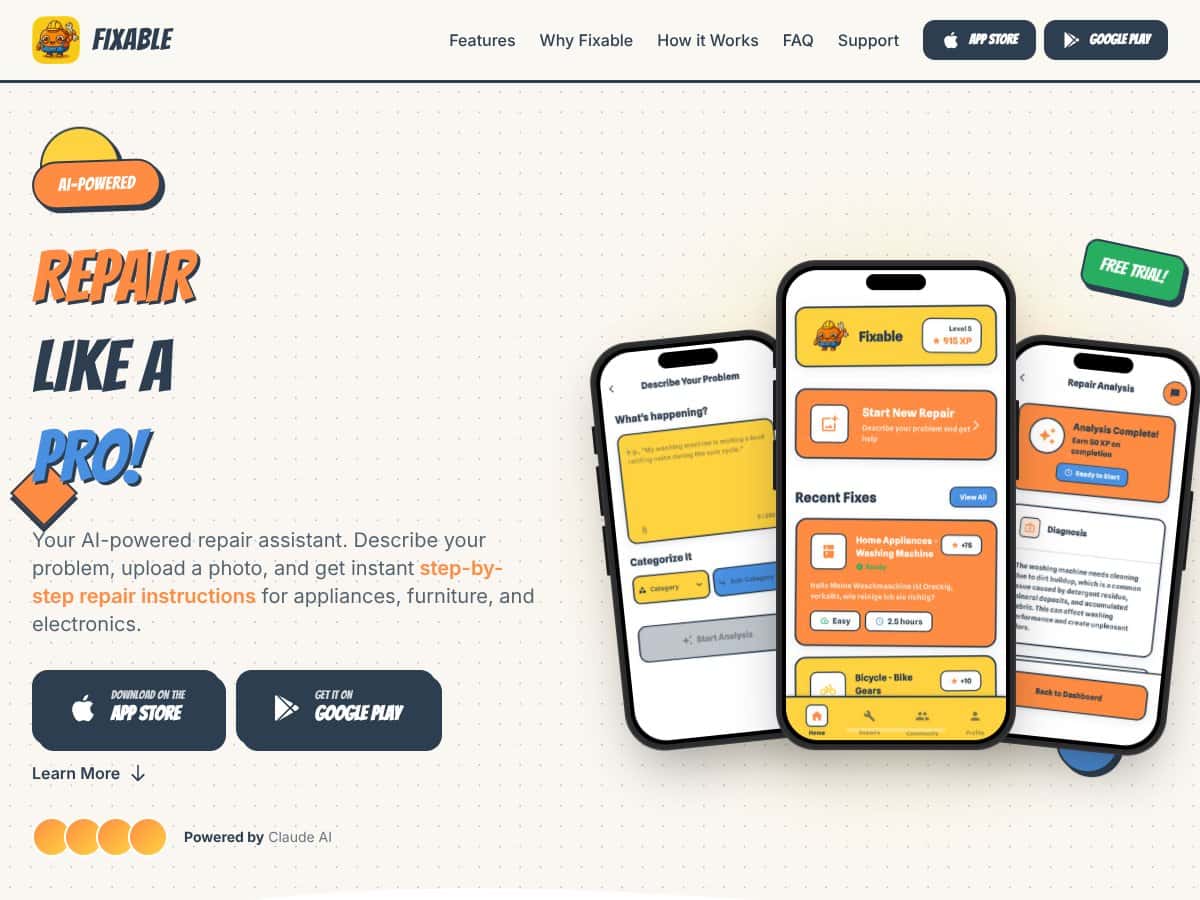
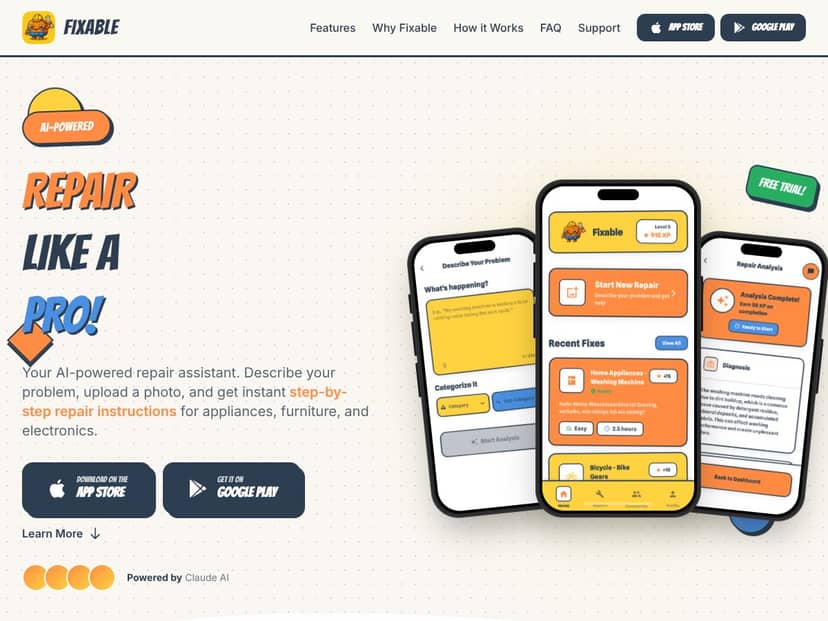
In plain terms, Fixable is a DIY repair assistant. You describe what’s going on, upload a photo if you have one, and it generates a step-by-step guide. The app is powered by Claude AI (Anthropic), and you can feel that in how the instructions are written—less “vague tips,” more “do this, then check that.” The goal is to help you fix things yourself instead of paying for a service call or getting stuck in the endless loop of YouTube videos that don’t exactly match your model.
It also covers a pretty wide range of categories—appliances, furniture, and electronics—basically anything that has a fixable component and some level of DIY accessibility. That breadth is a big part of why it’s appealing. Still, I don’t want to oversell it. It’s a tool, not a guarantee. If your repair is dangerous (gas lines, major electrical work, anything involving structural risk), you shouldn’t “AI your way” through it.
One thing I noticed right away: it’s best when you can give the app enough context. A photo helps, but your wording matters too. If you just say “it’s broken,” the guidance will be more generic. If you say what it’s doing (or not doing) and what you’ve already tried, it tends to get much more useful.
Bottom line from my experience: Fixable is meant to be a guided DIY helper. It can save time and money, but it won’t replace a professional for serious or complex repairs—and sometimes the AI needs a little correction from you.
The Good and The Bad
What I Liked
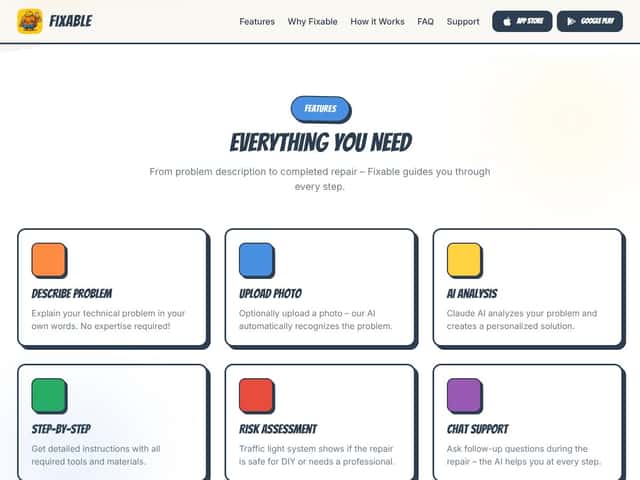
- Repair guidance that feels “do this, then that”: The most useful part is how specific the steps can be. For a real test, I tried a washing machine issue where the drain wasn’t working properly. My prompt was basically: “Washer won’t drain. Water stays in the drum after the cycle. I hear the pump trying but it doesn’t clear the water.” I also uploaded a photo showing the front area and the bottom rim where you’d typically access the filter. The guide pointed me toward the drain filter and explained how to remove and clean it (including what to expect when you open it—lint, possible debris, and the need to catch water). Did it fully fix it? Yes—the machine drained normally after cleaning. It also saved me from guessing for hours.
- Photo recognition helps more than I expected: A lot of “AI diagnosis” apps are just fancy chat boxes. Fixable actually seems to use your image to tailor the guide. In my case, the photo helped it narrow down the likely component area instead of giving me a generic “check the hose and try again” response.
- Parts and tools links are convenient: I liked that the guide could point me toward parts/tools without me hopping between tabs. When you’re already mid-repair, that matters. I don’t want to stop everything to hunt for the right filter, hose clamp, or cleaning tool.
- Step tracking (and sharing) is genuinely practical: Some apps tell you what to do, but you still end up lost halfway through. Fixable’s progress tracking made it easier to follow multi-step repairs. And the “share your repair progress” idea isn’t just marketing—it’s useful when you’re asking someone for help and want them to see where you are in the process.
- Chat support during the repair: This is one of the features I didn’t think I’d use as much as I did. I got stuck on a stubborn screw during a follow-up attempt (not the same washer test—just another small appliance job). I asked a question about how to approach it and what to check if it wouldn’t budge. The response helped me avoid the “force it and hope” approach, which is exactly what I wanted.
- Clean interface: The UI is modern and not overly complicated. You’re not fighting menus. You’re describing the problem, uploading if you want, and following the guide. That simplicity is a win for beginners.
What Could Be Better
- Pricing feels steep if you’re not using it often: The free trial is 14 days, and then it moves to a subscription. In my testing, the pricing options shown were $4.99/month and $39.99/year. I’m not saying it’s overpriced for heavy users, but if you only fix something once in a while, you’ll feel the sting. Also, I couldn’t find super clear “what exactly you get after trial” details beyond the general feature list, so you’ll want to double-check before committing.
- No Android support (yet): Fixable is iOS-only. If you’re on Android, you’ll have to look elsewhere.
- Usage limits aren’t clearly spelled out: This one annoyed me. The marketing didn’t clearly list caps like how many analyses you can run per day/month on the free trial or at the subscription tier. If you’re doing frequent repairs, you’ll want to confirm whether you can hit any limits before you pay.
- AI accuracy isn’t perfect (and I saw a failure mode): Here’s the real part: the AI can misdiagnose, especially when the symptoms are common but the cause isn’t. In one test, I described a problem that sounded like a straightforward drainage issue, but the guide led me toward cleaning a component that wasn’t the actual culprit. It wasn’t catastrophic—I stopped, rechecked the symptom pattern, and then adjusted. What I’d do differently next time is double-check the model/serial details and make sure I’m matching the symptom to the likely failure stage (like “won’t drain” vs “drains slowly” vs “drains then refills”). In other words: treat the guide as a strong starting point, not a final verdict.
- No easy trust signals (at least not where I looked): I couldn’t find much in-depth info about the team behind Fixable. The site looks polished, but that doesn’t automatically mean the support and testing are consistent. I also didn’t see a big presence of verified user testimonials. That’s not a deal-breaker, but it does mean you’re relying more on your own judgment.
Who Is Fixable Actually For?
Fixable is for people who want a guided path instead of hunting for the “right” manual or video. In my experience, it’s especially useful if you’re a homeowner or renter dealing with everyday appliance problems—things like drainage issues, won’t-start scenarios, minor electronic malfunctions, or furniture hardware problems where you just need the right steps and order of operations.
It’s also a good fit if you’re comfortable with basic tools and you don’t mind getting your hands a little dirty. If you’ve ever fixed a clogged sink trap, replaced a basic filter, or tightened a loose hinge, you’ll probably be in your comfort zone.
What surprised me is how well it works when you’re not an expert. You don’t need to know every part name. You just need to describe what’s happening and what you’ve already tried. If you’re the type who reads instructions before jumping in (instead of guessing), you’ll likely get more value.
But if you’re dealing with rare, high-risk, or highly technical repairs—especially anything involving major electrical work, safety-critical systems, or complex diagnostics—Fixable shouldn’t be your only source. It can help you understand possibilities, but it can’t replace a professional who can test components safely.
Who Should Look Elsewhere
If you’re a professional technician or someone who routinely handles complex repairs, Fixable probably won’t feel “enough.” The AI guidance can be helpful for common issues, but it won’t replace hands-on testing, proper gauges, and real diagnostic experience.
Also, if you’re not on iOS, you’re out of luck. Android support isn’t there, which is a dealbreaker for some people right away.
And if you’re trying to keep things as free as possible, you may not love the subscription model. YouTube, forums, and manual PDFs can get you surprisingly far for occasional repairs. Fixable is paying for convenience—faster guidance, fewer searches, and a guided flow.
So yeah: Fixable makes the most sense for DIYers who want a structured, app-based diagnosis and step-by-step instructions. If you’d rather rely on device-specific manuals or you’re doing advanced repairs, you’ll likely prefer alternatives.
How Fixable Stacks Up Against Alternatives
iFixit
- What it does differently: iFixit is the “expert-written guide” lane. The manuals tend to be thorough, with great photos and device-specific detail. They also sell parts and tools, which is handy.
- Price comparison: The guides are typically free, but you’ll pay for the parts/tools you order. It’s more of a “use the guide and buy what you need” model.
- Choose this if... you want professionally curated repair instructions and you’re comfortable following a written guide without relying on AI chat to steer you.
- Stick with Fixable if... you want a guided experience that starts with diagnosis and keeps you moving step-by-step, especially for common household issues.
Repair Clinic
- What it does differently: Repair Clinic leans into appliance parts and manuals. You get troubleshooting tips, but it’s more of a catalog + guidance setup than an “AI diagnosis” app.
- Price comparison: You can browse a lot for free, then you pay for parts. Manuals are often free or bundled with purchases.
- Choose this if... you need a broad parts selection and device-specific manuals, especially for bigger appliance repairs.
- Stick with Fixable if... you want faster “what should I do next?” style guidance without bouncing between manuals and part listings.
YouTube
- What it does differently: YouTube is free, visual, and full of real-world repairs. You’ll find everything from casual DIYers to pros.
- Price comparison: Free to use, but you have to search, verify the video matches your exact model, and interpret what you’re seeing.
- Choose this if... you learn best from videos and you don’t mind spending time finding the right one.
- Stick with Fixable if... you want a structured process with less searching—especially if you’re not confident that you’ve picked the correct tutorial.
Home Depot App
- What it does differently: Home Depot is more about DIY projects, tools, and supply planning, with general guidance that fits home improvement rather than precise appliance repair workflows.
- Price comparison: Generally free to access, but you’ll still buy tools/supplies separately.
- Choose this if... you’re planning a home project and you need help selecting supplies along the way.
- Stick with Fixable if... you want targeted, repair-style instructions for appliances, electronics, or furniture problems.
Bottom Line: Should You Try Fixable?
I’d rate Fixable a 7/10 based on what I saw while testing it. It’s genuinely useful if you’re not trying to become an appliance engineer—you just want to fix the thing and move on with your life. The step-by-step guides are the standout, and the photo-assisted guidance can cut down guesswork.
That said, it’s not flawless. I ran into at least one situation where the guidance pointed me toward the wrong component first. Nothing disastrous, but it definitely cost time. It also comes down to how careful you are with your input. Garbage-in, garbage-out applies here.
Who should try it? Homeowners and renters who want a quick, guided approach for common issues—and who are okay with paying for convenience if they use it more than once. If you love manuals and you’re comfortable following written instructions, iFixit might still be your best bet.
If you’re on the fence, I’d suggest this: use the free trial only if you actually plan to do at least one repair during that window. If you only tinker once a year, the subscription probably won’t feel worth it. And if you’re going to be using it regularly, compare your expected monthly usage to the subscription model before you commit.
For me, it’s worth trying when you want less searching and more “here’s what to do next.” If you need ultra-expert diagnostics or you prefer to source parts and follow device-specific manuals, Fixable won’t fully replace those options.
Common Questions About Fixable
Is Fixable worth the money?
It can be, especially if you end up fixing household items more than occasionally and you value a guided process. If you’re only doing one small repair every few months, the subscription may not feel justified.
Is there a free version?
Fixable offers a 14-day free trial. After that, you’ll need a subscription to access full features. I also noticed the app messaging mentions “unlimited AI analysis and chat support,” but I couldn’t confirm any caps from the interface alone—so it’s smart to check for usage limits in the pricing screen or help/about pages before you assume it’s truly unlimited.
How does it compare to iFixit?
Fixable leans on AI-driven diagnosis and guided steps. iFixit is more manual-first: device-specific guides with lots of photos, plus parts/tools through its marketplace. In my experience, Fixable feels faster for common DIY issues, while iFixit is stronger when you want highly detailed, model-specific documentation.
Can I get a refund?
Refunds depend on the app store’s subscription rules and the specific timing window. I didn’t see a universal “always refundable” policy in the text I reviewed, so you’ll want to check the subscription/refund policy directly in the app store listing.
Does it work offline?
No. Fixable needs an internet connection because the AI analysis and guide generation rely on online services.
Is it compatible with Android?
No—Fixable is currently available only on iOS devices (iPhone and iPad).
Can I share repairs with friends?
Yes. You can share guides (for example, via link) and you can also copy instructions within the app so you can show someone what you’re working on.