🌸 SPRING SALE — Fresh Start, Fresh Savings
Spring Into SavingsSpring Pricing 🌼
AI Tools

Gemini 3.1 Pro Review (2026): Honest Take After Testing

Stefan
11 min read
#Ai tool

Table of Contents

Gemini 3.1 Pro screenshot

What Is Gemini 3.1 Pro?

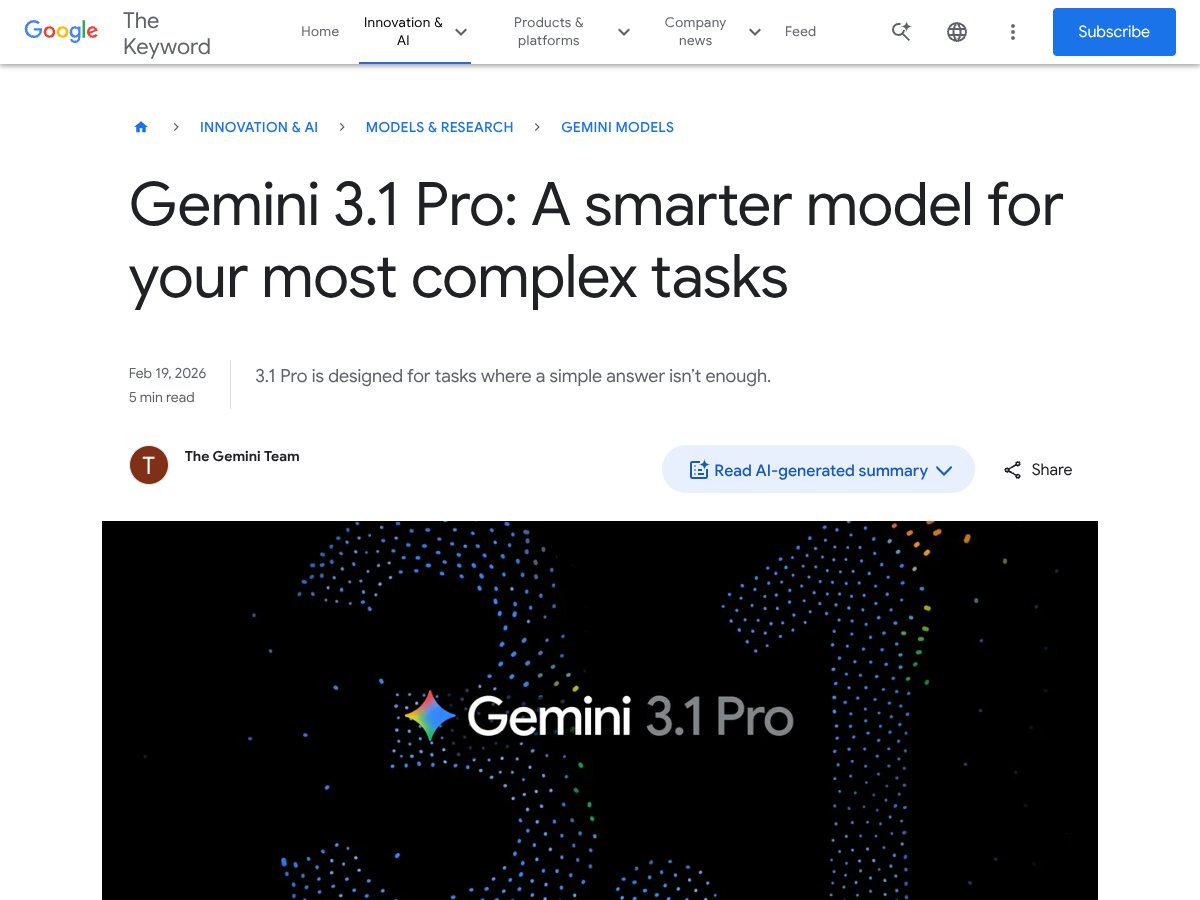
Honestly, when I first heard about Google releasing Gemini 3.1 Pro, I was a bit skeptical. I mean, AI models are getting more and more complex, but how much of that actually translates into something usable? This one caught my eye because it’s pitched as a model for the really tricky, multi-layered tasks — the kind that usually make you wish you had a human expert on speed dial.

In plain English, Gemini 3.1 Pro is an AI language model that aims to handle complex reasoning, extended research, and content creation — basically, the stuff that standard chatbots or AI assistants struggle with. Unlike simpler models that give you quick, surface-level answers, this one tries to dig deeper, synthesize multiple data points, and generate longer, more detailed responses. Think of it as an AI designed for tasks where a straightforward reply just isn’t enough.

What problem is it trying to solve? Well, from what I gathered, Google is positioning Gemini 3.1 Pro as a tool for tackling challenging scientific, engineering, or research questions, and even creative projects that need nuanced understanding. It’s supposed to be smarter at reasoning and extended output, which is a step up from earlier models like Gemini 3 or 2.5.

As for who’s behind it, Google’s AI team is clearly the brain trust here. They’ve been working on their Gemini series for a while, and this latest version is presented as a significant upgrade, especially in reasoning capabilities and output length.

My initial impression? To be honest, it was a mixed bag. The marketing and official descriptions promise a lot, but I went in expecting to see some rough edges — and I wasn’t disappointed. It does seem to do what it says at a high level, especially when it comes to reasoning tasks, but it’s not magic, and it’s definitely not plug-and-play for every complex problem.

One thing I want to be clear about: Gemini 3.1 Pro isn’t a ready-to-use consumer product with a slick interface and instant results. It’s more like a powerful backend engine you connect to via APIs or specialized platforms. So, if you’re looking for a simple chat window or a drag-and-drop tool, this isn’t it. Also, it’s not cheap — the pricing details are still somewhat opaque, and the model’s capabilities are geared more toward developers and enterprises than everyday users.

In summary, it’s a promising, very capable model that aims to push the boundaries of what AI can handle in terms of reasoning and complex outputs. But don’t expect it to solve every problem flawlessly or to be a turn-key solution. It’s more like a talented assistant that still needs a human to guide it and interpret its results.

Gemini 3.1 Pro Pricing: Is It Worth It?

Gemini 3.1 Pro interface
Gemini 3.1 Pro in action
Plan Price What You Get My Take
Google AI Pro $19.99/month Access to Gemini 3.1 Pro, 1,000 AI credits/month, basic features Fair for casual users or small projects, especially with the free 12-month student trial. Good entry point if you just want to test the waters without committing big.
Google AI Ultra $124.99 for 3 months (~$41.67/month) Enhanced capabilities, 25,000 AI credits/month, maximum performance, advanced tools like Veo 3.1 video generation This is quite pricey for individual users, but if you’re doing heavy, complex work—like extended research, video production, or large-scale creative projects—it might be justified.
API Pricing $2.00 per 1M input tokens; $12.00 per 1M output tokens Pay-as-you-go for developers integrating Gemini 3.1 Pro into their apps For developers with high-volume needs, the per-token cost is competitive, but beware of the steep costs if your usage spikes. Also, the tier 2 access requirements (minimum spend, wait times) can be a hassle.

Honest assessment: The pricing structure is somewhat segmented. The Pro plan at $19.99/month offers a decent entry point, but the Ultra plan is definitely aimed at power users or enterprises, not casual hobbyists. If you're a solo creator or small team, the costs can add up quickly, especially if you need high-volume output. Be aware that the API costs can become significant if your application demands lots of tokens, and the tier 2 requirements for API access might slow down your onboarding. Overall, it’s fairly priced considering the advanced reasoning capabilities, but it’s not exactly cheap—especially compared to some open-source alternatives or less capable models.

The Good and The Bad

What I Liked

  • Highly extended output limit: The 65K token limit means you can generate or analyze extremely long documents without interruption, which is a game-changer for research or detailed content creation.
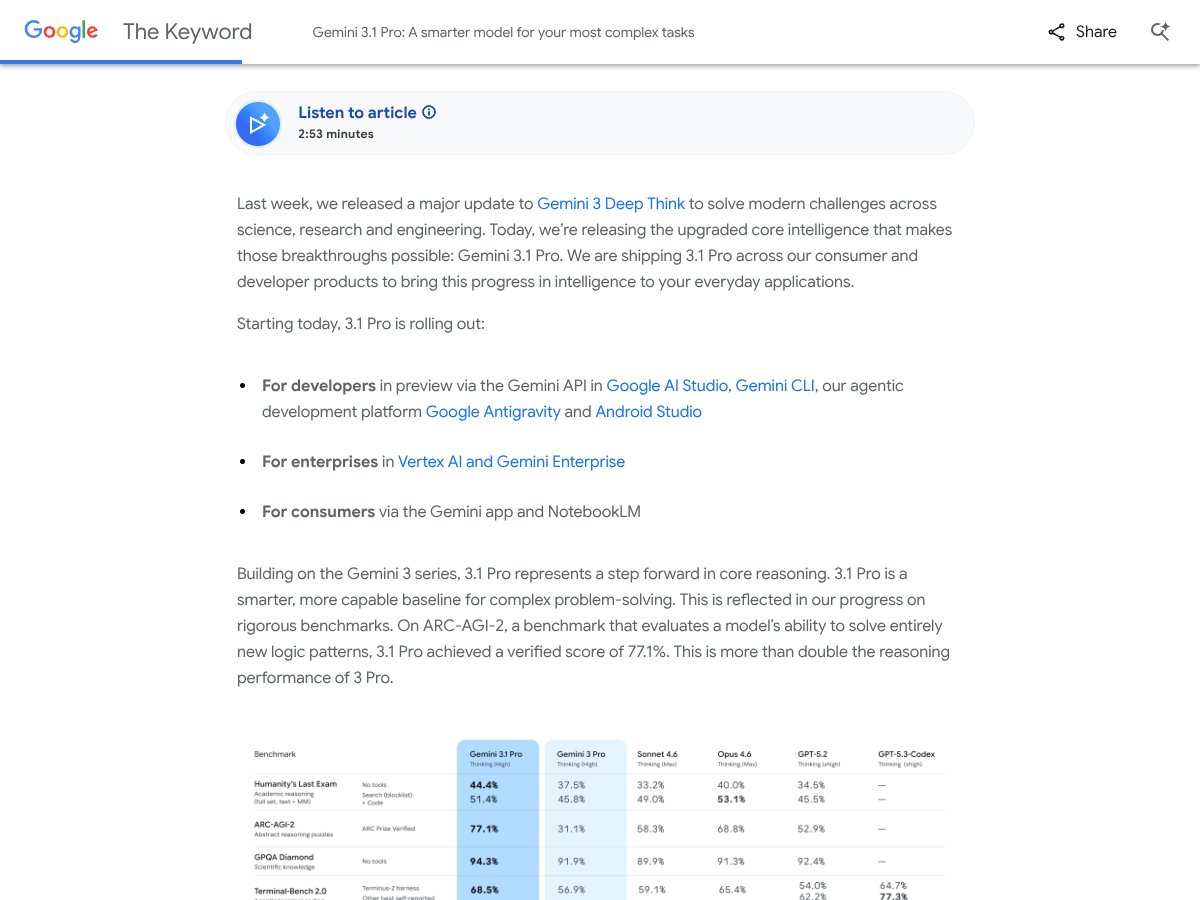
  • Advanced reasoning: The benchmark scores (77.1% on ARC-AGI-2) show this model is genuinely better at solving novel logic problems, making it useful for complex workflows like scientific research or engineering design.
  • Speed improvements: Faster response times compared to Gemini 3 Pro mean you spend less waiting and more doing, especially important when working on time-sensitive projects.
  • Multimodal capabilities: Integration with Veo 3.1 video generation and image-to-video tools like Whisk expands what you can do creatively, which is rare in models at this level.
  • Rich ecosystem: The inclusion of tools like NotebookLM and Gemini Live voice conversations makes it a versatile platform for a variety of tasks beyond plain text.
  • Research-oriented features: Deep Research and extensive API options offer robust support for complex data synthesis, which is valuable for enterprise or academic users.

What Could Be Better

  • Pricing complexity and cost: The Ultra plan is expensive, and the API charges can add up fast, making it inaccessible for many individual users or small teams.
  • Limited user reviews and transparency: Google isn’t sharing extensive user feedback or clear case studies, so it’s hard to gauge real-world performance and reliability.
  • Feature gates and wait times for API access: The tier 2 requirements (minimum spend, wait periods) could delay adoption for smaller developers or those just starting out.
  • No clear free tier info: While there’s a mention of a free trial for students, the general public doesn’t see a free tier, which could be a barrier to experimentation.
  • Limited info on integration and UI: The user experience, especially for non-developers, isn’t detailed, which might mean a steep learning curve for some.

Who Is Gemini 3.1 Pro Actually For?

If you’re a researcher, data scientist, or developer working on complex projects requiring extended reasoning, Gemini 3.1 Pro can be a powerful ally. It’s ideal for those who need to synthesize large datasets, generate detailed reports, or create multimedia content that demands sophisticated AI understanding. For example, if you’re developing AI-driven educational tools, building advanced simulations, or conducting scientific research that involves extensive document analysis, this model can handle the depth and breadth you need.

Creative professionals who want to push the boundaries—like animators needing complex code-driven visuals, or writers developing detailed narratives—will also find value here. The 65K token limit is especially useful for long-form content, and the integrated multimedia tools open up avenues for innovative projects.

However, if your needs are simple Q&A, basic content generation, or you’re just exploring AI for casual use, this might be overkill. The pricing and complexity could be a deterrent, and you might be better served by a more affordable, less feature-rich model.

Who Should Look Elsewhere

If your primary goal is casual content creation, social media posts, or basic chatbot interactions, Gemini 3.1 Pro is likely not worth the investment. Its advanced features are designed for heavy-duty, complex tasks, and if you don’t need extensive reasoning or multimedia capabilities, more straightforward, cheaper options like ChatGPT or GPT-4 might suffice.

Developers or businesses with limited budgets should be cautious. The API costs can rack up quickly, and the tier 2 access requirements could delay your projects. Also, if you’re outside the US, the current limited availability could be a dealbreaker.

In summary, if you’re a hobbyist or a small team with modest needs, there are more affordable models that can deliver decent results without the hassle of high costs and complex onboarding. Consider your workflow and budget carefully before jumping into Gemini 3.1 Pro’s deep end.

How Gemini 3.1 Pro Stacks Up Against Alternatives

Claude 3.5 Sonnet

  • Claude 3.5 Sonnet is designed for advanced reasoning with a focus on safety and interpretability. It’s known for producing reliable, well-structured responses, especially in complex reasoning tasks, but it doesn’t have the extensive multimodal capabilities of Gemini 3.1 Pro.
  • Pricing isn’t always transparent, but Claude generally operates on a per-token basis similar to OpenAI models, often at a lower cost for basic tasks. Exact pricing varies by platform, but it’s typically competitive for reasoning-heavy workloads.
  • Choose this if you prioritize safety, interpretability, and consistent reasoning in text-based tasks, especially if multimodal features aren’t a must.
  • Stick with Gemini 3.1 Pro if you need extensive multimodal reasoning, longer responses, or integrated creative tools — Gemini’s broader feature set gives it an edge for multimedia projects.

GPT-5.2 (OpenAI)

  • GPT-5.2 is OpenAI’s latest flagship, offering vast general-purpose capabilities, including reasoning, coding, and creative writing. It’s known for its versatility and large knowledge base, but lacks the seamless multimodal functions of Gemini 3.1 Pro.
  • Pricing is around $8.00 per 1 million tokens for input and output combined, which is more cost-effective for many users compared to Gemini’s output pricing.
  • Choose this if you want a highly versatile, well-supported model with broad integrations and don’t need advanced video or multimodal features.
  • Stick with Gemini 3.1 Pro if your projects demand extended reasoning, multimodal outputs, or creative multimedia production, where Gemini’s integrated tools shine.

Grok 4 (xAI)

  • Grok 4 emphasizes high-performance reasoning with a focus on cost efficiency and speed. It’s designed for enterprise use and offers good performance at a lower cost, but it may lack some of the creative and multimedia integrations of Gemini 3.1 Pro.
  • Pricing isn’t widely published but is typically lower than Gemini for similar workloads, making it appealing for budget-conscious heavy users.
  • Choose this if you need a budget-friendly, fast reasoning model for large-scale tasks without extensive multimedia features.
  • Stick with Gemini 3.1 Pro if you want longer, more detailed responses or integrated creative tools like Veo or Flow.

DeepSeek V3.2

  • DeepSeek V3.2 is a more cost-effective reasoning model with competitive performance, especially in research and data analysis tasks. It’s less focused on multimedia, with primary strengths in text-based deep reasoning.
  • Pricing is generally lower, making it a good choice for budget-conscious users who need solid reasoning without extra bells and whistles.
  • Choose this if you mainly need research, note-taking, and deep reasoning with minimal multimedia requirements.
  • Stick with Gemini 3.1 Pro if extended multimodal reasoning, video generation, or creative workflows are essential to your projects.

Bottom Line: Should You Try Gemini 3.1 Pro?

Overall, I’d say Gemini 3.1 Pro is a solid 7.5 out of 10 for most serious AI users. It’s powerful, especially if you need long, detailed responses and advanced reasoning, plus a suite of creative tools integrated into one platform. The speed improvements and 65K token limit make it a real step up from previous models, but the price can be steep for individual users, and API costs add up fast.

It’s perfect for researchers, content creators, or businesses that want a one-stop-shop for complex multimodal tasks—especially if you’re working on projects that involve video, extended research, or creative production. However, if your needs are more straightforward, or cost is a concern, you might find simpler models like GPT-5.2 or DeepSeek V3.2 more budget-friendly.

If you’re an AI enthusiast or a professional who needs the deep reasoning capabilities and multimedia features, give it a try. For casual users or those on a tight budget, your money might be better spent on models with a lower price per token or simpler solutions.

Common Questions About Gemini 3.1 Pro

  • Is Gemini 3.1 Pro worth the money? It’s worth it if you need extensive reasoning, long responses, and multimedia features. For basic tasks, it might be overkill and pricier than alternatives.
  • Is there a free version? Yes, eligible US college students can access it free for 12 months via the Google AI Pro student trial, but it requires a payment method on file.
  • How does it compare to GPT-5.2? GPT-5.2 is more versatile and cheaper per token for general tasks, but Gemini 3.1 Pro excels in multimodal outputs and longer, detailed reasoning.
  • Can I get a refund? Refund policies depend on the platform or subscription plan; check Google’s terms when signing up, as there’s generally a money-back window within the first few days.
  • What are the main technical capabilities? It offers advanced multimodal reasoning, 65K token output, video generation, deep research, and creative workflows.
  • Is it easy to integrate into existing workflows? Yes, via API, but note the $250 spend requirement and 30-day wait for production access.

As featured on

Automateed

Add this badge to your site

Stefan

Stefan

Stefan is the founder of Automateed. A content creator at heart, swimming through SAAS waters, and trying to make new AI apps available to fellow entrepreneurs.

Related Posts

FaceSymmetryTest Review – Honest Look at Free AI Tool

FaceSymmetryTest Review – Honest Look at Free AI Tool

FaceSymmetryTest is a fun online tool

Stefan
Sweep Review – An AI Assistant for JetBrains IDEs

Sweep Review – An AI Assistant for JetBrains IDEs

Sweep enhances productivity in JetBrains IDEs

Stefan
AI Song Maker Review – Simple & Creative Music Generation

AI Song Maker Review – Simple & Creative Music Generation

easy way to create music with AI

Stefan

Create Your AI Book in 10 Minutes