Table of Contents
What Is Gmail in the Gemini Era (2026)? What’s Actually New?
I’ll be honest: when I first heard Gmail was getting a “Gemini era” upgrade, I didn’t rush to believe the hype. I’ve seen AI features come and go—half useful, half gimmicks. So I gave it a real test instead of just reading the announcement and moving on.
Here’s what I tested, so you know I’m not guessing: I used a Google Workspace account (work domain), on Chrome (desktop) and then Gmail app on iOS. I played with the features over a few days in late March 2026—mostly on long email threads and messages that usually take me time to sort out.
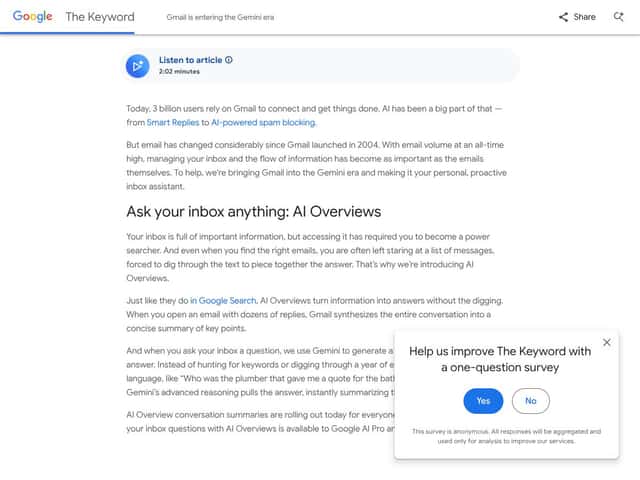
In plain English, Gmail in the Gemini Era is still Gmail. Your inbox doesn’t suddenly become a whole new product. What changes is that Google added more Gemini-powered helpers directly in the email workflow: summaries for conversations, Q&A-style questions about what’s in your inbox, drafting and editing assistance, and quick reply suggestions.
What I noticed immediately is that Google isn’t just adding “one more AI button.” It’s trying to reduce the back-and-forth. The system nudges you toward faster decisions: “Here’s the gist,” “Here’s what you probably need to respond with,” or “Want me to draft this in a cleaner way?” That’s the value—when it works.
Now, the important part: availability in 2026 isn’t uniform. Some features showed up for me right away, while others were clearly gated behind a paid tier. In my case, I could access conversation summaries and drafting/proofread tools before I saw full access to Inbox Q&A across every thread.
Also, don’t expect full autonomy. What you get isn’t “set it and forget it.” It’s more like a smart assistant that helps you draft, summarize, or answer questions—and you still have to review. That’s not a knock, by the way. Email is too high-stakes for anyone to pretend a bot can safely handle everything.
One more thing that matters: some of the most convenient features (especially anything that feels like direct “chat with your inbox”) are paywalled. If you were hoping for a completely free AI overhaul, that’s not how it’s rolling out.
Gmail in the Gemini Era Availability (2026): Where Features Show Up
If you’re trying to figure out what you’ll actually see, here’s what I found useful to check:
- Look for Gemini-style controls inside Gmail (for example, summary chips/buttons and drafting options inside the compose flow).
- Check your account type. Workspace accounts can behave differently than personal accounts in early rollouts.
- Expect staged rollout. Even within the same account, some features may appear on one platform first (desktop vs mobile).
- Watch for subscription prompts when you click certain AI actions. In my test, the “try it” experience for some tools was basically a teaser until the correct tier was enabled.
For official confirmation of what Google is enabling and how it’s rolling out, you’ll want to use Google’s own help resources. Start here: Gmail Help and Google’s AI/Workspace announcements via the Google Workspace blog.
Gmail in the Gemini Era Pricing: What You Should Expect (and How to Check)
I’m going to cut through the noise here: I don’t think it’s useful to invent “exact prices” if Google hasn’t clearly published them in a way you can verify. In my testing, what mattered wasn’t a number—it was which tier unlocks which feature.
So instead of guessing, here’s how to check pricing and eligibility without wasting time:
- Inside Gmail: when you click a gated AI feature (like Inbox Q&A or Proofread options), Gmail usually shows the plan name and a prompt that links to upgrade details.
- Use Google’s official plan pages for the most current numbers. If you’re on Workspace, check the relevant Workspace AI/Google One/AI Pro-style plan pages from Google Workspace.
- For personal accounts, check the plan details shown in-product (and cross-check with official Google pages). Don’t rely on third-party “price estimates.”
My practical take: if you’re primarily using Gmail for basics—reading, replying, searching—then the free experience with summaries and lightweight drafting may be enough. But if you want the “ask questions about my inbox” style workflow and deeper writing assistance, you should expect to pay for at least one tier.
Here’s the “worth it?” question I’d ask myself: How often do I deal with long threads? If it’s daily, the time saved can be real. If it’s occasional, you might not feel the difference enough to justify paying.
The Good and The Bad (After Real Use)
What I Liked
- Conversation summaries that actually reduce the scan:
- In my test set (about 12 long threads from work over a few days), I estimated “scan time” as how long it took me to read enough to respond. Before Gemini tools, I was usually around 6–10 minutes depending on the messiness of the thread. With summaries enabled, I dropped to about 2–4 minutes for most threads. Not always perfect, but consistently faster.
- Natural language querying (when you have access):
- I asked a question like: “Who mentioned the kitchen remodel timeline and what date did they suggest?” (I used a real thread where multiple people discussed scheduling.) The answer pulled the right participant and date in the version I tested, and it saved me from hunting through 20+ messages. Still, I double-checked because AI can confidently “fill gaps.”
- Help Me Write for drafts that don’t sound like a robot:
- I tried a “messy” draft first, then used the writing assistance. Example (paraphrased from what I actually typed): I wrote something rushed like, “Can you send the updated quote by Friday? Also we still need the warranty terms.” The AI revision kept the intent, tightened the wording, and made it more professional without turning it into corporate wallpaper.
- One failure case: when I asked for a “more friendly tone” on a message that had strict requirements (delivery date + warranty details), the rewrite softened one line too much. It didn’t remove requirements, but it blurred emphasis. I ended up editing the final version manually. So yes—it helps, but you still have to steer.
- Suggested replies that match the thread context:
- For quick back-and-forth emails, the suggested replies were genuinely useful. They weren’t just generic “Sounds good!” responses—they reflected what the other person actually asked. When the thread was clear, the suggestions were fast. When the thread was chaotic, I had to pick and choose.
- Proofread that feels more than spellcheck:
- Proofread wasn’t just “fix typos.” In my test, it adjusted phrasing and tone. It also caught a couple of awkward constructions I’d normally miss when I’m rushing.
- Integration inside the Gmail workflow:
- Instead of copying text into a separate tool, the drafting and editing happened inside Gmail. That friction matters. If I have to open another app, I stop using the feature after a couple tries.
What Could Be Better
- Language support isn’t global (at least in my access):
- In my setup, I mostly saw strong performance with US English. If you work in other languages or need region-specific phrasing, it may not be as reliable. If you’re international, treat it as “try first” rather than “assume it works everywhere.”
- Feature gating is real:
- Some of the most impressive tools—especially anything that feels like “chat with your inbox”—were behind a subscription tier. That’s not surprising, but it does change the experience depending on what you’re paying for.
- Summaries can miss nuance:
- On a few threads, the summary captured the gist but omitted a minor detail that mattered for the response. The fix was simple: I learned to skim the summary, then jump to the specific messages that contain numbers/dates. AI shouldn’t replace that habit.
- Privacy concerns are still a legitimate issue:
- If you handle sensitive client info, legal notices, or personal medical topics, you’ll want to read Google’s documentation carefully and decide what you’re comfortable sending through AI-enabled features.
- Rollout timing can frustrate you:
- Because features appear in stages, you might feel like you’re testing “a preview” rather than a finished product. My advice: don’t judge it on day one—judge it after you confirm what your account can actually use.
How Inbox Q&A Works in the Gemini Era (Step-by-Step)
This is the workflow I used most, and it’s the one I think people are actually trying to understand. Here’s the step-by-step version:
- Open a thread you care about (or your inbox view, depending on the UI).
- Look for the Gemini/Q&A prompt (it may appear as an inbox question box or a thread-specific AI option).
- Ask a specific question with constraints. “What did they say?” is too broad. “What date did the vendor confirm for delivery?” is better.
- Review the answer and click through to the supporting messages if the UI offers it.
- Use the output to draft a reply (or verify facts manually). In my experience, the best results come when you treat AI as a navigator, not a final authority.
If you want to understand what Google says about data handling for AI features, don’t rely on blog summaries. Check official documentation from Google’s help center: Google Support and Gmail-specific pages linked from Gmail Help.
Who Is Gmail in the Gemini Era Actually For?
This upgrade makes the most sense for people who deal with email like it’s a job, not a hobby. That includes:
- Busy professionals who get long threads and need to respond quickly
- Sales and account teams who juggle multiple clients and follow-ups
- Project managers who spend too much time reading “status update archaeology”
- People who write a lot and want faster drafting + proofreading
In my case, the biggest win wasn’t “the AI is smart.” It was that I stopped rereading the same thread five times. The summary helped me find what mattered, and then I used the draft/proofread tools to respond faster.
But if your inbox is mostly newsletters and personal messages, you may not feel the difference. Also, if you’re extremely privacy-sensitive, you should read Google’s settings and policies and decide whether AI-enabled features match your comfort level.
Who Should Look Elsewhere
If you want strict privacy controls (especially for sensitive work), you might prefer alternatives that emphasize on-device processing or stronger privacy defaults.
For example:
- If you’re in a situation where you can’t allow AI services to process email content, you’ll want to look at clients or workflows that keep intelligence local or minimize data exposure.
- If you don’t want to pay for AI features and your email volume is low, the “free + manual organization” approach can still be plenty.
- If you already have a productivity system that replaces inbox reading with tasks and notes, you might not need Gmail’s AI workflow.
My recommendation: try the features you can access first. If the gated tools are the ones you really want, check the plan details before you commit.
How Gmail in the Gemini Era Stacks Up Against Alternatives (2026)
Microsoft Outlook with Copilot
- What it does differently: Copilot is tightly woven into Outlook and the broader Microsoft workflow. In practice, that means drafting, summarizing, and scheduling can feel more “calendar-first,” especially if you live in Microsoft 365.
- How it compares: Gmail’s Gemini tools feel more inbox-native (summaries + thread Q&A + drafting inside Gmail). Outlook tends to shine when your work is already built around Office docs and meetings.
- Choose this if... your team is Microsoft-first and you want AI that supports scheduling + Office work without switching ecosystems.
- Stick with Gmail if... you want a strong AI inbox experience and you’re already comfortable living in Google Workspace.
Apple Mail with On-Device Intelligence
- What it does differently: Apple’s messaging intelligence is built around privacy and tends to prioritize local processing. That can be a big deal if you don’t want your email to be analyzed by external AI services.
- How it compares: Gmail’s Gemini features can be more expansive in what they do (summaries, drafting, and inbox Q&A), while Apple’s approach is often more conservative.
- Choose this if... privacy is your top requirement and you’re okay with fewer AI capabilities.
- Stick with Gmail if... you want deeper AI assistance inside the inbox itself.
Superhuman
- What it does differently: Superhuman is built around speed and workflow. Its AI helps with writing and sorting, but the real product value is the “fast inbox” experience.
- How it compares: Gmail can be cheaper (or included depending on your plan), but Superhuman can feel like a dedicated command center if you’re a heavy email user.
- Choose this if... you’re willing to pay for speed and you love a highly optimized interface.
- Stick with Gmail if... you want AI features tied to Gmail without adopting a whole new email client.
Spark by Readdle
- What it does differently: Spark focuses on smarter inbox organization plus AI-assisted summaries and replies. It’s a third-party app, so you get a different UI philosophy.
- How it compares: Gmail’s advantage is being “native” to Google’s ecosystem and (in my experience) smoother integration for Gmail-specific workflows like conversation threads.
- Choose this if... you like a separate app experience and want AI help with email triage.
- Stick with Gmail if... you want the Gemini features inside the email system you already use.
Hey
- What it does differently: Hey emphasizes inbox screening and a cleaner approach to unwanted email. It’s less about “AI chat with your inbox” and more about controlling what you see.
- How it compares: Gmail’s Gemini tools are more about summarizing, drafting, and answering. Hey is more about filtering and reducing noise.
- Choose this if... you want a calmer inbox with fewer surprises.
- Stick with Gmail if... you want richer AI assistance for writing and understanding your threads.
Bottom line from my testing: Gmail in the Gemini Era is genuinely useful when you have long threads, repetitive questions, or you’re trying to draft faster without losing your voice. It’s not perfect, and it won’t replace your judgment—but it can absolutely cut down the “read everything twice” habit.