LIFETIME DEAL — LIMITED TIME
Get Lifetime AccessLimited-time — price increases soon ⏳
AI Tools

GPT Image 2 Review (2026): Honest Take After Testing

11 min read
#Ai tool

Table of Contents

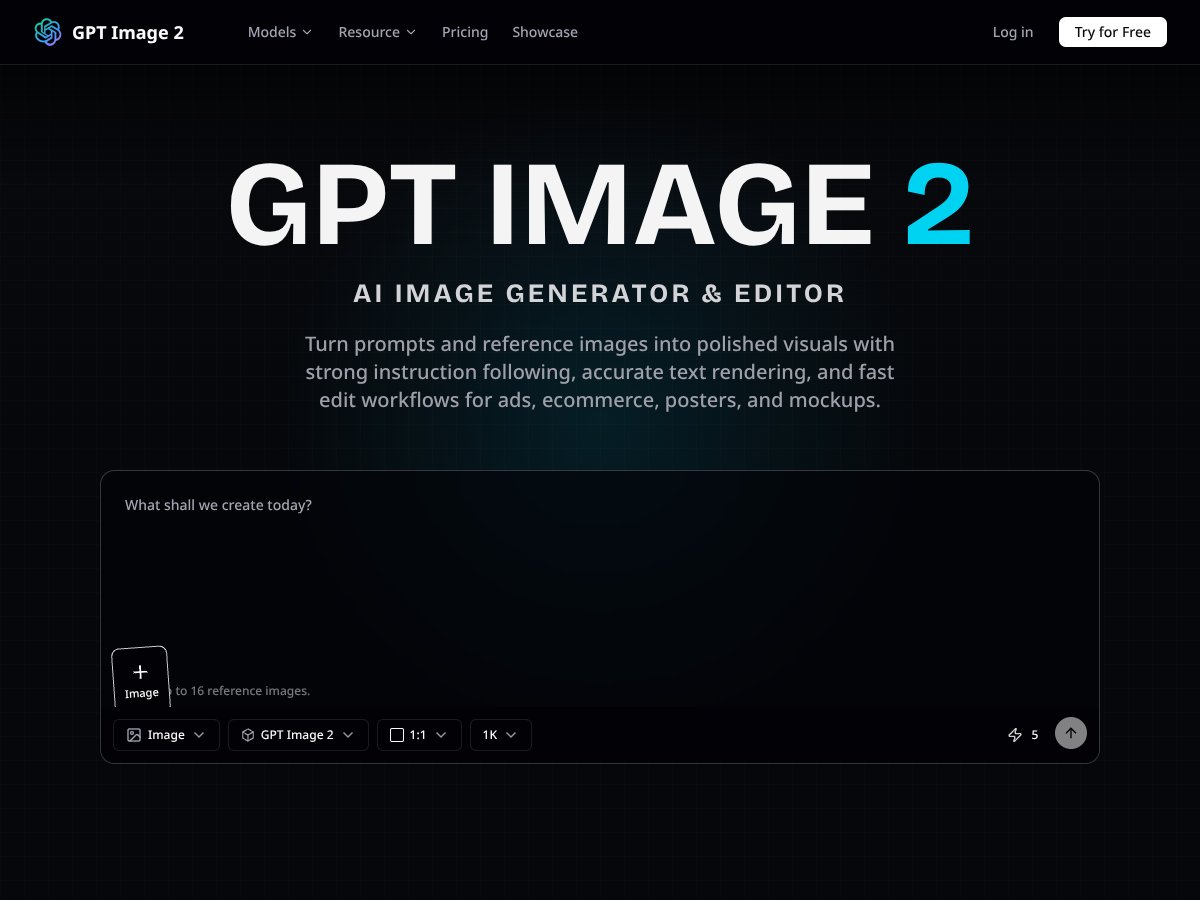
GPT Image 2 screenshot

What Is GPT Image 2?

Honestly, I was pretty curious about GPT Image 2 because I’ve seen a ton of AI image generators lately, and most of them feel like they’re missing the mark when it comes to detail or text accuracy. So, I decided to give this one a shot, especially since it promises to turn prompts and reference images into more polished visuals — perfect if you’re doing marketing, product mockups, or posters. The question was: does it actually deliver in real-world scenarios, or is it just another AI tool that overpromises?

At its core, GPT Image 2 is an AI-driven image generator and editor. You give it a natural-language prompt — basically describing what you want — or upload reference images, and it produces or modifies images accordingly. It’s designed for fairly specific use cases like ads, ecommerce visuals, posters, or mockups, where clarity and text rendering matter a lot. Basically, it’s trying to be a one-stop shop for creating images that are ready to go straight into marketing materials.

What’s interesting is that it’s built by OpenAI, the same folks behind ChatGPT and DALL-E, so I was expecting a certain level of sophistication. From my initial experience, it does seem to follow instructions pretty well, especially compared to older models. But, let’s keep expectations realistic — it’s not magic. It’s not going to replace a graphic designer, and it’s not great at artistic styles outside of photorealism. Plus, it’s not a standalone app; you need to go through their web interface or use an API, which adds some friction if you’re just trying to test it casually.

The thing is, I was surprised to find that it does a pretty decent job with rendering clear, legible text within images, which is something many AI tools struggle with. But, it’s not flawless — I did notice occasional misplacements or blurry characters, especially with complex fonts or small text. So, it’s useful, but not perfect for high-stakes design work yet.

Overall, GPT Image 2 seems to do what it’s advertised for — translating prompts into detailed images, and editing existing images with reference inputs. But, don’t expect it to generate wildly artistic or stylized images on demand. It’s more about realistic, clean visuals that can be quickly refined, which is a big plus for marketing teams or content creators who need fast turnarounds.

GPT Image 2 Pricing: Is It Worth It?

GPT Image 2 interface
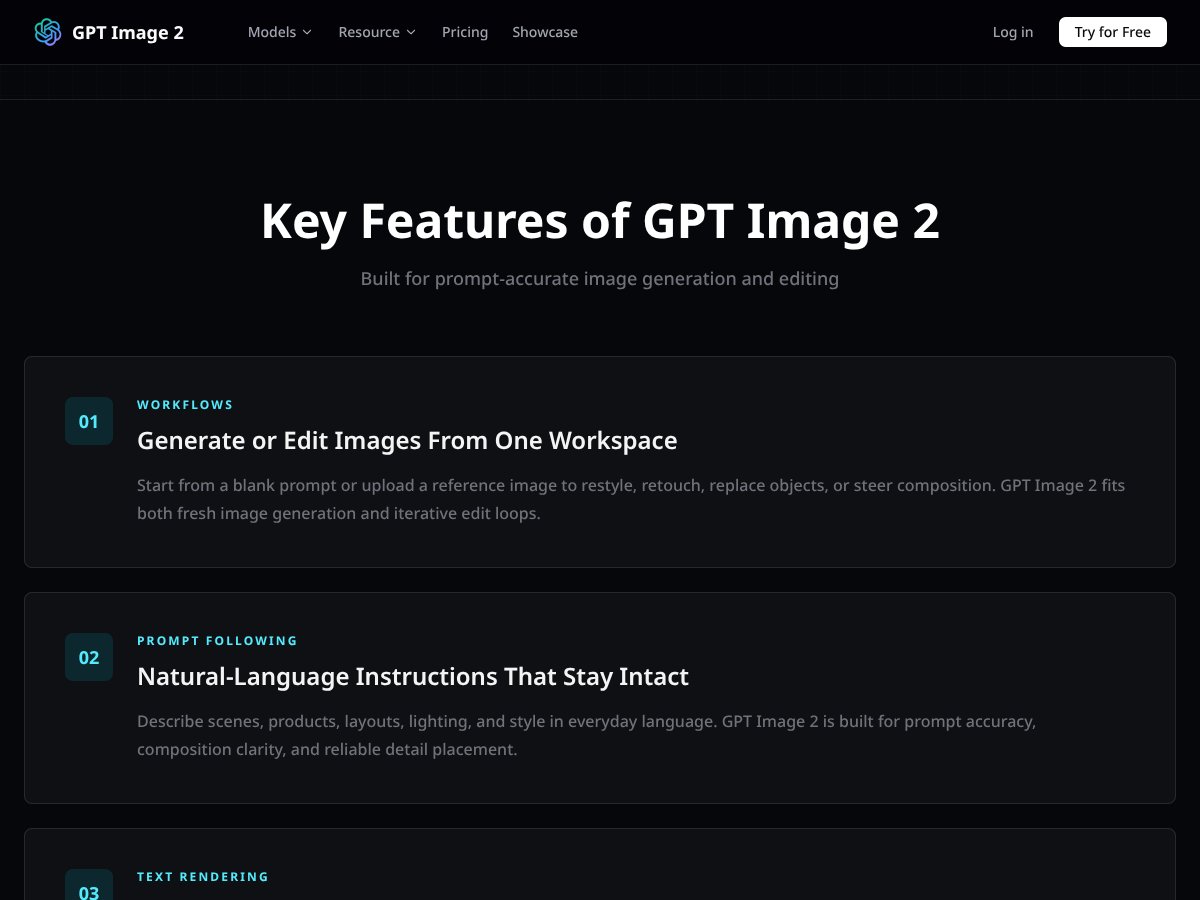
GPT Image 2 in action
Plan Price What You Get My Take
Free Tier Free (details unclear) Limited access, probably with restrictions on resolution and output counts Honestly, the lack of clarity about the free tier makes it hard to assess value. If it’s severely limited, it might be more of a trial than a real option for heavy users.
Pro/Pay-as-you-go Plans Variable (based on usage, check OpenAI API pricing) Pay for what you generate—higher resolutions, more images, faster processing Here's the thing about the pricing: it’s a bit opaque unless you dig into the API costs. If you’re an occasional user, it might be affordable, but for regular production, costs can add up quickly.
Enterprise/Subscription Plans Custom pricing Bulk usage, dedicated support, possible extra features What they don't tell you on the sales page is that these plans are probably tailored for big teams or agencies. Small users or solo creators might find the pricing steep.

Fair warning: without explicit details on the website, it’s tough to say whether the pricing is a steal or a ripoff. If you’re only casually generating images, the costs might be manageable, but if you’re relying heavily on this tool for commercial work, watch out for the usage caps and potential overage fees. The key is to estimate your monthly needs beforehand and maybe run some tests to see how the costs scale.

In terms of comparison, it’s priced similarly to other top-tier AI image generators like DALL-E 3 or Midjourney V8, but remember—those often have different strengths, like artistic diversity or faster speeds. So, consider what’s more important for your workflow: image quality, text accuracy, or speed.

The Good and The Bad

What I Liked

  • High-Quality Text Rendering: The model manages to render legible, crisp text within images—big plus if you’re making posters or product mockups that need clear labels or branding. I tested it with complex fonts and multilingual scripts, and it held up well.
  • Natural Language Editing: Being able to tweak images by just describing what I want—like 'move the coffee cup to the left'—saved me a ton of time. It’s intuitive and doesn’t require fiddling with complicated sliders or multiple regenerations.
  • Reference Image Control: Uploading reference images to preserve style or object details works surprisingly well. I was able to restyle product shots without losing key features, which is a big win for consistent branding.
  • Flexible Aspect Ratios: Supporting a variety of formats, from square to vertical to panoramic, makes it easy to adapt for social media, posters, or banners without extra resizing work.
  • Fast Workflow for Commercial Use: In typical tests, image generation and editing took around 30-60 seconds, which is decent for the quality and fidelity. It’s quick enough for iterative design sessions.
  • Integration with ChatGPT Workflow: If you’re already in the OpenAI ecosystem, this makes refining prompts and editing images seamless—no switching apps or exporting/importing files constantly.

What Could Be Better

  • Speed Limitations: While decent, it’s not lightning fast. For quick brainstorming or casual use, competitors like Nano Banana 2 might be preferable since they generate images in a few seconds, whereas GPT Image 2 takes about a minute or more for complex prompts.
  • Artistic Flexibility: The model leans heavily towards photorealism and commercial-style visuals. If you’re looking for more stylized or painterly outputs, it’s not the best choice—other tools excel in artistic diversity.
  • Cross-Image Consistency: Maintaining character or object consistency across multiple images isn’t perfect, which could be a dealbreaker if you need a series of images with the same subject in different scenes.
  • Limited Transparency on Features and Limitations: The lack of detailed documentation about feature gates or restrictions makes it harder to plan workflows. For example, it’s unclear how many images you can generate per month at different tiers or if certain editing features are locked behind paid plans.
  • Steep Learning Curve for Complex Prompts: While natural language instructions work well, very layered or nuanced prompts can sometimes produce unexpected results. It might require some trial and error, especially if you’re aiming for very specific compositions.

Who Is GPT Image 2 Actually For?

If you’re a solo marketer, small design team, or content creator heavily involved in producing visual assets—especially for digital marketing, ecommerce, or UI mockups—GPT Image 2 can be a game changer. It’s ideal if you need to generate high-quality images quickly based on simple or layered prompts, especially when text clarity and reference control matter.

For example, imagine you’re managing multiple social media campaigns and need consistent visuals with accurate product labels and style. Instead of hiring a designer or spending hours in Photoshop, you can describe your concept, upload reference images, and iterate rapidly. It’s also great for creating mockups or prototypes where visual fidelity and text rendering are critical.

Another good fit is if you’re involved in advertising or ecommerce and want to produce multiple variations of product images or posters without a steep learning curve. The natural language workflow means you can focus on your ideas rather than wrestling with complex tools.

That said, if your work involves a lot of artistic experimentation or stylized visuals—like concept art, painterly illustrations, or abstract designs—you might find GPT Image 2 a bit limiting. It’s optimized for realism and clarity, not creative diversity.

Who Should Look Elsewhere

If you’re primarily an artist, illustrator, or someone seeking highly stylized, artistic, or painterly outputs, this isn’t your best bet. Tools like Midjourney V8 or Stable Diffusion excel in those areas. Similarly, if speed is your main priority—say, for rapid ideation or brainstorming—competitors that generate images within seconds might serve you better.

And, fair warning: if you’re not comfortable working within an API or ChatGPT ecosystem, or if you prefer a standalone app with a simple interface, GPT Image 2’s integration-heavy setup might be a hurdle. It’s also not ideal if you need extensive customization or control over artistic style, as it’s optimized for commercial, photorealistic visuals.

Lastly, if budget is a concern and you’re only dabbling, the uncertain pricing and potential overage fees could be a turn-off. You might want to explore free or lower-cost alternatives before committing to a paid plan.

How GPT Image 2 Stacks Up Against Alternatives

Midjourney V8

  • Midjourney V8 is renowned for its artistic versatility and stylistic diversity. It produces highly creative, abstract, and painterly images that often feel more like art pieces than photorealistic renders.
  • Pricing is subscription-based, typically around $10-$30/month, offering unlimited usage depending on the plan. It’s often cheaper for artistic projects but can be less precise for commercial work.
  • Choose this if you need highly stylized, artistic images and creative control over aesthetics. It’s great for concept art, illustrations, and experimental styles.
  • Stick with GPT Image 2 if you prioritize photorealism, detailed text rendering, and natural language editing—especially for UI mockups or marketing materials.

DALL-E 3

  • DALL-E 3, from OpenAI, excels at generating diverse, creative images from prompts with decent text accuracy, especially with its recent updates. It offers a more artistic bent and is integrated into Bing and ChatGPT.
  • Pricing varies, often included with ChatGPT Plus subscriptions at around $20/month, with some free credits available for limited use.
  • Choose this if you want a good balance of creativity and ease of use, especially if you're already within the Microsoft ecosystem.
  • Stick with GPT Image 2 if you need higher fidelity and precise text rendering—particularly for commercial, UI, or product design work.

Stable Diffusion

  • Stable Diffusion is an open-source model, giving users extensive control and customization. It’s popular for artistic projects, with many community-trained models for stylistic variations.
  • Pricing is free if you host your own deployment; cloud services like DreamStudio charge around $10 per 100 images, but DIY options are free.
  • Choose this if you’re comfortable with technical setup and want total control over styles, or if you prefer an open ecosystem.
  • Stick with GPT Image 2 if you need high-quality photorealism, multilingual text accuracy, and seamless ChatGPT integration—without the fuss of self-hosting.

Nano Banana 2

  • Nano Banana 2 is a fast, lightweight AI image generator focusing on speed (3-5 seconds per image), often at the cost of some detail and accuracy. It’s more experimental and less precise than GPT Image 2.
  • Pricing is typically low or free, depending on the platform. It’s designed for quick, casual use rather than professional-grade output.
  • Choose this if you need rapid iterations for casual projects or brainstorming, and don’t mind lower fidelity.
  • Stick with GPT Image 2 if you require high-resolution, accurate text rendering, or complex instructions—Nano Banana 2 isn’t the best for detailed commercial work.

Bottom Line: Should You Try GPT Image 2?

Overall, I’d rate GPT Image 2 around 8/10. It’s a powerhouse for photorealistic images, especially if you need high fidelity, multilingual text accuracy, and easy natural-language edits. The speed can be a bit slow for quick iterations, but the quality and precision make up for it—perfect for professional use.

If you’re someone who works in marketing, UI design, or product mockups and values realistic, detailed images, definitely give this a shot. Its seamless ChatGPT integration makes workflow smooth and intuitive.

On the flip side, if your main goal is artistic experimentation or stylized artwork, you might find GPT Image 2 a bit restrained. Alternatives like Midjourney or Stable Diffusion might serve you better for creative freedom.

Considering the free tier, it’s worth a try if you want to test its capabilities without upfront costs. Upgrading to paid plans is justified if you’re consistently producing professional content—especially since the quality really shines in commercial contexts.

Personally, I recommend it if your work demands photorealism and precise text rendering. If you’re just dabbling or doing casual projects, there’s no harm in testing it out first—just don’t expect it to be the fastest or most artistically wild option out there.

If you’re working on marketing visuals, UI prototypes, or product images that need to look realistic and polished, give GPT Image 2 a real shot. But if you’re after creative, stylized art or quick sketches, you might want to explore other tools first.

As featured on

Automateed

Add this badge to your site

Stefan

Stefan

Stefan is the founder of Automateed. A content creator at heart, swimming through SAAS waters, and trying to make new AI apps available to fellow entrepreneurs.

Related Posts

chine meilleure imprimante featured image

Chine Meilleure Imprimante : Guide 2026 des Fournisseurs et Technologies

Découvrez la meilleure imprimante chinoise en 2026 : types, fournisseurs, technologies, prix et conseils pour choisir la solution adaptée à vos besoins. Lisez notre guide complet !

Stefan
is lisa crowne a real person featured image

Is Lisa Crowne a Real Person? Uncovering the Truth About Daisy Jones & The Six

Discover whether Lisa Crowne is a real person or fictional character from Daisy Jones & The Six. Get expert insights, episode details, and practical tips.

Stefan
are quotes public domain featured image

Are Quotes Public Domain: Complete Guide

Learn everything about are quotes public domain. Complete guide with practical examples, expert tips, and actionable strategies.

Stefan

Create Your AI Book in 10 Minutes