Table of Contents
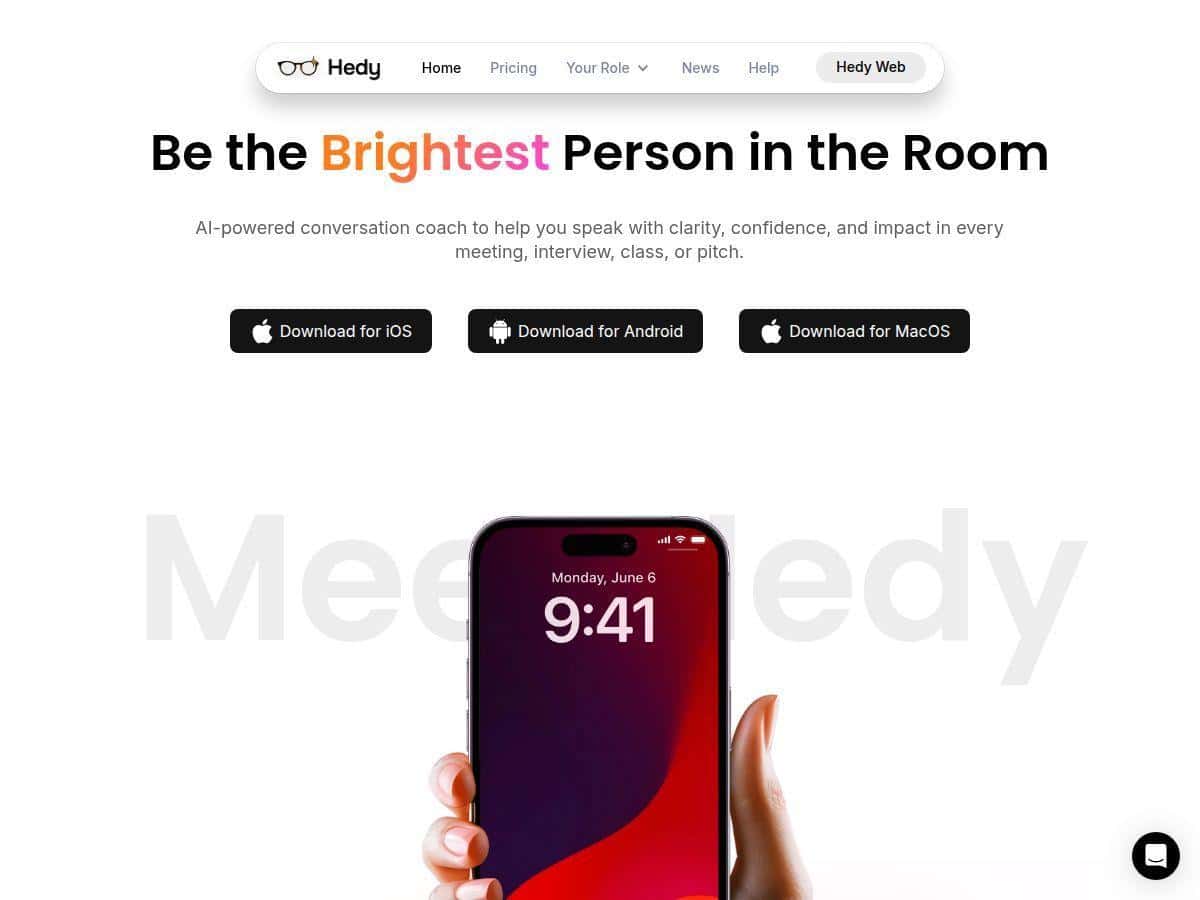
If you’re trying to sound clearer in meetings or interviews, you already know the hardest part isn’t “knowing what to say.” It’s staying focused while you’re talking—plus remembering the important bits after the fact. That’s why I tested Hedy AI. I wanted to see if it actually helps in real time, not just after the conversation ends.
Hedy Review: what happened when I used it in a meeting + mock interview
I tested Hedy over two sessions: one business meeting (about 35 minutes) and one mock interview (around 20 minutes). I used the app on my laptop for the meeting and then switched to mobile for the interview practice. Setup was quick—roughly 3–5 minutes from opening the app to getting audio recording working. The first thing I noticed? It doesn’t just sit there. Once you start talking, it pushes guidance while you’re still mid-thought.
Here’s the part that surprised me most: the suggestions weren’t generic “be confident” prompts. They were tied to what I was currently saying. For example, during the meeting I was describing a project update but I kept getting stuck on details. Hedy flagged the moment and suggested a simpler structure (problem → what we did → result). That tiny shift made my next response noticeably tighter—less rambling, more “here’s the point.”
In the mock interview, I tried a tougher prompt: “Tell me about a time you handled a conflict.” I started answering, then got a real-time nudge to include the outcome and what I learned. I didn’t have to stop and rewrite everything. I just adjusted my next sentence. The difference was small, but it was enough to make my answer sound more complete.
After both sessions, Hedy produced a recap with key points and action items. What I liked is that it wasn’t just a transcript dump. It actually helped me figure out what to send as follow-up. I could see the main decisions and the tasks without having to scrub through audio for 20 minutes.
Key Features (and what they look like in practice)
- Real-Time Coaching and Insights: instant suggestions while you talk.
- Mini-use-case: I was explaining a timeline and kept adding extra context. Hedy interrupted with a “tighten the structure” style suggestion—basically “say the headline first.”
- What changed: my next response went from 2–3 long sentences to a short summary plus details only after the main point.
- Multilingual Support: chat, transcription, and notes across many languages.
- Mini-use-case: for a quick test, I switched languages in my practice run and asked for notes in a different language than I was speaking. It handled the switch without me needing to start over.
- What I noticed: the transcription held up best when I spoke clearly with a steady pace—when I rushed, accuracy dropped (more on that under “cons”).
- Automatic Transcription and Summaries: live transcripts plus post-meeting summaries and action items.
- Mini-use-case: after the meeting, I skimmed the summary for decisions and next steps. It grouped the discussion into key points and pulled out tasks I could actually use.
- Example of the output style (sanitized):
- Key point: “We aligned on the next sprint scope and owners.”
- Action items: “Send updated roadmap by Friday,” “Confirm stakeholder review time,” “Draft proposal outline.”
- What changed: instead of writing follow-up from scratch, I edited the action items and sent them out.
- Cross-Device Compatibility: iOS, Android, Mac, and web, plus Zapier/API options.
- Mini-use-case: I started the meeting on one device and reviewed the recap on another. The workflow felt consistent—no “where did my session go?” moment.
- What I tried: I looked into integration options (Zapier/API) for exporting summaries and notes. I didn’t automate a full pipeline end-to-end during my test, but the integration approach is there if you want it.
- Specialized Modes: business, interviews, lectures, healthcare, and recruitment.
- Mini-use-case: I used a business-oriented run for the meeting and an interview-focused mode for the mock session.
- What I noticed: the suggestions felt better aligned with the goal. In interview mode, it leaned more toward “answer completeness” (context + action + result). In business mode, it leaned more toward clarity and decision/action tracking.
- Privacy Focused: speech processed locally for privacy (per the product positioning).
- Mini-use-case: I paid attention to what happens during transcription—whether I could reasonably trust that my speech wasn’t being casually shipped around.
- What I did to verify (as much as you can as a user): I checked the app’s privacy messaging and looked for local-processing indicators in settings. I can’t independently audit every backend detail from the UI, but the “local processing” claim is prominent, and it matches the way the experience feels (fast transcription without the “wait for cloud” vibe).
Pros and Cons (the stuff I actually liked—and where it stumbled)
Pros
- Real-time guidance that’s relevant: it didn’t just praise me—it pushed structure and completeness at the right moments.
- Post-meeting summaries are usable: key points + action items saved me time when writing follow-ups.
- Cross-device workflow felt smooth: I could move between devices and still get the recap I needed.
- Multilingual support: useful for international teams and practice runs.
- Privacy-first positioning: local processing is a big selling point if you’re cautious about sensitive conversations.
Cons
- Audio quality affects accuracy: when I spoke quickly or the mic picked up background noise, transcription accuracy noticeably dropped.
- Real-time isn’t always instant: I saw small delays—roughly 1–3 seconds—especially after longer pauses or when the room was noisy.
- Feature overload at first: there are a lot of modes/settings. I needed a couple tries before I felt comfortable choosing the right one.
- Not ideal for every conversation: if you’re talking off-the-cuff with lots of overlapping speakers, you might spend time correcting the transcript.
- Subscription cost: if you only need this once in a while, the paid tiers may feel like overkill.
Pricing Plans
Hedy has three plans: a Free Tier with 5 hours/month and access to summaries, a Pro Plan at $9.99/month (or $69.99/year) for unlimited use and extra features, and a Lifetime Plan for a one-time payment of $199 that unlocks everything permanently. If you’re using it for recurring interviews or weekly meetings, Pro makes sense. If you’re just testing whether this style of coaching helps you, the free hours are a pretty safe starting point.
Wrap up
Overall, Hedy is one of the more practical “AI speaking coach” tools I’ve used. The real value for me wasn’t only the transcript—it was the combination of real-time structure suggestions and follow-up-ready summaries. If you want to speak with more confidence and actually leave meetings with clear next steps, it delivers.
My advice: test it for 10 minutes with a real scenario you care about (a meeting pitch, a conflict story, a project update). Then see whether the suggestions help you adjust your next sentence—and whether the recap gives you action items you’d actually use. If yes, you’ll probably feel the benefit quickly.