Table of Contents
Publishing an eBook on Amazon has become a popular path for aspiring authors around the world. It’s a question many ask: how much does it cost to publish an eBook on Amazon? This platform offers a seemingly straightforward and accessible route to get your work out there, but understanding the costs involved is crucial.
In the world of digital publishing, expenses can vary widely. While the act of publishing on Amazon’s Kindle Direct Publishing (KDP) is free, there are other factors to consider that could impact your budget.
From editing and design to marketing and promotion, each step in the publishing process can influence your overall investment. This article aims to break down these potential costs, providing a clearer picture of what it takes to publish an eBook on Amazon.
How Much Does It Cost to Publish an eBook on Amazon?
Amazon’s Kindle Direct Publishing (KDP) has revolutionized the way authors bring their books to market. This platform offers a straightforward approach to publishing, accessible to anyone with a manuscript and an internet connection.
The basic idea is simple: you upload your book, set the price, and Amazon takes care of the rest, from listing to distribution.
One of the most appealing aspects of KDP is that publishing your eBook is essentially free. There are no upfront charges for uploading your book to Amazon’s platform.
This democratization of publishing has opened doors for many writers who might have found traditional publishing routes costly or challenging to navigate.
However, while the act of publishing on KDP doesn’t cost anything, there are potential costs involved in the process leading up to the publication.
These expenses, which can affect the quality and marketability of your eBook, include professional editing, cover design, and formatting.
Each of these elements plays a critical role in ensuring that your book meets industry standards and appeals to readers.
Additionally, while not mandatory, investing in marketing and promotion can significantly impact the visibility and sales of your eBook.
While the platform removes many traditional barriers, a successful eBook often requires some level of investment to stand out in a crowded digital marketplace.
Pre-Publication Expenses

When it comes to pre-publication expenses for your eBook, there are several key factors to consider.
First, the writing process itself may require specific software. While some authors opt for free tools like Google Docs, others prefer more advanced software like Scrivener, which offers additional features for organization and formatting but at a cost.
Alongside software, the time investment in writing an eBook is significant. Balancing writing with other responsibilities is a considerable commitment, and valuing your time is crucial.
Another essential expense is professional editing. It ensures your work is polished and free of errors.
The costs for editing services vary, often ranging from $0.01 to $0.05 per word. This means for a manuscript of 60,000 words, you could be looking at an expense anywhere from $600 to $3,000.
The type of editing required, whether it’s basic proofreading or more comprehensive developmental editing, will also influence the cost.
Finally, a compelling cover can make a significant difference in attracting readers. Hiring a professional designer can cost anywhere from $100 to over $500 for a custom design, depending on the complexity and reputation of the designer.
However, if you’re working with a limited budget, there are DIY options available.
Amazon’s Kindle Direct Publishing offers a cover creator with pre-designed templates at no cost. While this is a budget-friendly option, investing in a unique and professionally designed cover can greatly enhance your eBook’s appeal and set it apart in the competitive digital marketplace.
Of course, you can always make it yourself using Canva or other tool of your preference.
Overall, these pre-publication expenses, from software and time to editing and cover design, play a crucial role in the success of your eBook, impacting its quality and how it’s perceived by potential readers.
Formatting and Conversion Costs

Formatting your eBook for Kindle is an essential step in the publication process because a well formatted book ensures a smooth and enjoyable reading experience.
Amazon’s Kindle requires a specific format, and getting your eBook to align with these requirements involves a series of steps like adjusting text alignment, setting margins, choosing appropriate font sizes, formatting headings, and ensuring images are correctly positioned and displayed.
The formatting ensures that your eBook is readable and looks professional on all types of devices, from e-readers to tablets and smartphones.
Now, the potential costs of formatting can vary. If you decide to tackle the formatting yourself, the direct financial cost can be minimal.
Amazon provides guidelines and tools like Kindle Create, which is a free application designed to help convert and format eBooks for Kindle. However, this DIY approach requires a significant time investment and a certain level of technical proficiency.
On the other hand, hiring a professional to format your eBook for Kindle can alleviate the stress of ensuring everything is perfect but comes with its own costs.
Professional formatting services can range from a few hundred dollars to over a thousand, depending on the complexity of your book.
For instance, eBooks with a lot of images, tables, or special formatting requirements will generally be at the higher end of the cost spectrum.
Ultimately, whether you choose to format the eBook yourself or hire a professional depends on your budget, technical skills, and the time you can dedicate to this aspect of the publishing process.
Both options have their advantages, with DIY offering cost savings and professional services providing peace of mind and a polished final product.
Marketing and Promotion Costs

The importance of marketing in the success of an eBook cannot be overstated. Even the most well-written and beautifully designed eBook can struggle to find its audience without effective marketing as it is what helps your eBook get noticed, driving sales and building your reputation as an author.
When it comes to marketing strategies, there are several routes you can take, each with its own associated costs:
Social Media Marketing
Using platforms like Facebook, Instagram, and Twitter is a cost-effective way to reach potential readers.
You can start for free by creating author pages and engaging with your audience.
Paid options include running targeted ad campaigns, the cost of which can vary based on the scale and duration of the campaign. Budgeting a few hundred dollars can be a good start for small to medium-sized campaigns.
Email Marketing
Building an email list allows you to directly communicate with interested readers.
Costs include email marketing service subscriptions like Mailchimp or ConvertKit, which can range from free to around $30 per month for basic plans.
Amazon Advertising
Amazon offers its own advertising platform, allowing you to promote your eBook on their site.
This pay-per-click model means you only pay when a potential reader clicks on your ad.
Budgets can be as low as $5 per day, but a more substantial budget will increase your visibility.
Book Reviews and Blog Tours
Getting reviews and features on blogs can be crucial for visibility. While reaching out to bloggers and reviewers can be free, some services charge for guaranteed reviews or blog tour arrangements.
Costs here can range from $50 to several hundred dollars.
Giveaways and Promotions
Running a giveaway or a promotion (like temporarily reducing the price of your eBook) can generate buzz.
While the cost of discounts is borne in reduced revenue, platforms like Amazon’s Kindle Direct Publishing offer promotional tools at no extra charge.
Professional Public Relations (PR) Services
For a more comprehensive approach, hiring a PR firm can provide a full-scale marketing campaign.
This is usually the most expensive option, with costs ranging from a few thousand to tens of thousands of dollars, depending on the level of service.
The key to successful marketing is finding the right balance between your budget and your desired reach.
While it’s possible to spend a lot on marketing, there are also many effective, low-cost strategies that can significantly increase your eBook’s visibility and sales.
Royalties and Pricing
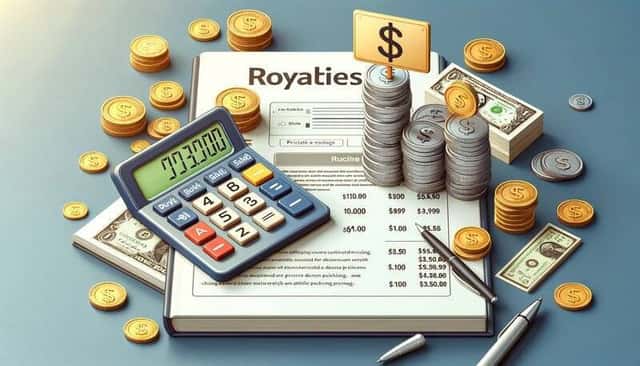
Understanding Amazon’s royalty structure is crucial for authors looking to maximize their earnings from eBook sales.
Amazon offers two royalty options for eBooks published through Kindle Direct Publishing (KDP): the 35% royalty option and the 70% royalty option. The option you choose has a direct impact on your earnings from each sale.
- 35% Royalty Option: This option is available for eBooks with a list price between $0.99 and $200.00. It’s a straightforward choice and is available in all territories where Amazon operates. If your eBook is priced at, say, $1.99, you would earn approximately $0.70 for each sale.
- 70% Royalty Option: This more lucrative option is available for eBooks priced between $2.99 and $9.99. It’s worth noting that not all countries are eligible for the 70% royalty rate. Under this option, if your eBook is priced at $4.99, you would earn about $3.50 per sale.
The pricing of your eBook plays a critical role in your overall earnings and also influences customer perception.
While lower-priced eBooks might attract more buyers, they also mean lower individual earnings unless you sell in large volumes. Conversely, higher-priced eBooks can yield higher earnings per sale but might limit the number of potential buyers.
It’s a delicate balance between making your eBook affordable and attractive to a wide audience, and setting a price that ensures your work is valued and profitable. Factors like the length of your eBook, its genre, and your reputation as an author can influence the optimal pricing strategy.
Additional Considerations
In addition to the primary costs associated with publishing an eBook on Amazon, there are a few additional considerations that authors should be aware of, which may influence both the process and the budget.
ISBN Purchases:
An International Standard Book Number (ISBN) is a unique identifier for books. While it’s optional on Amazon, having an ISBN can lend your eBook a degree of professionalism and make it easier to distribute and sell across various platforms.
Purchasing an ISBN can be considered an investment in your eBook’s broader marketability.
The cost varies by country and, in the United States, for instance, a single ISBN costs around $125. However, discounted rates are often available for buying ISBNs in bulk.
Extra Services or Tools That Might Incur Costs:
- Author Website: Creating an author website can enhance your online presence and serve as a hub for your work. Costs here include domain registration, hosting services, and potentially website design and maintenance.
- Subscription Services for Writers: Services like Grammarly for grammar checking or writing communities for feedback can incur monthly or yearly subscription costs.
- Professional Services: Beyond editing and cover design, you might consider hiring a copywriter for your book’s description, a photographer for author headshots, or a consultant for marketing strategy.
- Software Upgrades: If you’re using writing or design software, you might encounter costs for premium versions offering more features.
- Audiobook Production: If you decide to create an audiobook version, costs can include hiring a narrator, audio editing, and production.
Conclusion
Understanding how much it costs to publish an eBook on Amazon is a key part of your journey as an author. It’s not just about the act of publishing, which is free on Amazon’s Kindle Direct Publishing, but also about the investments you make in your book’s quality and visibility. These investments, ranging from editing and design to marketing, play a significant role in your eBook’s success.
In conclusion, while you can publish an eBook on Amazon at no direct cost, the associated expenses in preparing, marketing, and promoting your book are critical factors to consider. Balancing these costs with your budget and publishing goals is essential in the dynamic world of digital publishing.
FAQ
Does it cost money to publish an eBook on Amazon?
Publishing an eBook on Amazon itself is free. However, there are potential costs related to pre-publication like editing, cover design, and formatting.
How much Amazon pay for eBook?
Amazon pays authors royalties for eBooks, offering either a 35% or 70% royalty rate, depending on the eBook’s price and other factors.
Is it profitable to sell ebooks on Amazon?
Yes, it can be profitable to sell eBooks on Amazon, especially if you manage pre-publication costs effectively and implement a strong marketing strategy.
How to publish a book on Amazon and make money
To make money, publish your book on Amazon’s Kindle Direct Publishing, set a competitive price, and invest in quality editing, cover design, and marketing.
How to publish a book on Amazon for free
You can publish a book on Amazon for free using Kindle Direct Publishing, but consider potential costs in editing, design, and marketing for better success.
How much does it cost to publish a paperback book on Amazon
Publishing a paperback on Amazon is free through KDP. However, costs for editing, formatting, and cover design still apply, similar to eBooks.