Table of Contents
I’ve been through my fair share of “cloud security” platforms that promise fast setup, then quietly turn into a week-long integration project. HTCD was different. I tested it in a setup that mirrored a typical cloud security onboarding: connecting an AWS environment, pulling in network/security signals, and then checking whether the dashboard actually helped me move from “we have alerts” to “here’s what to do next.”
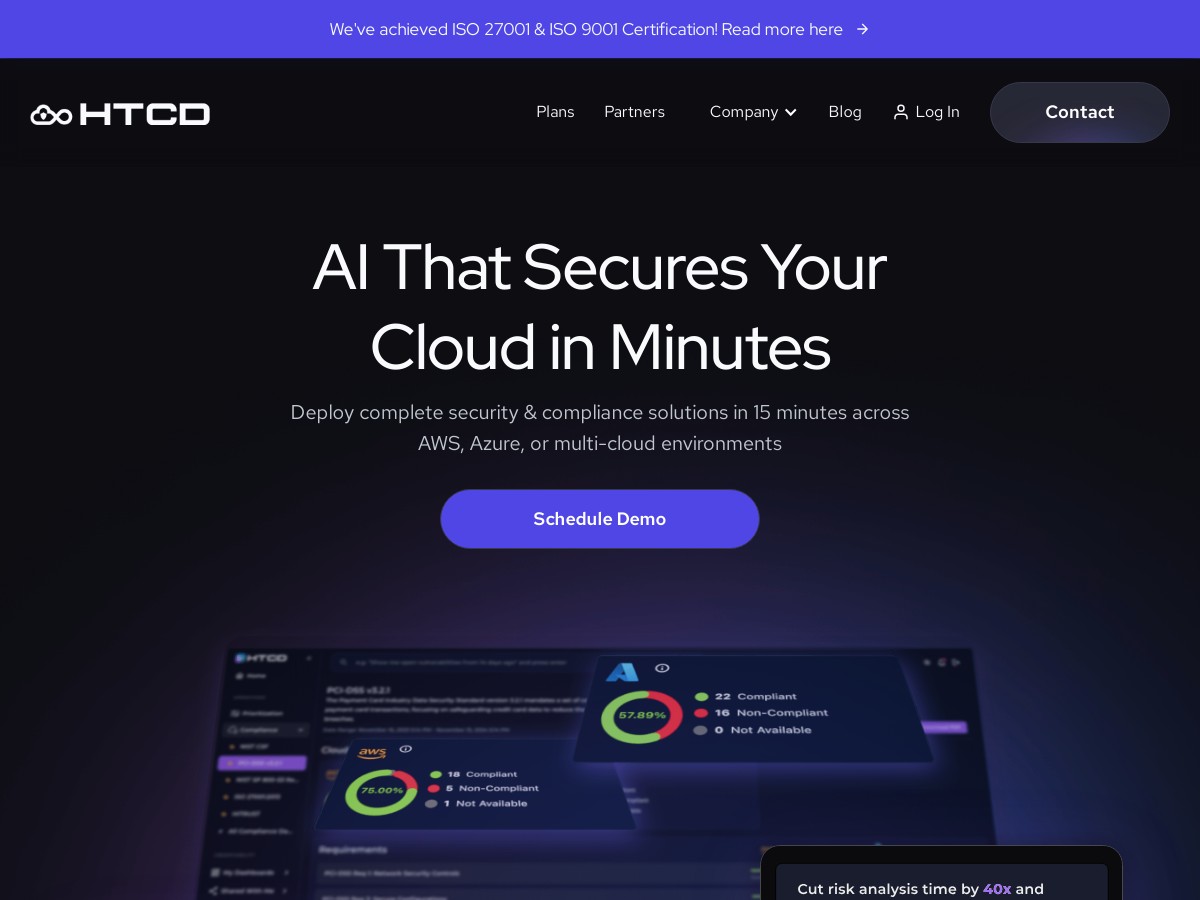
From first login to having actionable findings on screen, it took me about 15 minutes. Not 15 minutes to read docs. 15 minutes to configure the basics, connect the cloud source, and start seeing prioritized issues. The interface is clean, and the views felt designed for humans—not just for compliance screenshots.
In my experience, the biggest win wasn’t just that it flagged issues. It helped me triage them. When I asked follow-up questions (in plain English), it pointed me to the most relevant risks first and suggested remediation steps that were actually usable.
HTCD Review
Here’s what I actually did to test HTCD, and what I noticed along the way:
- Setup & deployment: I connected a cloud account and got the initial data flowing. The “first dashboard” moment happened in roughly 15 minutes, mostly because the steps were straightforward and didn’t require a bunch of custom glue code.
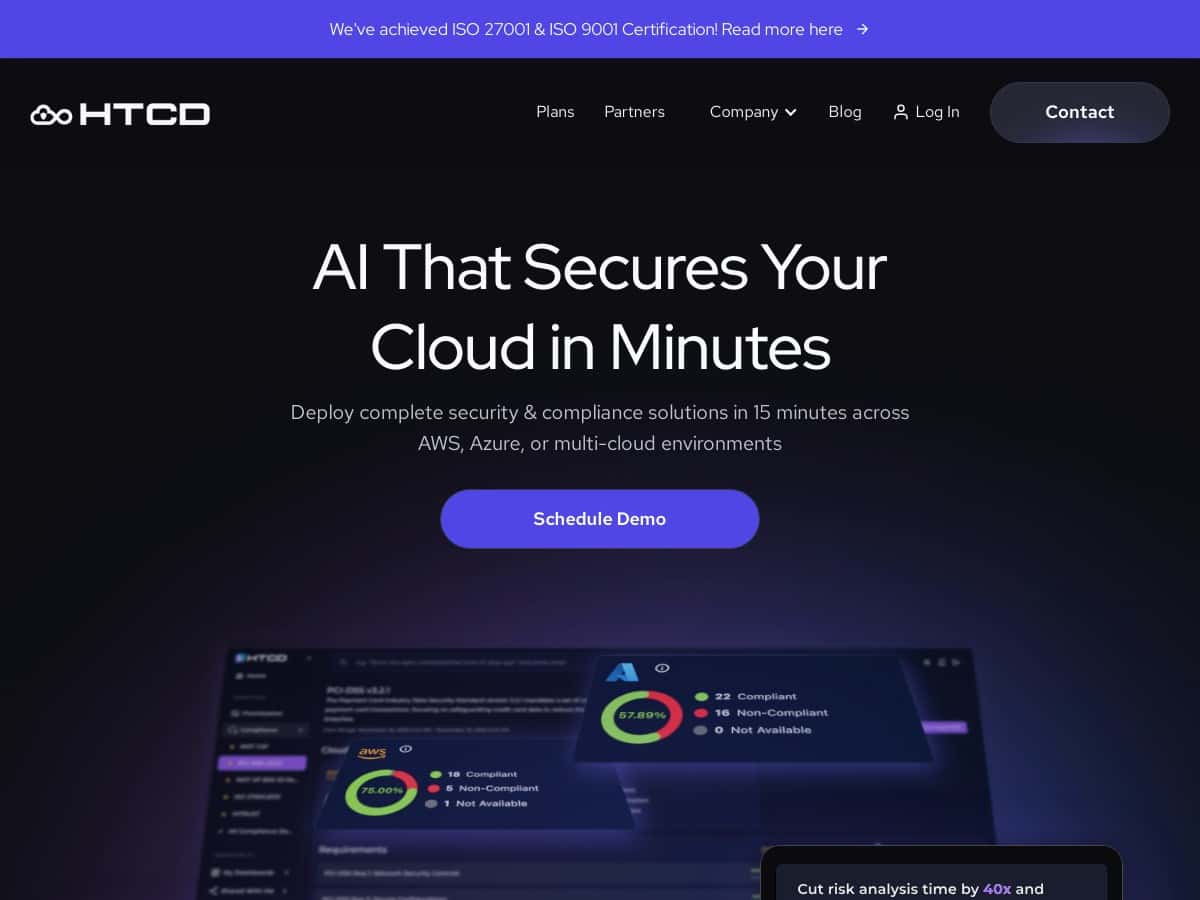
- Initial signal check: Once connected, I looked for whether HTCD was surfacing meaningful alerts (not just empty charts). I was able to see security findings tied to cloud/network activity, along with a compliance-style view that didn’t feel bolted on.
- Time-to-triage: Instead of treating every finding like a separate fire drill, I focused on how quickly I could narrow down what mattered. The AI-assisted prioritization helped me get to the “most likely to matter” items first.
- Remediation flow: This is where it stood out. For several findings, the platform offered suggested remediation actions. I didn’t just get “you have a vulnerability”—I got “here’s a next step” that I could take without hunting through unrelated documentation.
- Natural language Q&A: I tried asking questions in plain English (like what to fix first and how a specific risk ties back to cloud/network posture). The responses were usable enough that I could turn them into tasks for whoever owns the relevant cloud resources.
One thing I’m glad about: the dashboard didn’t feel like it was hiding the important stuff behind layers of menus. It’s easy to scan for threats and compliance status, and I could jump between views without getting lost.
Key Features
- Multi-Cloud Observability—monitor cloud, network, and SaaS environments from one place. In my test, the value came from being able to pivot quickly when I saw a risk tied to one environment and needed context from another.
- Rapid Risk Prioritization—HTCD claims it can rank vulnerabilities 40x faster. I’ll be honest: I didn’t have access to their internal benchmark methodology during my evaluation, so I treated this as a vendor claim rather than a metric I could verify end-to-end. What I could verify was that the ordering of findings was meaningfully faster than manually sorting through raw results.
- Automated Remediation—get actionable fixes and guidance. What I liked is that remediation suggestions were presented as next steps, not just theoretical advice.
- Compliance Tracking—continuous monitoring that maps security posture to compliance needs. In practice, this helped me see risk in a “what does it mean for compliance?” context instead of only in technical terms.
- Natural Language Queries—ask security questions in plain English. I found this especially helpful when I didn’t want to translate my concern into a specific rule name or filter.
- Data Sovereignty—HTCD states your logs stay yours and that it doesn’t ingest/store your data outside your control. Since this is a high-impact claim, I recommend checking their security documentation or terms directly for the architecture and retention details. If you want, paste the relevant excerpt and I’ll help you interpret it.
- Cost-Efficiency—they position this as near-zero egress with flat pricing starting at $0.99/month. “Near-zero egress” usually depends on how integrations export data and where processing happens. In my view, it’s worth confirming what data sources generate egress in your specific setup (for example, log shipping vs. API pulls).
- Fast Deployment—they advertise “less than 15 minutes.” In my test, I hit the usable dashboard stage in about that time.
- Seamless Integration—works alongside tools like SIEM and CASB. I didn’t rip out my existing stack, so this mattered: HTCD needed to complement what we already had, not force a full replacement.
Pros and Cons
Pros
- Time-to-value was genuinely fast. I was seeing prioritized security findings quickly, not after weeks of tuning.
- Triaging felt easier. The AI-assisted prioritization helped me focus on what to handle first.
- Remediation guidance is practical. It’s not just detection—there’s enough direction to reduce manual work.
- Natural language interface works for real questions. It’s not just marketing copy; I used it to clarify next steps.
- Data control messaging is strong. That said, it’s still worth verifying the exact architecture/retention details for your environment.
Cons
- AI onboarding can take a bit. If your team hasn’t used AI-assisted security tools before, you’ll probably want a short internal run-through so people know how to phrase questions and validate outputs.
- Cloud dependency is real. If your cloud provider has an outage or delays in log/telemetry delivery, HTCD will only be as current as the data it receives.
- Some headline metrics need context. Claims like “40x faster” are hard to fully verify without the benchmark details, so I’d treat those as directional until you confirm with their support team.
Pricing Plans
HTCD lists an entry option at $0.99/month as a promotional sign-up. After that, they offer additional plans that are customized based on organization needs.
One thing I’d ask before committing is how pricing interacts with your data volume. The platform claims flat-rate pricing and near-zero egress costs, which is great in theory—but “near-zero” depends on the integration pattern (for example: whether you’re pushing logs, pulling via APIs, or using specific connectors).
If you want a quick sanity check, estimate your typical monthly telemetry:
- How many services/accounts you plan to connect (e.g., 1 AWS account vs. 10)
- How much log volume you expect (rough GB/day is enough)
- Whether you’ll stream logs continuously or run periodic pulls
- Which regions and data sources you’re using
Then compare that to the plan details they provide so you’re not surprised later.
Wrap up
HTCD is the rare cloud security tool that felt fast to get working and actually helped with day-to-day triage. The combination of a clean dashboard, AI-assisted prioritization, and remediation guidance made it easier for me to move from “alerts” to “actions.”
That said, a few of the biggest headline claims (like “40x faster” and “near-zero egress”) are the kind of things you should verify against their documentation and your exact integration setup—especially if data handling and cost predictability are deal-breakers for you.
If you’re looking for something that reduces friction during onboarding and helps your team focus on the highest-impact risks first, HTCD is definitely worth a closer look.