Table of Contents
I’ve been testing a few AI bookkeeping tools for smaller businesses lately, and Kick is one of the few that actually feels “hands-off” once your accounts are connected. The big promise here is self-driving bookkeeping—meaning you’re not manually categorizing every transaction like it’s 2017. In my setup, I connected payment accounts (including Stripe and PayPal) and then watched how Kick handled categorization, reporting, and receipts over time.
After a couple of weeks of using it, what I noticed wasn’t just that it categorized transactions—it was that it kept the workflow moving. Instead of spending evenings reconciling line items, I was mostly reviewing what the AI suggested, fixing the occasional misread, and then exporting/shareable outputs were ready when I needed them.
What is kick-co?
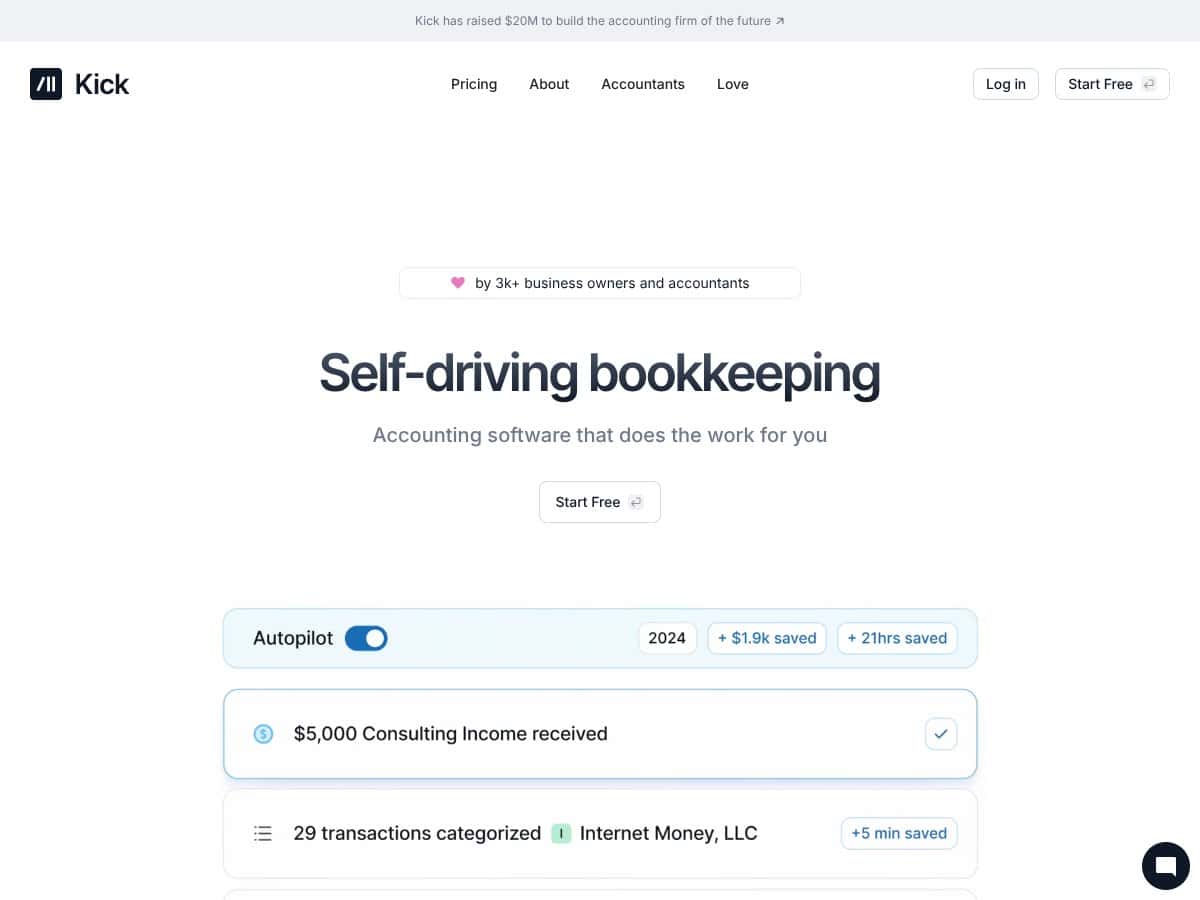
Kick is an AI-driven bookkeeping platform built to automate the repetitive stuff in accounting—especially transaction categorization, expense tracking, and financial reporting. The core idea is pretty simple: Kick watches what comes in, proposes categories and rules, and helps you keep your books current without living inside spreadsheets.
So how is it different from traditional tools like QuickBooks? In my experience, Kick leans harder into “self-driving bookkeeping.” You still have to make decisions (you’re the business owner, not the AI), but the day-to-day work is reduced. It’s designed for small businesses that want real-time visibility—profit & loss, balance sheet-style reporting, and tax-ready outputs—without the constant manual entry.
It’s also positioned as a modern alternative to other AI bookkeeping options like Pilot or Bookkeeping.ai, mainly because it combines automation with review. You’re not just getting a report—you’re getting a system that keeps updating as your transactions come in.
Kick-co Review
I used Kick.co long enough to see how it performs after the initial “setup hump,” and that’s where most tools either shine or fall apart. At first, there’s always some calibration—Kick needs to understand the kinds of transactions you run. But once it was connected to my payment sources (including Stripe and PayPal), the platform started categorizing and updating reports consistently.
Here’s the part that stood out: the AI wasn’t just categorizing randomly. Most of the time, the suggestions were close enough that I only had to make minor corrections. For example, transactions that looked like refunds or transfers sometimes needed a quick reclassification, and a few merchant descriptors were interpreted differently than I expected. But overall, I wasn’t doing a full manual pass on everything.
I also liked how the reporting felt “live.” Instead of waiting until month-end, I could check profit & loss and balance sheet views while things were happening. That matters because it changes how you manage cash flow—you catch issues earlier, not after the fact.
Another area that impressed me was multi-entity management and handling things like intercompany transfers. If you’ve got multiple entities (or even just one brand with separate accounting buckets), this can get messy fast in traditional tools. Kick’s interface made it easier to keep track of what belonged where, and I didn’t feel like I was constantly bouncing between tabs.
On the expense side, the receipt matching workflow reduced the “where did I put that receipt?” panic. I still had to review results (because no AI is perfect with messy filenames, duplicate receipts, or weird merchant descriptions), but the time saved was real. When receipts matched cleanly, it made tax-time organization way less stressful.
Is it perfect? No. The biggest limitation I ran into wasn’t the automation—it was that I wanted more clarity up front about pricing and a more detailed list of integrations beyond the essentials. If you’re the type who wants every detail before you commit, you may find that slightly frustrating.
Still, if your priority is reducing manual transaction work while keeping control over the results, Kick.co is one of the better options I’ve tried. It’s a strong fit for people who want AI-assisted bookkeeping that’s practical, not just theoretical.
Key Features of kick-co
- Auto-categorization accuracy: AI-powered transaction categorization that updates your books in real time, with suggestions you can review and correct.
- Real-time reporting: Profit & loss and balance sheet-style views that reflect what’s been processed so far (so you’re not waiting until the end of the month).
- Receipt matching and expense automation: Helps match receipts to transactions and supports expense tracking so your tax documentation is less chaotic.
- Multi-entity management: Manage multiple entities, including handling items like intercompany transfers without turning bookkeeping into a full-time job.
- Customizable rules and automation: Adjust suggested automation/rules to match how your business actually operates (not how the AI assumes you operate).
- Tax-ready financials: Generates clean, shareable reporting outputs (profit & loss and balance-sheet style views) that are meant to be accountant-friendly.
- Easy integrations: Connects with payment platforms like Stripe and PayPal so transactions can flow into Kick for processing.
- AI receipt matching: Automates receipt-to-transaction matching to reduce manual linking and improve expense accuracy.
Pros and Cons
- Pros:
- Strong AI-driven transaction categorization that’s usually close enough to require only quick review
- Real-time reporting that helps you catch problems earlier
- Receipt matching and expense automation that reduces tax-season scrambling
- Friendly onboarding and a UI that doesn’t feel designed only for accountants
- Multi-entity management for businesses with more than one accounting “bucket”
- Tax-ready reporting outputs that are easier to share with an accountant
- Cons:
- Pricing details aren’t fully transparent in the information I could confirm, which makes it harder to compare cost vs. other tools
- Integration info feels limited if you’re looking for a long list of supported accounting systems
- Some advanced customization details aren’t clearly laid out in a way that’s easy to evaluate before signing up
- You’ll still need some initial setup—especially when you want rules to match your exact business workflow
Pricing Plans
I can’t honestly claim exact tiers or limits here, because the pricing information I could verify wasn’t detailed enough to quote confidently. What I can say is that Kick has been presented as free to use in some contexts, but the article you’re reading can’t treat that as a guaranteed, current pricing structure without a direct pricing page breakdown.
If you want the real numbers (tiers, limits, and what’s included), check the official site directly: Kick’s official website. I recommend doing this right before you decide, and if you’re comparing options, screenshot the pricing section so you’re not relying on memory later.
Note: I’m not going to guess about free tiers or “optional upgrades” since pricing can change and I don’t want to mislead you.
Who Should Use kick-co?
Kick.co is a good match if you’re running a small business (or supporting one) and you want bookkeeping automation without losing oversight. If you’re tired of manually categorizing transactions and reconciling everything at month-end, Kick’s approach makes that less painful.
It’s especially relevant if you’re using payment platforms like Stripe and PayPal, because that’s where the workflow starts. You’ll also likely benefit if you manage multiple entities or need help with things like intercompany transfers.
For accountants, the appeal is the “review + output” model. You can focus on exceptions and oversight instead of doing all the transaction classification work from scratch. If your clients want tax-ready reporting without drowning in data entry, Kick can reduce that grind.
That said, if you need deep accounting integrations (for example, fully confirmed support for specific systems beyond the payment connections) or you’re extremely cost-sensitive and need a clear, published pricing table, you’ll want to verify those details before committing.
Final Verdict
After using Kick.co, my takeaway is pretty straightforward: it’s built for people who want AI-powered transaction categorization and self-driving bookkeeping that reduces manual work. The best parts for me were the day-to-day workflow—connect payment accounts, review what the AI suggests, and rely on real-time reporting so you’re not stuck waiting for month-end.
The tradeoff is transparency. I wanted more clear info on pricing and a fuller view of integrations before making a final comparison against tools like QuickBooks-based workflows or other AI bookkeeping products.
If you’re an entrepreneur or accountant who cares more about getting accurate books with less manual labor than about researching every technical detail first, Kick is worth your attention. It feels like a practical AI bookkeeping tool—not just a dashboard with buzzwords.
Frequently Asked Questions
1. What is Kick.co and how does it compare to traditional bookkeeping tools?
Kick is an AI-powered bookkeeping platform that focuses on automating transaction categorization, expense tracking, and financial reporting. Compared to traditional tools like QuickBooks, Kick emphasizes self-driving bookkeeping—meaning it reduces manual categorization and keeps reporting updated as transactions come in. Receipt matching and real-time reporting are also key parts of the workflow.
2. Is Kick.co suitable for small businesses?
Yes. Kick.co is aimed at small businesses and solo entrepreneurs who want bookkeeping automation and tax-ready reporting without spending hours on manual data entry. The multi-entity management angle also makes it a strong option if you’re running multiple brands, entities, or accounting categories.
3. How accurate is Kick.co's AI transaction categorization?
In my use, the categorization was generally strong—close enough that I wasn’t constantly redoing everything. That said, you should still expect some manual review, especially for edge cases like refunds, transfers, and merchants with inconsistent descriptors. Kick improves as you correct and apply rules, so the system gets better over time with your input.
4. Can Kick.co integrate with other accounting software?
Kick.co is confirmed to integrate with payment platforms like Stripe and PayPal, which is what powers the transaction flow into the platform. For deeper accounting software integrations (like QuickBooks or Xero), I can’t confirm the full details from the information currently provided here—so if that’s important to your setup, it’s worth checking Kick’s official integration information on the site before you decide.