Table of Contents
If you’ve ever had a story idea and thought, “I wish I could hear this as an audiobook,” Kuluko is pretty much aimed at you. I tested it with a few different prompts, and what stood out right away was how quickly it turns a rough idea into something you can actually listen to. No complicated setup. No fiddling with audio tools. Just prompt in, story out.
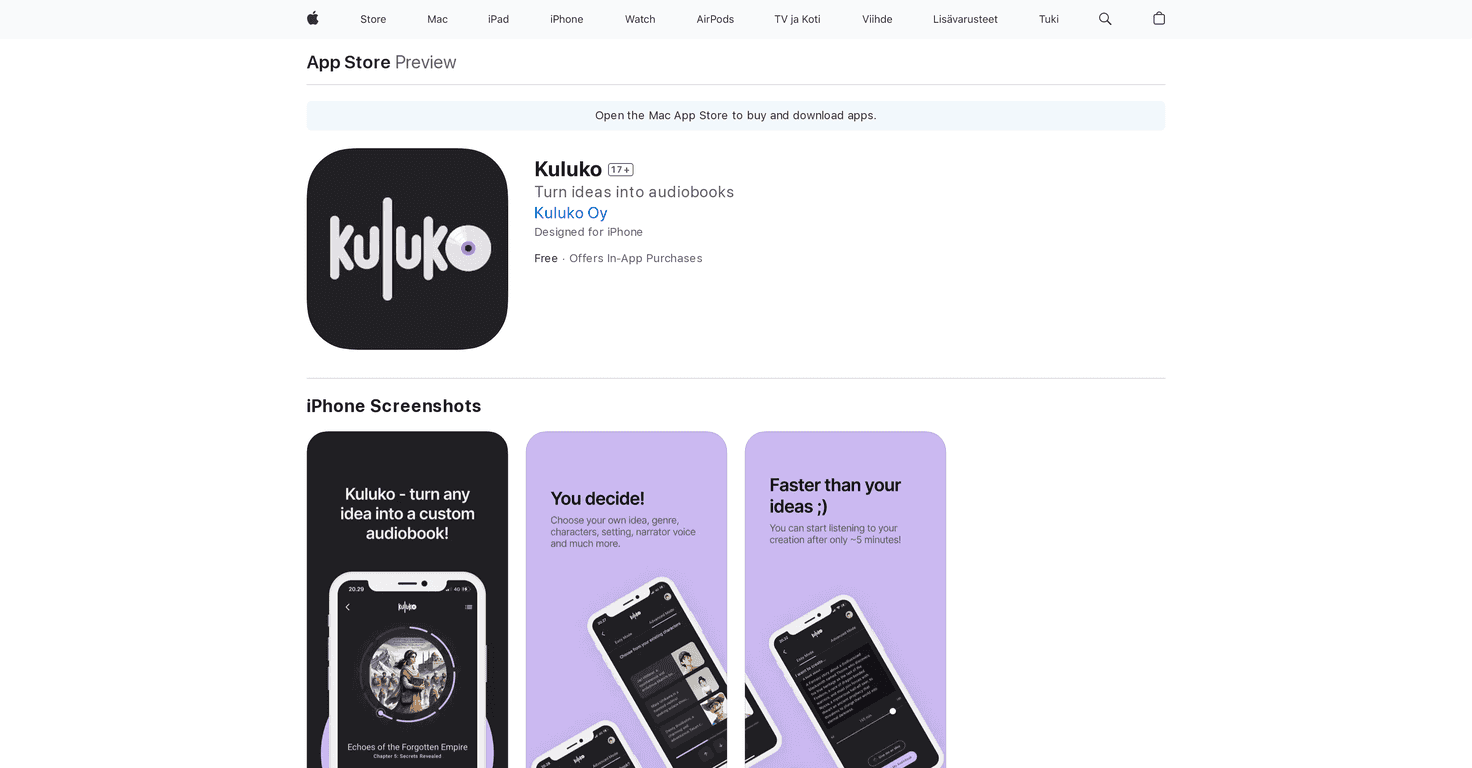
What I liked most is that Kuluko gives you two ways to create: an Easy Mode and an Advanced Mode. Easy Mode is exactly what it sounds like—type a prompt, hit generate, and start listening. Advanced Mode is where you can get more hands-on. You can tweak things like characters, settings, and genres, and that’s the part that helps if you don’t want the story to feel too “generic.”
Another small thing that matters more than people think: the interface feels designed for making progress, not for getting stuck. I didn’t have to hunt around to figure out what to do next. And because chapters are generated quickly, I could start listening almost immediately—which is honestly the best way to keep momentum when you’re writing. If you have a creative streak going, you don’t want to pause it for long waiting times.
Kuluko also lets you store your work in a personal library. And if you want feedback or just want to share what you made, there’s a public side too. One more feature I appreciated: suggestions for improvement based on how you use the app. It’s not magic, but it nudges you to refine your prompts and choices instead of starting over every time.
Kuluko Review
Let me put it plainly: Kuluko is built for people who want to turn ideas into audiobooks without turning it into a whole production process. The app uses AI to generate audiobook-style chapters from your prompts, and it’s surprisingly easy to get something listenable fast.
In my experience, the biggest difference between creators who enjoy this app and creators who bounce off it comes down to prompts. If you give a vague idea like “write a fantasy story,” you’ll still get a story—but it may feel broad. If you include details (a character goal, a setting vibe, even a couple of tone words), the results tend to feel more like your story. That’s where Advanced Mode becomes worth it.
Easy Mode is great when you just want to test an idea. Advanced Mode is where you can shape what’s happening—characters, settings, genre, and more. I also noticed that the app pushes you forward with quick chapter generation. Instead of waiting until the entire book is finished, you can start listening while it’s still building. That’s a huge win for motivation.
One more thing: Kuluko includes suggestions for improvement based on your usage. It’s not a teacher that rewrites everything for you, but it does help you spot patterns—like when your prompts are too general or when you’re not giving enough direction. If you’re the type who likes iterating, you’ll probably have fun with that.
And yes, you can keep everything organized in your personal library. If you want to go public, there’s an option to share your work too. I like having both because it lets you treat it like a private writing sandbox first, then decide later if you want an audience.
Key Features
- AI-powered audiobook creation that generates chapters from your prompts
- Two modes: Easy Mode for quick starts and Advanced Mode for more control over your story
- Personal and public libraries so you can save or share audiobooks
- Suggestions for improvement based on how you create and interact with stories
- Quick listening so you can hear chapters as they’re generated
- Simple navigation and setup (it’s not a complicated app to learn)
Pros and Cons
Pros
- Beginner-friendly without feeling childish—Easy Mode is genuinely straightforward.
- Fast chapter generation, which keeps you listening (and writing) instead of waiting around.
- More creative control in Advanced Mode, especially with characters and setting direction.
- Idea guidance through improvement suggestions, which helps you get better at prompting over time.
Cons
- Quality can vary. Sometimes the story nails the tone; other times it veers a bit. You may need a couple of prompt tweaks to lock it in.
- It takes a little time to explore the full feature set. The app is easy to start, but you’ll want to spend a bit learning what changes what.
- Limited device compatibility. From what’s indicated, it’s currently focused on specific Apple devices, so it won’t work for everyone.
Pricing Plans
Kuluko is free to download, and it uses in-app purchases. There’s also a premium option listed at €8.99. If you’re planning to create a lot (or you want more consistent output), it may be worth checking that premium pricing before you commit.
Wrap up
Overall, I think Kuluko is a fun, practical way to explore audiobook storytelling—especially if you like iterating on prompts. It’s not perfect (AI output can swing in quality), but the speed, the two creation modes, and the ability to listen to chapters as they generate make it feel built for real creative momentum. If you’re curious about turning your ideas into something you can actually hear, Kuluko is definitely worth a try.