Table of Contents
If you’ve ever tried to “audit” a marketing account by hopping between tabs, screenshots, and spreadsheets… yeah, I’ve been there. It’s exhausting. And the worst part? You usually end up with a pile of notes but not a clear plan for what to fix first.
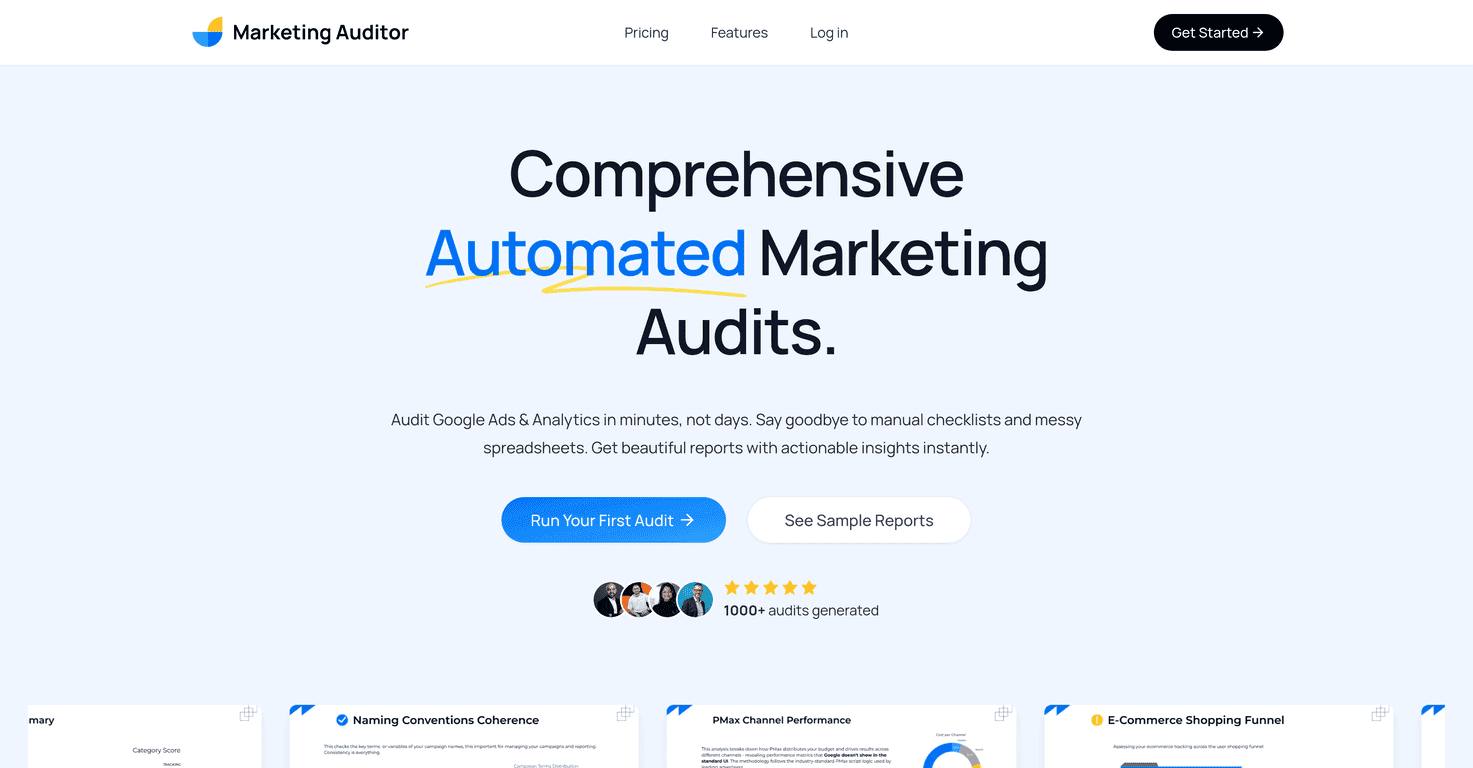
That’s why I took a close look at Marketing Auditor. The pitch is simple: connect your marketing platforms, run an audit, and get a report with recommendations you can actually act on. In my experience, that’s the difference between “useful insights” and “more work.”
Marketing Auditor Review: What I Like (and Where It Falls Short)
Marketing Auditor is built for marketers who need audits fast—especially agencies that have to review multiple client accounts without spending their entire week writing reports from scratch. It focuses on Google Ads and Google Analytics, then generates a report that’s meant to be “minutes, not hours.”
When I looked at the output, what stood out wasn’t just the volume of checks—it was the way the report tries to turn problems into next steps. A lot of audit tools show you what’s wrong. This one pushes you toward what to do next, which is honestly what most teams need when they’re juggling campaigns and timelines.
Also, the reports are presented in a way you can share. That matters if you’re client-facing or if you want your team to rally around a plan. You’re not just sending a spreadsheet full of red flags—you’re sending something that looks like a real deliverable.
Key Features That Make Audits Less Painful
- One-Click Integration for easy connection of marketing platforms (no “wait, what permissions do we need?” chaos).
- White Label Reports so you can present findings under your branding—useful if you’re an agency or consultant.
- Multiple Report Formats to export in PDF, PowerPoint, or Google Slides (I like having slide-ready exports for quick client reviews).
- Platform Best Practices that aim to be tailored to how Google Ads and Analytics are typically structured.
- Clear Action Plans with step-by-step instructions—this is the part that saves time because it reduces guesswork.
- Private & Secure Audits designed to keep your data handling in check. (Any audit tool should take privacy seriously.)
Pros and Cons (Realistic Take)
Pros
- Time savings: audits are designed to complete in minutes, which is huge when you’re doing multiple accounts back-to-back.
- Lots of checks: it mentions 200+ checks, and you can usually find multiple “fix this” items rather than a vague summary.
- Agency-friendly: it’s positioned as something agencies and brands can use at scale (the “shareable report” format helps).
- Export flexibility: PDF, PowerPoint, and Google Slides mean you can match your client’s preferred review style.
- More than just diagnosis: the recommendations are structured like an action plan, not just a list of issues.
Cons
- Limited platform coverage right now: it currently supports only Google Ads and Google Analytics. If you run Meta, LinkedIn, or TikTok too, you’ll still need other processes.
- No free trial: if you want to evaluate it first, you can’t really do that—so you’ll want to be confident you’ll use it.
- One-time audit scope: one-time purchase audits cover single platform coverage, which can feel limiting if you’re trying to audit everything at once.
Pricing Plans: What You Pay (and Who It Fits)
Pricing is pretty straightforward, and I like that it’s not a confusing tier maze. Here’s how it breaks down:
- $99 one-time audit (good for testing the workflow or doing a single account review).
- $499/year for up to 36 audits (solid for small agencies or teams that audit regularly).
- $999/year for up to 100 audits under the Agency Pro Yearly plan (best if you’re managing lots of clients or recurring audits).
In my opinion, the annual plans make the most sense once you know you’ll use it more than a couple times. If you’re auditing just once in a while, the $99 option is the safer bet.
Wrap up
Marketing Auditor is a practical tool if you need audits that are fast, presentable, and actionable—especially for Google Ads and Google Analytics accounts. The biggest win for me is that it doesn’t stop at “here’s what’s wrong.” It pushes you toward a plan you can hand to a client or hand to your team and get moving.
Just go in knowing the limitations: no free trial, and it’s not multi-platform yet. If your work is mostly Google-focused, though, this is the kind of time-saver that can actually change how often you audit (and how quickly you improve campaigns).
Promote Marketing Auditor