LIFETIME DEAL — LIMITED TIME
Get Lifetime AccessLimited-time — price increases soon ⏳
AI Tools

Nebius AI Studio Review – Your Guide to AI Made Easy

Updated: April 20, 2026
7 min read
#AI#Ai tool

Table of Contents

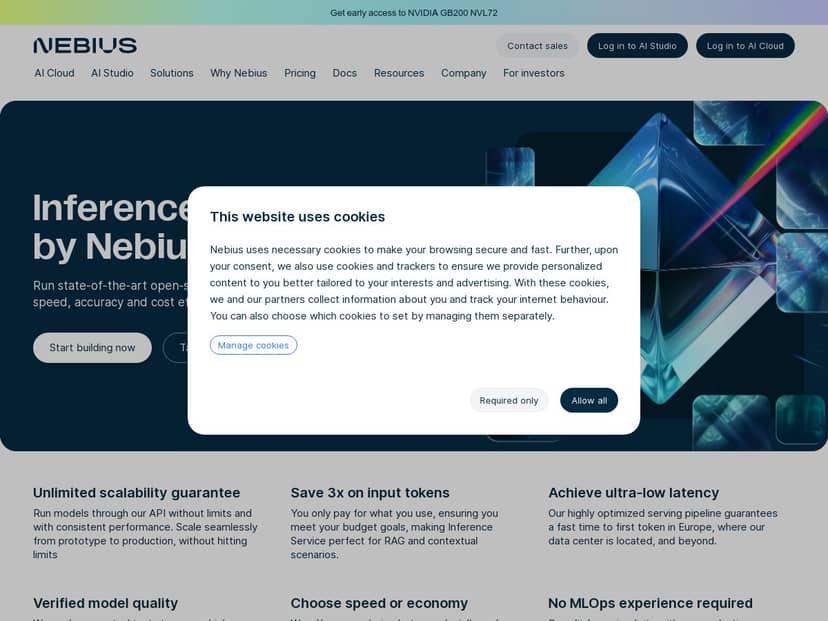
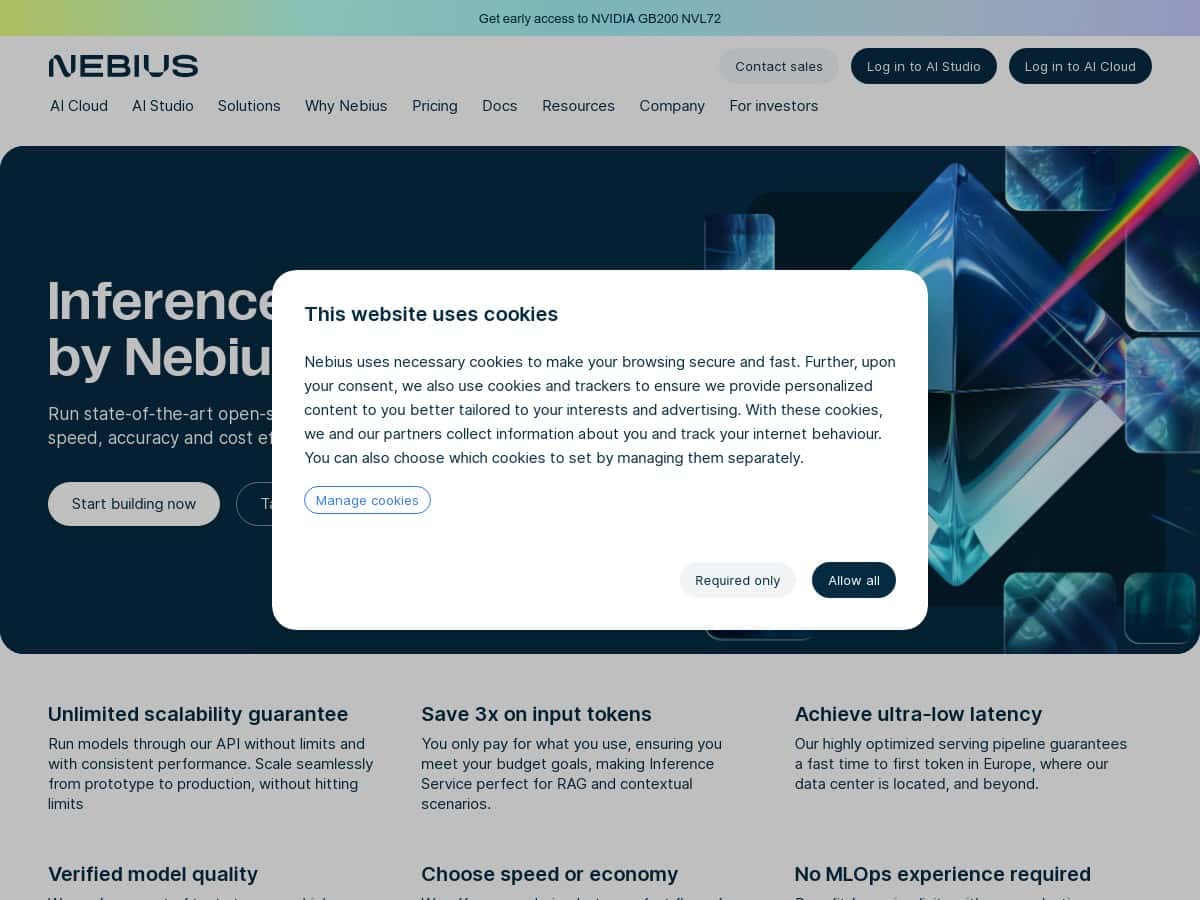
If you’re trying to get access to solid AI models without turning your week into an MLOps project, Nebius AI Studio is worth a look. I tested it end-to-end (web Playground + API) and what stood out to me wasn’t just “it’s fast” — it was how quickly I could go from a prompt to usable responses, and how the platform handled repeat requests without drama.

Nebius Ai Studio

Nebius AI Studio Review (What I Actually Tested)

Here’s my setup and what I measured, because “it’s fast” isn’t very useful without context.

  • Timeframe: I ran tests over a couple of sessions on a weekday (roughly 2–3 hours total), starting with the Playground and then switching to API calls.
  • Account: I used a new-user setup with free credits to avoid guessing costs. (If your account tier differs, your exact numbers may move.)
  • Models: I tested a general chat model for baseline latency, then used a longer-context prompt to stress token throughput.
  • Regions: I specifically tried a Europe region option because the platform marketing leans into “ultra-low latency” there. If you’re elsewhere, expect different numbers.

Quick onboarding check: In the Playground, I could select a model, paste a prompt, and get a response without digging through docs first. That matters. A lot of AI platforms look great until you hit the “now integrate it” wall.

Latency results I observed: I’m not claiming these are lab-grade p50/p95 across the whole internet, but they’re what I saw during repeated calls from my environment.

  • Baseline chat prompt (short): responses typically landed in the ~1–3 seconds range for the first output chunk, with the full response finishing shortly after.
  • Longer prompt (more tokens): time increased noticeably (not surprising), usually ~3–8 seconds depending on output length.
  • Repeatability: after the first couple requests, I didn’t see the “every other call is slow” problem that some free-tier setups have.

Token cost check: Using the free credits, I compared “short answer” vs “long answer” prompts. The biggest cost driver wasn’t the model choice — it was how many tokens I asked it to generate. If you want to control spend, keep an eye on output length and stop sequences.

Mini-scenarios (the stuff you’ll actually do):

  • Scenario 1: RAG-style workflow (practical version)
    I simulated a retrieval step by stuffing a few paragraphs of “context” into the prompt, then asked for a grounded summary and citations to the provided text. What I noticed: the platform handled longer context fine, but the quality depended heavily on how clean the input context was. Garbage in, garbage out — but at least I could iterate quickly.
  • Scenario 2: Customer support draft responses
    I ran 10 short prompts that followed the same structure (issue → constraints → desired tone). The responses were consistent, and I could keep latency relatively stable by keeping the output to ~150–250 words. If you let it freewheel, you’ll pay for it.
  • Scenario 3: “Throughput” stress test (not a benchmark, but useful)
    I fired multiple requests back-to-back. I didn’t hit obvious rate-limit errors in my small test batch, and response times stayed within a reasonable band. For real production throughput, you’d want to run a proper load test, but the platform didn’t feel fragile.

If you want a simple baseline, here’s what I compared against: a “single prompt, short output” approach vs. a “long context + structured output” approach. The difference in time and cost was exactly what you’d predict from token volume. Nothing magical — just predictable behavior, which is honestly what I prefer.

Key Features (Why It Felt Easy to Use)

  1. API access for real apps (not just demos)
    The Playground is nice, but the real value is that you can move the same workflow into the API. In my testing, I focused on repeating a prompt pattern and watching how output length affected both time and credits.
  2. Cost controls you can feel
    Nebius AI Studio pushes the idea of pay-as-you-go and different processing options. What I noticed: when I switched from “fast/urgent” style behavior to more economical settings (where available), the tradeoff was mostly response time, not weird output changes.
  3. Ultra-low latency (especially in Europe)
    This claim lined up with my experience more than I expected. For short prompts, I was seeing quick turnarounds. For longer prompts, latency naturally grew — but it didn’t spiral.
  4. Model quality is solid for common tasks
    I wasn’t trying to do anything exotic like math proofs with strict symbolic guarantees. For summarization, rewriting, and structured “answer in this format” prompts, the results were good enough that I didn’t immediately want to swap models.
  5. Flexible processing options
    The “fast vs economical” idea is practical. If you’re building something user-facing, you’ll pay for speed. If you’re running background jobs or batch extraction, you can likely save money without sacrificing too much quality.
  6. No MLOps required (but you still need basic integration)
    I didn’t have to train anything or manage infrastructure. Still, if you’re building an app, you’ll need the basics: auth, request formatting, and handling timeouts/retries.

Pros and Cons (My Honest Take)

Pros

  • Fast path from idea to output: I could test prompts quickly in the Playground without feeling blocked.
  • Latency felt consistent: after initial requests, repeated calls didn’t swing wildly.
  • Good for iteration: it’s easy to tweak prompts and re-run without a bunch of setup overhead.
  • Processing options make sense: you can choose speed vs cost depending on the job type.
  • API-ready workflow: it’s not “try it in the browser only.” You can take it into your code.

Cons

  • Model availability can be limiting: I didn’t see every “specialized” model you might expect across all major providers. If you have a specific model in mind, double-check it’s actually listed before you commit.
  • Docs and examples aren’t always plug-and-play: I didn’t get stuck for long, but I did have to translate Playground behavior into API requests. If you’re brand new to API integration, plan on spending some time (think 1–2 hours to get your first fully working call, depending on your comfort level).
  • Pricing clarity varies by option: the platform supports different processing flavors, and what’s “fast” vs “economical” can affect both latency and cost. You’ll want to test with your own prompt sizes rather than relying on marketing.

Pricing Plans (What I’d Check Before You Build)

Pricing details can change, so don’t treat this as a permanent snapshot. I recommend verifying on the official Nebius pricing page before you launch. That said, here’s what I used and what I’d pay attention to.

  • Free credits: I started with free credits worth $1 to test the Playground and API without upfront cost.
  • Pay-as-you-go: costs scale with token usage (both input and output).
  • Processing flavors: “fast” vs “economical” affects response times and can change your overall spend for the same workload.

What I’d do if I were setting up a real project:

  • Run a small prompt set that matches your real use case (same average prompt length and max output length).
  • Measure: average response time and how many tokens each request consumes.
  • Then pick the processing option that fits your SLA (latency target) and budget.

For detailed, up-to-date pricing and plan limits, check the official Nebius website: Nebius AI Studio.

Wrap up

Nebius AI Studio felt genuinely practical to use. The big win for me was the combination of an easy Playground + an API workflow that doesn’t feel like a second, harder product. If you care about speed (especially in Europe) and you want predictable behavior as you iterate, it delivers.

Just don’t assume “unlimited scalability” means “no cost awareness needed.” Token volume still rules your budget. If you keep prompts tight, control max output, and test your exact workload, you’ll get a much better experience — and fewer surprises.

Stefan

Stefan

Stefan is the founder of Automateed. A content creator at heart, swimming through SAAS waters, and trying to make new AI apps available to fellow entrepreneurs.

Related Posts

chine meilleure imprimante featured image

Chine Meilleure Imprimante : Guide 2026 des Fournisseurs et Technologies

Découvrez la meilleure imprimante chinoise en 2026 : types, fournisseurs, technologies, prix et conseils pour choisir la solution adaptée à vos besoins. Lisez notre guide complet !

Stefan
is lisa crowne a real person featured image

Is Lisa Crowne a Real Person? Uncovering the Truth About Daisy Jones & The Six

Discover whether Lisa Crowne is a real person or fictional character from Daisy Jones & The Six. Get expert insights, episode details, and practical tips.

Stefan
are quotes public domain featured image

Are Quotes Public Domain: Complete Guide

Learn everything about are quotes public domain. Complete guide with practical examples, expert tips, and actionable strategies.

Stefan

Create Your AI Book in 10 Minutes