LIFETIME DEAL — LIMITED TIME
Get Lifetime AccessLimited-time — price increases soon ⏳
AI Tools

Ollang DX Review (2026): Honest Take After Testing

Updated: April 20, 2026
12 min read
#Ai tool

Table of Contents

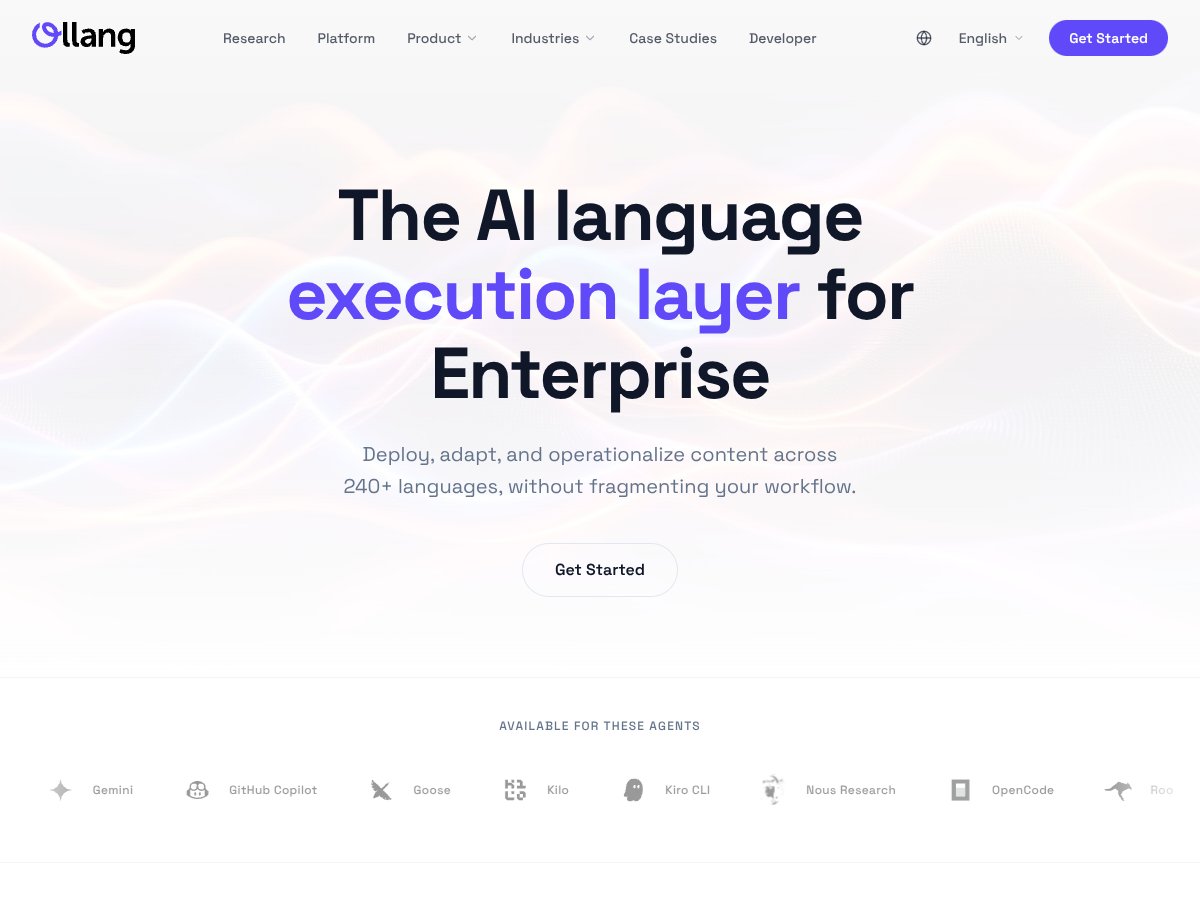
Ollang DX screenshot

What Is Ollang DX?

I’ll be honest—when I first heard about Ollang DX, I assumed it was just another enterprise translation API. You know the type: text in, translated text out, and everyone still has to stitch the rest of the localization workflow together themselves.

What actually pulled me in was the bigger claim: Ollang DX is positioned as a unified localization layer for 240+ languages and multiple media formats (video, audio, documents, subtitles, and more) using one platform. And that’s a problem I’ve personally run into with localization stacks—one vendor for text, another for subtitles, another for dubbing/transcription, plus a bunch of file conversion steps that never feel quite “set and forget.”

So, in plain English: Ollang DX is an AI-powered infrastructure layer designed for teams that need to ship multilingual content at scale without babysitting a dozen disconnected tools. It’s meant to work like a command center behind the scenes—coordinating translation, multimodal handling, and automation through APIs and SDKs.

In my experience, the biggest difference isn’t just “translation quality.” It’s the workflow. If your current process involves exporting files, reformatting them, sending them to different systems, then merging everything back together… yeah, Ollang DX is trying to remove that whole mess.

One quick heads-up: this doesn’t feel like a consumer-friendly dashboard. When I looked at the platform directionally, it seemed aimed at engineering teams and product managers, not non-technical users. If you’re expecting a simple UI where you paste text and click translate, you’ll probably feel boxed in. Instead, you’re looking at an API-first setup, integration points, and automation hooks—basically something you embed into an existing pipeline.

As for the company side, Ollang.com appears to be positioning itself as an enterprise infrastructure provider for AI-driven multilingual content. I didn’t find a ton of public info about founders or the broader team, but the product emphasis on reliability, integrations, and scale makes sense for an enterprise play.

Also—this is important—Ollang DX launched on Product Hunt in late March 2026, so it’s still early. That usually means you can expect faster iteration, but also less “proven over years” confidence. If you’re considering production deployment, I’d treat it like a pilot-first situation.

And just to be clear, this isn’t a “simple translation API” or a “localization editor” where you manage translations manually. It’s closer to the backend engine for large-scale, multimodal localization pipelines. If you’re not comfortable with APIs, SDK integration, and automation workflows, you might not enjoy the setup.

Ollang DX Pricing: Is It Worth It?

Ollang DX interface
Ollang DX in action
Plan Price What You Get My Take
Free Tier Unknown Limited access to core API, basic integrations, possibly limited language support. Details are scarce, so it's unclear what restrictions exist. Honestly, I don’t love when the free tier is vague. If it’s genuinely limited, it can still be useful for an initial test—but you’ll want clarity on what you can measure before you commit.
Enterprise Plan Contact sales Custom pricing based on volume, access to all features, dedicated support, SLAs, perhaps onboarding assistance. The specifics aren’t publicly listed, so it’s likely tailored for large teams. Custom pricing can be totally fine for enterprises. The part that’s tricky is comparing ROI to other options without at least a rough usage model or example quote.

Here’s the thing I’d want clarified before signing anything: how costs scale with real usage. If you’re pushing lots of media through the pipeline—daily subtitle batches, frequent document updates, multiple language targets—expect pricing to be heavily tied to volume.

Also keep an eye out for “gotchas” that often show up in API-based systems: additional charges for certain operations, extra API calls, or premium capabilities that aren’t included by default. I’ve seen this pattern across multiple AI platforms, so it’s not paranoia—it’s just experience.

If you’re a small team experimenting, the lack of transparent pricing could easily be a dealbreaker. But if you’re an enterprise team trying to unify localization across formats, the custom approach might still make sense—as long as you validate ROI in a pilot.

My honest take? The value really depends on your scale and how much of the “full suite” you’ll actually use. If you’re comparing Ollang DX to simpler translation options like Transifex, Lokalise, or even Google Cloud Translation, don’t assume the pricing will behave the same way. The capabilities aren’t identical, and the transparency isn’t as strong right now.

The Good and The Bad

What I Liked

  • Unified API handling multiple media formats: I like that the platform is positioned to consolidate video, audio, documents, and subtitles instead of forcing you into a patchwork of services. That alone can reduce operational overhead.
  • Agentic workflows via SKILLS: The idea of reusable automated localization pipelines (without you writing everything from scratch) is the kind of thing engineering teams actually get excited about. It’s not just “translation,” it’s automation.
  • Context-aware translations: Support for context and terminology memory matters more than people think. In multilingual brands, consistency is everything—especially when you’re translating product names, legal language, or recurring marketing phrases.
  • Built-in QC validators: Automated checks for subtitle timing, dubbing sync, and JSON integrity are exactly the kind of “boring but essential” features that save time. If you’ve ever had to manually catch synchronization errors at scale, you’ll appreciate this.
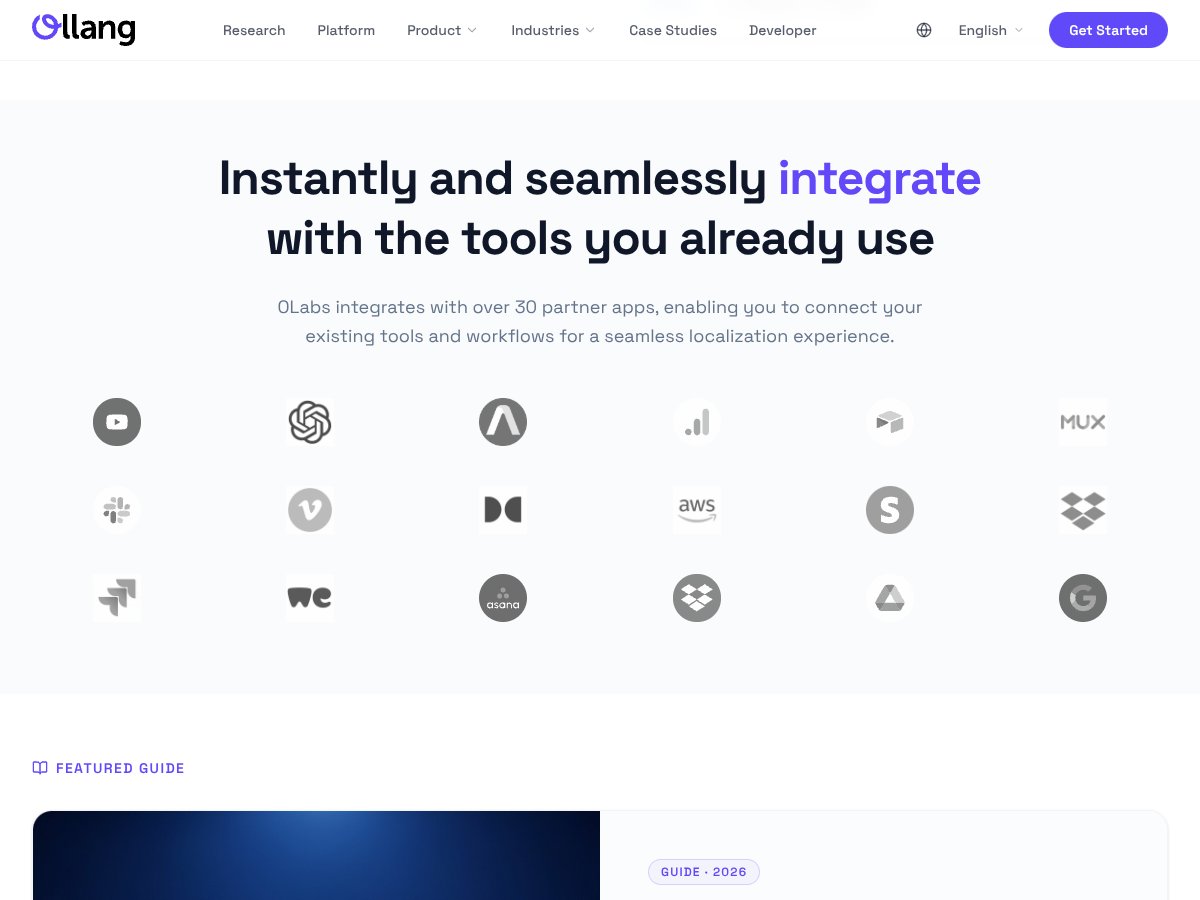
  • Integration ecosystem: Connecting with tools like Slack, Notion, Airtable, and cloud providers (they mention 30+ partners) makes it easier to fit into existing workflows. It’s not just an island.
  • Multimodal support across 240+ languages: Broad language coverage plus automation is a strong combo for enterprise teams. It’s one of the main reasons this category exists at all.

What Could Be Better

  • Limited transparency on pricing: Without published rates or a clearer usage model, it’s hard to predict cost until you’re already in a sales conversation. For smaller teams, that uncertainty is tough.
  • No specific features list or demo: The messaging is broad. I’d personally want concrete examples—screenshots of the workflow, a sandbox, or sample outputs—so you can evaluate before you invest engineering time.
  • Long-term reliability unproven: Since it’s still new (Product Hunt launch in late March 2026), you’re essentially betting on stability over time. A pilot helps, but it doesn’t remove the risk completely.
  • Complex for non-engineers: This is not “marketing team friendly.” If you don’t have developers who can integrate APIs/SDKs and manage automation, the learning curve is real.
  • Potential cost for high-volume usage: If your workflow involves frequent updates or lots of media processing, costs can climb quickly. You’ll want to understand caps, billing logic, and what’s included.

Who Is Ollang DX Actually For?

In my opinion, Ollang DX makes the most sense for enterprise-level localization teams—especially if you’re dealing with multimodal content across multiple languages and you need automation, not just translation.

Think global media companies producing localized subtitles, dubbing, and transcriptions at scale. Or a large SaaS business managing multilingual documentation and support content where consistency and pipeline control matter.

It also seems like a fit if you already have a complex tech stack and want one unified API layer to orchestrate localization tasks. If you’re integrating with services like OpenAI, AWS, Google Cloud, and internal tooling, an API-first localization engine can reduce the “glue code” you’d otherwise build between vendors.

On the flip side, if you’re a solo marketer or a small business trying to localize a handful of documents or a few social posts, this might be overkill. You’d likely spend more time evaluating and integrating than you would ever save.

Bottom line: it’s built for teams with resources, not just teams with a need.

Who Should Look Elsewhere

If you’re starting out or you’re a smaller team, tools like Lokalise, Transifex, or Google Cloud Translation can be simpler, cheaper, and easier to understand. They’re often more straightforward when your localization needs are mostly text-based.

For audio/video dubbing specifically, platforms like Descript or ElevenLabs may fit better—especially if your priority is media generation and subtitle work, not a full localization workflow with deep integration and QC automation across formats.

Fair warning: if you only need a couple languages or you’re translating simple docs, Ollang DX’s complexity (and likely pricing) probably won’t justify itself. And if you prefer a plug-and-play interface over an API-driven platform, this probably won’t feel right.

How Ollang DX Stacks Up Against Alternatives

DeepL API

  • What it does differently: DeepL is really strong on neural machine translation and context preservation. But it doesn’t natively cover multimodal workflows like audio/video handling and subtitle/dubbing pipelines. It’s primarily for text.
  • Price comparison: DeepL’s tiered plans start around $20/month (with higher tiers for more usage). In many cases, it’ll be cheaper than an enterprise multimodal platform like Ollang DX—especially if you don’t need the extra workflow complexity.
  • Choose this if... You care most about high-quality translation for documents and text, and you don’t need multimodal orchestration.
  • Stick with Ollang DX if... You need one platform that handles multiple media types, preserves structure across formats, and integrates into developer pipelines. Ollang is built for large-scale, multimodal localization.

Google Cloud Translation

  • What it does differently: Google Cloud Translation supports 100+ languages and integrates cleanly with the Google Cloud ecosystem. It’s great for document translation, but it’s not specialized for multimodal workflows or the kind of QC/orchestration Ollang DX is aiming for.
  • Price comparison: Pay-as-you-go pricing starts around $20 per million characters. That’s often cost-effective for high-volume text translation, but it won’t cover multimodal localization the same way out of the box.
  • Choose this if... You want broad language support, quick integration, and straightforward translation tasks.
  • Stick with Ollang DX if... You need multimodal handling, more culture-aware translation logic, and integrated QC that Google Cloud doesn’t provide as a full localization workflow.

Transifex / Lokalise

  • What they do differently: These tools focus on collaborative localization workflows—web-based management, glossaries, and localization management for app/web i18n. They’re excellent when your world is mostly text and team collaboration, not complex multimodal pipelines.
  • Price comparison: Plans often start around $50–$100/month, depending on team size and features. They can be less expensive than Ollang DX, but you typically won’t get the same level of AI-driven end-to-end multimodal automation.
  • Choose this if... You need translation management plus collaboration and translation memory for software localization.
  • Stick with Ollang DX if... You want an AI-powered pipeline that goes beyond “manage translations” and actually handles video/audio/complex formats with automation and QC.

ElevenLabs / Descript

  • What they do differently: These platforms are heavily focused on audio/video dubbing, speech synthesis, and subtitle generation. They’re strong for media creation, but they aren’t full localization workflow platforms with translation memory, QC layers, and enterprise orchestration across formats.
  • Price comparison: Subscriptions often start around $20–$30/month for basic tiers, with enterprise pricing higher. They’re specialized, so they may be cheaper if your needs are narrow.
  • Choose this if... Your main goal is high-quality dubbing, voice synthesis, and subtitle output for media content.
  • Stick with Ollang DX if... You need multimodal media handling plus translation workflows and QC in one platform.

Bottom Line: Should You Try Ollang DX?

I’d rate Ollang DX a 7/10 based on what it’s trying to do and the tradeoffs you’re likely signing up for. It’s genuinely positioned as a strong option for enterprise-scale localization, especially if you’re working with multiple media types and you want workflow unification.

The architecture idea makes sense, and features like context-aware translation and QC validators are the kind of “quiet” improvements that matter when you’re shipping globally. But the flip side is the same thing holding it back: complexity and pricing transparency. If you’re a smaller team, you might not want to deal with integration overhead and uncertain cost scaling.

If you’re an engineering or localization team handling international content at scale—like supporting a global platform with frequent multilingual updates—then yes, I’d test it. The API-first approach could plug into your pipelines without forcing you to rebuild everything around a new UI.

If you’re a small business just looking for quick translations, you’ll probably be happier with something like DeepL or Google Cloud Translation. They’re simpler, and the cost model is usually easier to estimate.

And about the free tier: if one exists (or if you can get access), it’s worth using to validate fit. Make sure you’re testing against the real formats you care about—subtitles timing, document structure, and any QC outputs—because that’s where these platforms either earn their keep or reveal their gaps.

So yeah: if you need multimodal, scalable, AI-powered localization with workflow integration, give Ollang DX a shot. If your needs are simpler or you’re budget-conscious, explore other options first.

Common Questions About Ollang DX

  • Is Ollang DX worth the money? It’s worth it if you truly need an automated localization platform at scale (especially multimodal). For small projects, it may be overkill.
  • Is there a free version? There doesn’t appear to be a clearly public free tier right now. You’ll likely need a pilot or an enterprise quote to test.
  • How does it compare to DeepL? DeepL is excellent for text translation, but it doesn’t cover multimodal localization workflows like Ollang DX.
  • Can it handle complex formats? Yes—platform messaging suggests support for formats like PDF, DOCX, SRT, JSON, and more, with an emphasis on preserving structure and context.
  • Is it suitable for small teams? It’s geared toward larger engineering and localization teams. Smaller groups may find it too complex or too costly.
  • Can I get a refund? Refund policies depend on the vendor’s terms. I’d check directly with Ollang before purchase.

As featured on

Automateed

Add this badge to your site

Stefan

Stefan

Stefan is the founder of Automateed. A content creator at heart, swimming through SAAS waters, and trying to make new AI apps available to fellow entrepreneurs.

Related Posts

self published books that made it big featured image

Self Published Books That Made It Big: Success Stories & Tips

Discover how self-published books achieved massive success in 2026. Learn from top authors, key strategies, and industry insights to boost your publishing journey.

Stefan
diy publication featured image

DIY Publication: Top 10 Most Searched Strategies for 2026

Discover the best DIY publication tips, tools, and trends for 2026. Learn how to publish, design, and promote your content independently today!

Stefan
kundenspezifische druckerfabrik in china featured image

Kundenspezifische Druckerfabrik in China: Top 10 Hersteller 2026

Entdecken Sie die führenden kundenspezifischen Druckerfabriken in China 2026. Erfahren Sie, wie Sie die beste Fabrik wählen und von maßgeschneiderten Drucklösungen profitieren.

Stefan

Create Your AI Book in 10 Minutes