LIFETIME DEAL — LIMITED TIME
Get Lifetime AccessLimited-time — price increases soon ⏳
AI Tools

OmoiOS Review (2026): Honest Take After Testing

12 min read
#Ai tool

Table of Contents

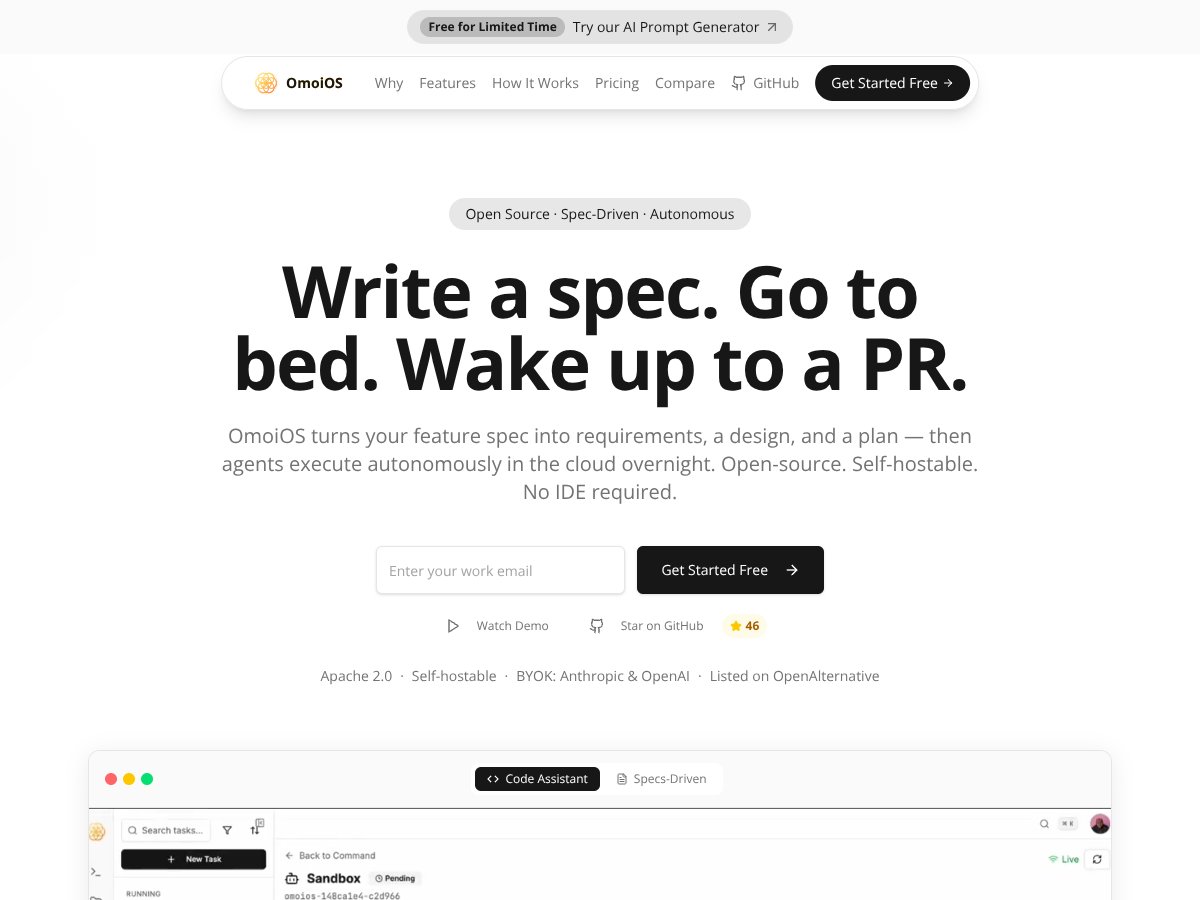
OmoiOS screenshot

What Is OmoiOS?

Honestly, before I started testing OmoiOS, I wasn’t entirely sure what to expect. The marketing blurbs make it sound like some sort of AI-powered magic wand that turns plain English into working code overnight. In my experience, most of these tools—especially ones that promise full pipelines—tend to be either overly ambitious or just not ready for prime time. So I was curious: does OmoiOS actually deliver on that promise, or is it just another fancy idea that’s too complex to be practical?

What I found is that OmoiOS is essentially a platform that aims to take a feature description you write in natural language—think: "Add authentication to login flow"—and then it creates a detailed plan, requirements, and tests. Then, it kicks off autonomous agents that write code, run tests, and generate pull requests while you’re sleeping. The whole idea is to automate the boring, repetitive parts of software development, so your team can focus on reviewing and shipping rather than coding details.

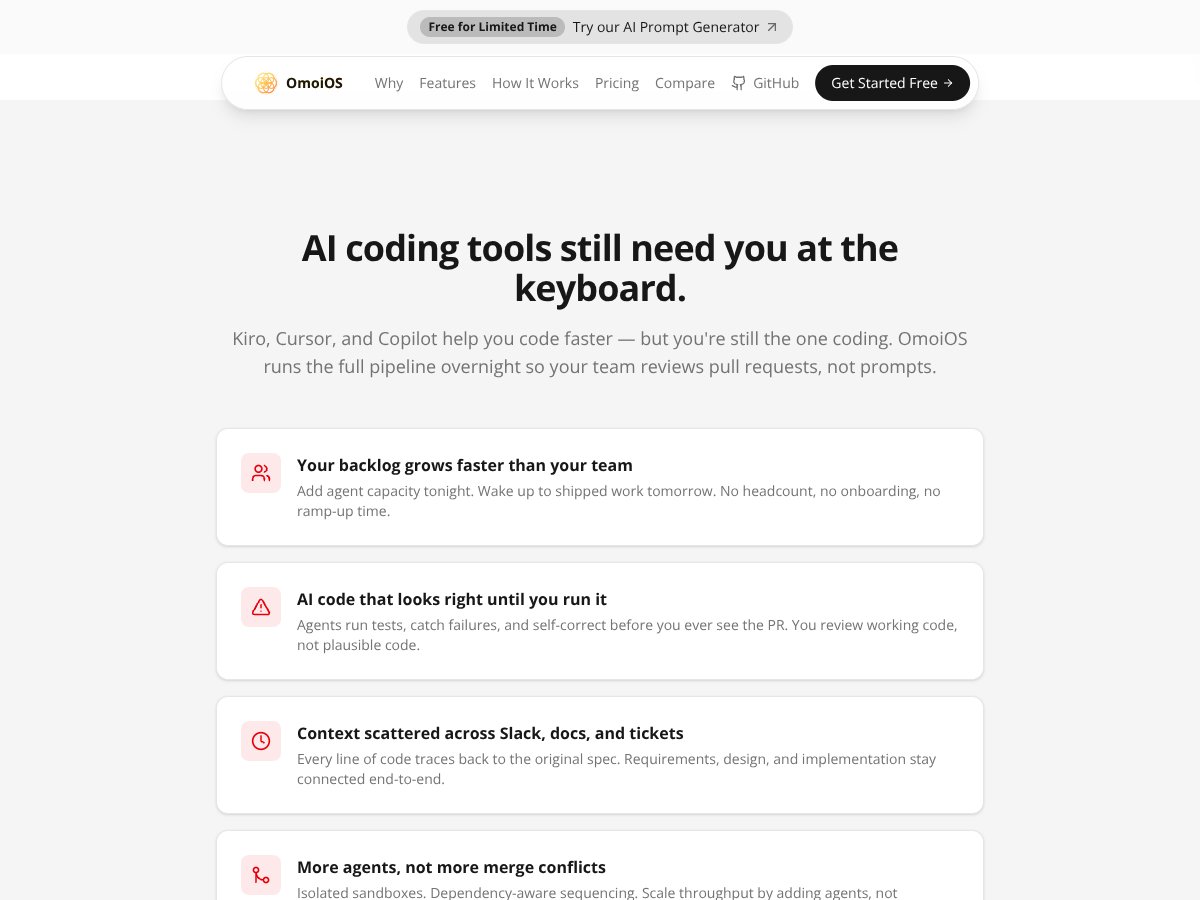
The problem it’s trying to solve is pretty clear: the bottleneck in software teams isn’t always coding; it’s planning, scaffolding, and managing the chaos of multiple parallel tasks. If you can reliably generate code and tests from specs, theoretically, you could massively scale your output without hiring more developers or drowning in merge conflicts. That said, it’s not a tool that promises to replace developers entirely—more like an assistant that handles the grunt work.

As for who’s behind it, OmoiOS is open-source and self-hostable, with a website that emphasizes transparency and control. It seems to be developed by a small team committed to open-source principles, aiming to be an alternative to proprietary AI coding platforms like Kiro. I couldn’t find a lot of info about the founders or the team, which is a bit of a red flag for confidence—no public demos, no community chatter—but that’s not unusual for niche open-source projects that are still early in their lifecycle.

My initial impression was that it’s more of a developer’s playground than a fully polished product. The core idea is compelling, but I’d caution that it feels more like a research project or a very early-stage platform than something you can plug into your production pipeline today. What I appreciated was that it matches the description fairly well—write a spec, go to bed, and wake up to a PR. It’s not magic, but it’s a focused, specific approach. The thing is, I didn’t see much in terms of user-friendly onboarding or detailed documentation, so expect some trial and error, especially if you’re not familiar with agent orchestration or setting up self-hosted tools.

Overall, I’d say OmoiOS is interesting and promising, but it’s not quite a plug-and-play solution for most teams yet. It’s definitely not a product for solo developers or small startups looking for quick wins. It’s more suitable for organizations comfortable with open-source tools, custom setup, and a bit of a learning curve. And don’t expect it to be cheap or to have a vibrant community—yet, at least.

OmoiOS Pricing: Is It Worth It?

OmoiOS interface
OmoiOS in action
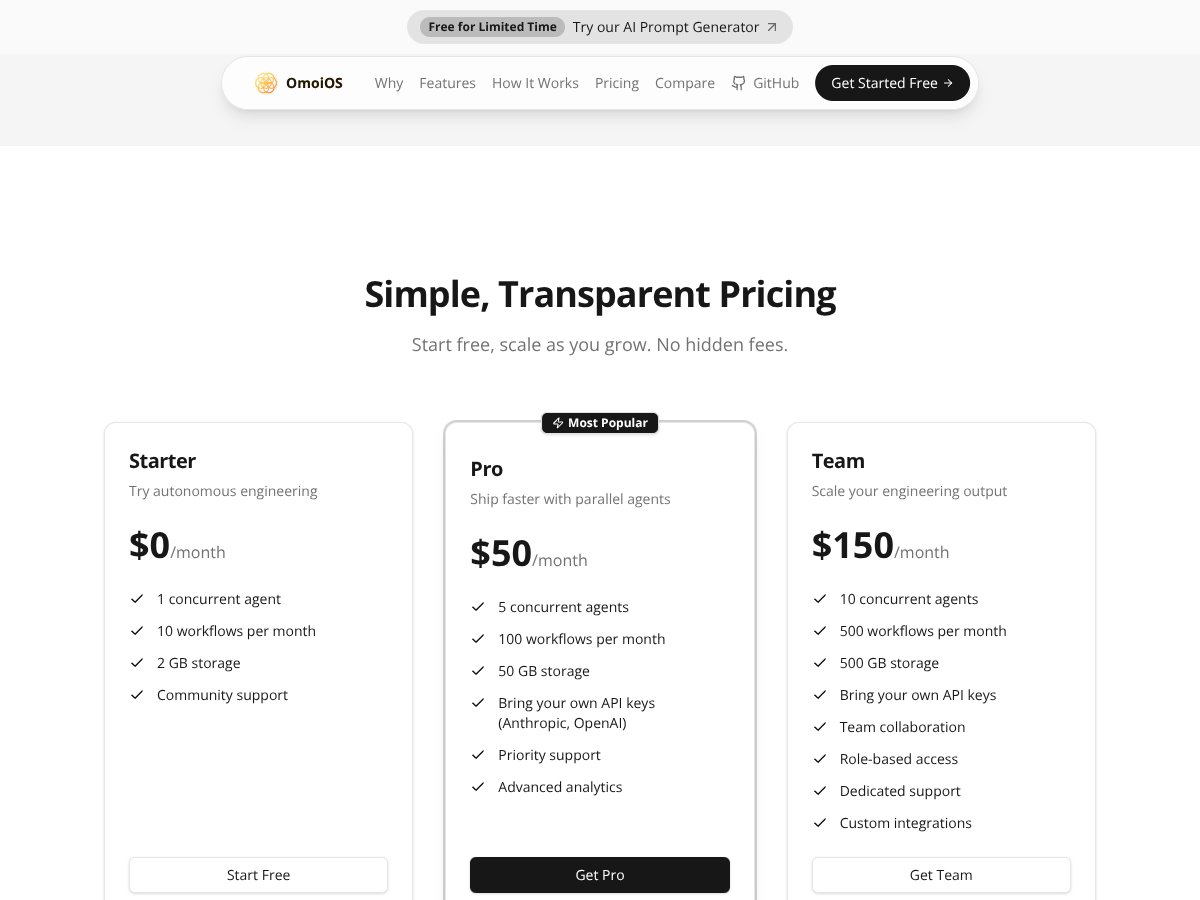
Plan Price What You Get My Take
Free Tier $0/month 1 agent, 10 workflows/month, 2 GB storage, community support Great for trying out or small-scale experimentation, but very limited. No dedicated support or advanced features. Expect to hit restrictions quickly if your needs grow.
Pro Plan $50/month 5 agents, 100 workflows/month, 50 GB storage, API key support, priority support, analytics This makes sense for small to medium teams wanting more capacity and better support. Still not cheap, but more aligned with professional use. Watch for any usage caps beyond the plan limits.
Team Plan $150/month 10 agents, 500 workflows/month, 500 GB storage, all features, enterprise support options Designed for larger teams or organizations with serious automation needs. The price is hefty, so only worth it if you’re scaling heavily and need the robustness.

Here's the thing about the pricing: it's clear that OmoiOS targets professional, team-based workflows rather than individual developers or hobbyists. The free tier is quite limited, which means you’ll likely need to upgrade pretty quickly if you want meaningful automation. What they don't tell you on the sales page is whether there are additional costs for API usage, storage beyond the plan limits, or premium support. Also, the absence of a free trial or demo might make it hard to gauge whether it’s worth jumping in at the higher tiers. What I was honestly expecting was some kind of pay-as-you-go option or a more flexible tier that scales with usage — especially given the high starting prices. If your team’s automation needs are modest, the monthly fee might feel steep for what’s essentially a specialized orchestration platform. This might be a dealbreaker for some—particularly solo developers or small startups—since the value proposition really shines only when you’re running multiple agents, complex workflows, and need integration support. Fair warning: if you’re on a tight budget or just want to experiment casually, OmoiOS might not be the most accessible choice.

The Good and The Bad

What I Liked

  • Spec-to-code pipeline: Turning plain English feature descriptions into structured requirements, design, and test plans is genuinely useful. It reduces manual planning time and helps keep everything aligned.
  • Autonomous overnight execution: The idea of agents running in the background, building features while you sleep, is compelling—especially for teams with tight release cycles.
  • End-to-end traceability: Linking every line of generated code and test back to the original spec helps with accountability and review, which is often missing in other AI code tools.
  • Multi-agent orchestration: The DAG-based setup allows for complex, multi-step workflows without micromanagement, which can boost productivity when scaled properly.
  • Open-source core: For teams that value transparency and control, self-hosting or modifying the platform is a plus, especially compared to closed commercial solutions.

What Could Be Better

  • Limited public documentation and community feedback: Without more testimonials or case studies, it’s hard to gauge how well it performs in real-world scenarios or how mature the platform is.
  • Steep learning curve: Setting up and configuring agent orchestration, especially with custom integrations, might be daunting for teams without prior experience in AI pipelines or orchestration systems.
  • Pricing opacity beyond the advertised tiers: No details on potential overage costs, additional API fees, or enterprise discounts make it difficult to plan budgets accurately.
  • Heavy reliance on quality specs: If your feature descriptions are vague or ambiguous, the entire pipeline can produce misaligned or subpar outputs, negating some automation benefits.
  • No mention of collaborative features: For larger teams, features like multi-user management, role-based access, or diffing PRs would be essential, but these aren’t clearly outlined.

Who Is OmoiOS Actually For?

OmoiOS interface
OmoiOS in action

If you're a mid-sized to large engineering team that already has a mature DevOps process and wants to scale your automation efforts without adding headcount, OmoiOS might be a good fit. Particularly if you’re working on complex feature builds, refactors, or bug fixes that benefit from multi-agent orchestration and traceability. For example, a product team managing a large codebase with frequent releases could use OmoiOS to generate, test, and review features overnight, reducing manual toil and speeding up cycles. It’s especially suited for organizations that value structured planning and clear accountability. If you’re someone who writes detailed specs, prefers automated testing, and wants your AI tools to fit into a rigorous workflow, OmoiOS aligns well. However, if you’re a solo developer or a small startup just exploring AI-assisted coding, the platform’s complexity and price point might be overkill. Concrete example: a SaaS company with a dedicated QA and release team could use OmoiOS to automate the deployment pipeline for new features, ensuring compliance and reducing human error. Conversely, a freelancer trying to automate a small project might find it too heavyweight.

Who Should Look Elsewhere

OmoiOS isn’t designed for individuals or small teams just experimenting with AI coding. If your primary need is quick code snippets, or if you prefer a lightweight, prompt-driven tool that integrates directly into your IDE, you might prefer solutions like GitHub Copilot, Codeium, or even ChatGPT-based assistants. Also, if your workflows are mostly exploratory or prototype-focused, the overhead of defining detailed specs and managing multi-agent orchestration won’t be worth it. The lack of a free trial or transparent demo makes it risky to invest large sums without seeing how well it adapts to your specific needs. Organizations with minimal automation needs, or those that require highly flexible, ad hoc coding solutions, should consider simpler tools. If you mainly need to generate code snippets or small features without the complexity of traceability and multi-agent workflows, OmoiOS may feel like overkill. Alternatives like GitHub Copilot, ChatGPT, or low-code platforms will serve these use cases better. Finally, if you’re on a tight budget or just starting out, the high monthly cost and specialized setup might discourage adoption. In those cases, sticking with open-source tools like Kiro, or more mainstream AI coding assistants, could be a wiser choice.

How OmoiOS Stacks Up Against Alternatives

Cline

- Cline is designed as a low-code platform that emphasizes visual workflows and drag-and-drop automation. Unlike OmoiOS, which relies heavily on natural language specs and agent orchestration, Cline is more about simplifying UI-driven automation for less technical users. - Pricing is generally lower, with plans starting around a few hundred dollars per month, making it more accessible for small teams or startups. - Choose this if you want a visual, user-friendly interface for automation without needing deep AI orchestration. - Stick with OmoiOS if you need advanced spec-driven development, complex multi-agent workflows, and end-to-end traceability that Cline doesn’t offer.

OpenCode

- OpenCode is an open-source framework aimed at enabling developers to build custom AI-assisted coding tools. It provides building blocks for AI code generation but requires more manual setup and integration. - Since it’s open-source, it’s free, but you’ll need to handle hosting, maintenance, and configuration yourself. - Choose this if you’re comfortable with open-source projects and want full control over your AI tooling. - Stick with OmoiOS if you prefer an out-of-the-box, spec-driven platform with a guided workflow and minimal setup.

OpenHands

- OpenHands offers AI-powered code review and collaboration features, focusing on improving team review cycles and code quality. - It’s priced on a subscription basis, generally cheaper than OmoiOS, but it’s more specialized and less focused on autonomous agent orchestration. - Choose this if your main need is enhanced code review and team collaboration. - Stick with OmoiOS if you want a comprehensive development orchestration system that covers planning, coding, testing, and deployment.

SWE-agent

- SWE-agent is a lightweight AI agent that automates specific tasks like bug fixing or code refactoring within existing workflows. - It’s generally cheaper and simpler but lacks OmoiOS’s structured planning, multi-agent orchestration, and traceability. - Choose this if you need targeted automation for particular tasks without the overhead of full project orchestration. - Stick with OmoiOS if you want end-to-end project management with spec-driven development and integrated testing.

Plandex

- Plandex is a platform for automating deployment pipelines and infrastructure as code, focusing on CI/CD workflows. - It’s more specialized in DevOps automation rather than full-stack development or feature planning. - Pricing varies; some features are free, but enterprise plans can be costly. - Choose this if your primary goal is automating deployment and infrastructure. - Stick with OmoiOS if you need a broader, integrated solution for feature development, testing, and code management.

Bottom Line: Should You Try OmoiOS?

Honestly, I’d rate OmoiOS around 7/10. It’s a powerful tool if you’re working with a sizable team that can leverage its structured, spec-driven approach. It really shines in reducing planning overhead and making AI-generated work more reviewable, but it’s not cheap or straightforward to set up, especially for smaller teams or solo devs.

If you’re part of a medium to large engineering team with mature Git workflows, and you want to automate complex features with clear traceability, OmoiOS could be a game-changer. However, if you’re just exploring AI coding assistants or need a quick, inexpensive solution, you might find better value elsewhere.

The free tier isn’t available, so I wouldn’t say it’s worth trying unless your organization has the budget. The paid plan is probably worth it if you’re planning to build many features and want full control with transparency. Personally, I’d recommend it only if your team’s workflow aligns well with its capabilities. Otherwise, simpler or cheaper alternatives might serve you better.

If you’re in a larger organization with complex development needs, give it a shot. If you’re a solo developer just experimenting, your money is better spent on free or lower-cost tools.

Common Questions About OmoiOS

  • Is OmoiOS worth the money? It depends. If you need structured, scalable AI-driven development and can afford the price, it’s worth it. For smaller teams or solo devs, probably not.
  • Is there a free version? No, OmoiOS doesn’t offer a free tier. It’s primarily targeted at enterprises or large teams willing to pay for automation at scale.
  • How does it compare to Kiro? OmoiOS is open-source and more transparent, while Kiro is a commercial product with more polished UI and easier onboarding. But OmoiOS offers more control and customization for those willing to set it up.
  • Can I customize the agent orchestration? Yes, OmoiOS allows you to define complex workflows with DAGs, making it flexible for multi-step processes.
  • Does it support multiple programming languages? It’s primarily designed around typical development stacks, but its architecture can be extended to support different languages with some configuration.
  • Can I get a refund? Specific refund policies aren’t publicly detailed, but given the enterprise pricing, it’s best to check directly with sales before committing.

As featured on

Automateed

Add this badge to your site

Stefan

Stefan

Stefan is the founder of Automateed. A content creator at heart, swimming through SAAS waters, and trying to make new AI apps available to fellow entrepreneurs.

Related Posts

best practices for honest affiliate reviews featured image

Best Practices for Honest Affiliate Reviews in 2026

Discover proven strategies for creating honest, transparent affiliate reviews that build trust, boost conversions, and ensure compliance in 2026. Learn more now!

Stefan
Verdent Review – Honest Insights on Verdent

Verdent Review – Honest Insights on Verdent

reliable tool to boost your gardening skills

Stefan
FaceSymmetryTest Review – Honest Look at Free AI Tool

FaceSymmetryTest Review – Honest Look at Free AI Tool

FaceSymmetryTest is a fun online tool

Stefan

Create Your AI Book in 10 Minutes