Table of Contents
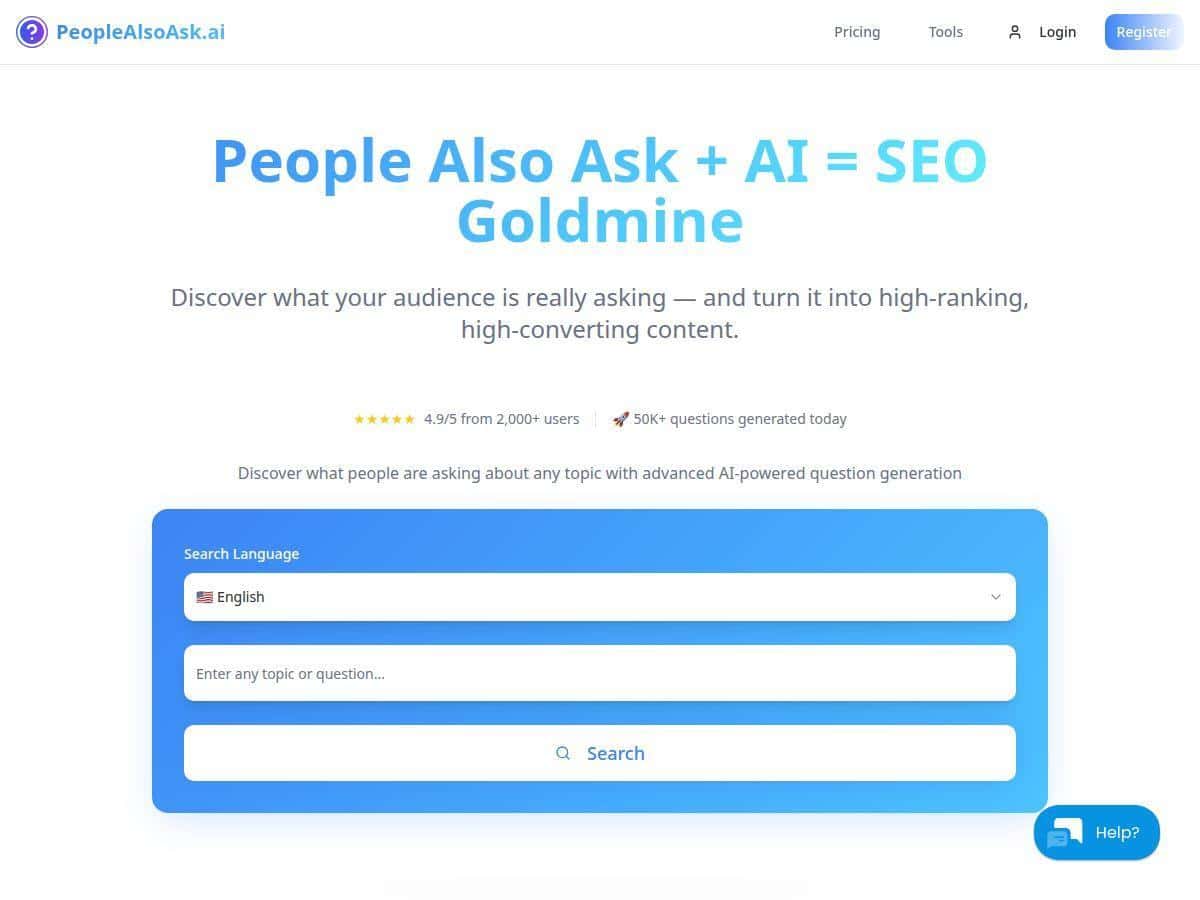
I went looking for a simple way to pull real “People also ask” questions straight from Google—without spending hours guessing what people actually want. That’s why I tried People Also Ask (sometimes people call it “People Also Ask tool” for short).
In my testing, I used it as a quick SEO/content idea generator. I searched a handful of keyword themes in different formats (single topics and longer phrases), then compared the questions it returned against what I was already planning to write. The output was the main thing: clean question lists, decent clustering, and exports I could actually use instead of copy/pasting forever.
People Also Ask Review: What I Actually Found (and Where It Falls Short)
I didn’t use People Also Ask in some abstract, “SEO theory” way. I used it like I’d use it day-to-day: to build content outlines and decide which subtopics to cover so I wasn’t writing in a vacuum.
Here’s the workflow I followed during my testing:
- I started with 3–5 core queries related to content I was already working on (think: “how to…” and “what is…” style questions).
- For each query, I looked at the returned People Also Ask questions and picked the ones that felt like they’d map directly to headings (or FAQ sections).
- I used the clustering/mindmap view to group related questions, then turned those clusters into a simple outline.
- Finally, I exported the results so I could reuse the questions for drafts and updates.
What I noticed right away: the tool is surprisingly fast at turning one keyword into a list of question angles. Instead of staring at a blank doc, I had concrete “people are asking this” prompts. And that matters—because when you answer the sub-questions properly, your page tends to feel more complete.
Exporting is also where it clicked for me. I’m not trying to keep everything in a dashboard forever. Being able to export the questions into files made it easy to hand off to a writer (or keep my own editorial notes). I also liked that the AI suggested additional questions beyond the initial set—good for filling gaps when my first outline felt a little thin.
That said, it’s not magic. Some queries returned questions that were broader than I expected, and a few niche topics didn’t get the same depth I hoped for. If your topic is super specific (or brand-new), you might find that the questions are either too generic or not as varied as you’d want.
Key Features That Matter (With Real Examples)
- AI-powered question expansion
- In practice, this means you don’t just get the first batch of People Also Ask items. After running a search, I saw extra question suggestions that helped me broaden the outline—especially for “how to” topics where readers usually want steps, examples, and troubleshooting.
- Direct People Also Ask sourcing from Google
- The core value here is that the questions feel tied to what users are actually searching. When I typed in a topic, the results matched the general “People also ask” style format (short, conversational questions). That made it easier to drop them straight into headings or an FAQ section.
- Export options (PDF, PNG, CSV)
- This is one of my favorite parts because it supports real collaboration. I exported results so I could:
- Save a PDF for quick sharing with a teammate
- Use a PNG when I wanted a visual snapshot of the question clusters
- Use a CSV when I wanted to sort/filter questions in a spreadsheet
- If you’re wondering what “CSV usefulness” looks like: it’s the difference between copy/paste and actually organizing your editorial plan. Even a simple row format like Keyword → Question → Cluster/Theme is enough to build a repeatable workflow.
- Multiple languages + local queries
- When I switched up the language/local intent, the question set changed in a way that felt relevant to the region. If you do SEO for locations (or you write in more than one language), this matters more than people think.
- Visual clustering / mindmap view
- This is great when you’re trying to avoid writing a “random list of FAQs.” In my tests, the clusters helped me group questions into themes like definitions, steps, tools, and common mistakes. The mindmap can be a lot if you’re prone to information overload, but it’s useful for outlining faster.
- Real-time updates
- Search interest shifts. In my experience, the question set can change depending on timing and how Google is currently showing related queries. That’s a good thing for freshness, but it also means you shouldn’t treat one run as a permanent “truth” forever.
- Optional AI assistant for interpretation
- For me, the assistant was most helpful when I had the questions but needed help turning them into content angles. It’s not replacing an editor, but it can speed up the “what do I do with these?” part.
Pros and Cons (Straight From My Use)
Pros
- Fast and beginner-friendly — I didn’t have to fight the interface to get useful results.
- Good for content planning — the questions are easy to turn into headings, subtopics, and FAQ sections.
- Exports actually help — PDF/PNG/CSV makes it usable beyond just browsing.
- Multi-language/local support — useful if you target more than one market.
- Clustering improves structure — instead of scattered questions, you can build cleaner sections.
Cons
- Google-data dependency — if your niche doesn’t have strong “People also ask” coverage, the results can feel thin or repetitive.
- Not a full keyword suite — you won’t get the same depth as tools that focus on keyword difficulty, search volume, and SERP features. I still used a separate SEO tool for metrics.
- Broad questions happen — sometimes the tool returns questions that are too general, so you’ll need to refine your target query.
- Visual maps can overwhelm — if you’re doing deep analysis, the cluster view can feel busy quickly.
- Results can shift — because it’s tied to current Google behavior, you might see differences between runs.
Pricing Plans: What You Get for the Money (and How I’d Choose)
People Also Ask uses a freemium-style setup: you can start with a free trial, then move to paid plans if you want ongoing searches and full access. In my research, the pricing I saw was roughly:
- Basic access: around $12/month
- Higher tier / full features: around $39/month (positioned as “unlimited searches” and more complete functionality)
- Lifetime option: a one-time purchase for heavy users who don’t want recurring billing
- Annual billing: discounted versus monthly, which tends to make sense if you’re using it regularly
One honest tip: before you commit, think about your workflow. If you’re only doing occasional content updates, the trial/basic tier might be enough. If you’re running multiple topics per week (or managing multiple client sites), the higher tier can justify itself quickly—especially if you rely on exports and clustering every time.
Wrap up
For me, People Also Ask is a practical tool when you want real question ideas fast—especially if you’re building outlines, writing FAQs, or trying to cover the subtopics people expect to see. It’s not a replacement for a full SEO suite with keyword metrics, but it does a solid job of answering the “what should I include?” question.
If you’re doing content planning and you like having exportable, Google-backed question lists, it’s worth trying. Just don’t expect it to magically solve niche coverage issues—if Google isn’t surfacing strong “People also ask” questions for your topic, you’ll still need to get creative with your angle.