🌸 SPRING SALE — Fresh Start, Fresh Savings
Spring Into SavingsSpring Pricing 🌼
AI Tools

Planndu Review (2026): Honest Take After Testing

Stefan
11 min read
#Ai tool

Table of Contents

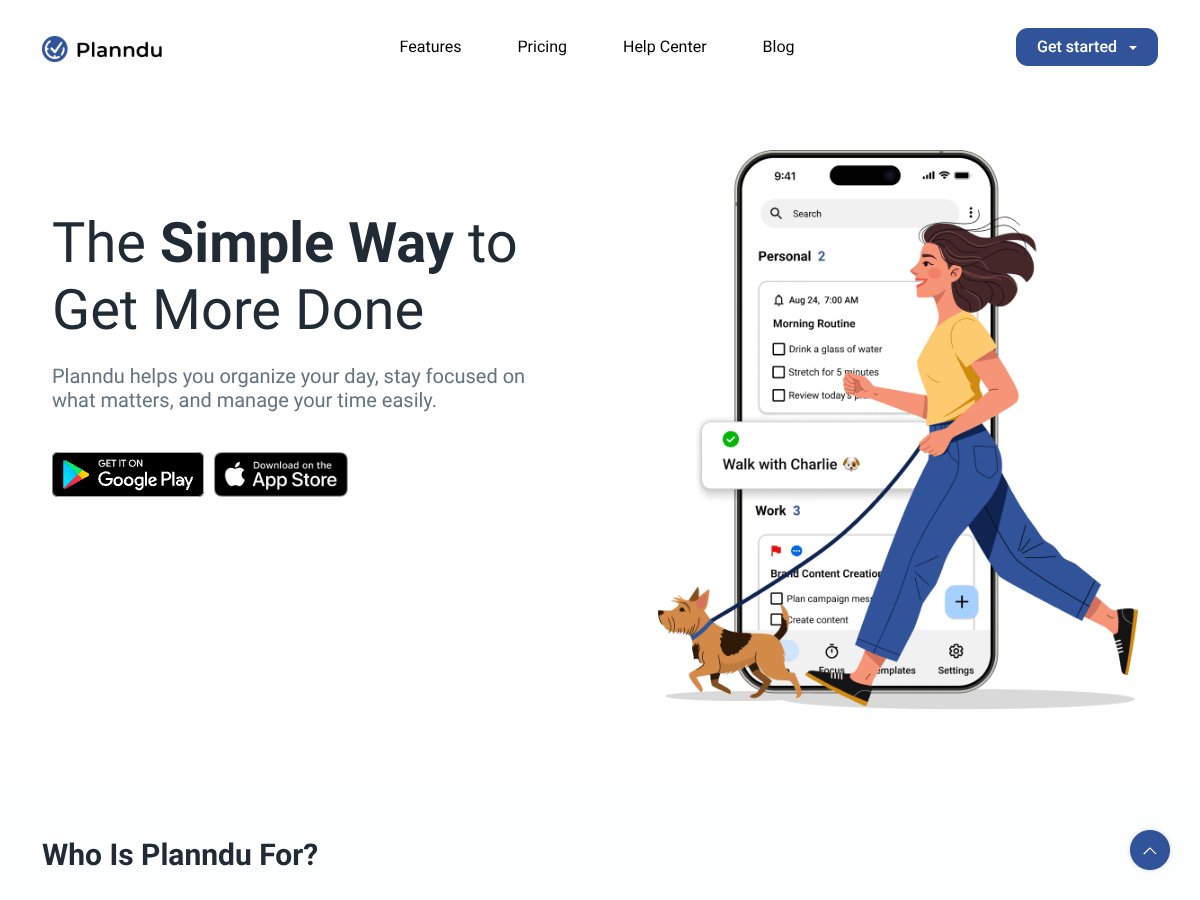
Planndu screenshot

What Is Planndu?

Honestly, I was curious about Planndu because, like many, I’ve tried a handful of task managers and productivity apps, but few felt straightforward enough to actually stick with. So when I stumbled upon Planndu, I thought, "Let’s see if this actually makes managing my day easier or if it’s just another app that promises a lot and delivers little."

In plain English, Planndu is a simple app designed to help you organize your tasks, set reminders, track goals, and build habits—all in one place. It’s aimed at people who want to stay focused without getting bogged down by complicated features or cluttered interfaces. The idea is that instead of juggling multiple tools or drowning in chaos, you can use Planndu to keep everything streamlined.

What it’s mainly trying to solve is the common problem of task overwhelm—where your to-do list gets so long or so scattered that it’s hard to even know where to start. The app promises to help you reclaim some control over your busy schedule by giving you a centralized place to plan, prioritize, and focus.

The company behind Planndu isn’t super well-known, but its website suggests a focus on simplicity and privacy. I couldn’t find a lot of info about the team or the mission beyond the usual marketing spiel, which is a bit of a heads up—this isn’t a huge established player in the productivity space.

My initial impression? It’s exactly as advertised: a straightforward, no-fuss planner with some handy features. It doesn’t try to do everything under the sun. Instead, it keeps things simple, which I appreciate. But I also want to be clear about what it’s NOT: it’s not a replacement for a full project management system, nor does it have integrations with other apps like Google Calendar or Slack (at least, not at the time of testing). So, if you’re expecting deep integrations or advanced collaboration, Planndu might not be the right fit.

Planndu Pricing: Is It Worth It?

Planndu interface
Planndu in action
  • Basic task management
  • Pre-made templates
  • Reminders and notifications
  • Limited AI features
  • All free features
  • Access to premium templates
  • Enhanced AI task generation
  • Priority support
  • All monthly features
  • Additional savings
  • Full access to all features
  • Best value for committed users
  • Priority support
Plan Price What You Get My Take
Free Tier Free Great for testing the waters or casual use, but limited in advanced features and integrations. No clear info on usage limits, so expect some restrictions.
Monthly $3.95/month Fairly priced for individuals who want more automation and customization without a big upfront commitment. Good for those testing the waters but needing more than basics.
6-Month Plan $19.95 (billed every 6 months) More economical if you prefer longer-term commitments. Ideal for users who plan to stick with Planndu for at least half a year.
Yearly $29.99 – $35.95/year (depending on promotions) This is the best deal if you're planning to use Planndu long-term. It’s quite affordable compared to many task management apps that charge more for similar features.

Here’s the thing about the pricing: it’s quite accessible, especially if you go for the annual plan. Compared to big players like Todoist or Notion, Planndu’s premium isn’t just cheaper — it also offers some unique focus tools like the Pomodoro timer and AI-generated lists, which are often locked behind higher tiers elsewhere.

What they don’t tell you on the sales page is whether those free features are enough for your needs or if you’ll quickly bump into limitations. The free tier is a bit of a mystery — I couldn’t find detailed info on what caps exist, like how many templates, tasks, or reminders you can create before hitting a wall. For casual users, it might suffice, but power users or teams will probably need to subscribe.

Fair warning: if you’re someone who relies heavily on integrations with other tools (like Slack, Trello, or Google Calendar), Planndu’s integration options seem limited or at least not clearly outlined. The premium plans might include some of these, but it’s not explicitly confirmed. So, if integrations are key for your workflow, you might want to explore other apps.

Honestly, I was expecting a more transparent breakdown of what the free tier includes and any restrictions. Without that, it’s hard to tell whether the value proposition is solid or if they’re nudging users towards the paid plans too early. For free users or those on tight budgets, it’s worth testing out the free version first — but keep an eye out for any feature gates.

The Good and The Bad

What I Liked

  • AI task generation: The ability to get instant to-do lists with checkboxes just by describing your goals saves a ton of initial setup time. I found it especially helpful when trying to plan out complex projects quickly.
  • Pomodoro and focus timers: The multiple timer options, including the 52/17 method, are a nice touch. They actually helped me stay locked into work sessions without feeling drained — a feature many apps overlook.
  • Pre-made templates: Having templates for grocery lists, gratitude journals, or goal setting out of the box meant I could jump right in without creating everything from scratch. For busy folks, that’s a real time-saver.
  • Local data storage: For privacy-conscious users, knowing your data stays on your device is reassuring, and it avoids the hassle of syncing or cloud dependencies that can sometimes cause frustration.
  • Simple, intuitive interface: Unlike some task apps that drown you in features and clutter, Planndu keeps things straightforward, which is perfect for avoiding overwhelm, especially if you just want to get stuff done.

What Could Be Better

  • Limited details on integrations: If you rely on other productivity tools, the lack of clear info on integrations is a pain point. It might be a dealbreaker for some who need seamless connectivity.
  • Offline functionality unclear: It’s not obvious whether you can access or modify your tasks offline or if everything depends on online sync. For those with spotty internet, this could be frustrating.
  • Collaboration features: While some mentions of team features exist, they appear to be locked behind a premium subscription. If you’re looking for real-time teamwork, you might want to check if that’s worth the extra cost.
  • Limited review data: There’s a lack of independent user reviews or detailed feedback. That makes it hard to gauge long-term reliability or user satisfaction across diverse use cases.
  • Inconsistent feature depth: Some features like habit tracking or goal setting feel a bit basic compared to dedicated apps. If you need highly customizable routines or advanced analytics, you might find Planndu lacking.

Who Is Planndu Actually For?

Planndu interface
Planndu in action

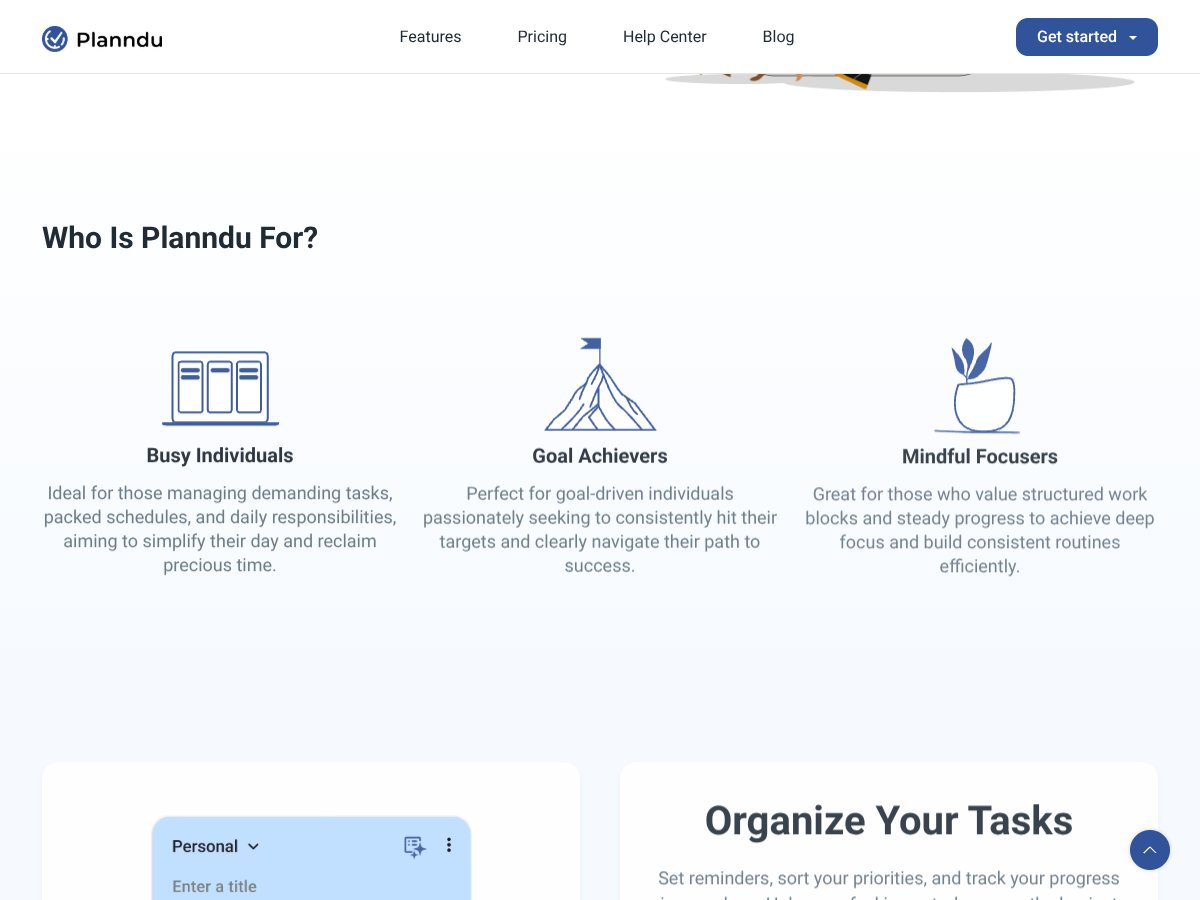
If you’re a solo professional juggling multiple projects or someone who thrives on structure, Planndu can be a real game-changer. It’s particularly suited for those who want a simple, distraction-free way to organize daily tasks, stay focused with timers, and use templates to streamline routine activities. For example, a freelance writer managing client deadlines, a student balancing coursework, or a small business owner handling multiple hats will find this tool intuitive and helpful.

It also works well for people committed to goal achievement and mindful routines. If you’re someone who prefers to break work into focused blocks and track habits systematically, Planndu’s timers and templates can help you build consistency. Basically, if you’re the type who wants a clean, no-nonsense app that helps you get more done without the clutter, this is worth trying.

Who Should Look Elsewhere

Fair warning: if you need deep integrations with other tools, real-time collaboration for team projects, or offline access, Planndu might fall short. It’s not explicitly designed for complex workflows or enterprise environments. If you’re a team leader or project manager needing robust collaboration, apps like Asana, ClickUp, or Notion could serve you better.

Similarly, if you rely heavily on detailed analytics, advanced habit-building, or extensive customization, Planndu’s more streamlined approach might leave you wanting. And for those who need a free tool with unlimited features, the free tier’s limitations might be a dealbreaker.

In short, this isn’t the best fit for power users demanding extensive integrations or for teams that require real-time sharing. It’s more of a personal productivity booster for focused individuals.

{"pros": ["AI-powered task generation saves time and effort in planning.","Multiple focus timers including Pomodoro and 52/17 help sustain deep work sessions.","Pre-made templates enable quick setup for common tasks.","Local data storage enhances privacy and control over data.","Simple and clutter-free interface reduces overwhelm and improves usability."], "cons": ["Limited information on integrations and offline capabilities.","Collaboration features are locked behind premium plans, which might be a turnoff for teams.","Lack of detailed user reviews or long-term reliability data.","Features like habit tracking and goal setting are quite basic and may lack depth.","Unclear restrictions in the free tier could limit usability for power users."], "useCases": ["Solo professionals managing multiple projects or tasks.","Students organizing coursework, assignments, and routines.","Goal-oriented individuals building habits and deep focus routines.","Small business owners coordinating personal and business responsibilities."]}

How Planndu Stacks Up Against Alternatives

Todoist

  • Todoist is a veteran in the task management space, with a robust feature set that includes labels, filters, and project sharing. It’s more comprehensive for team collaboration and integrates with numerous third-party apps.
  • Pricing starts at $4/month for the Premium plan, which is slightly more expensive than Planndu’s basic or premium options.
  • Choose this if you need advanced project management, extensive integrations, and collaboration features for teams.
  • Stick with Planndu if you prefer a simpler, more focused app with timers and habit tracking—especially if you’re solo or prefer a minimalist approach.

Notion

  • Notion is a flexible workspace that combines note-taking, databases, and task management. It’s highly customizable, allowing users to build their own workflows from scratch.
  • Pricing ranges from free for basic use to $8/user/month for the Team plan, making it pricier if you need multiple team licenses.
  • Choose this if you want a multi-purpose tool that can replace notes, databases, and tasks all in one.
  • Stick with Planndu if you want a straightforward task manager without the complexity of building your own templates and layouts.

Trello

  • Trello uses a visual card-based system for managing projects, perfect for Kanban workflows. It’s very visual and great for tracking progress across multiple boards.
  • It offers a free tier with unlimited cards and boards, but premium features like automation start at $10/month.
  • Choose this if visual task tracking and collaboration on a Kanban board are your priorities.
  • Stick with Planndu if you prefer a more linear, list-based approach with focus timers and habit tracking, rather than a visual workflow.

Focus To-Do

  • Focus To-Do combines Pomodoro timers with task management, emphasizing focus sessions. It’s simple but effective for those who mainly want to boost productivity through timed work.
  • It’s free with optional in-app purchases, but lacks the deep project organization features of Planndu.
  • Choose this if your main goal is focused work sessions without the need for extensive task hierarchy or habit tracking.
  • Stick with Planndu if you want an all-in-one planner that includes goal setting, reminders, and habit tracking alongside timers.

Bottom Line: Should You Try Planndu?

Overall, I’d give Planndu a solid 7/10. It’s straightforward, easy to use, and offers a nice mix of task management, timers, and habit features without overwhelming you. If you’re someone looking to keep your daily chores and goals organized with a focus on staying on track through timers and reminders, it’s definitely worth a shot.

The one person who should definitely try this is someone who prefers simplicity but still wants a bit of everything—timers, habit tracking, and task lists—without juggling multiple apps. On the flip side, if you need advanced project management, team collaboration, or deep customization, you might find Planndu a bit limiting.

The free tier is a good way to explore its core features, and upgrading to the paid plan is worthwhile if you find the timers, templates, and reminders useful. Personally, I’d recommend it if your main goal is to build better habits and stay focused—it's a clean, no-nonsense option.

If you’re looking for a simple way to organize your daily tasks and boost productivity with timers, give Planndu a try. If you need a more powerful project management or collaboration tool, your money might be better spent elsewhere.

Common Questions About Planndu

Is Planndu worth the money?

For its price, especially if you utilize timers and habit tracking, it offers good value. It’s simple but effective, making it worth trying.

Is there a free version?

Yes, Planndu offers a free tier with basic task management, reminders, and timers. However, some features like collaboration and advanced templates require a premium plan.

How does it compare to Todoist?

While Todoist is more feature-rich for project collaboration and complex workflows, Planndu is better for focused, habit-oriented daily planning with timers—ideal if simplicity is your goal.

Can I use it offline?

Planndu primarily relies on internet connectivity for syncing, but local data storage means you can access your data offline once it’s downloaded. Check the latest updates for full offline support.

Is there a refund policy?

Typically, refunds depend on the platform (like the App Store). It’s best to review their refund policy directly through the App Store or contact support if needed.

As featured on

Automateed

Add this badge to your site

Stefan

Stefan

Stefan is the founder of Automateed. A content creator at heart, swimming through SAAS waters, and trying to make new AI apps available to fellow entrepreneurs.

Related Posts

FaceSymmetryTest Review – Honest Look at Free AI Tool

FaceSymmetryTest Review – Honest Look at Free AI Tool

FaceSymmetryTest is a fun online tool

Stefan
Sweep Review – An AI Assistant for JetBrains IDEs

Sweep Review – An AI Assistant for JetBrains IDEs

Sweep enhances productivity in JetBrains IDEs

Stefan
AI Song Maker Review – Simple & Creative Music Generation

AI Song Maker Review – Simple & Creative Music Generation

easy way to create music with AI

Stefan

Create Your AI Book in 10 Minutes