Table of Contents

What Is Proxima?
I’ll be honest—I went into Proxima pretty skeptical. I’ve tested my fair share of fitness “AI” tools, and a lot of them end up being glorified templates. So when I first heard Proxima was an AI-powered workout builder, I immediately wondered: is it actually personal, or is it just marketing?
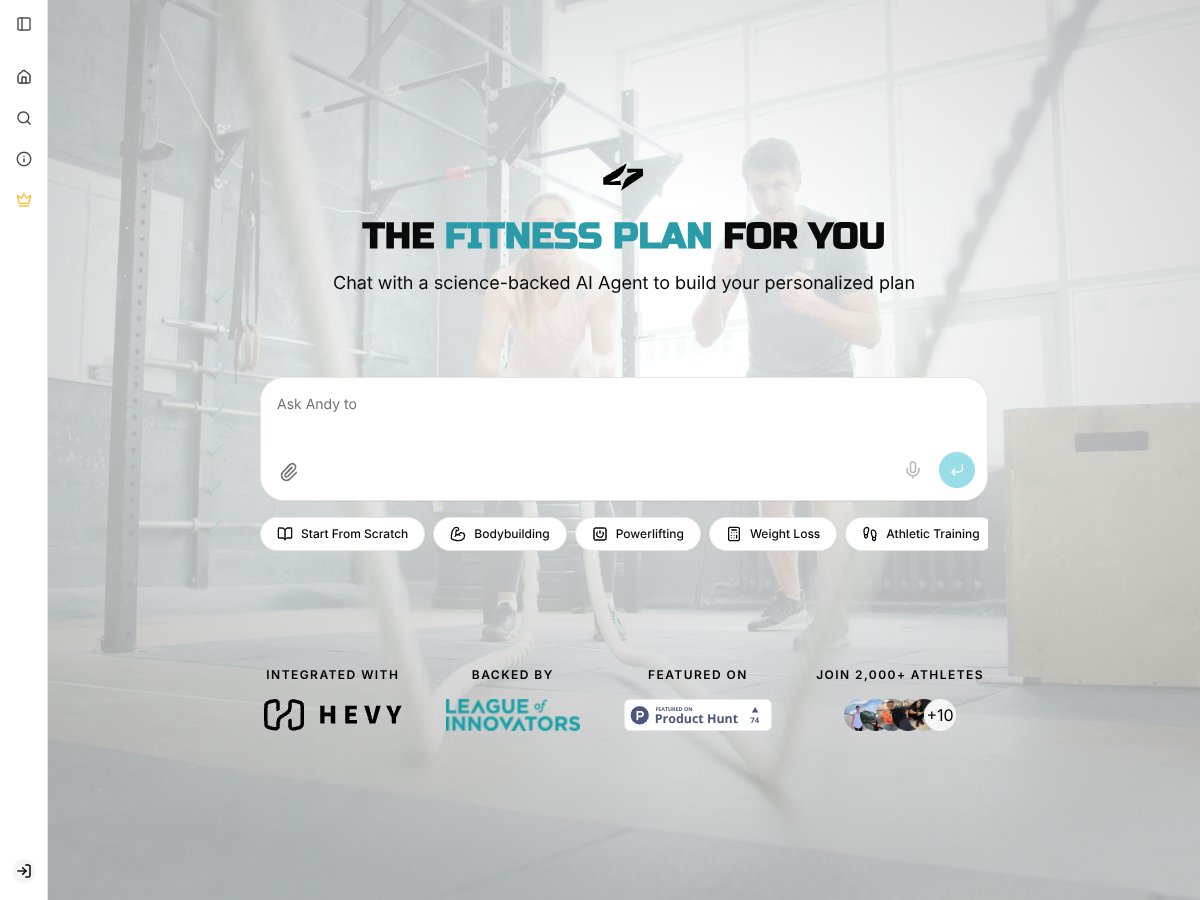
Here’s the basic idea. Proxima is a web-based AI workout builder that’s supposed to create training plans based on your goals, your progress, and the data you put in. The promise is that it helps you move past plateaus, stay consistent when life gets hectic, and avoid the “I’m doing the same routine forever” trap that kills motivation for a lot of lifters.
In plain English, you chat with an AI that behaves like a coach. It’s not just “pick a plan and forget it.” Proxima tries to adjust your workouts over time—things like exercise selection, volume, and intensity—based on how you’re doing. That’s the main problem it’s trying to solve: people get stuck because their program doesn’t match their current training state (fatigue, recovery, performance changes, etc.).
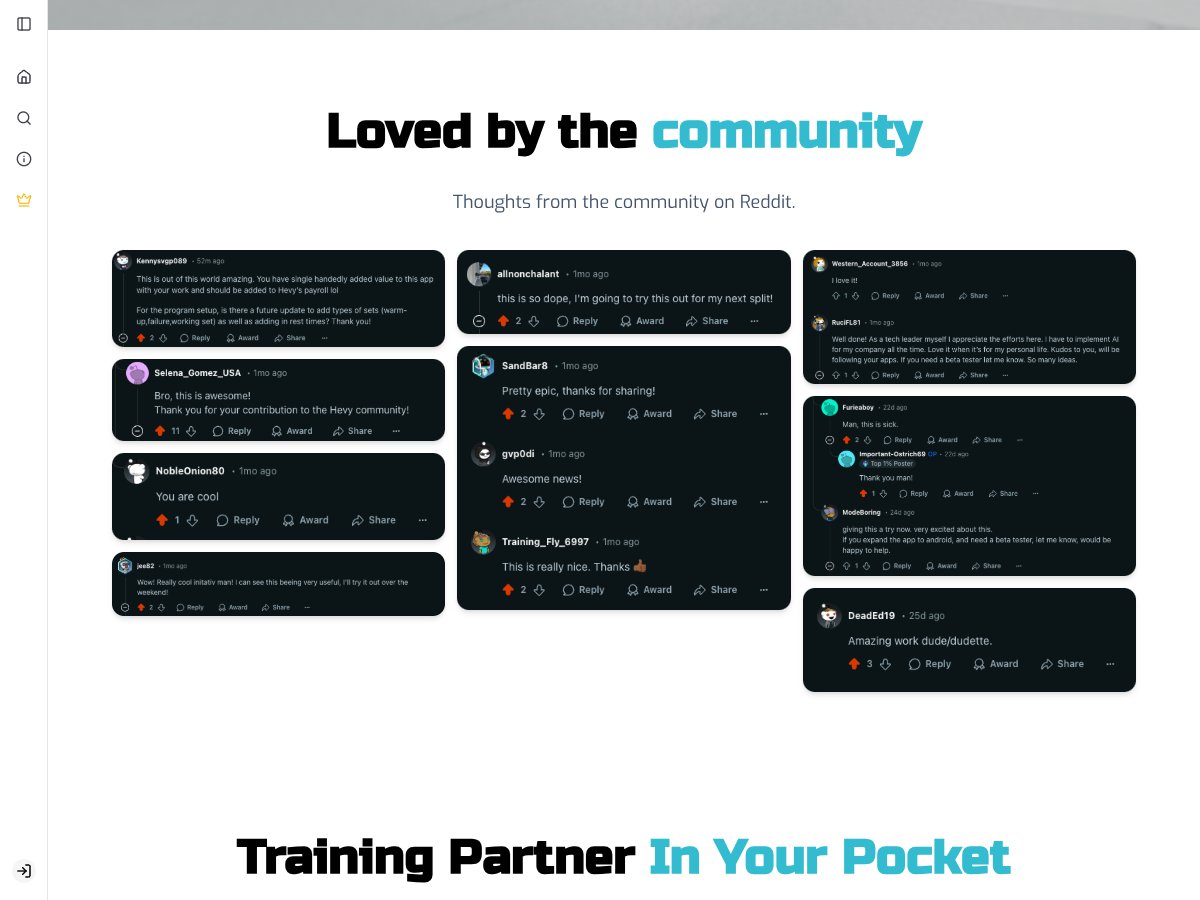
One thing I didn’t love right away: the site doesn’t really show much about who’s behind it. No clear company background, no founders listed, and not a ton of detail about the team. That’s not automatically a dealbreaker, but it did make me pause. They do claim it’s used by 2,000+ athletes and that it’s community-supported, but I couldn’t find a bunch of detailed reviews or real user testimonials to back that up.
What I could confirm from testing is that it does what it says on the tin at a high level: you sign in and use a web interface to generate or adjust workouts. But it also feels like a beta product. Not “broken,” just not fully polished. If you want a finished, all-in-one fitness app, Proxima isn’t that yet.
Also, it’s not a full fitness suite. There’s no meal planning, no big exercise encyclopedia with tons of variations, and no progress-photo features. It’s mainly about programming workouts and adjusting them as you log data. So if you’re looking for a one-stop shop for everything, you’ll probably feel limited. If you want an AI assistant that helps you build smarter training plans, it’s at least worth a look—just go in knowing it’s early.
Key Features of Proxima

AI-Driven Workout Personalization
This is the centerpiece. The whole pitch is that Proxima learns from your progress and adapts your routine over time. After using it for a few sessions, I did notice the AI wasn’t totally static. It suggested small changes—like adjusting weights, reps, or how volume was handled—based on what I told it and what I logged.
It wasn’t some dramatic “new program every day” experience. More like: it pays attention and makes reasonable tweaks. That’s actually what I prefer, by the way. If an AI is constantly changing everything, it can be hard to track what’s working.
That said, I couldn’t fully test the long-term “predictive” side yet. In my experience, it felt more reactive than forward-looking during the time I had. In other words, it responds to what you’re doing, but I wouldn’t treat it like a fully proven coaching system that’s been trained on years of lifter data. Since it’s still in beta, I’d be cautious about relying on it blindly—especially for nuanced programming decisions.
Community-Created Workout Programs
The community angle is a nice addition. I found user-uploaded routines, and it gives you something to start from if you don’t want to build everything from scratch.
But here’s what I noticed: a lot of the community programs felt more like “templates with variations” than truly tailored plans. When I compared them side-by-side with the AI-generated suggestions, I didn’t see a huge difference in how personalized they felt. They’re useful as starting points, not a replacement for real adaptive programming.
Progress Tracking and Stats Logging
Logging workouts is pretty straightforward. You enter your sets, reps, weight, and notes, and it keeps your data.
However, compared to dedicated tracking apps, Proxima is still basic. I didn’t see much in the way of graphs, trend analysis, or “here’s what’s improving” insights. You get the numbers, which is fine—but I like having visual cues when I’m running a program for 8–12 weeks. Without that, you have to do more of the interpretation yourself.
Exercise Explanations and Guidance
Proxima includes explanations for exercises, and that’s genuinely helpful—especially if you’re learning a movement or trying something new.
In my testing, the explanations were clear enough to get me started. But I wouldn’t treat them as a substitute for coaching. If you’re trying to nail technique on something tricky (like squats with a specific stance or a deadlift variation), you still want real-world feedback.
Secure Login via Apple and Google
Easy login is always a plus. Proxima supports Apple and Google sign-in, and I didn’t run into any issues there during testing. I also appreciated that it ties your data to a secure account.
Since it’s beta, I’d still keep an eye on privacy policies and how data is handled, but nothing alarming popped up in my experience.
Web-Based Workout Builder
This is where I had mixed feelings. The builder lets you create your own programs from scratch or modify existing ones, which is great in theory.
In practice, the interface feels a bit minimal. I found it slightly clunky—no true drag-and-drop flow, and sometimes I had to hunt around to find where to add exercises or set parameters. It works, but it doesn’t feel “effortless.”
If Proxima added more templates, guided setup steps, or a clearer way to lock certain exercises in place, it would speed things up a lot—especially for people who don’t want to tinker every session.
Beta Features and Exploration
Some parts of the platform feel like they’re still being tested and expanded. I couldn’t verify every feature end-to-end, and a few things seemed half-finished or inconsistent.
Nothing major broke for me, but I also wouldn’t describe it as “stable enough to fully trust for critical training decisions” yet. It’s promising, though. Just don’t assume it’s fully ready for prime time.
How Proxima Works
Getting started is fairly quick. I signed up using Google, and the dashboard loaded fast enough that I didn’t feel like I was waiting around forever.
One thing I noticed immediately: it doesn’t just hand you a ready-made plan the second you log in. Instead, it pushes you to either chat with the AI or build a program yourself.
For setup, I’d estimate around 5 minutes. I entered my goals (I was aiming for muscle gain), added some basic stats, and set my workout frequency. Then I started chatting with the AI.
The conversation style is pretty similar to texting a coach. You can ask questions and share things like fatigue levels or constraints, and it responds with suggestions. Early on, the responses felt a little broad—things like “increase volume gradually” or “focus on compound lifts.” Not wrong, but not exactly mind-blowing.
After a few sessions, though, it started offering small tweaks that felt more tied to my input. That’s the part that impressed me a bit. Still, I wished I could control certain elements more precisely—like locking specific exercises, adjusting rest ranges in a more direct way, or setting clearer rules for progression.
There’s also a learning curve. I wasn’t always sure how often I should update my progress or how much I should trust the AI’s adjustments without double-checking my training logic. And the custom program creation felt limited compared to what I’m used to from more mature workout builders.
Because it’s beta, I did see the occasional glitch—pages loading slower than expected or options not saving the first time. My advice? Save often, and if you’re about to make a bunch of edits, use stable internet. It’s annoying, but it prevents headaches.
Overall, I did come away thinking Proxima can give you a decent starting point. It’s just not a fully polished, plug-and-play “main training companion” yet.
The Good and The Bad

What I Liked
- Adaptive AI personalized plans: The big reason to try Proxima is that it’s not pretending you’ll never change. In my testing, it did adjust workouts based on what I logged, and it felt more “alive” than static routines. For intermediate lifters stuck in plateaus, that adaptive angle is genuinely appealing.
- Community-created programs: I like having options from other users. It helps you avoid the “blank page” feeling when you don’t want to build a plan from scratch.
- Workout logging that’s easy to use: I could log sessions without fighting the interface. It’s simple enough that I actually used it, which matters more than you’d think.
- Exercise explanations: The quick explanations are useful for form reminders and learning new movements. Just keep expectations realistic—this isn’t the same as coaching.
- Apple/Google login: Secure sign-in is convenient, and it makes the experience feel more legit than random email signups.
What Could Be Better
- Pricing isn’t transparent: This is one of the biggest issues. I couldn’t find clear pricing info beyond beta/free options. If they launch paid tiers later, it’s hard to judge value without knowing what you’ll actually pay.
- Beta limitations: Some features feel incomplete. For example, I didn’t see strong export options or advanced analytics like you’d expect from more established workout apps.
- Best for intermediate lifters: Beginners may feel overwhelmed. Advanced lifters might want deeper controls, more customization, and integrations that aren’t there yet.
- No integrations (yet): If you rely on syncing workouts to wearables or other fitness platforms, you’ll likely be disappointed. At the moment, it doesn’t feel like it connects with much beyond its own workflow.
- Limited social proof: I couldn’t find enough public user reviews or solid testimonials. That makes it harder to trust the promise without seeing consistent real-world results.
Who Is Proxima Actually For?
If you’re an intermediate lifter—someone who’s been training for a year or two—you’re probably the sweet spot. Proxima seems built for people who already understand the basics and want programming that adjusts as performance and fatigue change.
I also think it fits well for busy schedules. If your energy swings or you sometimes can’t train exactly like you planned, an AI that adapts based on what you log could help you stay consistent without rebuilding your entire program every week.
For example, if you’re a powerlifter trying to push a deadlift PR or a bodybuilder running multiple training splits, Proxima’s evolving suggestions could help you fine-tune volume and intensity over time. And if you like web-based tools and don’t want to install another app that might lock you into a messy subscription, Proxima’s approach is at least convenient.
Who Should Look Elsewhere
If you’re a complete beginner, I’d probably look elsewhere. Proxima isn’t built to hold your hand through everything, and the intermediate focus means you may not get the simple guidance you’d want when you’re still learning exercise selection, progression, and technique.
Also, if you want a polished app with extensive integrations, detailed analytics, and lots of user feedback, Proxima’s beta state could frustrate you. It’s not there yet.
Finally, if you prefer pre-made programs with minimal tweaking—or if you want a truly proven app with clear pricing and lots of established reviews—Proxima might be more hassle than it’s worth. You could be happier with something more mature and straightforward.
How Proxima Stacks Up Against Alternatives
Fitbod
- What it does differently: Fitbod also uses AI, but it leans hard into equipment-based workout generation. It’s built around what you have access to and adapts as you log workouts, with a larger exercise library.
- Price comparison: Typically around $12/month or $79/year. Fitbod’s pricing is clear, which makes it easier to evaluate value compared to Proxima’s unclear beta pricing.
- Choose this if... you want a detailed plan that adapts based on equipment with a straightforward subscription model.
- Stick with Proxima if... you prefer an AI that feels more tied to your progress and you want community programs alongside the adaptive system.
JEFIT
- What it does differently: JEFIT is more of a workout tracker + community hub. You get a lot of logging features and pre-made plans, but it’s not primarily an AI-driven adaptation tool.
- Price comparison: Free with ads or about $6/month for premium. It’s been around longer, so the pricing and overall experience feel more predictable.
- Choose this if... you want strong workout logging and community support and don’t mind choosing/customizing plans manually.
- Stick with Proxima if... you want AI help adjusting your program more automatically, especially when you’re dealing with plateau-y periods.
Strong
- What it does differently: Strong is focused on simple, fast tracking. It’s clean and efficient, but it doesn’t try to be an AI coaching brain.
- Price comparison: One-time purchase around $4.99. No subscription—just get in, log, and go.
- Choose this if... you want a straightforward logging app and don’t need AI personalization.
- Stick with Proxima if... you want adaptive AI-driven program building rather than just tracking.
Hevy App
- What it does differently: Hevy is known for community workout programs and easy logging. It’s added AI recommendations recently, but it still feels like it’s developing that side.
- Price comparison: Free with premium options around $6/month. It’s a decent middle ground for casual lifters.
- Choose this if... you want community-driven training content and a social vibe.
- Stick with Proxima if... you’re specifically after more adaptive, evolving AI personalization.
Bottom Line: Should You Try Proxima?
After testing it, I’d rate Proxima a solid 7/10. It’s not perfect, but the adaptive AI idea is real enough to be interesting—especially if you’re tired of one-size-fits-all plans and you want progression that changes as you do.
Just keep in mind: it’s still in beta. Some parts feel rough around the edges, and the lack of transparent pricing makes it hard to fully judge long-term value.
If you’re an intermediate lifter dealing with plateaus and you like a tech-driven approach, I think Proxima is worth trying. The adaptive angle and community options make it more engaging than a basic template app. But if you’re a beginner who wants super guided routines—or if you want an established app with clear pricing and lots of third-party reviews—you may want to skip for now.
The free workout programs on their blog are a good way to get a feel for the style. And if you try it and the AI adjustments actually help your training, you can reassess once paid plans are clearer. Personally, I’d recommend it only if you’re comfortable testing early-stage tools. If you want something more proven and straightforward, Fitbod or JEFIT are safer bets.
Common Questions About Proxima
- Is Proxima worth the money? Hard to say right now because pricing isn’t clear yet. If you want AI-driven personalization and don’t mind beta quirks, it’s worth trying—at least for now.
- Is there a free version? Yes, they offer free workout programs via their blog, but the app itself is in beta with limited free access.
- How does it compare to Fitbod? Fitbod tends to be more equipment-focused with clearer pricing. Proxima feels more dynamic around your progress, but it’s less transparent and still developing.
- Can I get a refund? If it’s free or beta-based right now, refunds probably aren’t a big topic. For paid tiers, check their official policies once available.
- Is it suitable for beginners? Not really. It’s geared more toward intermediate lifters. Beginners usually need simpler guidance and more hand-holding.
- Will it work on Android? Yes—the beta Android app launched in June 2025, so Android users can try it.
- How secure is my data? Proxima supports secure login through Apple and Google. Still, since it’s beta, I’d keep an eye on their privacy policy and data handling details.