Table of Contents
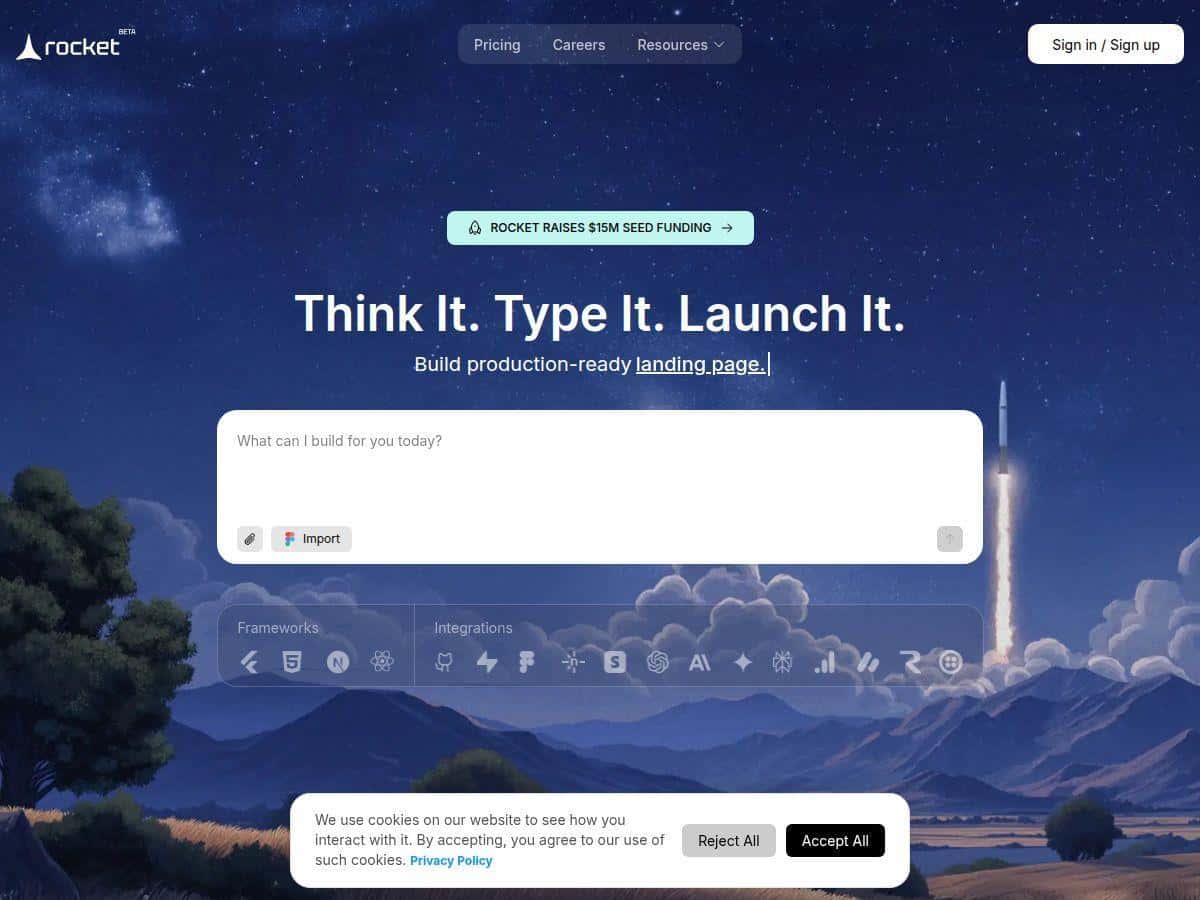
If you want to build a web or mobile app without writing code, Rocket.new is one of the tools that keeps popping up. I tested it myself, and honestly? It’s faster than I expected—but it’s not magic. You still need to think clearly about what you’re building, and some advanced “real product” workflows take a bit of nudging.
What I like most is the workflow: you describe the app in plain English, Rocket generates a full-stack prototype, and you can deploy without spending days stitching together backend + UI. The first run felt smooth. The second run exposed a couple of limits. That’s what I’m covering below.
Rocket Review: What I Built, How Fast It Was, and Where It Hit Limits
What I did in the first 12 minutes
To keep this real, I tested Rocket with a pretty typical “MVP” idea: a small app for collecting requests and turning them into tasks. I wasn’t aiming for anything super custom—just enough to see if the platform can handle a full flow (UI + backend + data + deployment).
Prompt I used (short + plain English):
“Build a simple web app called ‘RequestBox’. Users can create requests with a title, description, and priority (Low/Medium/High). Show a list of requests, allow filtering by priority, and let users update the status (New/In Progress/Done). Include a basic landing page and a clean dashboard layout. Use a database to store requests.”
Time breakdown (my rough stopwatch):
- ~2 minutes: getting the initial app generated and loading in the editor
- ~6 minutes: iterating on screens (dashboard + request creation form + status updates)
- ~4 minutes: deploying and confirming the app worked end-to-end
What worked immediately: the app came up with a functional UI, it stored request data in a backend datastore, and status updates actually persisted after refresh. That part matters. A lot of “AI app builders” can draw screens, but they don’t always wire the data correctly. This one did.
Mini case study #1: Prompt → architecture → deployed result
After the first generation, I asked for a small tweak: add a “priority” filter above the list. I kept it simple and specific.
Follow-up instruction:
“Add a priority dropdown filter to the request list. Default to showing all priorities.”
Result: the filter showed up right away and the list updated as expected. No weird “it looks right but data doesn’t change” moment. I consider that a win.
Where I could tell it was template-driven: the UI styling was consistent, but it leaned toward the platform’s default layout patterns. If you want a very custom design system, you’ll likely spend more time refining than you would in a code-first workflow.
Mini case study #2: Customization attempt (and what didn’t go perfectly)
Next, I tried something slightly more “product-ish”: I wanted role-based access (Admin vs User) with different actions. This is where no-code AI tools often stumble because it requires deeper auth logic.
Instruction I tried:
“Add authentication. Admins can change any request status. Regular users can only create requests and update their own requests.”
What I noticed: Rocket generated auth-related UI and user fields, but the permission enforcement wasn’t fully aligned on the first pass. I could still see status update controls in places I expected to be locked down for non-admins.
How I fixed it: I had to iterate on the wording and re-request the permission rules more explicitly (basically: “hide status update actions for non-admin users”). After that, the UI became more consistent. Still, this wasn’t a “set it and forget it” moment. If your app has complex authorization rules, plan on doing at least a couple of refinement cycles.
Mini case study #3: Integration setup steps (and whether it was first try)
Rocket claims integrations like Stripe and Google Analytics, so I tested a straightforward scenario: “add Stripe for paid plans” and “track page views with analytics.” I didn’t go deep into billing edge cases—just enough to see if the platform wires things correctly.
Integration request:
“Add Stripe checkout for a ‘Pro’ plan. After purchase, show a ‘Pro features’ section. Also integrate Google Analytics to track page views.”
My experience:
- Stripe: I got the payment flow UI fairly quickly, but it required manual steps on my side (connecting keys/config and verifying the redirect URL behavior). That’s not unusual—Stripe always has some setup friction.
- Google Analytics: the analytics wiring was simpler. I saw page view events fire after deployment without a bunch of extra changes.
So yeah—integrations are real, but “works first try” depends on what you’re integrating and how clean your credentials/config are.
Where Rocket is genuinely strong
- MVP speed: I went from idea to a deployed, working app in under 15 minutes with a pretty standard feature set.
- Iterative edits: follow-up instructions produced noticeable changes without me restarting everything.
- Full-stack feel: it’s not just front-end mockups—it actually connected to a backend and persisted data.
Where Rocket can frustrate you
- Complex auth + permissions: you may need multiple rounds of prompting and refinement before the UI and rules match your intent.
- Very custom workflows: if you’re building something with lots of edge cases (multi-step approvals, complex scheduling, unusual data relationships), you’ll likely hit “template boundaries.”
- Token-based iteration costs: every refinement request consumes tokens, so the more you tweak, the more usage adds up.
Key Features (and how they showed up in my test)
- Natural language to full-stack app creation: I described “RequestBox” in plain English and got working screens plus backend persistence.
- AI-powered customization and code generation: follow-ups like “add a priority filter” changed the app immediately without me rebuilding manually.
- Mobile-ready apps from a single build: the layout adapted well enough for mobile viewing during my checks (I didn’t obsess over pixel-perfect design, but it wasn’t clunky).
- Templates for quick start: the UI structure felt consistent across runs, which is great for speed, but it does mean you’re working within certain design patterns.
- Automated backend setup including databases and APIs: requests and status changes persisted after refresh—exactly what you want from an app builder.
- Easy deployment to web and mobile platforms: deployment was straightforward enough that I didn’t get stuck in a “how do I publish this?” maze.
- Integrations like Stripe and Google Analytics: analytics was smooth; Stripe needed the usual key/config setup and careful redirect behavior.
- Collaboration tools: I didn’t stress-test team workflows, but the platform is clearly built for shared iteration rather than a purely solo experience.
Pros and Cons (based on what I actually ran into)
Pros
- Fast MVP creation: I had a working prototype deployed quickly—under 15 minutes for my first simple app.
- Real data wiring: CRUD-style actions (create/update) worked and persisted properly.
- Follow-up instructions are effective: small iterations like filters and UI changes produced immediate results.
- Integrations aren’t just marketing: Google Analytics worked with minimal hassle; Stripe worked too, but with expected credential/config steps.
- Helpful for non-developers: the interface felt beginner-friendly, and I didn’t need to “translate” my idea into technical jargon.
Cons
- Authorization logic needs refinement: complex role-based behavior didn’t match my intent on the first attempt.
- Customization has limits: if you want a highly bespoke UI/logic flow, you’ll likely spend time iterating—or hit a ceiling.
- Token usage can add up: the more you iterate, the more you’ll care about your plan limits.
- Enterprise features feel less plug-and-play: advanced workflows may require more setup and guidance than the core MVP flow.
Pricing Plans (what you should expect)
Rocket.new uses a tiered subscription model. There’s a free plan that includes 1 million tokens. Paid plans start around $25/month for the Personal plan (up to 5 million tokens), and there’s a $50/month plan (the Rocket plan) with 10+ million tokens. They also offer options for higher-volume users and enterprise needs.
Because pricing and included features can change, I’d treat the official site as the source of truth before you commit—especially if you expect to do lots of iterations or long prompt chains.
Who Rocket is a good fit for
- MVPs and prototypes: you want something real you can deploy and test with users.
- Simple-to-moderate CRUD apps: dashboards, forms, filtering, status updates—this is where it shines.
- Teams that want speed: if you need to iterate quickly without waiting on developers for every small change.
Who should be cautious
- Apps with complex auth/permissions: plan on extra refinement and testing.
- Highly custom product workflows: if your app is full of edge cases, you might end up fighting the template structure.
- Very cost-sensitive teams: token-based usage can surprise you if you iterate heavily.
Wrap up
Rocket.new is a legit option if you want speed and you don’t want to start from scratch. I got a working prototype deployed quickly, and the “describe → generate → iterate” loop is genuinely usable. Just don’t expect it to handle complex, rule-heavy authorization perfectly on the first try.
My take: try Rocket if you’re building an MVP, validating an idea, or launching a small app where Stripe + analytics are “nice to have” rather than deeply custom. If your project depends on very specific auth flows or very bespoke logic, you’ll need time for testing and iteration (or you may still prefer a code-first stack).