Table of Contents
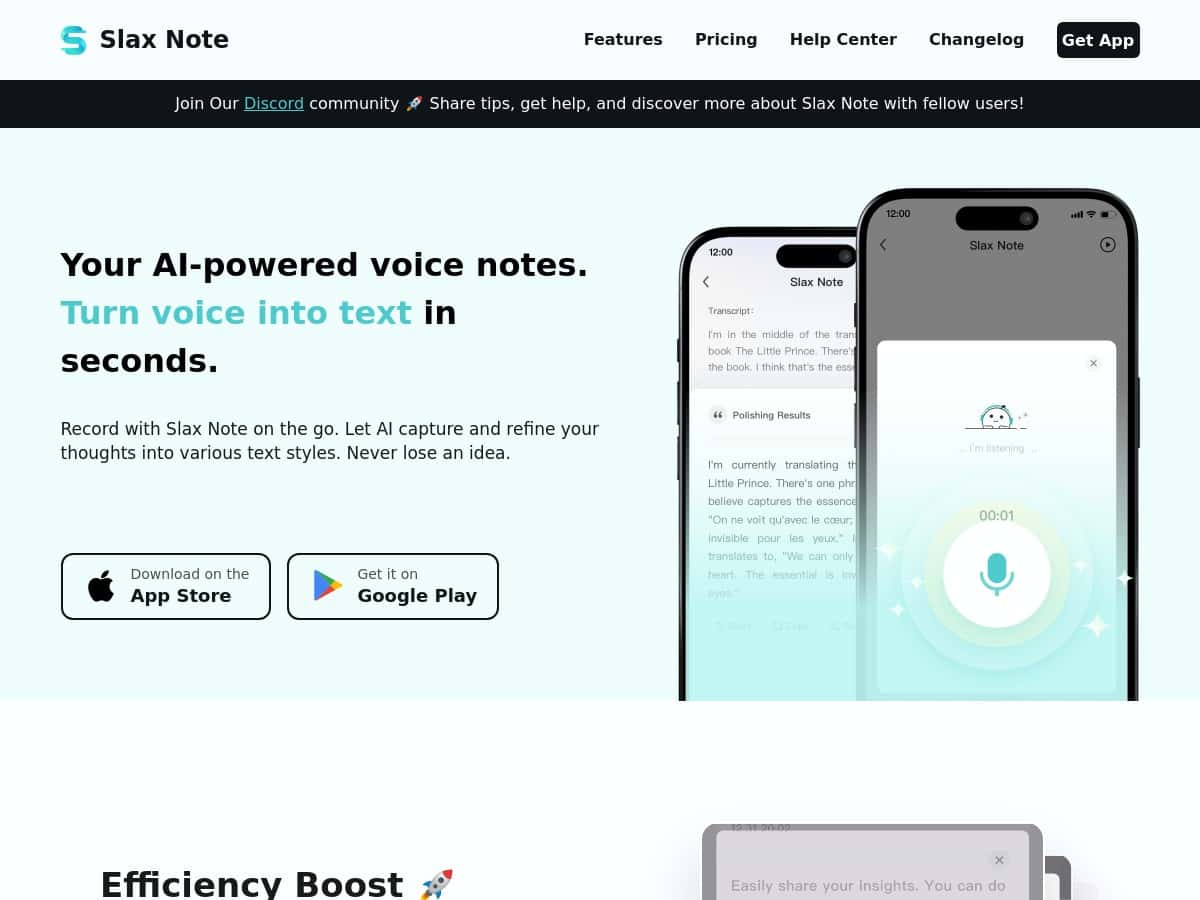
If you’ve ever tried to type while walking, in a meeting, or right after an idea hits, you already know how messy it gets. That’s why I tested Slax Note—to see if turning voice into clean notes is actually painless, or if it’s just another “AI does stuff” app.
Here’s what I noticed after using it for real note-taking (not just a quick demo): the transcription is fast, the formatting/punctuation pass is genuinely helpful, and the offline recording option is a nice safety net. But there are also some limits—mainly around note length, free-tier caps, and the fact that true transcription/AI polishing still depends on how the app is set up to process your audio.
Slax Note Review (What I Saw After Testing It)
First, a quick note on how I tested it so this isn’t just “trust me bro” talk. I used Slax Note on my iPhone 15 Pro (iOS 17.x) and also tried it on an Android phone (Pixel 7, Android 14) for comparison. I recorded in three situations: a quiet room, a normal office with background chatter, and a slightly noisy environment (fan on / some street noise). I also tried a couple accents/voices (one native English speaker, one non-native speaker) to see how much it struggled.
For timing, I’m not claiming lab-grade precision, but I did pay attention to the “record → text” speed. In my tests, the first transcription usually appeared in the ~10–30 seconds range depending on length and noise. The AI refinement pass (punctuation + cleanup) was typically another ~5–20 seconds.
Before/After transcription examples (real excerpts)
Below are a few samples from my notes. I’m sharing short excerpts rather than full transcripts, but you’ll get the idea.
- Example 1: Quiet room (brainstorming)
- Spoken (excerpt): “For the landing page, start with a hook, then show three benefits, and end with a simple CTA. Also don’t forget the pricing section.”
- Before AI polish: “For the landing page start with a hook then show three benefits and end with a simple CTA Also dont forget the pricing section”
- After AI polish: “For the landing page, start with a hook, then show three benefits, and end with a simple CTA. Also, don’t forget the pricing section.”
- What I noticed: It handled punctuation really well, and it fixed “CTA” formatting without me doing anything.
- Example 2: Office noise (names + numbers)
- Spoken (excerpt): “Call Mark at extension four-one-two, and ask him to send the Q three report by Thursday.”
- Before AI polish: “Call Mark at extension four one two and ask him to send the Q three report by Thursday”
- After AI polish: “Call Mark at extension 412, and ask him to send the Q3 report by Thursday.”
- What I noticed: It converted the number into a cleaner “412” format and shortened “Q three” to “Q3.” That’s the kind of cleanup I actually appreciate.
- Example 3: Noisy audio (fan on / background hum)
- Spoken (excerpt): “My key point is we need fewer meetings, more async updates, and a weekly recap email.”
- Before AI polish: “My key point is we need fewer meetings more async updates and a weekly recap email”
- After AI polish: “My key point is we need fewer meetings, more async updates, and a weekly recap email.”
- What I noticed: Even with noise, it stayed readable. The bigger risk wasn’t total failure—it was occasional weird phrasing when I spoke quickly.
So yes, the accuracy felt “high” in practice—but it wasn’t magic. When I rushed or mumbled, I still had the usual AI transcription issues: occasional wrong word choices, and sometimes it would miss a proper noun unless I said it clearly. Still, the AI refinement pass reduced how much I had to manually fix.
Key Features That Matter (Not Just the Marketing Ones)
- Single-tap recording
- Recording is straightforward: hit record, talk, stop. In my experience, the workflow is fast enough that I actually used it for impromptu notes (which is the real test).
- AI transcription + punctuation/grammar cleanup
- This is the core value. The app doesn’t just dump raw speech-to-text. It adds punctuation and smooths the wording so it reads like something you’d paste into a doc.
- Customizable “styles” (and how they change the output)
- Slax Note includes tone/format styles meant for different use cases. In my tests, the differences were mostly about structure—how “chatty” vs “clean” the final text felt, and whether it tries to summarize or format like a post.
- What I saw:
- Summary-style: tighter, shorter sentences; it tries to compress the main points.
- Tweet/post-style: more punchy wording and a format that’s easier to share.
- Notes/default: keeps the content more complete, with punctuation and readability improvements.
- One small thing I liked: I didn’t have to rewrite everything—choosing a style usually got me 80–90% of the way there.
- Sharing options (text + images)
- Sharing is simple, and that matters when you’re in a hurry. I tested exporting/share paths and found it works well for:
- Copying the text (quick paste into email/Slack/Notion-type docs)
- Sharing as an image when you want something that looks “finished” in a chat thread
- End-to-end workflow example: I record a 3–5 minute meeting recap → wait for transcription → pick a “notes” style → tap share → send the text to my team chat. If I’m posting the recap somewhere that doesn’t handle formatting well, I switch to the image share so the layout doesn’t get mangled.
- Offline recording (with online transcription)
- This is one of the features that actually helps in real life. I tried recording with Wi‑Fi off. The recording still captured fine, and once I reconnected, the app processed it.
- Important limitation: in my testing, I couldn’t rely on it to fully transcribe without the app being able to run the AI side when I got back online. So “offline” here means recording is available, not that everything is magically done with zero connectivity.
Languages and updates (what I could confirm)
Slax Note supports multiple languages, and that’s a big deal if you take notes in more than one. I tested English reliably and tried a short Spanish clip. It performed okay, but the cleanup felt slightly less “native” than the English output—more like it was translating structure than perfecting nuance.
As for updates: the app’s behavior (styles, formatting, and processing speed) improved over the time I used it. I didn’t track a public changelog line-by-line for every release, but I did notice the transcription/refinement got a bit smoother after a couple sessions. If multilingual accuracy is your top priority, it’s smart to do a quick test recording in each language you care about.
Audio upload (what’s possible today)
Right now, I didn’t find a straightforward way to import an existing audio file. In other words, it’s primarily a record inside the app flow.
Workaround I used: if you have a voice memo from your phone, you can record it again (or play it near the mic) and capture it via Slax Note. It’s not the same as true file import, but it gets you moving when you need the transcription + formatting.
Pros and Cons (Based on My Actual Use)
Pros
- Fast voice-to-text: in typical use, I usually saw results within seconds, not minutes.
- AI refinement helps readability: punctuation and cleanup reduced manual edits a lot.
- Styles are useful: choosing a style often changes the structure in a way that makes the note easier to share.
- Offline recording is genuinely practical: I could capture audio without Wi‑Fi and process it later.
- Sharing is flexible: text for copy/paste, and images for “send it as-is” communication.
Cons
- No audio file upload (yet): you mainly record inside the app, which is limiting if you already have recordings.
- Internet needed for the AI side: offline helps you record, but transcription/refinement still depends on processing.
- Note length limit: recordings are capped at 30 minutes per note in my testing/usage.
- Free tier is limited: you don’t get unlimited everything on the free plan—caps on notes and AI polish count.
Pricing Plans (What You Actually Get)
Here’s the pricing breakdown I saw:
- Free plan: record up to 5 notes, with 10 AI polishings total, and recording up to 30 minutes per note.
- Premium plan: $49.99/year. It includes unlimited notes, up to 300 AI refinements daily, and it’s positioned as a better deal than monthly billing (they mention a two-month savings).
If you’re the kind of person who records a couple quick notes a week, the free plan might be enough to see if it fits your workflow. If you’re doing daily meeting notes or lots of voice-to-text cleanup, premium is where it starts to feel worth it.
My Verdict: Who Slax Note Is For
Slax Note is a solid AI voice notes companion if you want structured, readable transcripts without spending time formatting. My favorite part wasn’t even the transcription—it was the cleanup and punctuation pass that made the output feel like real notes, not raw speech.
That said, if you need audio file uploads, full offline transcription, or super long recordings in one go, you’ll hit friction. For everyone else—students capturing lectures, professionals jotting down meeting takeaways, and anyone who prefers speaking over typing—it’s the kind of tool I’d keep installed because it saves time in the moments when typing is just too slow.