Table of Contents
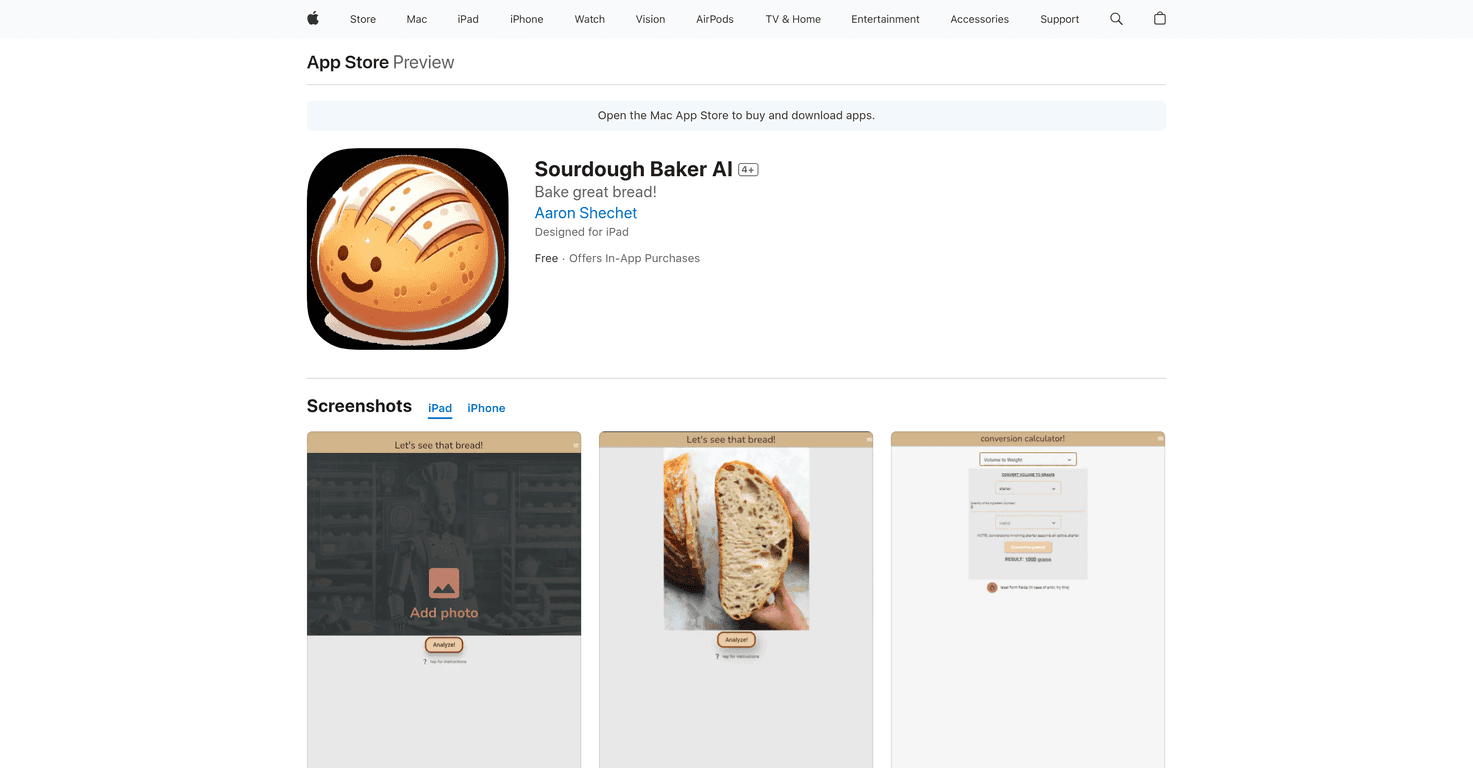
If you love sourdough but you’ve ever stared at a loaf and thought, “Okay… why is this gummy?” then Sourdough Baker AI is worth a look. I tested it with a couple of my own bakes, and the whole idea is simple: snap a photo of your bread, get feedback, and use that info to adjust next time.
One of the main things it does is an AI Bread Analysis. You upload an image, and the app responds with feedback you can actually use—things like texture, rise, and crust. It’s not magic, of course. But when you’re learning, it helps to have a second set of eyes (especially when your internal “judge” is just vibes and wishful thinking).
It also includes an Ingredient Converter. This sounds boring until you’re mid-recipe and realize you don’t want to convert everything in your head. For example, switching between grams and volume can save you from those “Wait… did I just add 200g or 200ml?” moments. I really like having that built in because sourdough tends to punish sloppy measurement.
Then there’s the part I personally care about most: recipe storage and tracking changes. The app lets you save your recipes and note modifications over time. That means you can look back and see what you changed—hydration, bake time, bulk fermentation length, flour blend—without trying to remember it a month later. And honestly, that’s how you improve. Not by luck. By keeping a trail.
Overall, the interface feels pretty straightforward. It’s aimed at beginners, but I don’t think it’s only for new bakers. If you’re already baking regularly, being able to compare your results and iterate faster is still valuable. The app is free to download, with additional features available via in-app purchases.
Sourdough Baker AI Review: What I Noticed Using It
Let me start with the biggest selling point: AI Bread Analysis. You can upload a photo of your baked sourdough, and the app tries to give feedback you can act on. When I used it, the responses were mostly focused on practical bread traits—things like whether the loaf looks under-proofed or if the crumb seems off. It’s the kind of feedback that helps you narrow down what to adjust next time.
Now, I’ll be honest: photos matter. If your loaf is shot in harsh lighting, cut at a weird angle, or you only show crust with no crumb, the analysis won’t be as helpful. But when I took a clearer photo—especially of the crumb—it felt more accurate and useful. So if you try it, don’t just snap and upload. Take 10 extra seconds and get a decent shot.
Another feature I used constantly was the Ingredient Converter. I bake with grams most of the time, but a lot of recipes I find online use cups or tablespoons. Having the conversion built in means I spend less time guessing and more time baking. It’s also helpful if you’re sharing recipes with friends who don’t want to weigh everything.
Where the app really earns its keep is recipe storage and tracking modifications. Sourdough is all about iteration. If you don’t write down what you did—hydration %, fermentation times, flour brands, bake schedule—then you’re basically repeating experiments blindly. This app makes it easier to keep those notes in one place.
Finally, the app offers tailored feedback based on bread characteristics. That part feels designed to guide you rather than just comment on your loaf. It’s like, “Here’s what this looks like, and here’s what you might try next.” That’s exactly what I want from an AI tool in baking—direction, not judgment.
Key Features That Matter (Not Just Buzzwords)
- AI Bread Analysis for feedback on baked sourdough (texture, rise, crust/crumb observations)
- Ingredient Converter so you can switch between grams and volume measurements
- Recipe Storage for keeping your personal sourdough recipes and your tweaks
- Tailored Feedback based on key bread characteristics (what to adjust next time)
- Convenient Conversions for easier measuring while you cook
- Organized Recipe Management so you can track changes instead of starting over every bake
Pros and Cons (Real Talk)
Pros
- Easy to use—it doesn’t feel overwhelming, even if you’re newer to sourdough.
- Helpful feedback—the analysis aims to point you toward improvements, not just describe what you already know.
- Free download with optional in-app purchases, so you can try it before committing.
- Useful for iteration—recipe storage and modification tracking make it easier to learn from your own results.
Cons
- Some features may be locked behind a subscription, depending on what you want to do.
- Image quality affects results—if your photo is unclear or doesn’t show enough crumb, the feedback won’t be as strong.
Pricing Plans
It’s free to download. If you want the extended features, there’s a monthly subscription for $4.99 or an annual subscription for $24.99.
Wrap up
For me, Sourdough Baker AI feels like a practical companion—especially if you’re the type who wants to improve quickly but also wants to stay organized. The AI Bread Analysis and Ingredient Converter are the fun parts, sure. But the real win is the recipe storage and change tracking. That’s what turns “I think I did something different” into actual progress. If you’re baking regularly and you like tightening up your process, it’s a solid tool to add to your sourdough routine.
Promote Sourdough Baker AI