Table of Contents
Choosing a standing desk for writing sounds simple—until you set one up and realize your keyboard feels “almost right” but your shoulders are creeping up anyway. I’ve been there. After a couple long sessions, you start noticing the little stuff: your wrists get sore, your neck tenses, and suddenly you’re not even thinking about the story anymore.
What you actually want is a desk that makes it easy to switch between sitting and standing without fighting the hardware. And you want enough space for your laptop, notes, and whatever reference pile you keep telling yourself you’ll organize later.
Below, I’ll show you exactly what to look for (with measurements you can use right away) so you can pick a standing desk that fits how writers work—not just how office workers sit.
Key Takeaways
- Get the height right: for most writers, your keyboard height should keep your elbows around 90° and wrists neutral. Check the desk’s adjustment range against your body measurements.
- Don’t ignore desk depth: if you use a laptop + notepad, I usually recommend at least 24 in (61 cm) depth. If you use a monitor arm and need room for notes, 28–30 in (71–76 cm) feels better.
- Stability matters more than “max weight”: a desk can be rated for a lot but still wobble when you type. Test for side-to-side movement and how smoothly the lock holds.
- Plan for your setup: laptop-only, laptop + monitor, or laptop + monitor + notes each needs different spacing. Measure your current workspace and aim to keep your keyboard line in the same spot.
- Electric vs manual: electric is great if you switch positions often, but manual can work if you don’t mind a slower adjustment. Either way, you need smooth motion and reliable locks.
- Look for “writer-friendly” extras: cable management that doesn’t snag your chair, a keyboard tray that doesn’t feel cramped, and monitor-arm compatibility if you’re using one.
- Smart features are only useful if they match your routine: memory presets matter if you bounce between sitting and standing multiple times a day. “App control” is nice, but it’s not a must.
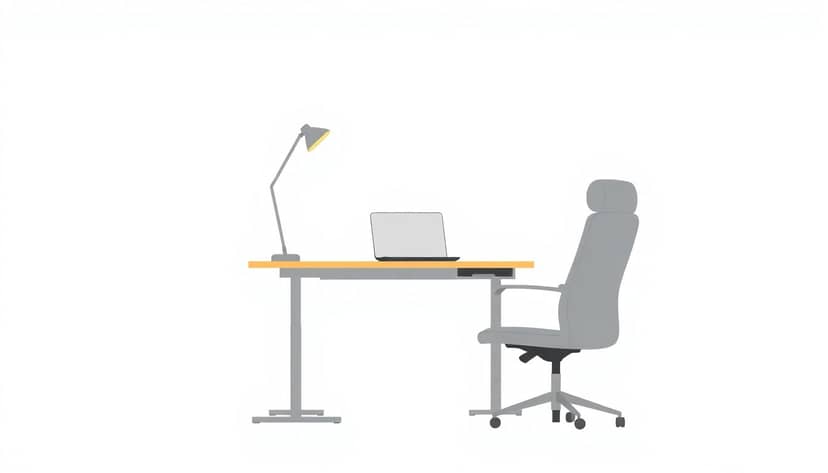
Choose the Best Standing Desk for Writers
When I’m helping friends pick a standing desk, I always start with one question: what does your writing setup look like? Because “standing desk” can mean anything from a laptop-only station to a full monitor + keyboard + notes workflow.
If you’re curious about demand, the standing desk category has been growing fast—one market-size summary puts the global standing desk market near USD 8 billion by 2025. That doesn’t tell you which desk fits you, though. You still need the right measurements and the right build quality.
For writers, a standing desk is basically an adjustable workstation that lets you switch between sitting and standing without breaking your rhythm. The “ergonomic” part matters, but so does the practical part: can you type comfortably, keep your screen at a readable height, and spread out your notes without the whole thing wobbling?
What Features Matter Most?
- Adjustability that actually reaches your height: make sure the desk’s listed min/max height range covers both your sitting and standing positions. If you’re tall or short, this is usually where cheaper desks fall apart.
- Stability you can feel: I look for a desk that doesn’t shake when I type, swivel in my chair, or rest my forearms. “Max load” numbers don’t tell you this—you have to test movement.
- Desk size for real writing: laptop + notes needs depth. If you use a monitor (especially with a monitor arm), you need more clearance so your keyboard stays in the right spot.
- Ergonomics in the small details: beveled edges so your wrists aren’t constantly bumping a sharp corner, and anti-slip surfaces so papers don’t slide when you move.
- Cable management that doesn’t annoy you: writers tend to move things around a lot—cords should stay out of the way of the chair and not tug your monitor cables.
Types of Standing Desks (and who each one fits)
- Electric sit-stand desks: best if you switch between sitting/standing frequently. In my experience, the difference isn’t just convenience—it’s that you’ll actually use the standing position when it’s one button away.
- Manual adjustable desks: usually cheaper and fine if you don’t mind taking a minute to adjust. The tradeoff: some manual desks feel less smooth and can be harder to dial in precisely.
- Fixed-height standing desks: great if you mostly stand (or mostly sit) and don’t want to think about adjustments. But for writers who like variety, it’s less flexible.
If you’re also thinking about your overall author setup, you may like this guide for authors’ workspace setups—it’s more about the broader workflow than just desk ergonomics.

How to Choose the Right Height-Adjustable Desk for Writers
Height is the whole game. If your keyboard is too high, your shoulders tense. If it’s too low, your neck compensates. I like to set up a desk using a quick measurement method first, then fine-tune once everything is in place.
Step 1: Measure your elbow height (sitting).
Sit naturally with your feet flat. Use a tape measure from the floor to your elbow (or measure to the point where your forearm naturally rests). That number is your starting target for the standing keyboard height.
Step 2: Match the desk’s range to your body.
Most desks list a min and max height (often in inches or centimeters). Compare your target standing height to that range. If your ideal standing height is outside the range, you’ll end up with an awkward posture—no amount of “adjustment tips” will fix that.
Step 3: Think about your monitor, not just your torso.
A lot of writers use a laptop and a separate keyboard. If you’re using a laptop screen at eye level, you’ll probably want a laptop stand. If you use a monitor, aim for the top of the screen roughly at eye level when you’re standing.
Step 4: Use a simple keyboard check.
When you’re typing, your elbows should be around 90° and your wrists should feel neutral (not bent up or down). If your wrists are angled, the keyboard height is off—even if the desk height looks “close.”
Step 5: Test the lock and the motion.
This is where I’ve seen desks disappoint. Some move smoothly… until you lock them. Some lock fine but wobble when you press keys. If you can test in-store, do this: raise and lower the desk a few times, then lightly push the desk surface side-to-side with your hand while standing at your normal typing spot.
Step 6: Plan for writer workflow changes.
Writers don’t sit still. You’ll switch from typing to reading, from keyboard to notes, from laptop to printed pages. A desk that supports small adjustments (or has memory presets) makes it easier to match your posture to your task.
Quick setup examples (what I’d aim for):
- Laptop-only with notes: desk depth matters more than you’d think. Aim for 24–28 in depth so your notes don’t crowd the keyboard.
- Laptop + external keyboard + monitor: make sure you can position the keyboard without reaching and that your monitor height is adjustable enough (monitor arm or stand helps).
- Monitor + keyboard + notebook spread: go bigger—28–30 in depth feels noticeably better over a long writing day.
One limitation to be upfront about: even the best standing desk won’t “solve” wrist strain if your keyboard position is wrong. It’s the combo—desk height + keyboard placement + monitor height—that makes the ergonomics work.
Top Ergonomic Features for a Writer’s Standing Desk
These are the features I actually notice after a few hours of writing—not just the ones that sound good in a product description.
- Anti-fatigue mat (seriously helpful): if you stand for more than 30–60 minutes, a mat can reduce foot and leg fatigue. I treat it like part of the desk setup, not an optional add-on.
- Beveled or rounded edges: sharp desk corners can dig into your forearm when you rest your hands between paragraphs. Bevels make a difference.
- Non-slip desktop surface: if you use paper notes, a textured or anti-slip top can stop pages from sliding when you reposition.
- Cable management that doesn’t tug: look for a cable tray, grommets, or a path that keeps cords away from the moving frame. The best systems route cables cleanly without snagging your chair.
- Monitor arm compatibility: if you plan to mount a monitor, check whether the desk supports it (and where the mount points are). Some desktops have limited mounting options, which can force awkward placements.
- Keyboard tray or secondary tier (only if it fits your keyboard): keyboard trays can be great, but I’ve seen them feel too shallow for larger keyboards. If you use a full-size keyboard or a compact mechanical one, measure first.
- Height stops/locks: you want the desk to stop confidently and hold steady. A “soft” lock that shifts a millimeter or two can throw off your typing posture over time.
- Stabilizing design: crossbars, leg spacing, and base width affect wobble. If you’ve ever tried to type on a wobbly table, you already know how annoying that is.
And here’s my favorite writer-specific detail: desk surface space for reference. It’s not just the laptop. It’s the notebook, index cards, printed outline, or a second screen. A desk that’s “technically” big enough but too narrow in practice will slow you down.
Trends and Innovations in Standing Desk Design
Standing desks keep improving. But “new features” aren’t automatically better. I pay attention to what the feature changes in real use.
Quiet motors: “quiet” is usually marketing language, so I try to verify it with specs or reviews. Some desks publish decibel ratings, but many don’t. If the listing doesn’t mention decibel levels, I rely on reviews that describe whether the motor is noticeable in an office or shared room.
Smart controls and presets: the useful part here is memory presets. If you switch between sitting and standing multiple times per day, presets let you return to your exact heights quickly. App control can be convenient, but it’s not worth prioritizing over stability and height range.
Eco-friendly materials: if you see “eco-friendly,” check what that actually means: certifications (like FSC for wood) or specific material claims. Otherwise, it’s hard to know whether you’re getting a real sustainability benefit or just a vibe.
Charging and USB ports: nice if you have a laptop dock, phone, and maybe a tablet. Just make sure the ports don’t sit where they’re hard to reach and that the cable routing stays clean.
Portable or foldable options: these can work if you write in different rooms. Still, portability often trades off stability. If you type aggressively (or use a heavy keyboard), a lighter portable desk might wobble more.
My take: trends are fine, but the “must-haves” for writers are still the basics—height range, stable frame, and enough surface depth for your actual workflow.
Where to Find the Best Standing Desks for Writers
You can find standing desks almost anywhere, but I recommend choosing a retailer based on returns and support. With desks, setup issues happen—delivery damage, missing parts, or a weird fit with your monitor arm.
Here are some places to look:
- Uplift Desk: they’re known for solid customization and commonly offer options that work well for writers (like different desktop sizes and monitor-arm-friendly layouts). If you want a more “configurable” desk, this is a brand I’d check first.
- Fully: often a good option if you’re aiming for a cleaner, premium look with sturdy builds. Their desks are frequently purchased for home offices, so you’ll find lots of real-world feedback.
- Amazon and Wayfair: great for comparing lots of models quickly. Just don’t rely on star ratings alone—scan reviews for stability complaints and for whether the desk holds position without drifting.
- Ergonomic Trends: Ergonomic Trends can be useful for comparisons and general ergonomics context.
- IKEA: if you want budget-friendly options and you’re okay with fewer “premium” features. I’d still check stability and height range carefully before buying.
What I’d do in practice: if you can, test in-store (or order from a place with an easy return policy). Push the desk lightly, raise/lower it, and check cable routing paths if the listing shows them.
Also, make sure you understand the warranty. Standing desks are mechanical. If something fails (control unit, motor, or frame alignment), a good warranty can save you real money and headaches.
FAQs
For writers, the biggest benefit is movement. Switching positions helps reduce the “stuck” feeling that builds up during long drafting or revision sessions. Many people also notice less neck and back discomfort when posture changes throughout the day.
I use a simple rule: set the desk so your keyboard position keeps your elbows around 90° when you’re typing, with wrists neutral. Then set your screen so it’s at eye level (use a monitor stand or laptop stand if needed).
Yes—if the desk is comfortable at both heights. In my experience, the “long session” test is whether you can type without wrist strain and whether the desk stays stable when you’re concentrating. Add a mat if you’ll be standing for extended stretches.
Prioritize these: a height range that fits your body, desk depth for your laptop + notes, stability when you type, and cable management that doesn’t interfere with your setup. If you use a monitor, check that it can be positioned at eye level comfortably.