LIFETIME DEAL — LIMITED TIME
Get Lifetime AccessLimited-time — price increases soon ⏳
AI Tools

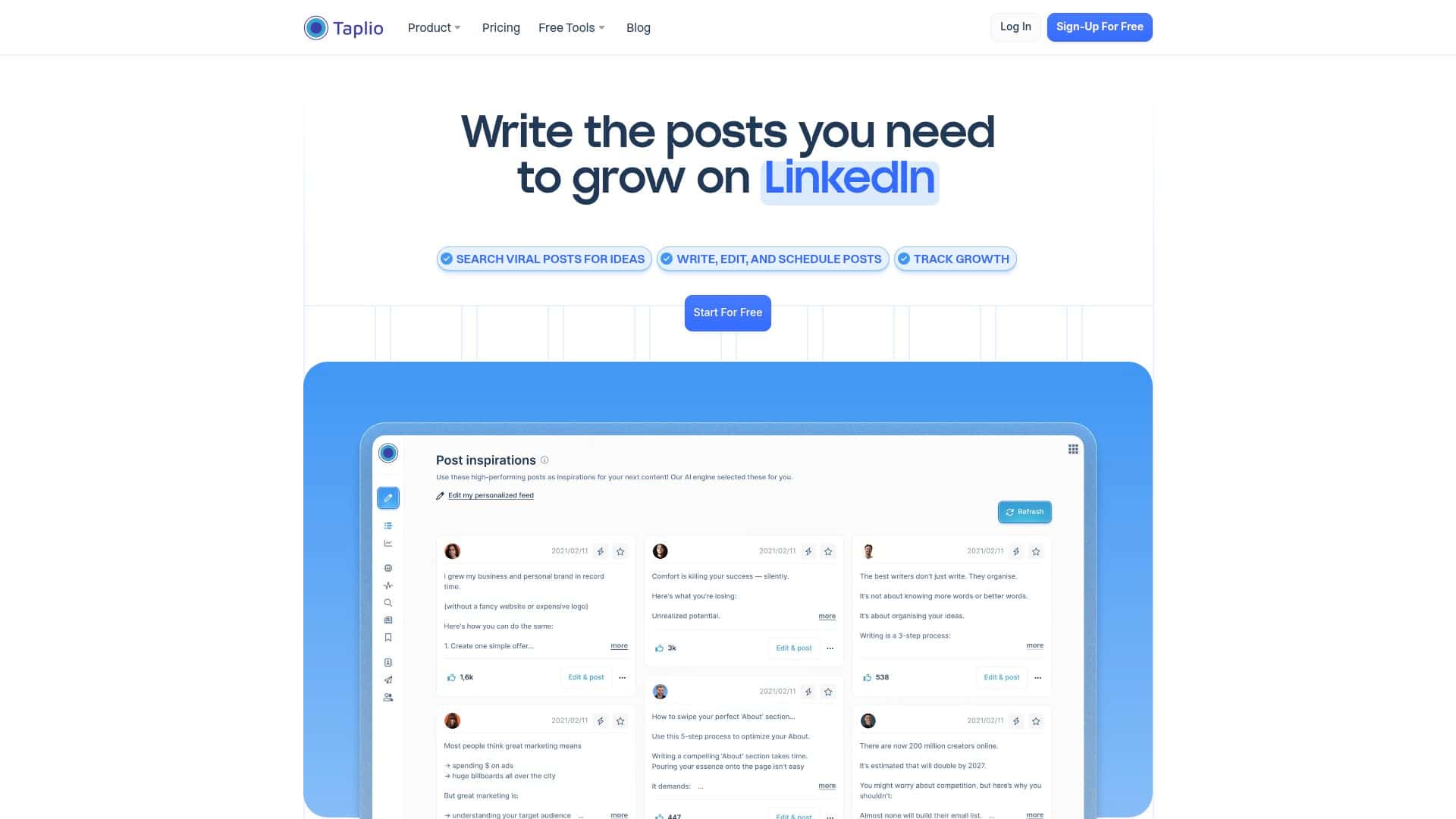
Taplio Review – Your LinkedIn Content Companion

Updated: April 20, 2026
8 min read
#Ai tool#Marketing

Table of Contents

If you’ve ever stared at a blank LinkedIn post box thinking, “I know what I should write… but I don’t know what will actually land,” you’re not alone. I’ve been there. That’s exactly why I tested Taplio—to see if it really helps you publish more consistently and (more importantly) improve results, not just output.

In this Taplio review, I’m going to walk through what I used it for, what the UI feels like day-to-day, and what metrics I actually watched change over time. I’ll also call out where it falls short, because no tool is perfect.

Table of Contents

Taplio Review: what I tested (and what I actually saw)

Here’s the setup: I’m not a massive brand with a full content team. I’m one person trying to publish consistently on LinkedIn—writing about marketing/strategy and sharing practical lessons. My goal wasn’t “go viral.” It was simpler: get more people to read, click through to my profile, and start conversations.

I used Taplio for a couple of weeks, focusing on three things:

  • Generating post drafts faster (without sounding robotic).
  • Scheduling posts so I wouldn’t constantly miss my own cadence.
  • Using analytics to figure out what to repeat vs. what to stop doing.

Before Taplio, I’d post when inspiration hit. After using it, I started posting on a more predictable schedule—and that alone helped. But the bigger win was learning from the numbers Taplio shows (not just “likes happened,” but why a post performed the way it did).

Key Features (with real examples from my workflow)

  1. AI-powered content creation (trends → drafts you can edit)
  2. This is the feature most people want, so I put it to the test. I tried prompts like:
    • “Write a LinkedIn post about why weekly shipping beats monthly perfection. Audience: founders. Tone: direct, slightly opinionated.”
    • “Turn this idea into 3 hooks: one question, one short statement, one mini-story. Topic: content repurposing.”
    • “Make this less salesy and more helpful. Keep it under 1800 characters.”
  3. What I noticed: the first draft usually gets the structure right (hook → value → takeaway). But I still had to tweak wording for my voice. Where Taplio helped was speed. I could go from “blank page” to a usable draft in minutes, then polish it instead of starting from scratch.
  4. Tip I used: I always regenerate the hook until it sounds like me. If the hook doesn’t feel right, the rest of the post won’t either.
  5. Post scheduler (planning with viral post inspiration)
  6. I liked that the scheduler isn’t just a calendar. It nudges you with post ideas based on what’s working. My process looked like this: I’d pick a topic, generate a draft, then schedule it for a time I knew my audience was active.
  7. Practical note: scheduling is only helpful if you actually commit to a cadence. I set a simple target—1 post every weekday—and used Taplio to keep the pipeline full.
  8. Carousel generator (turning ideas into slide-by-slide content)
  9. I used the carousel generator because I wanted to test whether it could save me time on formatting—not just writing. Here’s the basic flow:
    • Choose a carousel type/template (I tried “problem/solution” and “steps”).
    • Enter the topic + audience + tone.
    • Generate slide text for each card.
    • Edit the wording so each slide reads cleanly on its own.
  10. What surprised me (in a good way): it didn’t just spit out one long paragraph. It broke the content into separate slide chunks that were actually easier to turn into visuals.
  11. Before/after example: before Taplio, I’d write one long post and then manually chop it into slides. After, I started with a slide outline. I still adjusted the language, but the structure was already there.
  12. Export-wise, I aimed to use the generated text as my content base and then format it in my usual design workflow. If you’re expecting Taplio to replace your entire design tool, temper expectations.
  13. Engagement builder (helping you stay active without doom-scrolling)
  14. This part is about building momentum on LinkedIn—getting you to engage in a more systematic way. In my case, I used it to remind myself to comment and connect with relevant people instead of waiting for “someone to notice me.”
  15. It’s not magic. The best results still come from comments that sound human. But Taplio made it easier to keep the habit consistent.
  16. Analytics that go beyond basic LinkedIn stats
  17. This is where I felt the difference most. LinkedIn’s native analytics tell you what happened (views, reactions, clicks). Taplio’s analytics helped me interpret how people interacted.
  18. Specifically, I watched things like:
    • Post performance by format (plain text vs. carousels)
    • Engagement patterns (what drove comments vs. just likes)
    • Timing insights (which posting windows led to better early traction)
  19. What I changed based on it:
    • I doubled down on the hook style that produced more comments (short, direct statements).
    • I stopped posting long intros that took too long to get to the point.
    • I posted carousels on days when my plain posts had weaker click-through.
  20. Could I have figured this out manually? Sure. But Taplio made it faster to spot patterns.
  21. Chrome extension (quick stats without switching tabs constantly)
  22. I used the extension when browsing content and profiles. It’s handy because I wasn’t jumping between screens to check performance signals. If you spend time on LinkedIn daily, this saves real minutes.
  23. Lead generation (network growth with guardrails)
  24. I tried the lead generation angle more lightly, because I’m careful about outreach and platform compliance. In Taplio, the “lead gen” idea is essentially about turning your activity into targeted relationship building—finding the right people and staying on top of follow-ups.
  25. What I paid attention to:
    • What data it uses to suggest targets (mostly based on LinkedIn activity signals and your inputs)
    • How you control targeting so you’re not spamming irrelevant people
    • Whether the workflow encourages thoughtful engagement (it should)
  26. My honest take: it can help you organize outreach, but you still need to write messages/comments that don’t feel copy-pasted. If you’re expecting fully automated “spray and pray,” you’ll probably run into issues.

Pros and Cons (what I liked vs. what annoyed me)

Pros

  • Drafts are usable faster than starting from zero. The AI helps with structure and hooks, but you can still make it sound like you.
  • Analytics are actually actionable. I didn’t just look at numbers—I used them to adjust hook style and post format.
  • Scheduling makes consistency realistic. If you’re busy, having a pipeline matters more than “writing when you feel like it.”
  • Carousel generation saves time. It gives you slide-by-slide text instead of forcing you to do the chopping manually.

Cons

  • There’s a learning curve. At first, I wasted a little time figuring out where to go for the best results (especially analytics + content workflows).
  • AI can miss your exact brand voice. Sometimes it goes a bit generic or “motivational influencer.” If you don’t edit, it won’t fully sound natural.
  • AI isn’t a substitute for accuracy. I still had to fact-check claims and tighten examples so they matched my real experience.
  • Design/export expectations can be mismatched. Taplio helps generate carousel content, but you may still want your own design tool to make it look polished.

Pricing Plans (what you should look for)

Taplio offers a 7-day free trial for new users. After that, pricing depends on the plan tier.

Since pricing can change, I recommend checking the exact plan names and what’s included on the official Taplio pricing page. If you’re deciding between tiers, here’s what I’d compare:

  • How many AI generations/drafts you can produce
  • Whether carousel generation and scheduling are fully included
  • What analytics depth you get on each tier
  • Whether lead generation features are available at your level

If you want, tell me your posting frequency (e.g., 2x/week vs daily) and your main goal (personal branding, lead gen, or both). I can point you to the tier that usually makes the most sense for that setup.

Wrap up

So—should you use Taplio?

If you’re posting on LinkedIn inconsistently and you want help generating drafts, scheduling, and learning what works, Taplio is a solid choice. In my experience, the combo of content creation + analytics is what makes it worth paying for.

If you already write polished posts from scratch every time and you don’t need scheduling or analytics, you might find it more “nice to have” than essential.

Either way, don’t skip the edits. The tool gets you moving fast—but you’re the one who makes it sound like a real person.

Stefan

Stefan

Stefan is the founder of Automateed. A content creator at heart, swimming through SAAS waters, and trying to make new AI apps available to fellow entrepreneurs.

Related Posts

self-publishing affirmation cards featured image

Self-Publishing Affirmation Cards: The Ultimate 2026 Guide

Discover how to create, market, and succeed with self-publishing affirmation cards in 2026. Expert tips, top trends, and proven strategies included.

Stefan
how to ghost write a book featured image

How to Ghostwrite a Book: The Ultimate 2026 Guide

Learn how to ghostwrite a book in 2026 with our comprehensive step-by-step guide. Discover expert tips, workflows, pricing, and how to build your ghostwriting career.

Stefan
plr simple reviews featured image

PLR Simple Reviews: Best Sites & Tips for 2026

Discover the top PLR sites, expert tips, and industry trends for 2026. Learn how to find high-quality PLR and maximize your resale profits today!

Stefan

Create Your AI Book in 10 Minutes