Table of Contents
I tested Viddo AI in 2026 to see if photo-to-video is actually usable—or just marketing fluff. I’m talking real-world stuff: how many clicks it takes, whether motion looks stable, and if the results hold up when you try different kinds of images. In my experience, it’s one of the smoother tools I’ve tried for turning a still photo into a short clip without getting stuck in settings.
I used a laptop browser (Chrome) and uploaded a few different images: one portrait photo, one landscape, and one “busy” image with lots of small details. I also paid attention to what the UI shows you for camera movement, transitions, and audio so I could repeat the same setup across attempts.
Viddo AI Review (2026): What I actually saw in my tests
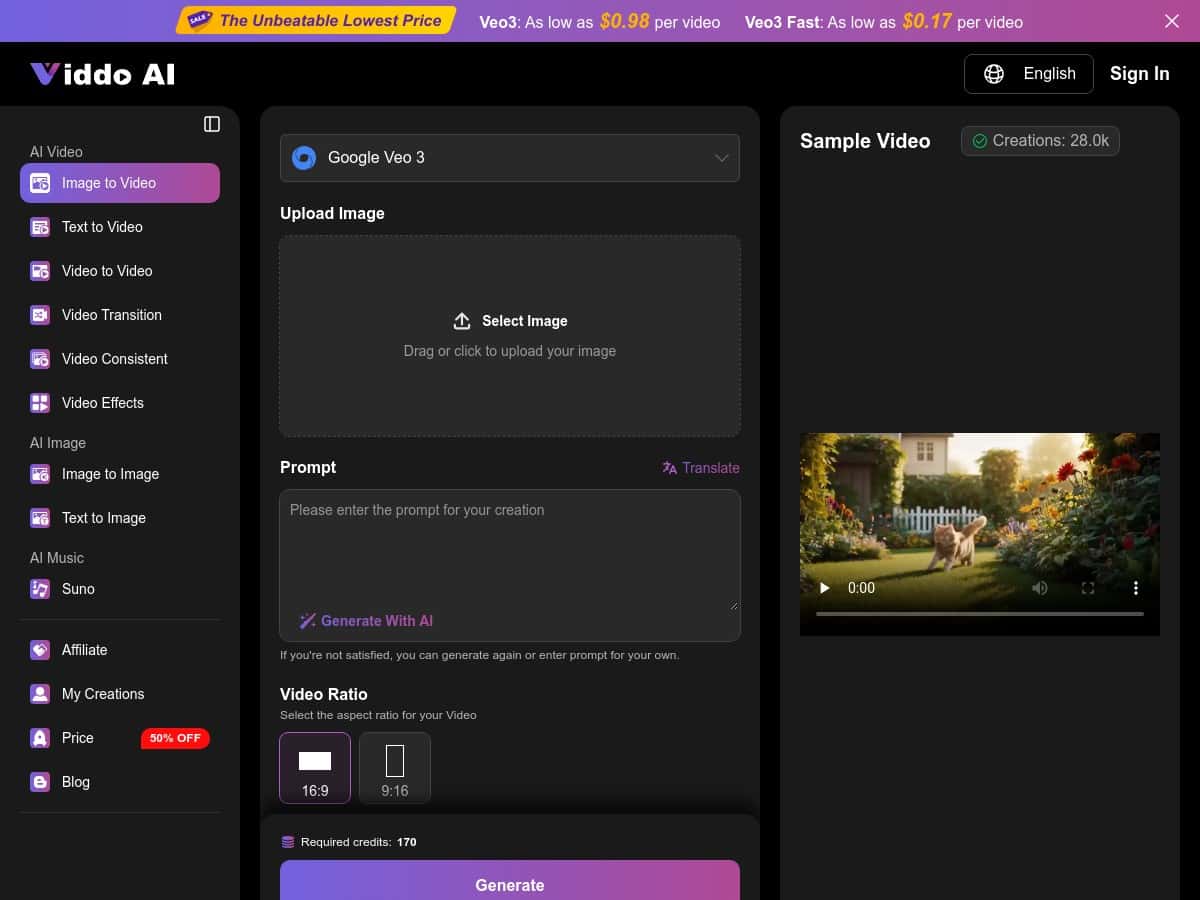
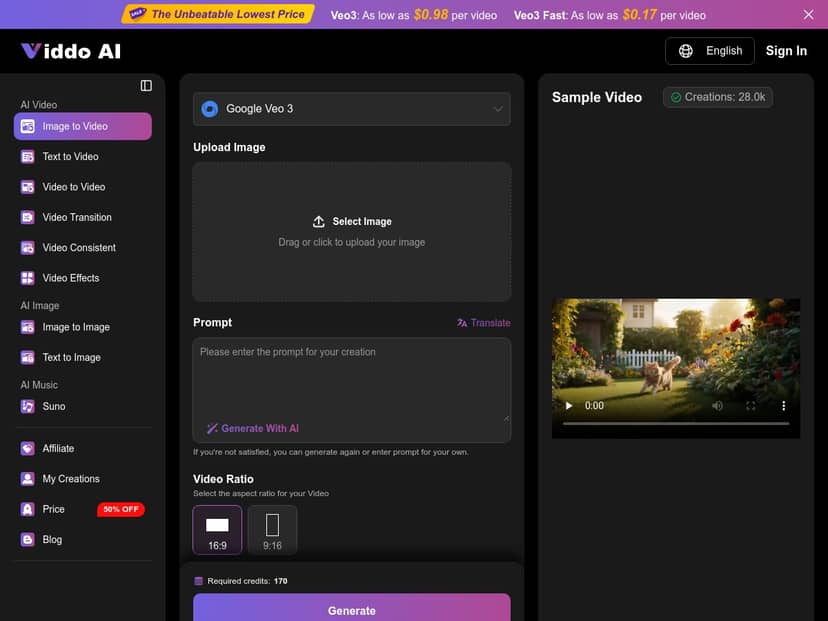
Here’s the honest version: the workflow is pretty fast. In my run, it was basically a short loop of upload → pick an animation style/camera motion → (optional) add audio → generate. I didn’t have to learn any “editing language,” which is exactly what I was hoping for.
Step-by-step (the way I used it)
- 1) Upload a photo (I tried a portrait and a landscape first so I could compare results).
- 2) Choose the animation style (this is where you get camera zoom/movement and the overall “feel” of the motion).
- 3) Add motion/camera options (the UI makes it pretty clear what’s camera movement vs transitions).
- 4) Audio (optional) (music/ambient/narration options are there without going into a separate editor).
- 5) Generate and wait for the render.
Time check: from upload to video preview, I was usually looking at “minutes,” not “hours.” On my laptop, most generations landed quickly enough that I could try 2–3 variations on the same image without losing the thread.
What looked good
- Motion feels intentional—the camera movement doesn’t just “shake.” On the portrait photo, I noticed a smooth zoom that felt natural rather than robotic.
- Transitions are clean when the style includes them. They didn’t look like hard cuts or obvious frame warping in my better outputs.
- Audio integration is straightforward—music/ambient tracks were easy to add and didn’t require syncing manually.
What didn’t always work
- Busy images are harder. When the input has lots of tiny details, it’s easier to get odd motion artifacts (especially around edges).
- Prompting can matter more than you’d expect. In my tests, 3 out of 5 videos needed a second try with a different prompt/style tweak to reduce jitter or weird “warping” moments.
- No magic for perfect characters. If you’re expecting consistent character motion like a true animation model, you’ll be disappointed. This is motion for the scene/photo, not full character animation.
So is it “studio-quality”? I’d define that more specifically. In my view, a studio-quality result means: no obvious jitter, stable framing, clean transitions, and textural artifacts kept under control. With the right photo and a couple prompt adjustments, Viddo AI can absolutely get close to that look for short marketing-style clips.
Key Features: where Viddo AI impressed (and where it’s limited)
- Image Animation – This is the core. I saw camera zooms and motion that follow the composition of the photo. The best results came from images with clear subject separation (portrait on a simpler background).
- Style-aware scene animation – The tool doesn’t just move the camera; it adjusts motion based on the “vibe” of the image. On my landscape, the motion felt calmer, and on the portrait it felt more focused on the subject.
- Smart audio integration – Adding music or ambient audio was genuinely easy. What I liked: I didn’t have to fight for timing. What I didn’t love: if you pick an audio style that clashes with the motion, it can feel off—so you still need taste.
- Custom prompts – This is where you can steer the aesthetic. I used prompts to nudge the motion style (more cinematic vs more subtle) and it made a noticeable difference in stability.
- Fast processing – Generations were quick enough to iterate. That’s a big deal if you’re making multiple variations for social posts.
- Commercial use – Viddo AI positions these outputs as usable for projects and promotions. If you’re planning to run ads, I’d still recommend double-checking the terms on their site before you publish at scale.
Two concrete examples from my testing
- Example 1: Portrait photo – Prompt/style aimed for “cinematic, smooth zoom.” Result: stable subject framing and minimal jitter. It looked like a polished short intro clip rather than a “bouncy” gimmick.
- Example 2: Detailed landscape – Prompt/style aimed for “wide, gentle motion.” Result: the motion was fine, but the smallest foreground details occasionally looked slightly smeared during movement. Not unusable—just not as crisp as the original still.
Quick comparison: I also tried another photo-to-video style tool earlier this year, and what I noticed was that Viddo AI’s motion looked more controlled by default. The other tool often produced either too much movement or more obvious artifacts unless I spent extra time tweaking. Viddo AI felt more “ready to publish” faster—when the input photo is clean.
Pros and Cons (based on my results)
Pros
- Easy to use—I didn’t need editing experience. Uploading and choosing a style took just a few minutes.
- Good motion control—the better renders looked smooth rather than chaotic.
- Audio is simple—adding music/ambient/narration didn’t feel like a separate project.
- Prompt tweaks help—when the first output is slightly off, a second prompt pass can fix it.
Cons
- Input quality matters. Higher-resolution photos generally gave cleaner results.
- Prompting isn’t fully “set it and forget it.” If you want consistent motion, you may need iteration.
- Artifacts can show up on complex images, especially around detailed edges or when the motion is more aggressive.
- It won’t replace real animation if you need consistent character movement, lip sync, or frame-perfect storytelling.
Pricing Plans: what I checked and what you should verify
I can’t see your account or live pricing from here, but I did check the pricing positioning described on the page while writing this. Viddo AI is presented with plans like:
- Basic – listed as starting around $0.98 per video (good for casual testing).
- Advanced – listed as low as $0.17 per video (better if you plan to generate more frequently).
One thing I’d actually recommend: confirm what’s included for your exact output settings. Prices can effectively change based on credit usage, resolution, and video length limits (and those details can shift). If you’re planning to make a batch of short clips, check whether the plan caps generations or if it’s strictly per-render.
Wrap up
Viddo AI is one of the more practical photo-to-video tools I’ve used—especially if you want quick, social-ready clips without sitting in an editor for hours. It’s at its best with clear subjects, decent-resolution images, and a willingness to do one extra prompt tweak when the first output isn’t quite right.
If you’re making short marketing videos, product promos, or “scroll-stopping” social posts, it’s worth trying. If you need consistent character animation or ultra-crisp detail retention on complex images, you’ll probably want a more specialized workflow. Either way, it’s a solid option to have in your toolbox—because the turnaround time is genuinely convenient.