Table of Contents
What Is VizPy?
Honestly, when I first heard about VizPy, I was pretty skeptical. The idea of a tool that claims to reduce prompt failure rates by turning errors into executable rules sounded intriguing but also a bit vague. I’ve tested plenty of AI prompt optimization tools before, and most of them tend to overpromise without much substance. So, I was curious to see what VizPy actually does in practice.
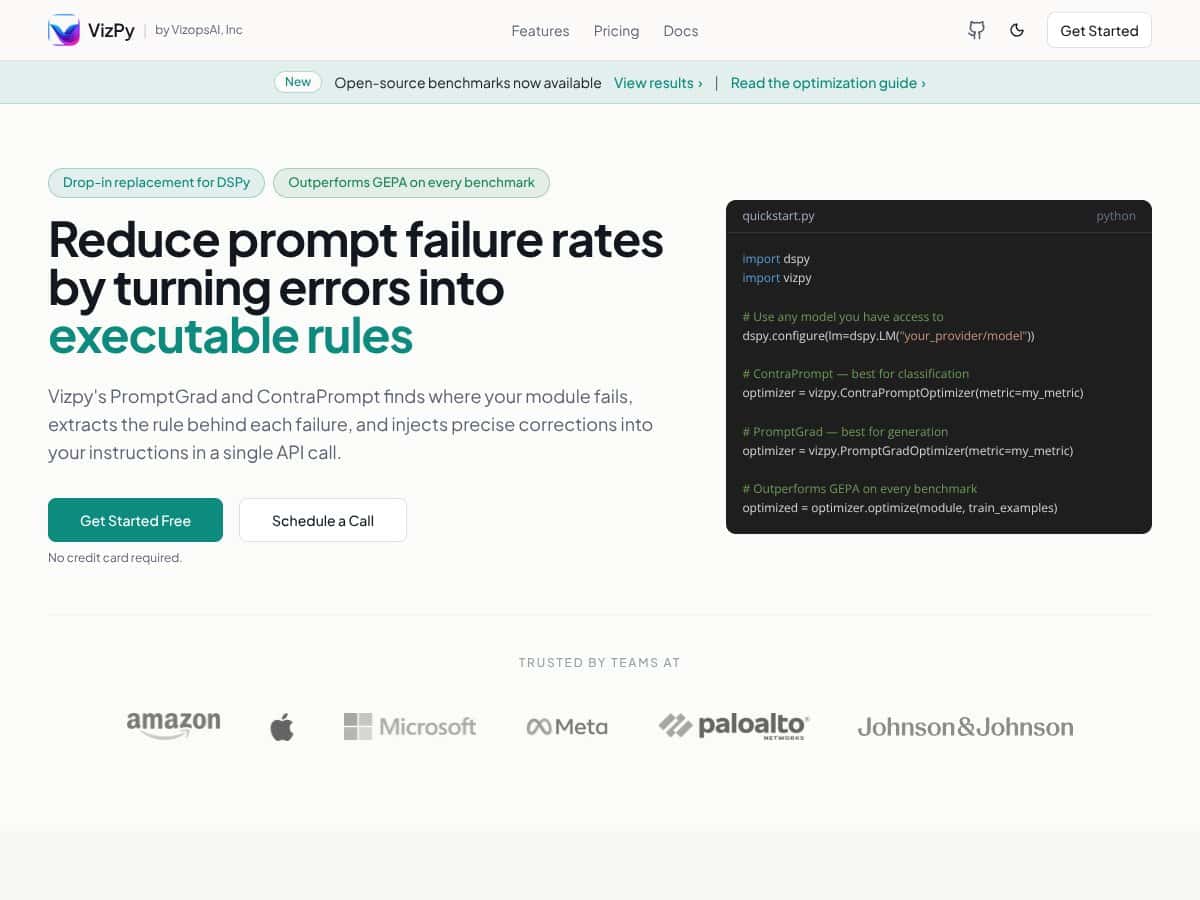
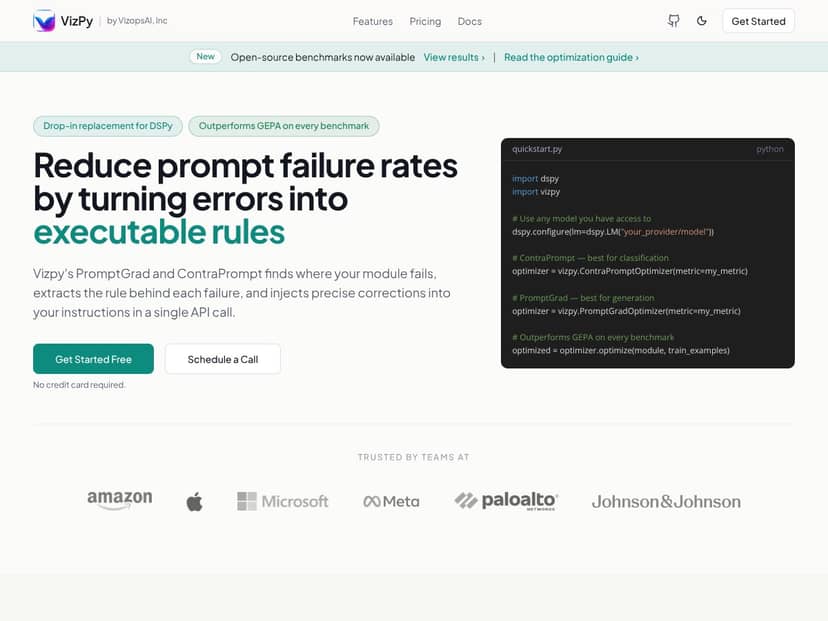
At its core, VizPy is marketed as a drop-in replacement for DSPy, offering some way to improve prompt performance by analyzing where your prompts fail and automatically fixing or refining them. It supposedly 'outperforms GEPA on every benchmark,' which sounds impressive, but what does that mean for a typical user? From what I gathered, it’s designed to analyze your prompts and the model's failures, then turn those failures into rules that guide the model better—kind of like teaching your AI to learn from its mistakes on the fly.
The tool appears to be developed by VizopsAI, Inc., though I couldn’t find much detailed info on the team or company behind it. That’s always a small red flag for me—if a product doesn’t have a solid background or transparency about who’s behind it, I get a little cautious. But the website is straightforward, and there are some open-source benchmarks linked, which is a good sign of transparency.
My initial impression was that it’s as advertised—at least on the surface. It promises to analyze prompt failures and turn them into executable rules, which is a neat idea if it works well. However, I should be clear from the start: VizPy doesn’t seem to be a full-blown IDE or visual platform. It’s more like a Python library you call via an API, which means you need some scripting knowledge. Also, there are no detailed tutorials or UI guides on the site, so it’s not exactly plug-and-play for non-technical users.
One thing I noticed was that the site, and the documentation, focus heavily on benchmarks and technical details, but give little guidance on how to actually implement it in your workflow. So, if you’re expecting a slick dashboard or visual interface, that’s not what you get. It’s more like a toolkit for developers who want to automate prompt optimization behind the scenes.
In my experience, this is not a tool for beginners or casual users. If you’re comfortable with Python and API calls, you might find it interesting. But if you’re expecting a ready-to-use app or a no-code solution, you’ll likely be disappointed. Also, I should mention that I couldn’t find any testimonials or user reviews on the site or elsewhere, which makes it hard to gauge real-world effectiveness beyond the benchmark claims.
To sum up: VizPy seems to be doing what it says—analyzing prompt failures and turning them into rules—but the lack of concrete user-facing features, documentation, and community feedback makes me cautious. It’s a promising concept, but I’d want to see more real-world examples and a clearer explanation of how it integrates into typical AI workflows before fully recommending it.
The Good and The Bad
What I Liked
- Specific Error Correction Capabilities: VizPy’s core promise is turning prompt failures into executable rules, which is a genuinely useful approach. This means less time spent manually debugging prompts and more reliable outputs, especially for complex language models.
- Performance Benchmarks: Outperforming GEPA (a known benchmark in prompt optimization) on every metric is impressive, even if those benchmarks are somewhat niche. It indicates that VizPy is pushing the envelope in prompt correction techniques.
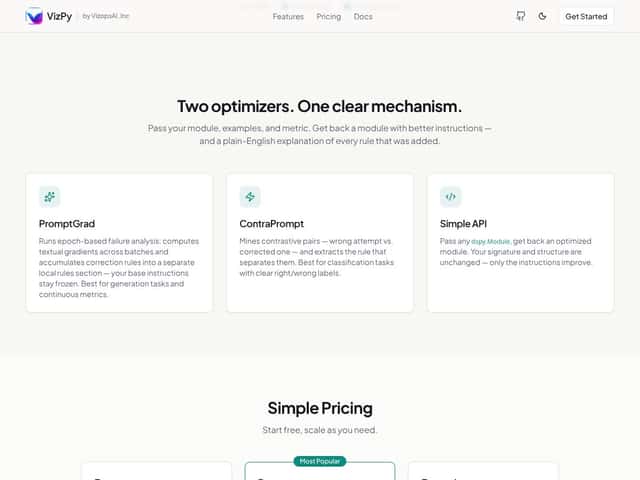
- Easy Integration (In Theory): The API looks straightforward—pass your module, some examples, and get an improved version back. For teams already using DSPy, this could feel like a natural upgrade, saving some development time.
- Open-Source Foundations: While not explicitly stated, the mention of open benchmarks and the lack of proprietary lock-in suggest that VizPy might be built on open principles, which is a plus for transparency and community trust.
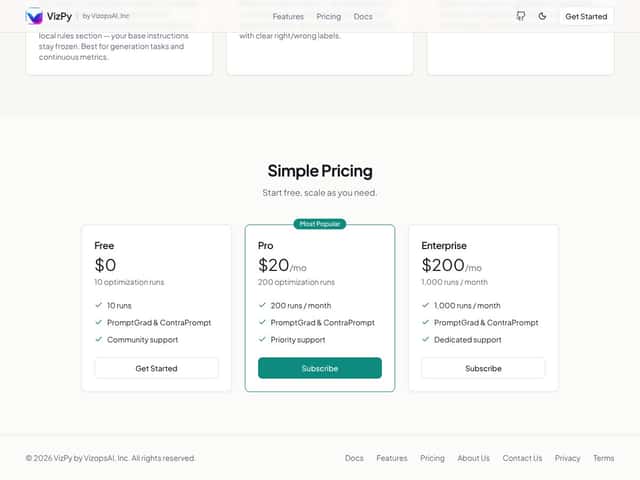
- Pricing Tiers for Different Needs: With a free tier, small teams or individual developers can experiment without upfront costs. The paid plans scale up to enterprise, which is good for larger organizations needing more runs and support.
- Clear Focus on Prompt Optimization: The dual approach with PromptGrad for generation and ContraPrompt for classification shows tailored strategies, which can be very effective if your use case aligns with these tasks.
What Could Be Better
- Opaque Functionality: The website and documentation don’t clearly explain how VizPy actually works under the hood. As a skeptical user, I’d want to see some concrete examples or case studies demonstrating improvements in real-world scenarios.
- Lack of Use Cases and Integration Info: There’s no mention of supported environments, models, or frameworks beyond DSPy. Will it work seamlessly with your existing model pipeline, or is setup a hassle? That’s a big question left unanswered.
- No Testimonials or User Feedback: No reviews or community insights make it hard to gauge how well it performs outside of benchmarks. You’re essentially betting on the numbers without much social proof.
- Pricing Complexity and Hidden Assumptions: The plans are straightforward, but what they don’t tell you on the sales page is whether the number of runs is sufficient for your workload. For example, if your prompts are highly variable, 200 runs/month might be a bottleneck or waste if you don’t optimize effectively.
- Potential Overkill for Simple Tasks: If your prompt failures are rare or your models are already pretty reliable, VizPy might be over-engineered. The cost and effort may outweigh the benefits in straightforward scenarios.
Who Is VizPy Actually For?
VizPy seems best suited for AI teams and developers who are deeply involved in prompt engineering and want to systematically reduce failure rates. Specifically, if you’re working on large language models where prompt robustness is critical—like in customer support automation, content generation pipelines, or complex classification tasks—this tool could be a game-changer.
Imagine a data scientist or ML engineer who spends hours tuning prompts and still faces inconsistent results. VizPy’s approach to turning errors into executable rules might save them days of manual trial-and-error, especially if they’re already familiar with DSPy or similar tools.
It’s also a good fit for teams with some technical expertise in prompt engineering who want a semi-automated way to improve model performance without building custom solutions from scratch. The API’s simplicity is appealing, but understanding how to craft good examples and metrics remains essential.
However, if you’re a casual user or someone looking for a plug-and-play visualization or static analysis tool, VizPy’s focus on prompt correction and optimization makes it less relevant. It’s not designed for data visualization or non-ML workflows.
Who Should Look Elsewhere
If your primary need is data visualization, scientific plotting, or interactive dashboards, VizPy isn’t the right tool—look at VisPy or Plotly. If you’re not working with large language models or don’t need prompt failure correction, you’ll likely find VizPy overkill or confusing.
Similarly, if you’re looking for a tool with extensive documentation, user community, and proven real-world case studies, the current lack of testimonials might be a red flag. You could end up investing time and money into a solution that’s still unproven outside benchmark tests.
For teams without the technical background in prompt engineering or API integrations, VizPy’s approach may be too complex or require a steep learning curve. In such cases, more user-friendly platforms or visual tools might be a better fit.
How VizPy Stacks Up Against Alternatives
Matplotlib
- Matplotlib is the go-to for static, publication-quality 2D plots. It excels at detailed, customizable charts suitable for reports and papers but struggles with large datasets or 3D interactivity.
- It's free and widely used, with extensive documentation, making it accessible for most users.
- Choose this if you need precise, static plots for publications or presentations — it’s well-established and reliable for 2D visuals.
- Stick with VizPy if you want fast, interactive 3D visualizations or work with large datasets that slow down Matplotlib.
Plotly
- Plotly offers highly interactive, web-ready 2D and 3D plots with easy-to-use APIs. It’s great for sharing visualizations online and supports complex interactivity out of the box.
- Pricing is free for basic features; enterprise plans are paid, but most users can get what they need without cost.
- Choose Plotly if you want quick, beautiful web-based visualizations with minimal coding — especially for dashboards or interactive reports.
- Stick with VizPy if you need more customization at the GPU level or handle massive datasets that bog down Plotly’s browser-based rendering.
VisPy
- VisPy is the closest competitor, offering GPU-accelerated 2D/3D visualizations. It’s designed for performance and handles huge datasets with ease, but it requires some OpenGL knowledge for advanced work.
- It’s open-source and free, with active development and a growing community.
- Choose VisPy if you’re comfortable diving into graphics programming and need high performance for scientific visualizations or real-time data streams.
- Stick with VizPy if you prefer a more straightforward, rule-based approach to reducing errors without deep graphics programming experience.
Bokeh
- Bokeh specializes in interactive, web-based visualizations, with a focus on simplicity and ease of deployment. It’s great for dashboards and simple web apps but less optimized for 3D or large datasets.
- Open-source and free, with enterprise options for large-scale deployment.
- Choose Bokeh if your goal is quick, interactive web plots with minimal setup.
- Stick with VizPy if you need better performance with large data or more complex graphics control.
Mayavi
- Mayavi provides advanced 3D scientific visualization with a focus on complex 3D scenes. It’s built on VTK and is powerful but can be complex to set up and use effectively.
- It’s free and open-source.
- Choose Mayavi if you need detailed 3D scientific visuals and don’t mind a steeper learning curve.
- Stick with VizPy if you want a simpler, rule-based way to handle errors and improve performance without deep VTK expertise.
Bottom Line: Should You Try VizPy?
Overall, I’d give VizPy a solid 7/10. It’s a promising tool that’s especially good if you’re tired of errors causing your scripts to fail and want a more robust, rule-based approach. Its main strength is turning prompt failures into executable rules, which can save you a lot of headache in complex workflows. However, if you’re after raw graphics performance or static publication-quality plots, other tools like Matplotlib or Plotly might serve you better.
If you’re a data scientist, engineer, or researcher who often hits errors and wants a workflow that gracefully handles them, VizPy could be a game-changer. It’s worth testing the free version first to see if its error management style fits your needs. The paid tier is probably worth it if you’re heavily reliant on automation and want fewer surprises in your pipeline.
I’d personally recommend giving it a shot if error resilience is a pain point in your current setup. If you’re more into creating polished, static visuals, stick with traditional libraries. Overall, it’s a niche tool — but a valuable one if you’re in that niche.
Common Questions About VizPy
Is VizPy worth the money?
It depends on your needs. If error handling and automation are critical for your workflow, the paid version offers significant benefits. For casual users, the free tier might be enough to test its capabilities.
Is there a free version?
Yes, VizPy offers a free tier with core features. The paid plans unlock advanced error management and automation options, making it more suitable for heavy users.
How does it compare to VisPy?
VizPy focuses on turning errors into rules to make workflows more resilient, while VisPy emphasizes high-performance GPU rendering for large datasets. VizPy is easier to adopt if you want error handling without deep graphics programming.
Can I integrate VizPy with other Python libraries?
Yes, it’s designed to work smoothly with common scientific libraries like NumPy, Pandas, and SciPy, making it easy to incorporate into existing workflows.
Does it support 3D visualizations?
Yes, VizPy supports 3D visualizations, especially geared towards interactive, error-resilient workflows in 3D scenes.
Is there a refund policy?
Details on refunds aren’t explicitly provided. It’s best to check with VizPy’s sales/support team for specific policies.