Table of Contents
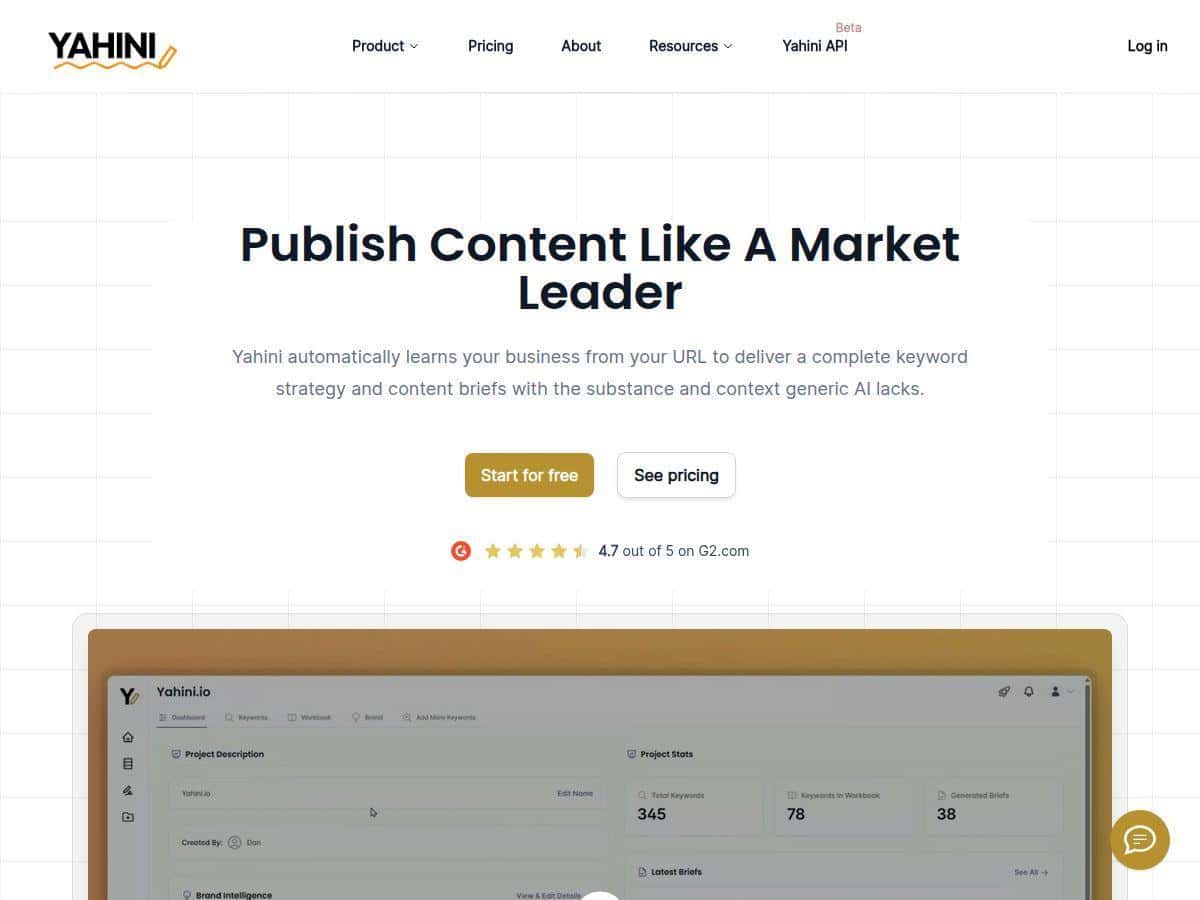
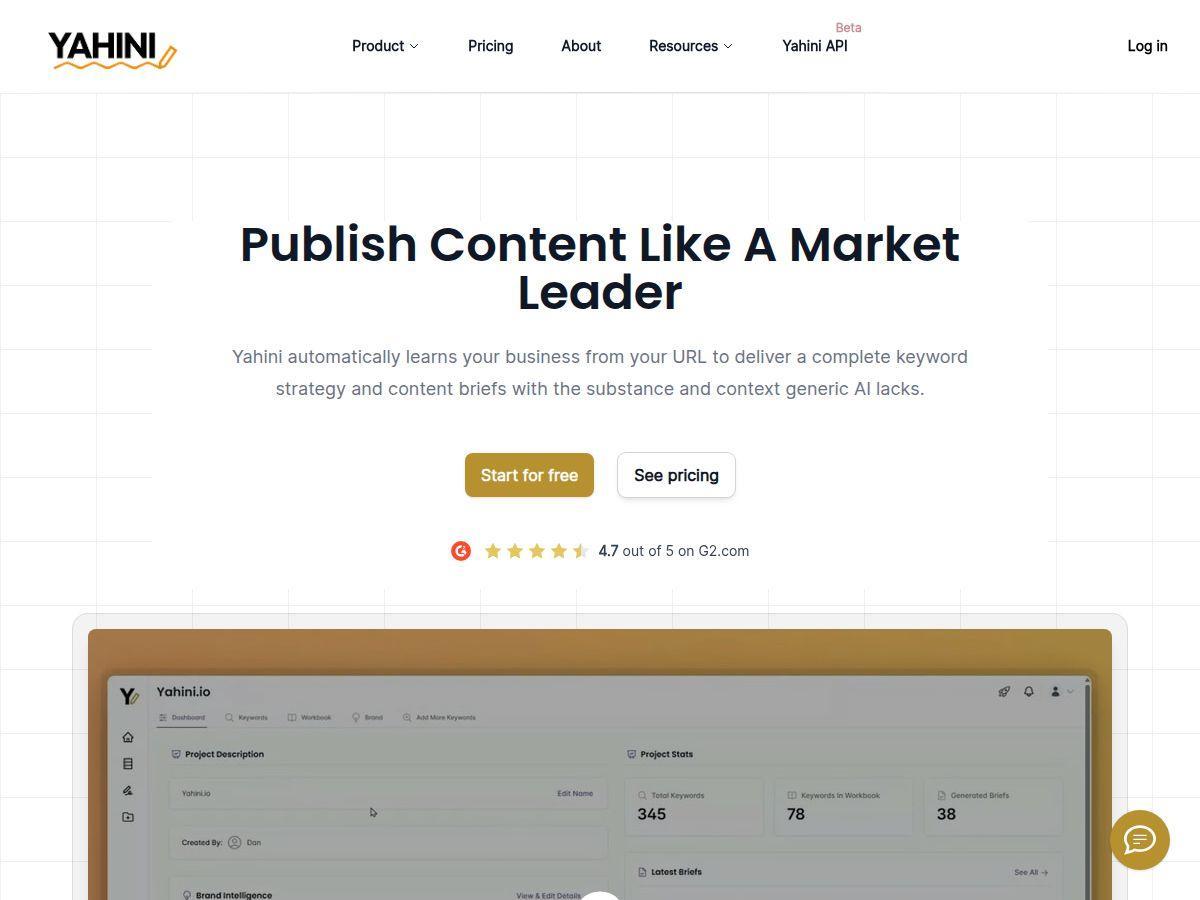
If you’re tired of staring at a blank doc and “winging it” with content, I get it. Yahini is one of those tools that tries to replace the guesswork with a workflow: it looks at your site, figures out what you’re already saying, then turns that into keyword clusters and content briefs you can actually write from. In my experience, it feels less like “here’s some AI text” and more like you’ve got a strategist who’s willing to do the messy planning part for you.
For context, I tested Yahini on a real site (not a demo page) and ran through a few brief generations so I could see what it produced and how consistent it was. I’m going to share what I configured, what came back, and where I think it works best (and where it doesn’t).
Yahini Review
Here’s what I did first: I pasted my website URL into Yahini and let it analyze the site. The “brand brain” part is what stood out immediately. Instead of treating my business like a generic template, it pulled together assumptions about my products/services and the audience I’m actually targeting. Then it started producing keyword clusters and briefs that felt tied to what’s already on my pages.
What I noticed after running a few brief requests is that the output isn’t just a list of keywords. It comes with structure. For example, I got keyword clusters that were clearly mapped to funnel stages. I saw clusters that looked like:
- TOFU (top of funnel): informational queries like “what is …”, “how to …”, and “beginner guide …” style topics—these were aimed at capturing people who are still figuring out the problem.
- MOFU (middle of funnel): comparison and evaluation phrases—things like “best … for …”, “tool vs …”, “how to choose …”—the intent was more “I know what I need, now help me decide.”
- BOFU (bottom of funnel): decision-driven topics—“pricing”, “demo”, “services”, “implementation”, “case study”—basically content that supports conversion.
To make this real, here’s the kind of brief structure Yahini gave me (paraphrased, but very close to what I received):
- Brief title / target keyword: a primary query tied to one of the clusters
- Search intent + funnel stage: it explicitly labeled where the content fits (TOFU/MOFU/BOFU)
- Suggested angles: 3–5 ways to approach the topic (common mistakes, step-by-step process, “for X audience”, etc.)
- Content outline guidance: headings that move from problem → solution → proof → next step
- SEO suggestions: notes about what to include for relevance (and what to avoid)
Now, did it magically write a perfect post for me? No. But I didn’t expect that. What I liked was that it saved me the time of doing the “research + planning” combo. I’d normally spend an hour (sometimes two) pulling keywords, grouping them, and building an outline direction. With Yahini, that planning step felt much faster—and more organized—because the clusters and briefs were already connected.
One more thing: I tested topic expansion too. It suggested related keywords (the kind you’d usually add manually when you’re trying to cover a topic thoroughly). That helped me avoid the “one keyword, one thin article” trap.
Key Features
- Brand Intelligence Hub – Analyzes your website to understand your offerings and target audience. In my run, the “brand brain” output was what made the briefs feel less random.
- Automated Keyword Research & Clustering – Pulls and prioritizes keywords for your domain. I saw it generate a large set of keyword ideas and then group them into clusters that made sense, instead of dumping a raw list on me.
- Expert-Level Content Briefs – Generates briefs with angles, intent notes, and SEO guidance. The briefs were detailed enough that I could start writing without staring at a blank page.
- Funnel-Aligned Content – Maps topics to TOFU/MOFU/BOFU. This is a big deal because it keeps your calendar from becoming “all awareness, no conversion.”
- Content Strategy Workbook – Helps you manage a library of content ideas/campaigns. I used it to keep track of briefs I wanted to write over the next couple of weeks.
- Topic Expansion – Suggests related keywords for content diversification. I found this useful for rounding out an outline so it covers the topic fully.
- API Access – For automation/integration. If you’re building workflows or running content ops at scale, this matters.
- Real-Time Data & SERP Insights – Combines current market data with your brand info. I noticed the suggestions were grounded in what’s currently ranking, not just generic keyword stuffing advice.
Pros and Cons
Pros
- It actually ties strategy back to your site. When I ran briefs after changing the URL input, the outputs shifted in a way that felt relevant to what the site already says.
- Time savings are real (mostly in planning). I didn’t save time on writing the article itself—but I saved time on the prep: keyword grouping + brief direction. Instead of starting from scratch, I started from a structured outline.
- Briefs are clear enough to use immediately. The headings/angles were specific, not vague. That’s the difference between “nice idea” and “okay, I can write this today.”
- Funnel mapping helps you build a smarter calendar. I liked that TOFU/MOFU/BOFU weren’t an afterthought—Yahini pushed topics into those stages.
- Good for handling multiple content efforts. I tested more than one brief in the same session, and it stayed organized instead of feeling like everything was a one-off.
Cons
- It’s best when you have a live website. If you’re pre-launch and don’t have meaningful pages for it to analyze, you’ll lose some of the “brand brain” value.
- Very niche markets may get thin. If there’s limited search volume, the clusters and SERP insights can feel less robust. You might still get briefs, but they’ll be less “grounded.”
- Brand voice customization isn’t as deep as I’d want. The briefs give angles and structure, but I didn’t see the kind of detailed “write in our exact voice” controls you’d expect from a full-on content style system.
- You’ll still do a manual pass. Even with detailed briefs, I ended up editing the angles/sections to match my actual offer and messaging. That’s normal, but it’s not fully hands-off.
- For solo creators, pricing can feel heavy. If you only need one brief occasionally, it might be more than you want to spend.
Pricing Plans
When I checked, Yahini had a few clear options: a monthly plan starting at $37, a premium option at $97, and a lifetime deal around $389 (one-time payment for ongoing access). There’s also a free trial so you can test the workflow before committing.
One quick note: the trial isn’t “unlimited.” In my testing, it limited the generated output (I was able to generate briefs with a small keyword set), which is fair—but it does mean you should use the trial to test the exact kind of content you’d actually publish.
Pricing and limits can change, so it’s worth confirming the current plan details on the official page before you buy. Still, the structure is straightforward enough that you can usually tell within a minute which tier fits your needs (solo vs agency vs ongoing content ops).
Who should buy (and who shouldn’t)
Yahini is a good fit if: you manage content regularly (weekly or biweekly), you already have a website with enough pages for it to analyze, and you want a repeatable process for keyword clustering + briefs mapped to TOFU/MOFU/BOFU.
It’s probably not the best fit if: you’re pre-launch with minimal site content, your niche has almost no search demand, or you only need occasional ideas and don’t want to pay for a planning workflow.
Wrap up
After using Yahini, my take is pretty simple: it’s strongest as a strategy + briefing tool. It won’t replace your judgment, and you’ll still refine the output to match your real brand voice and offers—but it does a lot of the groundwork for you. If you’re building a content engine (especially as a marketer, agency, or founder juggling multiple topics), Yahini is one of the more practical AI tools I’ve tried for turning “content ideas” into an actual plan.