Table of Contents

What Is AI Index (and What I Actually Found When I Tested It)
I first heard about AI Index in early 2026 while looking for “one place” to browse AI tools without hopping between a dozen sites. My problem wasn’t that AI tools don’t exist—it’s that the quality is all over the map, and it’s hard to know what’s real, what’s hype, and what even fits your use case.
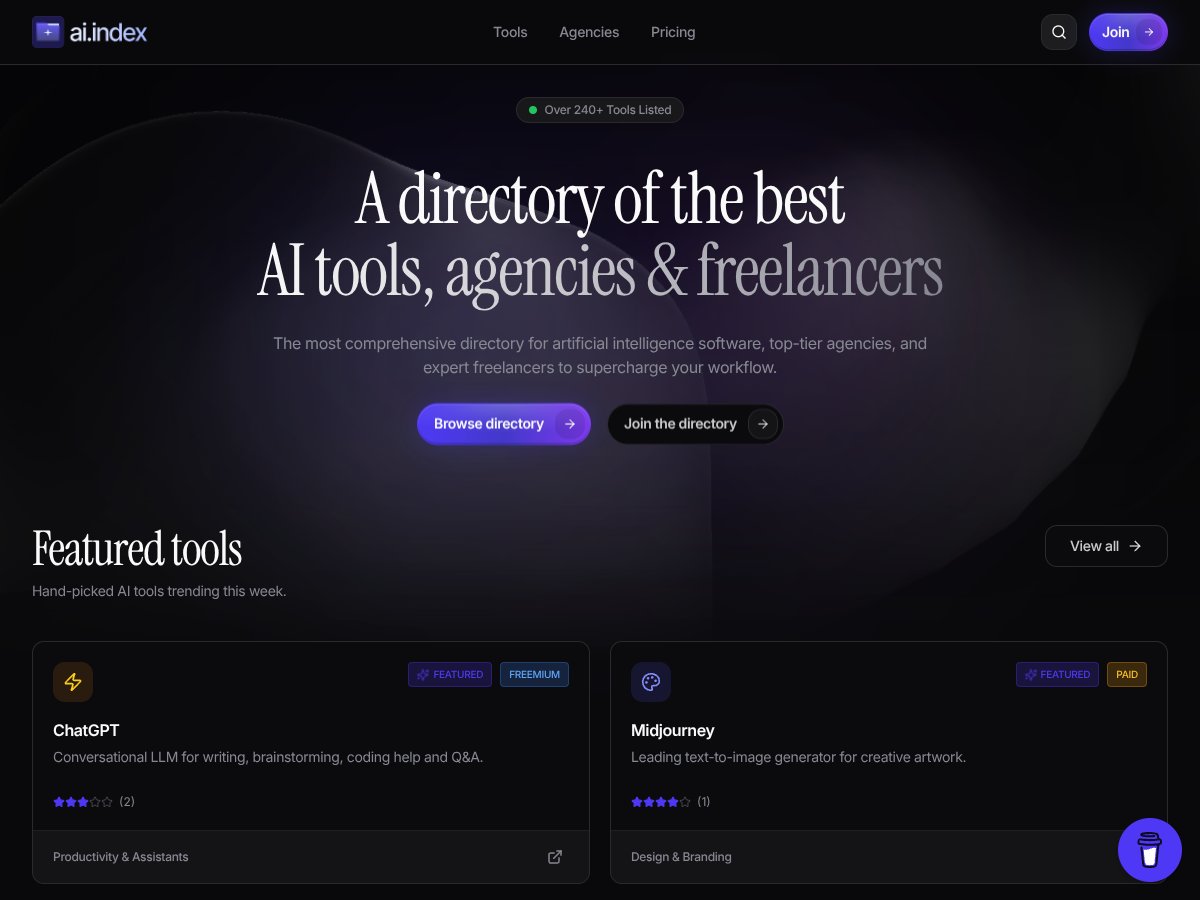
So I went to AI Index and spent a solid chunk of time clicking around. My goal was simple: figure out what the site is, how you navigate it, and whether it does anything more than act like a directory.
What I found: AI Index is basically a directory. It’s a big list of AI software, plus a separate lane for agencies and freelancers. The pitch is that it helps you browse the landscape faster—especially if you’re not sure where to start.
Here’s the part I noticed right away: the site doesn’t feel like a publication or a review platform. It feels like a curated catalog. That might be exactly what you want… but if you’re hoping for deep evaluations, you won’t get them here.
Also, the “who’s behind this” piece is pretty thin. I didn’t find a clear About page or team/company details while testing. That doesn’t automatically mean the directory is bad, but it does make me cautious—especially if you’re considering paying for anything.
In terms of format, it’s minimal. I didn’t see user ratings, star scores, or written reviews tied to individual listings during my walkthrough. There also wasn’t any obvious “AI Index in action” feature where you can compare outputs or benchmark tools. It’s browsing-first.
Bottom line: AI Index does what a directory does. It’s a starting point, not a substitute for hands-on testing of the tools themselves.
AI Index Pricing: What I Could (and Couldn’t) Verify

Let me be straight: I couldn’t find clear, transparent pricing details on the AI Index site during my review. I looked specifically for things like a pricing page URL, plan names, monthly/annual costs, and any mention of free vs paid tiers.
What I did find (and what I didn’t): there wasn’t a straightforward breakdown of plans and costs that I could point to as “here’s exactly what you pay for.” Because of that, I can’t honestly claim things like “there’s a free tier” or “paid plans unlock advanced filters” as confirmed facts from what I saw.
What I did check in practice was the browsing experience itself. The directory content was visible enough to explore tools and categories, but the moment I tried to answer “what’s locked behind payment,” I ran into the same issue: unclear plan/limit messaging.
So here’s my honest take: if you’re the type who needs to know pricing and limits before you invest time, AI Index may feel frustrating. If you’re okay doing discovery first and then contacting support later (or checking again), it might still be useful as a research starting point.
If you want to be extra safe, I’d recommend saving the pricing page (or checking the site’s footer for “Terms” / “Pricing”) before you commit. During my testing, I didn’t have enough verifiable information to compare value the way you could with directories that publish plan details clearly.
The Good and The Bad (From My Testing Notes)
What I Liked
- Large catalog to start with: I saw references to “240+” tools/entries. I didn’t see a “last updated” timestamp on the main browsing surface during my check, but the volume is enough that you’ll likely find something relevant quickly.
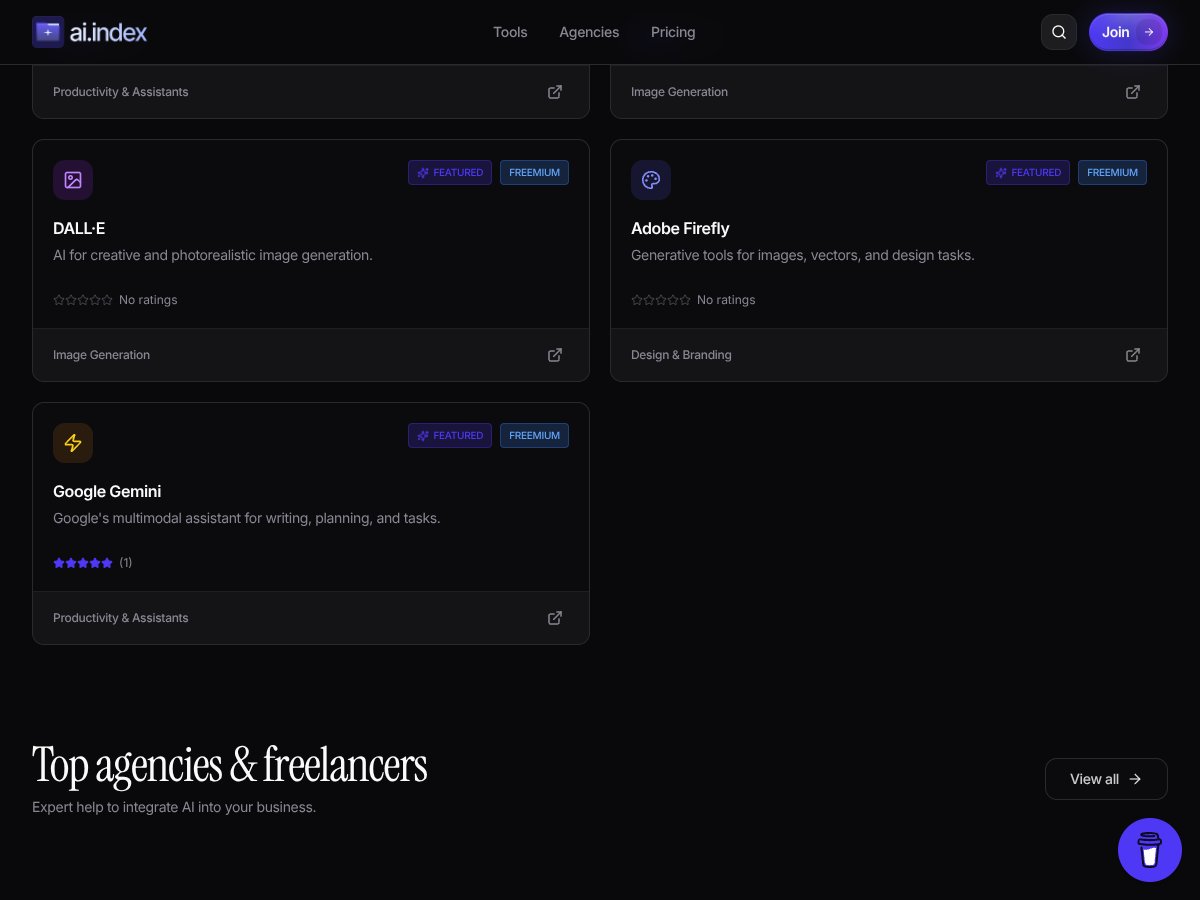
- Featured picks are genuinely useful: The featured section includes well-known names (like ChatGPT, Midjourney, and GitHub Copilot). That matters because it gives you a fast “jump in” point instead of forcing you to scroll from scratch.
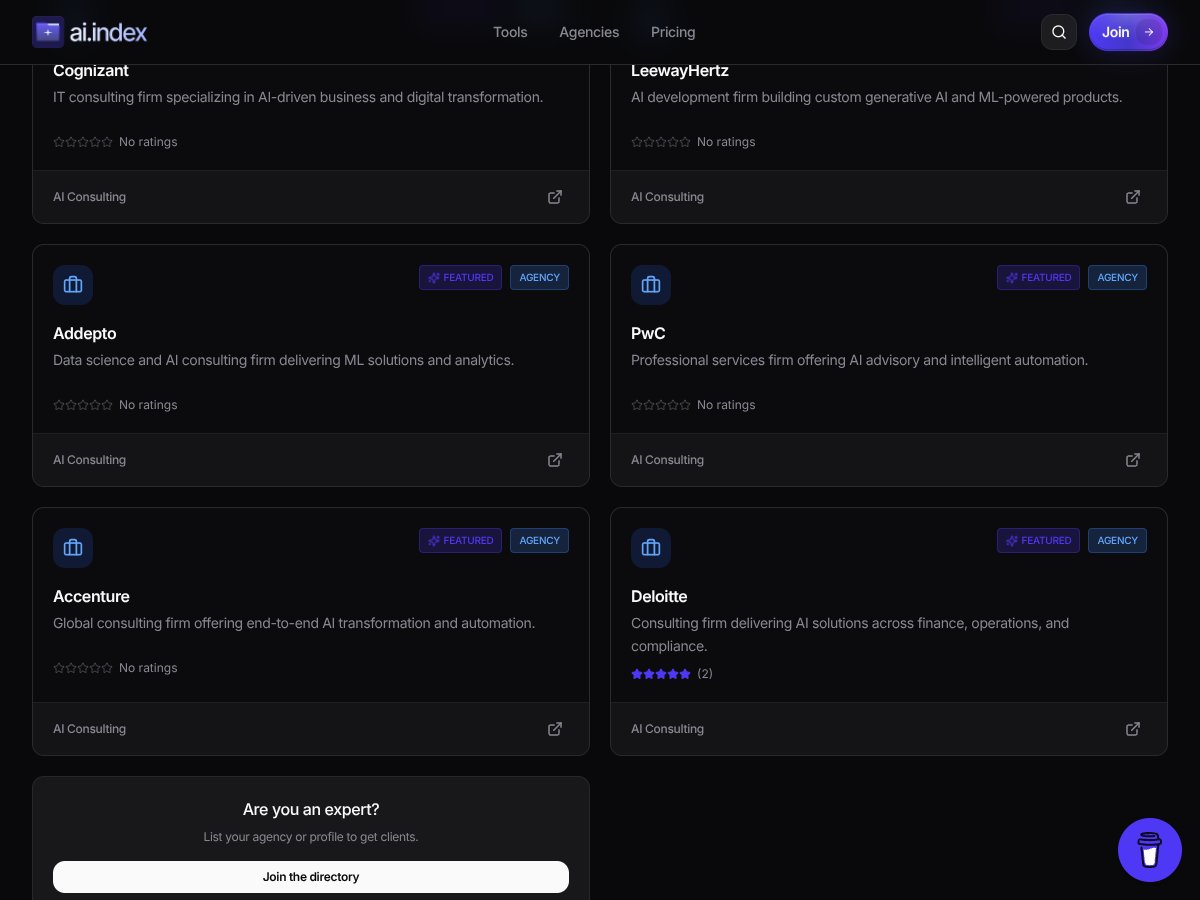
- Agencies + freelancers are included: This is a big differentiator versus tool-only directories. If you’re trying to hire help (or even just understand who the vendors are), it’s nice to have that mixed in with the software listings.
- Browsing is simple: The interface is clean. I didn’t have to fight the layout to understand where to click next. It’s the kind of site that works even if you’re not super technical.
- Trending section exists: There’s a “weekly trending” style area. I checked it by clicking into a couple of items from there and then comparing them to what I saw in general browsing. It does help you discover newer or currently emphasized listings faster than scrolling.
What Could Be Better
- Pricing transparency wasn’t verifiable: I couldn’t find a clear plan/price breakdown during my testing. That makes it hard to judge value, especially if you’re trying to budget.
- No user reviews or ratings (at least where I looked): I didn’t see star ratings, written reviews, or community scoring attached to listings. If you’re used to sites like G2/Capterra, this will feel empty.
- Filtering/search felt limited on my pass: With a catalog this size, you need solid filtering. During my testing, I didn’t find robust, clearly labeled search/filter controls that let me quickly narrow results by multiple criteria (like “pricing = free,” “best for = customer support,” and “integration = Slack”). If those exist, they weren’t obvious in the UI flow I used.
- Not built for deep comparisons: There’s no “benchmark this tool” experience, no side-by-side comparison, and no evidence-driven scoring system. It’s a directory, not a review lab.
- Use case organization could be clearer: Categories and workflows weren’t detailed enough for me to confidently say “this is the best match for X scenario” without opening individual listings.
Who Is AI Index Actually For?

AI Index makes the most sense if you’re in discovery mode. That’s the phase where you’re trying to answer questions like: “What tools even exist for this?” “Who builds these solutions?” “What names keep showing up?”
In my experience, it’s a good fit for:
- Solo founders and freelancers who want to scan the landscape and quickly find tools or people to hire.
- Small teams doing early research before they commit to vendors.
- Agencies looking for tools to recommend or for specialized help on projects.
- AI enthusiasts who just want a broader map of what’s out there.
Here’s a mini example from how I used it: I started by looking at featured entries, then jumped to a couple listings that seemed adjacent to my interests (chat assistants and developer tooling). After that, I switched over to agencies/freelancers to see if the site could help with “implementation help,” not just software names.
That workflow—scan → click into listings → shortlist—is exactly what this kind of directory supports well.
Who Should Look Elsewhere
If you need pricing clarity, community feedback, or deep technical comparisons, AI Index probably won’t scratch that itch.
Specifically, I’d look elsewhere if you require:
- Transparent pricing and plan limits you can verify without contacting support
- User reviews/ratings (the kind that help you avoid bad vendors)
- Advanced filtering that’s obvious and powerful enough to narrow 240+ entries to a handful fast
- Integration-level details (API access, supported connectors, deployment options) presented in a consistent way
Also, if you’re doing enterprise procurement—where you’ll need documentation, security posture, and evidence-based evaluations—this directory format alone isn’t enough. It can still help you build a shortlist, but it shouldn’t be your final decision source.
How AI Index Stacks Up Against Alternatives
Gartner AI Tools Directory
- What it’s built for: Gartner typically leans into enterprise-grade coverage—reports, analysis, and decision support. It’s less about a quick browse and more about helping organizations pick strategies and vendors.
- Pricing reality check: Gartner’s offerings are often subscription-based and can be expensive. I didn’t verify exact current pricing in this review, but the general model is enterprise-focused rather than “pay $X and browse.”
- Choose Gartner if… you’re making higher-stakes decisions and need structured research.
- Stick with AI Index if… you want a simpler directory to explore names quickly and build your own shortlist.
AI Marketplace by Microsoft Azure
- What it’s built for: Azure’s marketplace is tightly connected to the Azure ecosystem. If you’re already deploying on Azure, it’s a practical place to find models, services, and integration-friendly options.
- Pricing reality check: Azure services usually follow usage-based billing, so costs can scale up fast depending on volume. I didn’t pull exact rates in this review, but that’s the common structure.
- Choose Azure if… you want an ecosystem-native path and you’re already operating in Microsoft’s cloud world.
- Stick with AI Index if… you want a more agnostic directory that isn’t locked to one provider.
AI Tools by Product Hunt
- What it’s built for: Product Hunt is community-driven. You’ll often see new AI startups and tools before they’re everywhere else, which is great for early discovery.
- Pricing reality check: Many listings are free to try or freemium, but pricing varies wildly by product. I didn’t attempt to normalize pricing across listings in this review.
- Choose Product Hunt if… you want “what’s new this week” and you’re okay experimenting.
- Stick with AI Index if… you want a more directory-like catalog with agencies/freelancers included.
DataRobot AI Platform
- What it’s built for: DataRobot is more of an enterprise AutoML/ML platform than a browsing directory. It’s about building and deploying models at scale.
- Pricing reality check: It’s generally positioned for enterprise budgets. I didn’t verify current plan pricing here, but the focus is clearly not “casual browsing.”
- Choose DataRobot if… you need an end-to-end platform and want automation with enterprise support.
- Stick with AI Index if… you want to explore a broader set of tools and services first.
Bottom Line: Should You Try AI Index?
After testing AI Index as a directory, I’d put it around 7/10 for what it claims to be. It’s solid for discovery and building a shortlist quickly—especially if you like that “tools + agencies/freelancers” mix.
The interface is easy to navigate. I didn’t feel lost. But I also didn’t see the kind of evidence you’d want before paying for anything or making a final buy decision.
So I think it works best for:
- Early research when you’re mapping the landscape
- Shortlisting tools and potential partners
- Finding implementation help (agencies/freelancers) alongside software
What I don’t like is the lack of verifiable pricing/plan info during my review and the absence of user reviews/ratings. That combination makes it harder to trust quickly or compare value against alternatives.
Would I recommend it? Yes—if you treat it like a directory and not like a review platform. If you’re already deep into AI development and need highly specialized tools, you’ll probably move faster with provider marketplaces or specialized platforms.
Common Questions About AI Index
Is AI Index worth the money?
I can’t confirm pricing or plan details from what I saw during my testing, so I can’t honestly say “it’s worth the money” yet. If you’re paying, I’d verify what’s included (filters, limits, and access) before committing.
Is there a free version?
I didn’t find clear, confirmable information about free tiers during my review. If there is one, it wasn’t obvious enough for me to cite as a verified fact—so I’d check the site directly or look for a pricing/FAQ page.
How does it compare to other directories like Gartner or Product Hunt?
AI Index feels more like a straightforward catalog than Gartner’s enterprise research approach. It’s also less community-driven than Product Hunt. Overall, it lands in the middle: discovery-oriented, not review/benchmark-oriented.
Can I find niche or emerging AI tools here?
You can likely find niche tools, and the “weekly trending” section helps with emerging discovery. Still, because filtering/search wasn’t super obvious in my pass, you may need to open more listings than you’d prefer.
Is the platform easy to navigate?
Yes. The browsing flow is simple, and I didn’t run into confusing menus. It’s not complicated, which is a plus if you just want to scan.
Can I get a refund if I’m not satisfied?
I didn’t verify refund terms during this review. If you’re considering a paid plan, I’d check their Terms/Refund policy page (or contact support) before purchasing.