Table of Contents
What Is AI Search Index (and What I Actually Tried)
I’ll be honest: the first time I heard about AI Search Index, I was skeptical too. The pitch—“we can tell you which AI agents are visiting your site”—sounds a little sci‑fi. But I wanted to see if it was real, so I tested it on a site I manage and compared what it reported against what my usual analytics tools were doing.
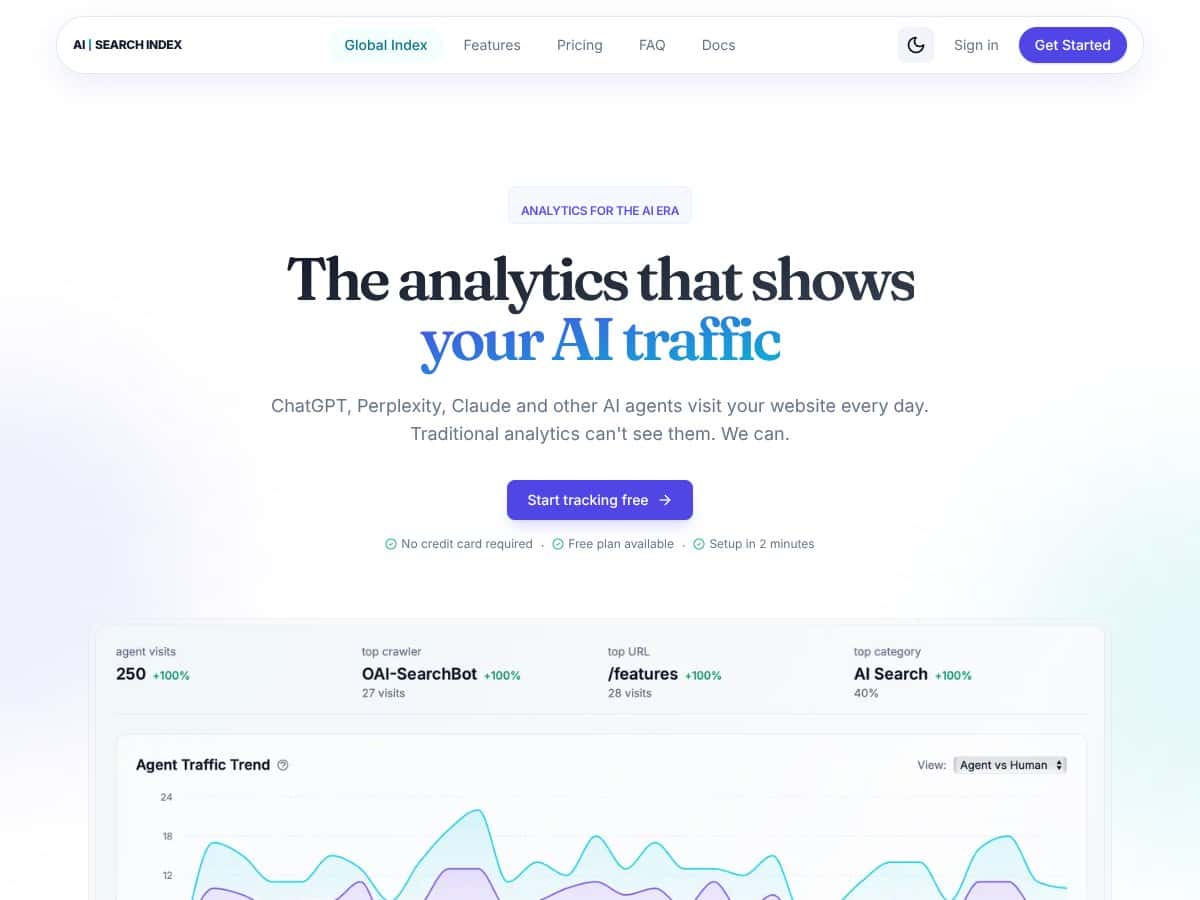
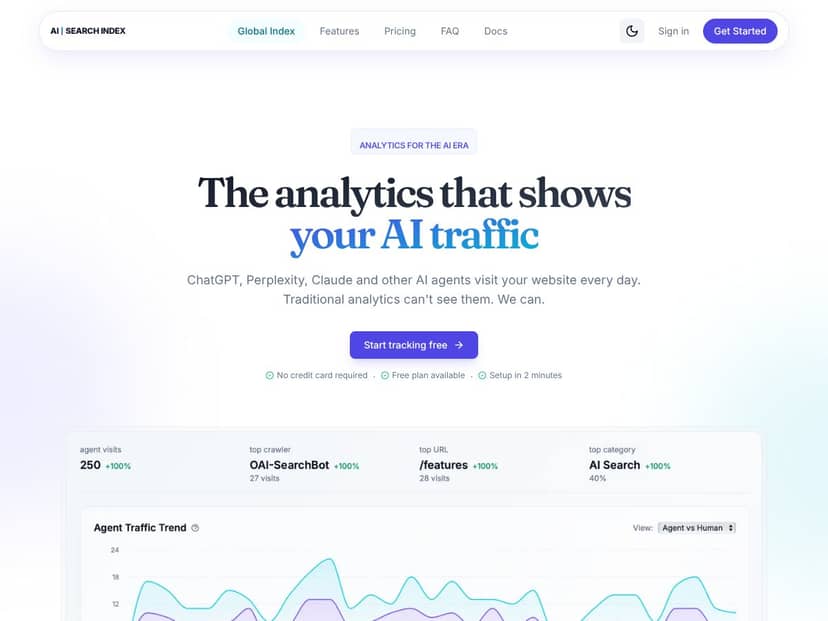
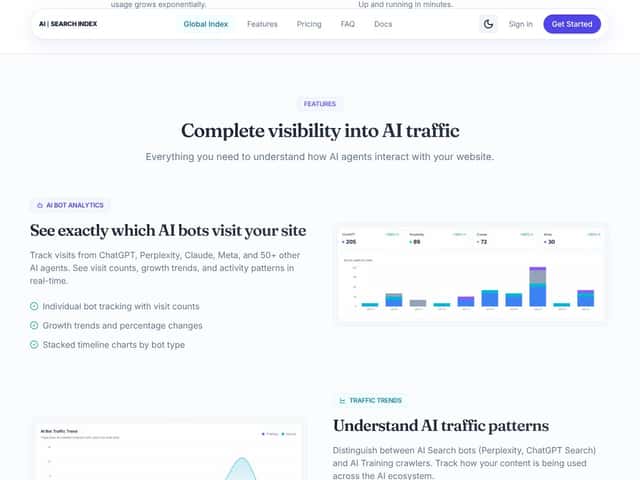
In plain English, AI Search Index is built to track and identify AI visitors (think: AI crawlers and agent-style traffic) separately from regular humans and generic bots. Traditional analytics lump a lot of automated traffic into broad buckets, so you end up guessing. This tool tries to remove the guessing by showing:
- which pages AI systems appear to be reading
- how often those pages show up in AI traffic
- which AI agents are showing up (instead of just “bot traffic”)
Why does this matter? Because AI-driven discovery is getting baked into the web. If you publish a lot of content, you don’t just want to know “did traffic come in?” You want to know what kind of traffic is consuming your pages—and whether those pages are getting referenced or crawled more than others.
Behind the product, the company is listed as Automateed.com. I didn’t find a ton of depth about the team itself, but the landing page and product UI look polished enough that I assumed they’re serious about the niche.
One thing I want to set expectations on: this isn’t meant to replace your full analytics stack. It’s more like a specialized add-on focused on AI traffic visibility. If you’re looking for deep conversion funnels, attribution modeling, or full user journey tracking, you won’t get that here.
Also, I didn’t see a rich library of documentation, sample dashboards, or FAQs that spell out every setting and data field. That’s not automatically a dealbreaker, but it does mean you’ll want to be patient while you’re setting things up and validating the output.
AI Search Index Pricing: What I Could Verify (and What I Couldn’t)
| Plan | Price | What You Get | My Take |
|---|---|---|---|
| Free Tier | Unknown | Basic AI traffic tracking, limited agents | The free tier exists, but the exact limits weren’t clear enough for me to confidently call it “safe” for heavy testing. If you’re the type who needs hard numbers (requests/day, retention, agent coverage), you’ll want to confirm details before relying on it. |
| Paid Plans | Check website | More comprehensive tracking, additional AI agents, historical data, advanced insights | Pricing transparency is the weak spot. I didn’t see a clean, current pricing table with caps and plan names in a way I could cite directly. If you’re cost-sensitive, don’t assume the “starting at” number—verify it in your account or via their pricing page on the day you sign up. |
Here’s the practical issue: the sales messaging doesn’t consistently show the concrete pricing tiers and usage caps in a way that’s easy to compare. That makes it hard to answer the question everyone asks—“is this actually worth it for my site size?”
In my experience, that uncertainty matters. I don’t mind paying for a niche tool, but I do mind paying and then realizing I hit a traffic ceiling or don’t get the agent coverage I expected. If you’re considering AI Search Index, I’d treat it like this: confirm the current plan names, prices, and limits before committing.
The Good and The Bad (Based on What I Saw)
What I Liked
- AI vs human separation: The core value is that it doesn’t just show “bot traffic.” It tries to label AI traffic in a more meaningful way, which is exactly what I wanted to test.
- Lightweight setup: The script is small (they market it as under ~2KB), and in my case it didn’t create any noticeable performance issues during normal browsing. No heavy dependencies, no weird setup steps.
- Page-level visibility for AI traffic: Instead of only reporting “AI is visiting,” it also shows which pages are being requested. That’s the part that actually helps you decide what to optimize.
- Live-ish trend awareness: I could spot spikes and changes in AI activity without waiting days to see what happened. That’s useful when you’re reacting to content updates.
- Agent labeling (coverage varies): The dashboard shows named AI agents rather than only generic “crawler” labels. Just keep in mind: the depth of coverage depends on the plan and what the system can confidently identify.
What Could Be Better
- Pricing details are too vague: I couldn’t find a clean “this plan includes X agents, Y events, Z retention” breakdown I could reliably quote. If you’re budgeting, you’ll need to verify.
- Feature list by plan isn’t obvious: The site doesn’t clearly map features to each tier in a way that makes comparison easy.
- Fewer “proof points” than I expected: There weren’t strong testimonials or detailed case studies I could use to benchmark results. So you’re mostly relying on your own testing.
- Documentation gaps: I wanted more specifics on what’s collected, how it’s stored, and how long it’s retained. The setup is simple, but the data handling details weren’t spelled out clearly enough for my comfort.
- Integrations aren’t clear: I didn’t see a straightforward list of integrations with common analytics/marketing tools. If you need exports or connections, double-check before you commit.
Who Is AI Search Index Actually For?
This tool makes the most sense if you’ve noticed weird traffic patterns and you want to know whether it’s humans, generic bots, or AI-driven agents specifically.
In particular, I think it’s a good fit for:
- content-heavy sites (blogs, docs, knowledge bases)
- SEO folks who want to see which pages are being consumed by AI systems
- site owners who publish frequently and want faster feedback on what’s getting referenced
It’s also useful if you’re trying to answer a very specific question: “Are AI systems spending more time on certain pages after I publish/update?” That page-level visibility is the hook.
That said, it’s less ideal for large teams who want a complete analytics platform with attribution, conversion tracking, and deep funnel reporting. If that’s your goal, you’ll probably feel boxed in.
Who Should Look Elsewhere
If you want a full-stack analytics suite, I’d skip AI Search Index. Tools like Google Analytics (plus whatever you layer on top) are still the go-to when you need conversion tracking, audience segmentation, and broader reporting.
If you’re expecting it to replace your marketing stack—ads, CRM, event tracking, dashboards—this won’t feel like the right tool. It’s focused on AI traffic visibility, not everything else.
And if you’re working with a tight budget, the lack of clear pricing transparency is a problem. You don’t want to discover halfway through your trial that the plan caps are too low for your traffic pattern.
How AI Search Index Stacks Up Against Alternatives
Content Insights (What Each Tool Is Actually Good At)
- AI Search Index: AI-focused visibility—AI agents vs human traffic, plus page-level requests tied to that AI traffic.
- SimilarWeb: Broad traffic and audience analysis. Great for “where does traffic come from?” less great for “which AI agents are reading my pages?”
- SEMrush: SEO and research strength. It’s not designed to label AI visitors with the same intent.
- Cloudflare Radar: Useful for web traffic trends and security context, but it’s not built to do AI agent identification as a primary feature.
- ChatGPT plugins / conversational integrations: Can provide insights inside chat experiences, but they don’t usually give you the same dedicated “AI crawler analytics” view.
Price Comparison (What I’d Check First)
- AI Search Index: There’s a free tier, and paid plans exist, but I recommend verifying the exact current pricing and traffic caps directly on their site (or in your account) before you commit.
- SimilarWeb: Typically positioned as premium/enterprise depending on the plan.
- SEMrush: Usually not cheap; pricing climbs as you add features.
- Cloudflare Radar: Many features are free, with paid options for security-related capabilities.
- ChatGPT-related integrations: Often free or bundled, but the analytics depth varies wildly by implementation.
When to Choose Each
- Choose AI Search Index if... You want AI traffic visibility as a primary goal and you care about which pages AI systems are hitting.
- Choose a broader analytics tool if... You need conversions, funnels, attribution, and full audience reporting.
- Choose SEO/traffic research tools if... Your priorities are keywords, rankings, and competitor/market insights (not AI agent identification).
- Choose security/trend tools if... You’re mainly looking at traffic patterns, risk signals, or infrastructure-level context.
I’ll put it plainly: AI Search Index is best treated like a specialist. If you’re trying to solve the “AI agents are consuming my content” problem, it fits. If you’re trying to solve “everything about my business metrics,” it won’t.
Bottom Line: Should You Try AI Search Index?
After testing it, I’d rate AI Search Index 7/10 for the specific job it claims to do. It’s straightforward, focused, and (in my case) it delivered the kind of page-level AI traffic visibility that I couldn’t get from my standard analytics setup.
Who should try it? If you publish content regularly and you’re curious whether AI agents are reading certain pages more than others, it’s worth a look—especially if you can start with the free tier and validate that the agent labels and page-level reporting match what you expect.
Who should skip it? If you need comprehensive analytics, conversions, or deep marketing attribution, you’ll likely feel like you’re missing too much. In that case, you’ll get more value from SEMrush/SimilarWeb/GA-style platforms (and whatever event tracking you already rely on).
My advice: test it on your site and treat it like a targeted experiment. If the insights change how you prioritize content updates, then it’s doing real work. If not, you may be better off spending that budget elsewhere.
Common Questions About AI Search Index
Is AI Search Index worth the money?
For me, it was worth testing because it answers a specific question: how AI agents are interacting with your pages. Whether it’s “worth the money” depends on how accurate the agent labeling is for your traffic and whether you hit any plan limits. If you can’t verify pricing and caps upfront, I’d do that before upgrading.
Is there a free version?
Yes, there’s a free tier. Just remember: the exact limits weren’t crystal clear, so you’ll want to confirm what “free” includes (agent coverage, retention, and any traffic/event caps) before you plan your evaluation.
How does it compare to SimilarWeb?
AI Search Index is niche-focused on AI traffic identification and page-level consumption. SimilarWeb is broader and more about overall traffic sources and audience insights. If your goal is AI-specific visibility, AI Search Index is the better match.
Can I get a refund?
I didn’t verify the exact refund terms in this pass, so I’d recommend checking their pricing or terms page for the current policy. If they offer a trial or refund window, make sure you know the deadline and what qualifies.
Does it integrate with other tools?
They mention integrations and exporting data, but I’d double-check the current integration list and export options. In tools like this, the difference between “we export CSV” and “we integrate cleanly with your stack” can be huge.
How accurate is the AI traffic share?
No analytics tool is perfect, and AI agent identification is inherently probabilistic. What I can say is that AI Search Index aims to use known agent signatures and traffic patterns to estimate AI vs human traffic. If you want to trust it, validate it against a few controlled changes on your site and see whether the trends behave logically.
Is it suitable for large websites?
It’s built to scale in terms of traffic monitoring, but the real question is whether your plan includes enough capacity. For larger sites, I’d verify the traffic/event caps before you rely on it.