Table of Contents
In the digital age, staying ahead in the marketing realm is synonymous with adopting the latest tech advancements. One buzzword that holds the key to cutting-edge marketing strategies is AI tools for marketing. These tools are not just a fad; they are game-changers for marketers striving to make a significant impact.
Today’s marketers are turning to AI tools to automate mundane tasks, derive actionable insights from data, and personalize the customer experience. The beauty of these tools lies in their ability to learn and improve over time, ensuring your marketing strategies evolve in tandem with market dynamics.
With a plethora of AI tools available, finding the one that fits your marketing needs to a T can be a tough nut to crack. In this article, we unravel some of the top AI tools for marketers that are making waves in the industry.
Top AI Tools for Marketing
1. Jasper.ai
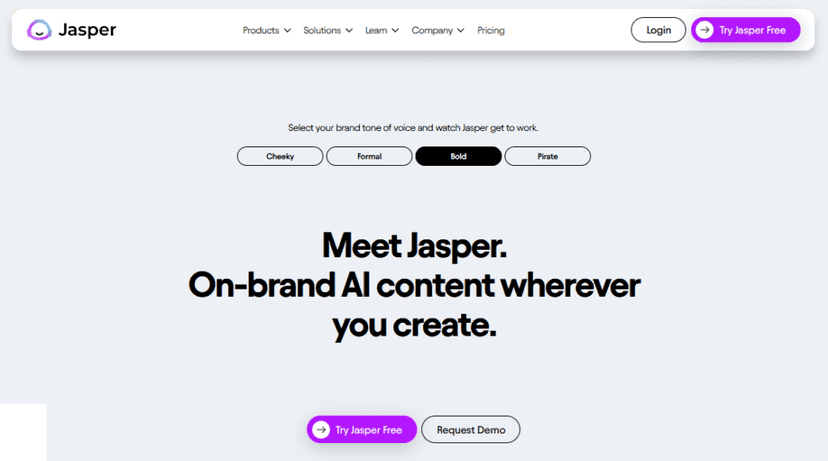
Jasper.ai is heralded as a seasoned companion for marketers diving into the ocean of content creation. My journey with Jasper commenced with a swift sign-up, post which the platform unveiled its treasure trove of features. The heart of Jasper lies in its GPT-3 powered engine, which when coupled with the platform’s proprietary LLM Tech, churns out content that’s nothing short of magic.
The interface is designed with marketers in mind. Whether it’s drafting blog posts, emails, or ad copy, the more than 50 AI content generation templates are a lifesaver. It’s like having a virtual copywriter at your beck and call. With support for over 25 languages and a library boasting more than 11,000 fonts, the platform exudes versatility.
However, every rose has its thorns. The plethora of features can be a tad overwhelming for someone new to AI tools. Plus, while the AI is impressive, it sometimes requires a human touch to make the content truly resonate.
Impact on Content Creation
The era where content creation was a herculean task is bygone with Jasper on your side. I noticed a significant cut down in the time spent brainstorming and drafting content. The long-form writing assistant is a boon when you’re looking to churn out in-depth articles. Feed it seed words, and voila, a 1,500-word draft is ready in under 15 minutes!
The platform also shines in its ability to identify key elements in text like pronouns, verbs, and names, making editing a breeze. However, it’s essential to tread with caution. Relying solely on Jasper could lead to a lack of personal touch in your content. It’s advisable to blend Jasper’s AI prowess with your unique style to create content that’s both engaging and personal.
A tip to maximize Jasper’s potential is to start with a clear outline of what you want to achieve with the content. It helps in guiding the AI to produce content that aligns with your brand’s voice and message.
2. Surfer SEO

Surfer SEO is like having a seasoned surfer guiding you through the turbulent waves of SEO. My experience with this tool was akin to gaining a trustworthy ally in the competitive realm of search engine rankings. The core of Surfer SEO is its data-driven approach to SEO analysis and optimization, which is akin to having a magnifying glass over the ever-changing SEO landscape.
The user interface is a gateway to a host of features like SERP Analyzer, Keyword Research, SEO Audit, and Content Editor. It’s the Content Editor that particularly caught my eye. It provides real-time suggestions as you draft content, making the optimization process a breeze.
However, amidst the sea of features, I found the learning curve to be a bit steep for those new to SEO. The tool is robust, but it might intimidate a novice with its plethora of options and data points.
Enhancing SEO Strategies
Diving into the SEO ocean with Surfer SEO felt like having a powerful motorboat; it significantly sped up my journey towards optimal rankings. The SERP Analyzer is a gem, providing insights into how your content stacks against the top-ranking pages. It’s like having a mirror reflecting both your strengths and areas needing a polish.
Yet, while Surfer SEO is a powerhouse, it isn’t a magic wand. It requires a good understanding of SEO principles to harness its full potential. The tool provides the data, but interpreting and implementing the insights necessitates an SEO savvy mind.
A practical tip for leveraging Surfer SEO is to start with its SEO audit feature. It provides a roadmap of the tweaks needed to climb up the ranking ladder. And while the Content Editor is a fantastic aide, ensuring your content also resonates with your audience, and not just the search engines, is key to a successful SEO strategy.
3. Ocoya
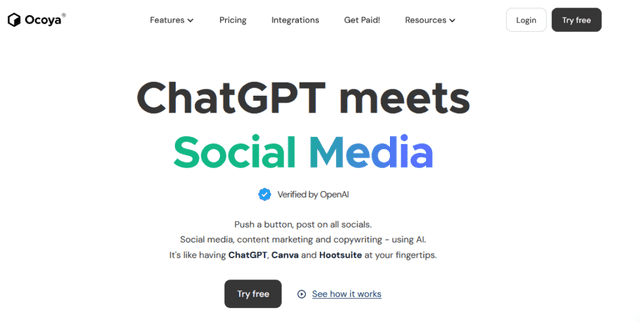
Ocoya is a companion I discovered on my journey through the evolving landscape of AI tools for marketing, specifically aimed at unifying the chaos that can sometimes be social media management. With a straightforward, intuitive interface, Ocoya was like having a well-organized, digital assistant ready to tackle the myriad tasks associated with managing multiple social media platforms.
At the heart of Ocoya are features like post scheduling, performance analytics, and multi-platform management. It felt like having a central command center from where I could orchestrate my brand’s social media presence. The ability to schedule posts in advance across different platforms was a time-saver, and the analytics provided a clear picture of how the audience interacted with the content.
On the downside, I found that while Ocoya excels at scheduling and analytics, the platform could benefit from more robust engagement features. The lack of a built-in engagement tool made it a bit of a one-way communication channel.
Social Media Management
Navigating the social media storm is a task Ocoya proved to be adept at. The post scheduling feature is a boon for any marketer juggling multiple platforms. It allowed for a coherent, well-orchestrated approach to publishing content, ensuring consistency in brand messaging.
However, social media is about engagement, and this is where I found Ocoya needing a bit more firepower. Without a built-in engagement tool, responding to comments and messages across platforms required shifting to other tools or the platforms themselves, which felt like a hiccup in an otherwise smooth journey.
A handy tip for utilizing Ocoya is to pair it with a dedicated social media engagement tool. This combo can create a more holistic social media management ecosystem. While Ocoya handles the scheduling and analytics, a secondary tool can manage the engagement, forming a powerful duo in your marketing arsenal.
4. MarketMuse
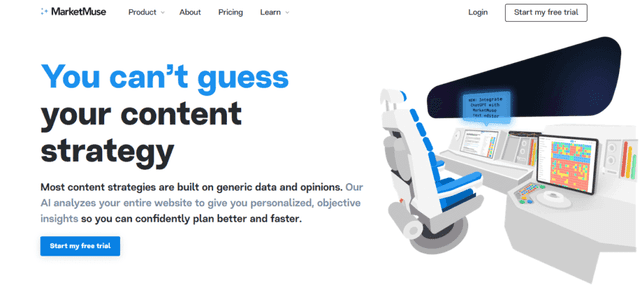
MarketMuse felt like a wise sage in the realm of content optimization. The initiation into MarketMuse was seamless, leading to a discovery of a haven filled with features designed for optimizing long-form content. The essence of MarketMuse is its AI-driven research capability, akin to having a devoted researcher by your side, diving deep into topics to furnish a robust foundation for your content.
The user interface is a conduit to a myriad of tools like Content Briefs and a Built-in Editor, essentially serving as a guiding light in the journey of content creation. The AI goes the extra mile by creating a first draft based on the chosen subject, a feature that I found to be a great springboard for crafting content.
However, the garden isn’t without its weeds. While the AI does a commendable job in the research and initial draft creation, the onus of refining the content to resonate with the brand’s voice falls on the human.
Optimizing Long-form Content
With MarketMuse, the task of optimizing long-form content felt less like climbing a steep mountain. The AI’s knack for in-depth research provides a solid footing, making the ascent towards a well-optimized piece smoother. The Content Briefs are a treasure, offering a blueprint for structuring the content effectively.
Yet, the path isn’t always sunlit. The tool requires a good grasp of content marketing to fully leverage its features. It hands you the map and compass, but navigating through the terrain to create engaging and optimized content requires a marketer’s expertise.
A golden nugget from my voyage with MarketMuse is to initially spend time understanding the Content Briefs and the insights provided by the tool. This understanding acts as a catalyst in the process of crafting content that is not only optimized but resonates well with the target audience.
5. AdCopy.ai
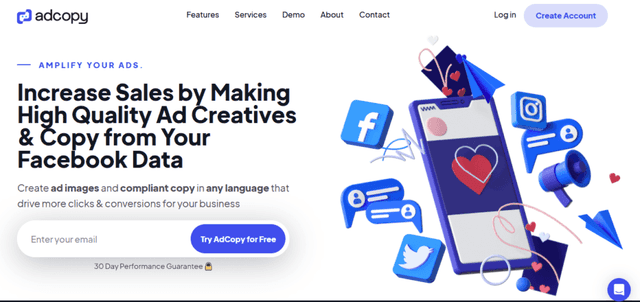
AdCopy.ai emerges as a potent ally for marketers in the battleground of ad conversion. My foray into Ad Copy began with an intuitive setup, leading me into a realm brimming with features tailored for ad creation. The kernel of Ad Copy is its AI, engineered for direct response marketing, a trait indispensable for driving conversions.
The interface is a marketer’s sanctuary, offering a step-by-step prompt builder that guides one through the labyrinth of ad creation with ease. The high-speed autofill is akin to having a diligent assistant, swiftly generating and pasting copy into your Ads Manager. The platform also lays down a canvas for creativity, allowing tweaks in ad creativity, copy structure, tonality, and more to craft ads that resonate.
However, not all that glitters is gold. While Ad Copy is a robust tool, the generated copy may sometimes lack the brand’s unique voice, necessitating a human touch to align the ad copy with the brand’s essence.
Boosting Ad Conversion Rates
The expedition with Ad Copy unveiled its might in bolstering ad conversion rates. With every ad campaign, I observed a palpable uptick in conversions, thanks to the compelling ad copy it conjured. It’s like having a skilled copywriter in your arsenal, ready to churn out engaging ad copy at a moment’s notice.
The platform’s capability to create myriad ad copy variations is a boon for testing and selecting the most effective copy. Yet, the tool is not without its caveats. While the AI is adept at generating ad copy, ensuring the copy echoes the brand’s voice requires a human touch.
A sage piece of advice would be to utilize Ad Copy as a springboard for generating initial ad copies, and dedicating time to refine the copy to ensure it’s in harmony with the brand’s message and tone. This blend of AI efficiency and human creativity is the key to ad campaigns that not only engage but convert.
6. Anyword
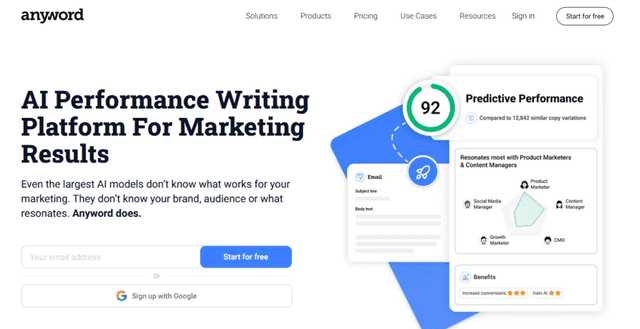
Stepping into the world of Anyword was like unlocking a place where data dances gracefully with creativity. From the moment of first meeting, Anyword presented itself as a sharp tool in the shed of a marketer, particularly with its promise of data-driven copywriting. The core magic lies in its ability to churn out effective copy for a myriad of platforms, whether it’s ads, emails, landing pages, or social media content.
The user interface is a smooth ride through the lanes of copy creation, with step-by-step guides aiding in crafting copy that’s poised to convert. The platform also throws in predictive metrics and insights, acting like a seasoned advisor whispering the tweaks needed for better engagement.
However, while the tool is robust, it isn’t without its snags. There’s a learning curve in understanding the data and insights provided, which could be a hurdle for someone new to data-driven marketing.
Data-Driven Copywriting
Venturing into the world of data-driven copywriting with Anyword felt like having a powerful magnifier to see what elements in the copy tick the conversion boxes. The tool’s ability to generate varied copy for different platforms is like having a Swiss Army knife in the marketing toolkit.
But, as with any powerful tool, it demands a level of expertise to wield it effectively. The data and insights are there, but harnessing them to craft copy that resonates with the audience requires a good understanding of marketing principles.
A useful tip I gleaned from my journey with Anyword is to start with a clear understanding of the target audience and the objective of the copy. Having this clarity helps in better utilizing the insights provided by Anyword, paving the way for crafting copy that not only engages but converts.
7. Scalenut
My adventure with Scalenut was akin to discovering a multi-faceted gem in the crowded market of AI tools. At its core, Scalenut is designed to be a marketer’s companion in not just one, but multiple areas of digital marketing. The software unravels into four distinct sections: Research, Create, Optimize, and Marketing Copy, each serving a unique purpose yet interlinked in the grand scheme of marketing strategies.
The intuitive interface makes navigation through these sections a breeze. Whether it’s unearthing insights for a robust strategy, crafting SEO content, real-time optimization, or drafting persuasive copy, Scalenut seems to have a tool for every need. The real-time feedback on SEO score and dynamic content optimization are particularly standout features. However, the breadth of features could be a double-edged sword. For someone new to digital marketing, the plethora of options might appear daunting.
Comprehensive Marketing Tool
Embarking on the marketing journey with Scalenut felt like having a robust vehicle capable of navigating the varied terrains of digital marketing. The ‘Research’ section was like having a sophisticated radar, scanning the marketing landscape for valuable insights and keywords. Transitioning to ‘Create’ and ‘Optimize’ felt seamless, with each section building upon the insights garnered from the previous.
The ‘Marketing Copy’ section is a haven for crafting persuasive copy with over 40 AI copywriting templates at disposal. It’s akin to having a virtual copywriting team ready to churn out compelling product descriptions, website copy, and email copy.
Despite its comprehensive nature, there’s a learning curve to fully exploit Scalenut’s potential. A novice might find the transition between sections a bit challenging initially.
A tip to maximize Scalenut’s potential is to spend some time understanding each section and how they complement each other. Having a clear marketing goal also aids in better navigating through Scalenut’s extensive features, ensuring each tool within is utilized to its fullest towards achieving the desired marketing objective.
8. Semrush
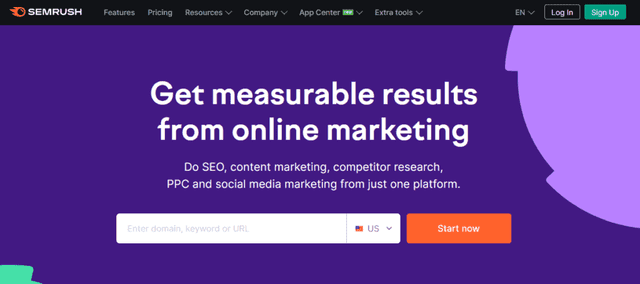
Semrush felt like a Swiss Army Knife in my marketing toolkit, offering a rich blend of features for content marketing, SEO, social media marketing, analytics, and PPC. The heart of Semrush beats with its position tracker feature, which stands as a lighthouse amidst the turbulent seas of keyword rankings. The ability to peep into your ranking for targeted keywords compared to competitors is akin to having a bird’s-eye view in the competitive digital market.
The platform unfolds into several tools aimed at competitor analysis, on-page SEO, and a robust Content Marketing Toolkit. The suite of features is extensive, providing insights into trending topics, which can be a cornerstone for drafting a content marketing strategy. However, the abundance of features and data points could be a bit overwhelming for a novice. The initial dive into the platform might require a bit of hand-holding to fully grasp its capabilities.
SEO and Content Marketing Suite
Navigating the SEO and content marketing waters with Semrush was like having a seasoned captain on board. The Position Tracking tool was my compass, providing clear directions towards achieving optimal keyword rankings. Yet, it wasn’t just about SEO; the Content Marketing Toolkit was like having a seasoned crew, aiding in crafting content that not only ranks but resonates with the audience.
Semrush, while powerful, isn’t an automatic pilot. The platform provides the map and tools, but navigating towards success requires a good understanding of SEO and content marketing principles. The insights are there, but making sense of them and steering the strategy accordingly is crucial.
A pragmatic tip for utilizing Semrush effectively is to start with a clear understanding of your current SEO and content marketing standing. Utilizing the SEO audit feature can provide a clear roadmap of the areas needing attention. Further, while the Content Marketing Toolkit is a robust aide, blending the insights it provides with an understanding of your audience’s preferences can be the key to crafting content that hits the mark.
9. Pro Rank Tracker
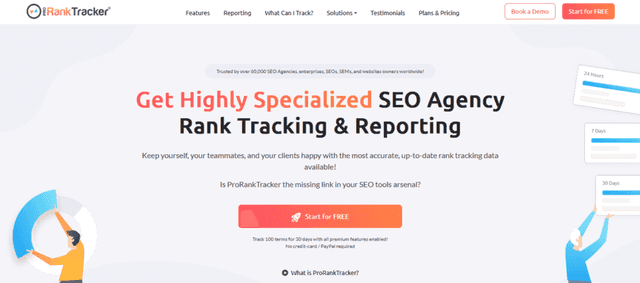
Using Pro Rank Tracker for the first time felt like being handed a powerful telescope to scrutinize the ever-fluctuating rankings in the vast digital space. The cornerstone of Pro Rank Tracker lies in its prowess to provide accurate and reliable rank tracking from anywhere, on any device. The journey with this tool seemed like having a vigilant watchtower constantly monitoring the rankings amidst the turbulent SEO waters.
The user interface is straightforward, unfurling features like Rank Tracking, Rankings Analysis, and Reporting into the hands of marketers. The analysis tools provide visualizations and charts that are akin to having a clear chart in the often foggy SEO journey. However, while the tool shines in its core competency, it might come across as a one-trick pony. The focus is primarily on rank tracking, which might leave a marketer craving for more holistic SEO analysis tools.
Real-time Rank Tracking
Embarking on the SEO voyage with Pro Rank Tracker by my side felt like having a reliable compass. The real-time tracking is like having a pulse on your website’s performance in the search realm. The tool provides insights that are crucial for making informed decisions, whether it’s identifying areas of improvement or understanding the impact of implemented SEO strategies.
However, while the real-time rank tracking is a robust feature, the reliance on other tools for a more comprehensive SEO analysis could be a bit of a downer. It’s like having a sharp lens to view one aspect, but needing to switch to other tools for a broader view.
A practical tip for navigating the SEO waters with Pro Rank Tracker is to integrate it as part of a broader toolkit. While it provides invaluable insights into rankings, coupling it with other SEO and content analysis tools can provide a more holistic view of your digital presence. The automated reporting feature is a handy tool for keeping stakeholders updated on the SEO journey, ensuring everyone’s on the same page as you navigate towards higher rankings.
10. INK
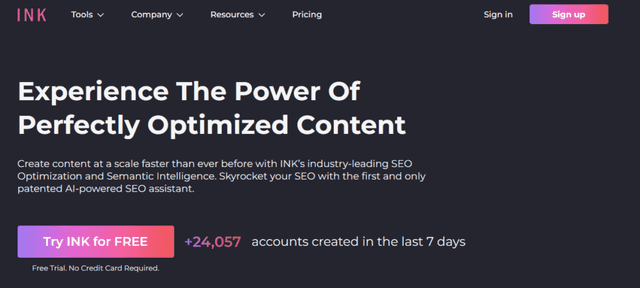
Embarking on the digital content journey with INK felt like having a proficient co-pilot. The heart of INK is its AI co-writing and SEO assistant that seamlessly integrate to elevate the content creation process. The UI is intuitive, carving a path of simplicity through the often daunting forest of SEO and content creation.
INK’s AI Co-Writing feature is like having a creative companion, aiding in not just writing, but also rewriting and simplifying sentences. On the other hand, the SEO Assistant is akin to having a sage guide, providing real-time suggestions to enhance the SEO score of the content. The Meta and Image optimization features are like having a sharp axe to cut through the SEO wilderness, making the process less intimidating.
However, every silver cloud has a gray lining. While INK is robust in its offerings, it may not replace a seasoned SEO expert’s nuanced understanding. The tool is an excellent aide, but the human touch in interpreting the suggestions and making informed decisions remains irreplaceable.
AI Co-writing and SEO Assistance
The collaborative dance between AI co-writing and SEO assistance in INK is like a well-choreographed ballet, each complementing the other. The AI co-writing feature is not just about spewing words, but about crafting sentences that resonate. It’s about taking the rough diamond of an idea and polishing it into a gleaming piece of content.
However, while the AI is adept, it’s the synergy between human creativity and AI efficiency that creates magic. The SEO assistance, on the other hand, is like having a spotlight on the path of SEO optimization, illuminating the way but not walking it for you.
The tip of the spear in leveraging INK is to use its AI co-writing feature to expedite the drafting process, but to always overlay it with a layer of personal review and human touch. Similarly, while the SEO assistant is a guiding light, ensuring that the light shines on content that resonates with the audience is the key to crafting content that ranks and engages.
11. Seventh Sense
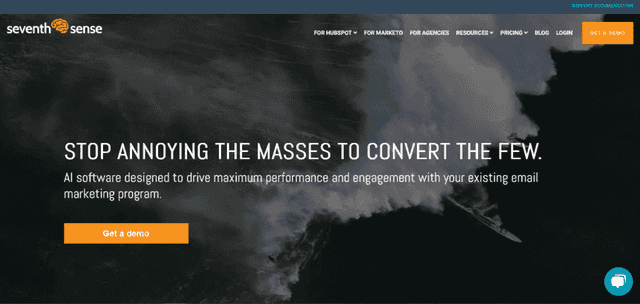
Seventh Sense is like having a seasoned fortune teller on your digital marketing team, particularly when it comes to the dicey realm of email marketing. The core of Seventh Sense is its ability to profile behaviors and predict the optimal time and day for each contact on your email list, a feature akin to having a crystal ball that peeks into the email habits of your audience.
The interface is a breeze, simplifying the often complex world of email marketing. It constructs individual predictive models for each contact, making it feel like each email sent out is handcrafted for the recipient.
However, it’s not all smooth sailing. The tool is brilliant but it demands a good understanding of your audience’s behaviors and a well-segmented email list to start with. Without a solid foundation, the predictive prowess of Seventh Sense might not shine as brightly.
Email Marketing Optimization
Venturing into the email marketing wilderness with Seventh Sense felt like having a compass that points towards higher open rates and engagement. The tool digs deep, crafting a predictive model for each contact to determine the best time and day to send emails, a feature that felt like having a personal assistant dedicated to each recipient on my list.
However, while the tool is potent, it doesn’t absolve one from understanding the basic principles of email marketing. The predictive models are powerful, but the content of the emails and the overall strategy still require a human touch. It’s a blend of Seventh Sense’s AI-driven insights and a marketer’s expertise that truly unlocks higher engagement rates.
A practical tip for utilizing Seventh Sense is to ensure your email list is well-segmented and clean before embarking on the optimization journey. It’s also advisable to constantly monitor and adjust your email marketing strategy based on the insights provided, ensuring that you’re not just sending emails at the right time, but also delivering value with each message.
12. Personalize
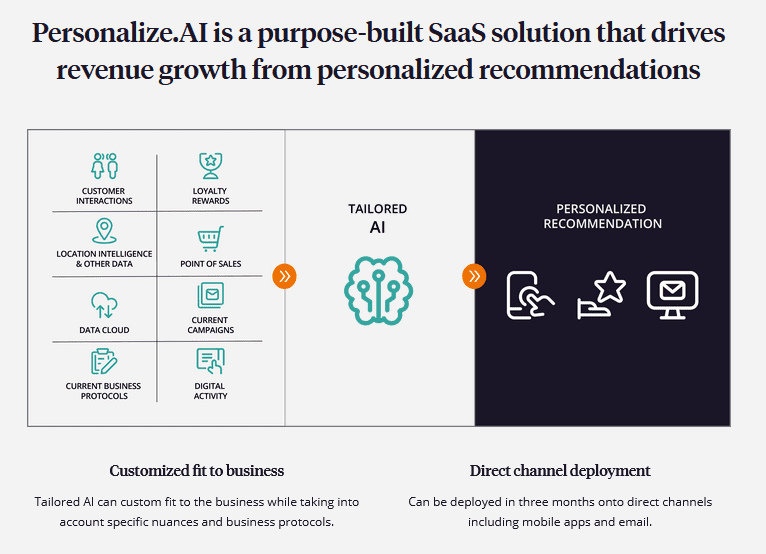
Personalize feels like having a digital mind reader embedded within your marketing toolkit. It shines the spotlight on what interests your contacts the most, making it an invaluable asset for any marketer aiming to hit the bullseye with their campaigns. The core allure of Personalize lies in its algorithm that constantly sniffs out the top three interests of each contact, updating these interests in real-time based on site activity.
The interface is straightforward, making the setup and operation seem almost effortless. It’s like having a 24/7 analyst that never tires, tirelessly working to ensure your campaigns are as resonant as they can be.
Yet, no tool is without its quirks. The effectiveness of Personalize hinges heavily on the amount of data it can access. Without a substantial interaction history or a sizeable amount of site activity, the tool’s ability to accurately pinpoint interests could be hamstrung.
Real-time Interest Tracking
Embarking on the journey with Personalize felt like gaining a new sense, one that taps into the pulse of your audience’s interests. The real-time interest tracking is nothing short of revelatory, shedding light on what keeps your contacts hooked, thereby empowering you to tailor your campaigns accordingly.
However, it’s not a silver bullet. The real-time tracking is potent, but it demands a well-structured website and a consistent flow of traffic to truly shine. It’s the marriage of Personalize’s real-time insights with a marketer’s strategic finesse that orchestrates a symphony of engagement and conversions.
A handy tip for harnessing the power of Personalize is to ensure your website is well-structured and your tracking mechanisms are in place before diving in. This foundation ensures that Personalize has a rich tapestry of data to work with, enabling it to unveil insights that can be game-changers for your marketing campaigns.
13. DeepBrain AI
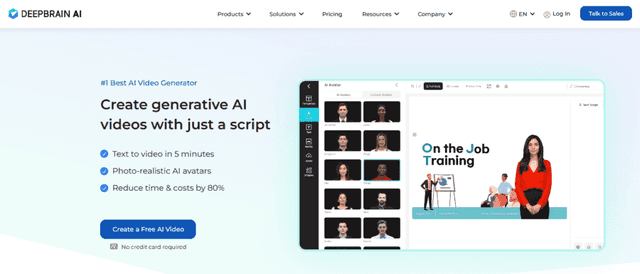
Embarking on a journey with DeepBrain AI was like stepping into the future of video marketing. The platform prides itself on creating photo-realistic AI avatars that bring a unique flair to video content. My expedition began with a straightforward text-to-video conversion, which effortlessly transformed my written words into a captivating visual narrative, complete with a lifelike avatar.
The platform’s prowess doesn’t end there; it can also convert PPT to video, a feature I found particularly handy for educational or presentation-oriented marketing campaigns. The one-click subtitle generation feature is a testament to the platform’s commitment to accessibility and reaching a broader audience.
While the technology is awe-inspiring, there’s a learning curve involved, especially if you’re new to video marketing. The plethora of features and settings might be a bit overwhelming for the uninitiated.
Impact on Video Creation
Navigating the video marketing realm with DeepBrain AI was akin to having a seasoned director and a graphic designer rolled into one. The platform eliminated the time and resources typically required for video creation, thus expediting the marketing process.
The AI avatars added a personalized touch, making the brand feel more relatable and engaging to the audience. However, as revolutionary as the technology is, it might not replace the authenticity that comes from real-human interaction in videos.
For the best results, I found that a mix of real-human videos and AI-generated content struck the right balance, ensuring the brand’s message was not only heard but felt. Utilizing the text-to-video feature for informational or educational content, while reserving human interaction for more personal or emotive messages, formed a harmonious blend of technology and human touch.
This part of your article showcases DeepBrain AI’s capabilities and the impact it can have on video creation, following the format and tone established in the previous sections.
14. Beacons AI
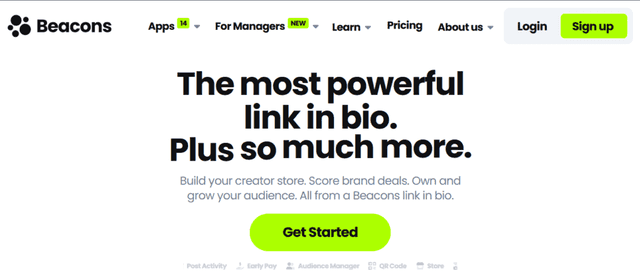
Diving into the Beacons AI platform felt like unlocking a new level in the game of social media marketing. The platform presents itself as a haven for creators and marketers aiming to consolidate their online presence. My voyage with Beacons AI began with setting up a bio link, a gateway that led to an organized showcase of all my online channels on one page.
The simplicity of the platform is its charm. It allows for the creation of mobile-optimized landing pages with zero coding skills required. The analytics feature is a goldmine, providing insights into the traffic and interactions on my page. However, while the simplicity is a boon for beginners, seasoned marketers might find the feature set a bit limiting.
Boosting Social Media Presence
With Beacons AI, managing a coherent social media presence became less of a chore. The bio link acted like a digital business card, making it easier for the audience to interact and engage with all my online channels. The analytics feature was like having a magnifying glass over my social media efforts, enabling a clearer understanding of what resonates with the audience.
However, Beacons AI is not a one-size-fits-all solution. While it excels in simplifying social media management, it doesn’t offer advanced customization or in-depth analytics that some marketers might crave.
A simple yet effective tip for leveraging Beacons AI is to keep the landing page clutter-free and visually appealing. This ensures a seamless user experience, encouraging more interactions and, in turn, a broader reach across different social media platforms.
This section provides an insight into Beacons AI’s offerings and how it can play a role in amplifying social media presence, maintaining the established format and tone of the article.
15. Rapidely
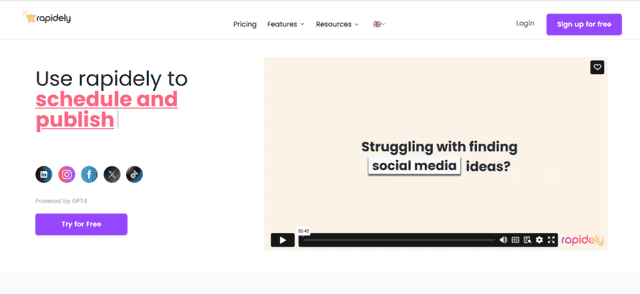
Embarking on the Rapidely journey felt close to having a digital swiss army knife in my marketing toolkit. Rapidely is crafted for those marketers who juggle multiple tasks and need a unified platform to streamline their workflow. My exploratory session commenced with its website optimization feature, which is like having a seasoned web developer scrutinizing your site for performance bottlenecks.
The platform’s suite of tools encompasses website optimization, SEO analysis, and automated reporting, among others. Its user interface is intuitive, making navigation through the various features a breeze. However, the breadth of features can be a double-edged sword. For someone new to digital marketing, the plethora of options might come off as overwhelming.
Streamlining Digital Marketing Tasks
With Rapidely, managing multiple facets of digital marketing felt less daunting. The automated reporting is a time-saver, providing insights right when you need them. The SEO analysis tool is akin to having a seasoned SEO expert providing actionable recommendations to improve your site’s visibility.
Yet, the tool is not without its caveats. While it’s packed with features, it requires a certain level of digital marketing knowledge to fully harness its potential. It’s like having a high-performance sports car but needing to know how to drive it to get the maximum benefit.
A handy tip for making the most out of Rapidely is to take advantage of its educational resources. It helps in not only understanding the platform better but also in honing one’s digital marketing skills. This way, you get to ride the wave of features Rapidely offers, propelling your marketing efforts to new heights.
In this section, the narrative delves into how Rapidely serves as a multi-faceted tool for digital marketing tasks, aligning with the established format and tone of the preceding reviews.
Looking Ahead: Future Trends in AI for Marketing
The horizon of AI technologies in marketing is perpetually expanding, uncovering new vistas of possibilities. As we move ahead, emergent AI technologies like predictive analytics, machine learning, and natural language processing are poised to further refine the way we strategize marketing endeavors.
Notably, the fusion of AI with Big Data is creating a robust framework for understanding consumer behavior on an unprecedented scale. Real-time analytics powered by AI is enabling marketers to tap into a goldmine of insights, making data-driven decision-making the linchpin of successful marketing strategies.
Moreover, AI’s foray into voice search and smart assistants is reshaping the SEO landscape, urging marketers to rethink their keyword strategies. Also, the advent of AI in video marketing, with tools capable of analyzing video content and automating video SEO, is a trend worth watching.
As the tableau of AI in marketing unfolds, being prepared for the evolving landscape is paramount for staying ahead of the curve. One of the primary steps is fostering a culture of continuous learning and adaptation among the marketing teams. The pace at which AI is evolving necessitates a commitment to staying updated with the latest advancements and best practices in AI for marketing.
Furthermore, investing in AI tools and technologies should be seen as a long-term venture. Selecting the right AI tools for marketing, like those discussed above, is pivotal for ensuring that your marketing campaigns remain effective amidst the shifting sands of the marketing realm.
Also, fostering collaborations with AI technology providers and being part of AI-centric marketing communities can provide invaluable insights and resources. It’s an exciting juncture where the confluence of AI and marketing is creating a new paradigm, and being well-prepared and informed is the key to navigating this dynamic arena successfully.
In this section, the focus shifts to the future, exploring emerging AI technologies and suggesting ways for marketers to prepare for the evolving landscape. This narrative aligns with the overarching theme of understanding and leveraging AI tools for marketing, thereby providing a fitting conclusion to the discussion initiated in the preceding sections.
Conclusion
Navigating the world of marketing is now more manageable and exciting with the aid of AI tools. They not only save time but also provide invaluable insights to drive better engagement and results.
Whether it’s crafting compelling content, optimizing for SEO, or decoding consumer behavior, the AI tools for marketing discussed here offer a pathway to upping your marketing game. It’s a good time to start exploring these tools, identifying what fits your needs, and integrating them into your marketing strategy.
The competitive edge and the efficiencies they offer can be game-changing for any marketer willing to adapt. So, dive in, experiment with these tools, and propel your marketing efforts to new heights.