
Table of Contents
Are you thinking about self-publishing but not sure if Amazon KDP is the right platform for you? While KDP is popular, it’s not the only option out there. Exploring different platforms can be crucial to find the one that fits your publishing needs and goals perfectly.
To skip the busywork, our AI-powered ebook maker generates the outline, chapters, and formatting automatically.
Each self-publishing platform has its unique features, benefits, and limitations. Some might offer better distribution networks, while others might excel in providing more control over pricing and design. Understanding these differences can help you make an informed decision about where to publish your work.
In this article, we’re diving into some top alternatives to Amazon KDP. Whether you’re looking for wider distribution, different formatting options, or just want to explore what’s out there, we’ve got you covered. Let’s explore these options to help you find the best platform for your book.
9 Alternatives to Amazon KDP
There is no question to whether Amazon KDP is legit or not and whether you can earn with KDP, but if you are looking to self-publish, and Amazon KDP is not working for you for which ever reason, here are 9 alternatives to Amazon KDP that you should try out:
1. Smashwords
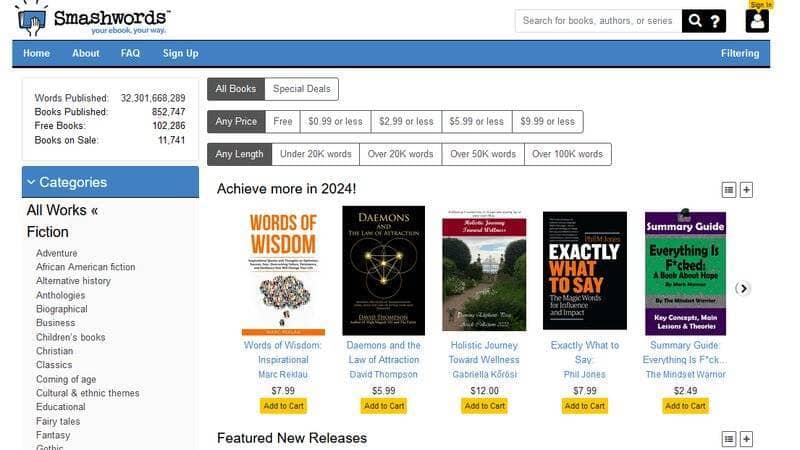
Smashwords, established as an early player in the self-publishing game, offers a distinctive approach to digital publishing. Its platform is centered around simplicity and accessibility, making it an appealing choice for many authors.
In terms of key features, Smashwords stands out with its broad distribution network. The platform distributes to major ebook retailers, including Barnes & Noble, Kobo, and Apple Books, offering authors a wide reach.
The process of uploading a manuscript is straightforward, with clear guidelines to help authors prepare their work for distribution.
Ease of use is a notable aspect of Smashwords. The site’s interface is user-friendly, focusing on essential functions without overwhelming users with too many options.
This simplicity is a boon for authors who prefer a no-frills, direct approach to publishing.
Speaking of distribution and reach, Smashwords excels by providing access to a vast array of online bookstores and libraries.
This extensive distribution network ensures that books published on Smashwords can reach a global audience, often surpassing the reach of Amazon KDP in certain aspects.
As for the pricing and royalties, authors have significant control over the pricing of their books and receive a higher percentage of royalties compared to many other platforms, including Amazon KDP.
Additional services offered by Smashwords include an in-depth analytics tool, allowing authors to track their sales and understand reader trends.
However, unlike some other platforms, Smashwords does not provide services like book editing, cover design, or marketing assistance, so authors may need to seek these services externally.
The platform has a supportive author community and reliable customer support, providing a helpful environment for both new and experienced authors. This community aspect can be particularly beneficial for networking and sharing insights with fellow writers.
Feature Comparison with Amazon KDP
- Distribution Network: Smashwords offers a broader ebook distribution network including retailers like Barnes & Noble, Kobo, and Apple Books, unlike Amazon KDP which focuses primarily on the Amazon marketplace. This wider distribution could lead to a more diverse reader base.
- Royalty Rates: Smashwords generally provides higher royalty rates compared to Amazon KDP, particularly for sales made directly through their platform.
- User Interface and Ease of Use: Smashwords features a simpler, more straightforward user interface compared to the more complex and feature-rich interface of Amazon KDP, making it more approachable for first-time authors.
- Exclusive Programs: Unlike Amazon KDP’s exclusive programs like KDP Select, which offers benefits like Kindle Unlimited, Smashwords does not require exclusivity, allowing authors to publish their books on multiple platforms simultaneously.
- Ideal for: Smashwords is an excellent choice for authors who prioritize a wide distribution network and higher royalty rates, and who prefer a straightforward, easy-to-use publishing platform.
2. Draft2Digital

Draft2Digital comes as a strong contender to Amazon KDP, known for its user-friendly approach and expansive distribution options. This platform makes publishing accessible for authors of all experience levels.
Draft2Digital distinguishes itself with a particularly intuitive interface. Authors can easily navigate through the process of uploading a manuscript, formatting it, and setting it up for publication.
The platform also offers automatic conversion of manuscripts into various ebook formats, a feature that greatly simplifies the publishing process.
One of the most compelling features of Draft2Digital is its Universal Book Link (UBL) service. This tool creates a single link that directs readers to all online retailers where the book is available, enhancing the book’s discoverability and making promotions easier and more automated.
In terms of distribution and reach, Draft2Digital provides access to a wide range of ebook retailers and library distributors.
This includes major platforms like Apple Books, Barnes & Noble, and Kobo, thereby ensuring a broad audience reach.
Draft2Digital operates on a commission-based pricing model, taking a small percentage of net royalties, which means authors pay nothing upfront. The platform provides competitive royalty rates, and authors retain full rights to their work.
While Draft2Digital doesn’t offer additional services like professional editing or cover design in-house, it has partnerships with external providers, allowing authors to easily find these services if needed.
The platform has a reputation for excellent customer service and support, providing authors with a reassuring sense of community and assistance when needed.
Feature Comparison with Amazon KDP
- User Interface and Automation: Draft2Digital offers a more user-friendly interface and automated tools for book formatting and conversion, in contrast to Amazon KDP’s more manual approach.
- Distribution Network: Unlike Amazon KDP, which focuses on the Amazon marketplace, Draft2Digital offers a wider distribution network that includes several other major ebook retailers and library distributors.
- Universal Book Link (UBL): Draft2Digital’s UBL service is unique, providing a single link to all retailers, which simplifies marketing efforts, a feature not available on Amazon KDP.
- Royalties and Pricing Model: Draft2Digital operates on a commission-based model with competitive royalties, while Amazon KDP has different royalty options depending on the pricing and distribution choices.
- Ideal for: Draft2Digital is well-suited for authors who value ease of use and broad distribution across multiple platforms, and those who prefer a more automated process for formatting and publishing their books.
3. IngramSpark
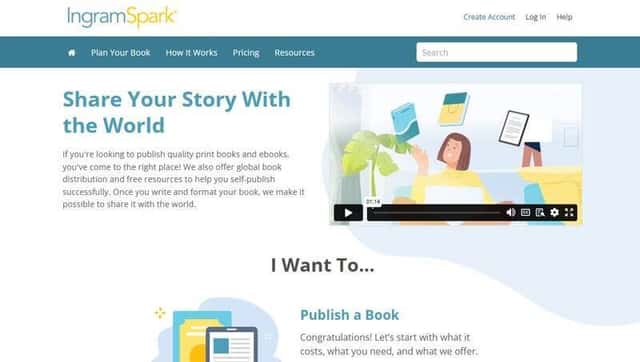
IngramSpark stands out in the self-publishing market, especially for authors interested in both print and digital formats. My experience with IngramSpark highlighted its robust distribution network and the quality of its printed books.
As for distribution capabilities, they offer access to an extensive network that includes major retailers and independent bookstores, as well as libraries and schools.
This wide reach is particularly beneficial for authors looking to establish a presence in the physical book market.
The quality of print books produced by IngramSpark is impressive. They offer a variety of printing options, including hardcover and paperback, with professional-grade paper and binding.
This attention to quality makes IngramSpark a top choice for authors who prioritize the physical presentation of their books.
The platform’s interface is more technical compared to some other self-publishing services. While it offers comprehensive control over the publishing process, it might require a bit more time to navigate for those new to publishing.
In terms of pricing, IngramSpark charges a setup fee for each title, which covers both print and ebook formats.
Their royalty structure is straightforward, and they offer a calculator on their website to help authors estimate earnings.
IngramSpark also provides resources and tools for book formatting and design, although these services are not as extensive as some other platforms. They do offer access to a range of marketing tools and services, which can be invaluable for authors looking to promote their books.
Feature Comparison with Amazon KDP
- Print Quality and Options: IngramSpark offers superior print quality with a range of options including hardcover, setting it apart from Amazon KDP’s more limited print services.
- Distribution Network for Print Books: The distribution network of IngramSpark is broader in the physical book market, reaching major retailers, independent bookstores, and libraries, unlike Amazon KDP which is primarily focused on Amazon.com.
- Setup Fee and Royalties: IngramSpark requires a setup fee for each title, which covers both print and ebook formats, in contrast to Amazon KDP, which has no upfront costs. While this might be a consideration for some authors, the straightforward royalty structure can be advantageous.
- Technical Interface: IngramSpark’s interface is more technical and detailed, offering comprehensive control over the publishing process, unlike Amazon KDP’s more streamlined approach, which can be easier for beginners.
- Ideal for: IngramSpark is ideal for authors who are serious about the physical quality of their books and are looking to reach a wide audience, including offline retailers and libraries. It’s particularly suited for those who are willing to navigate a more complex platform to achieve higher print quality and broader distribution.
4. Lulu

Lulu is another alternative to Amazon KDP that I found to be particularly versatile, especially for authors looking to explore various self-publishing options. Lulu’s platform is well-suited for both new and experienced authors, offering an array of publishing services.
One of the standout features of Lulu is its customization options. The platform allows authors to choose from a wide range of book sizes, paper types, and binding options, more so than many other platforms.
This flexibility is especially appealing if you’re looking to create a book with specific physical attributes.
Lulu’s print-on-demand service is a key advantage. It enables authors to print books as they are ordered, reducing the need for upfront investment in inventory. This model is not only cost-effective but also environmentally friendly, as it minimizes waste.
Navigating Lulu’s platform, I found it to be user-friendly with clear instructions and helpful resources. The process of uploading and setting up a book is streamlined and intuitive, which is great for authors who may not be as tech-savvy.
In terms of distribution, Lulu offers global reach, allowing books to be sold through its own online bookstore as well as through major retailers like Amazon and Barnes & Noble.
This provides a balance of direct sales through Lulu and wider distribution through other channels.
Lulu’s pricing model is transparent, with authors setting their own book prices and earning royalties based on these prices.
The platform provides a calculator to estimate profits, which is a handy tool for planning your pricing strategy.
Feature Comparison with Amazon KDP
- Customization and Print Options: Lulu offers a wider array of physical book customization options compared to Amazon KDP, including more sizes, paper types, and binding choices.
- Print-on-Demand Service: Lulu’s print-on-demand model is efficient and cost-effective, making it easy for authors to manage inventory and reduce overhead costs, a feature also present in Amazon KDP but with different customization options.
- User Interface and Ease of Use: Lulu’s platform is straightforward and user-friendly, catering to both tech-savvy authors and those who might be new to self-publishing.
- Direct Sales through Lulu’s Online Bookstore: In addition to global distribution, Lulu allows authors to sell directly through their own online bookstore, offering a potential higher profit margin compared to Amazon KDP’s primary focus on its own marketplace.
- Ideal for: Lulu is particularly suitable for authors who prioritize physical book quality and customization, and who are looking for a balance between direct sales and wide distribution.
5. Kobo Writing Life
Kobo Writing Life is a platform I explored with interest, particularly for its focus on ebooks and its strong presence in the international market. This platform is particularly appealing for authors who are looking to tap into a global readership.
One of the standout features of Kobo Writing Life is its global market reach. Kobo has a significant presence in Canada and is also popular in various countries around the world.
This international focus offers authors a chance to reach audiences that might not be as accessible through other platforms.
The process of publishing with Kobo Writing Life is streamlined and user-friendly. From uploading a manuscript to setting prices and distribution channels, I found the interface to be intuitive and easy to navigate, even for those who might be new to ebook publishing.
Kobo also offers promotional opportunities for authors, which I found to be quite beneficial.
These include options to feature books in Kobo’s promotional campaigns, which can significantly boost visibility and sales.
In terms of royalties, Kobo Writing Life provides competitive rates, and its pricing flexibility allows authors to set their own book prices.
This can be advantageous, especially when targeting specific markets with varying price sensitivities.
Kobo Writing Life does not offer additional services like editing or cover design. Authors need to ensure their manuscripts are ready for publication or seek these services elsewhere.
Feature Comparison with Amazon KDP
- Global Market Focus: Kobo Writing Life has a stronger focus on the international market, especially in Canada, compared to Amazon KDP, which is more US-centric.
- Promotional Opportunities: Kobo provides unique promotional tools and opportunities for authors to feature their books in Kobo’s own marketing campaigns, a feature that differs from Amazon KDP’s marketing options.
- Royalty Rates and Pricing Flexibility: Kobo offers competitive royalty rates similar to Amazon KDP, but with the added benefit of more pricing flexibility, allowing authors to tailor their pricing strategy to different markets.
- Ebook-centric Platform: Kobo Writing Life is primarily an ebook platform, making it an ideal choice for authors focusing on digital publishing, as opposed to Amazon KDP, which also has a strong emphasis on print-on-demand services.
- Ideal for: Kobo Writing Life is perfect for authors who are looking to reach a global audience, especially in markets where Kobo has a strong presence. It is also well-suited for those who prefer a platform that is solely focused on ebooks and offers significant promotional support to help increase book visibility.
6. Apple Books for Authors
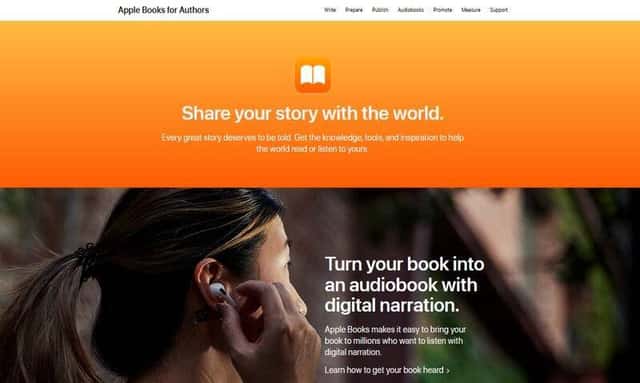
Apple Books for Authors is a platform that I found particularly intriguing, especially for authors aiming to target Apple’s dedicated and expansive user base. Its integration with Apple devices provides a unique advantage for reaching readers who prefer Apple’s ecosystem.
One of the most notable features of Apple Books for Authors is its seamless integration with Apple devices.
This means that books published on this platform are readily available to millions of users across the globe who use iPhones, iPads, and Macs. This built-in audience can be a significant boon for visibility and sales.
Publishing on Apple Books is a straightforward experience. The platform’s interface is clean and intuitive, reflecting Apple’s well-known design ethos.
This simplicity makes it easy for authors to upload their books, set details, and get their works published with minimal hassle.
In terms of distribution, Apple Books offers a direct route to a large and dedicated audience of Apple device users.
While it may not have the broad third-party distribution network of some other platforms, the focused access to Apple users is a unique benefit.
The royalty structure on Apple Books is competitive, and authors have the flexibility to set their own prices. Additionally, there are no upfront fees for publishing, making it an accessible option for authors at all levels.
Apple Books for Authors does not provide additional services like editing or cover design. Authors looking to use this platform will need to have their books fully ready for publication or outsource these services.
Feature Comparison with Amazon KDP
- Device Integration: Apple Books for Authors offers unmatched integration with Apple devices, providing a streamlined reading experience for Apple users, unlike Amazon KDP which targets a broader range of devices and platforms.
- User Experience and Interface: The platform is known for its user-friendly interface, reflecting Apple’s focus on design and ease of use, which is more streamlined compared to the more functional interface of Amazon KDP.
- Focused Audience Reach: Apple Books specifically targets Apple device users, offering a direct connection to a dedicated and sizable audience, whereas Amazon KDP caters to a wider range of readers across various devices and platforms.
- Royalty and Pricing: Both Apple Books for Authors and Amazon KDP offer competitive royalty rates, but Apple Books provides authors with a high degree of pricing flexibility, allowing for tailored strategies to suit the Apple marketplace.
- Ideal for: Apple Books for Authors is ideal for authors who want to capitalize on the vast network of Apple device users and prefer a platform with a straightforward, user-friendly publishing process. It’s particularly beneficial for those looking to target the loyal Apple customer base.
7. Barns & Noble Press

Barnes & Noble Press is a self-publishing platform that I found to be a strong contender, especially for authors who aim to tap into the loyal customer base of one of the largest book retailers in the United States.
This platform offers unique opportunities for both ebook and print book distribution.
A distinctive feature of Barnes & Noble Press is its direct link to the Barnes & Noble marketplace. This means that books published on this platform are readily available on the Barnes & Noble website, providing excellent visibility, particularly for authors targeting the U.S. market.
The platform is quite user-friendly. Uploading and managing books is straightforward, with clear steps and helpful guidelines. This ease of use makes Barnes & Noble Press an attractive option for both new and experienced authors.
In terms of distribution, besides the online presence, Barnes & Noble Press also offers the possibility for print books to be considered for in-store placement within Barnes & Noble bookstores.
This physical presence is a significant advantage for authors who wish to see their books on bookstore shelves.
The royalty rates offered by Barnes & Noble Press are competitive, and authors have the flexibility to set their own prices.
The platform also runs periodic promotions and discounts, which authors can opt into to boost sales.
One limitation of Barnes & Noble Press is that its primary focus is on the U.S. market.
While it offers great exposure within the United States, authors looking for a broader international reach might need to consider additional distribution channels.
Feature Comparison with Amazon KDP
- Market Focus: Barnes & Noble Press offers direct access to the Barnes & Noble customer base, predominantly in the U.S., compared to Amazon KDP’s global reach.
- In-Store Placement Opportunities: Unlike Amazon KDP, Barnes & Noble Press provides a unique opportunity for print books to be considered for physical placement in Barnes & Noble retail stores.
- Royalties and Pricing: Both platforms offer competitive royalty rates and pricing flexibility, but Barnes & Noble Press occasionally runs special promotions and discounts for additional visibility.
- User Interface: Barnes & Noble Press features a user-friendly and intuitive interface, similar to Amazon KDP, making the publishing process straightforward and accessible.
- Ideal for: Barnes & Noble Press is ideal for authors who are targeting the U.S. market and are interested in the potential of having their print books displayed in Barnes & Noble retail stores. It’s also a good choice for those who prefer a simple, straightforward publishing platform with a strong U.S. presence.
8. Google Play Books

Google Play Books is a platform I explored with an eye on its vast reach through the Google ecosystem. It stands out as a strong choice for authors looking to capitalize on the extensive user base of Android devices and Google users globally.
One of the key advantages of Google Play Books is its integration with the Google Play Store.
This means that books published on this platform have the potential to reach a large, diverse audience of Android users, as well as users accessing Google Play on other devices.
The process of publishing on Google Play Books is relatively straightforward. The platform offers a clear, step-by-step guide for uploading books, setting prices, and managing distribution.
I found the interface to be user-friendly and efficient, which is particularly beneficial for authors who may not be as familiar with digital publishing.
In terms of royalties, Google Play Books offers competitive rates, and authors have the flexibility to set their own prices. The platform also allows for global pricing control, which I found useful for targeting specific markets with adjusted pricing strategies.
A unique feature of Google Play Books is its strong presence in the ebook market, with robust support for digital formats.
While it does not offer print-on-demand services like some other platforms, its focus on digital distribution is a significant advantage for authors concentrating on ebooks.
Google Play Books does not provide additional services such as editing or cover design. Authors will need to ensure their books are ready for publication or seek these services from external providers.
Feature Comparison with Amazon KDP
- Integration with Google Ecosystem: Google Play Books offers seamless integration with the Google Play Store, providing access to a vast audience of Android and Google users, in contrast to Amazon KDP’s focus on the Amazon marketplace.
- Global Pricing Control: Unlike Amazon KDP, Google Play Books allows authors to control pricing on a global scale, offering the flexibility to adjust prices for different markets.
- Ebook Focus: Google Play Books emphasizes digital distribution, making it a strong platform for authors who are primarily interested in ebook publishing, whereas Amazon KDP also focuses significantly on print-on-demand services.
- Royalty Rates and Pricing Flexibility: Both platforms offer competitive royalty rates, but Google Play Books provides authors with more control over global pricing, which can be advantageous for targeted marketing strategies.
- Ideal for: Google Play Books is especially suitable for authors aiming to leverage the global reach of the Google Play Store and those who are focusing on the ebook market. It’s a great choice for authors seeking wide digital distribution and who are comfortable handling or outsourcing additional services like book formatting and cover design.
9. Blurb

Exploring Blurb as an alternative to Amazon KDP, I found it to be a unique platform, especially appealing for authors and creators who focus on visual and specialty books like photo books, cookbooks, and art books.
One of the standout features of Blurb is its emphasis on high-quality print formats. The platform provides exceptional tools for creating visually rich and professionally styled books.
The customization options for book size, paper type, and cover design are extensive, making Blurb a top choice for projects where visual presentation is key.
Blurb’s book-making tools, including their BookWright software, are robust and user-friendly. I appreciated the creative control it offered, allowing for intricate design and layout customization.
This is particularly beneficial for authors and creators who have specific design visions for their books.
The platform also supports ebook formats, but its primary strength lies in print. Blurb offers print-on-demand services, which means books are printed as they are ordered, reducing the need for large print runs and upfront costs.
In terms of distribution, Blurb provides options to sell books through their own website and distribute them through global retailers like Amazon and Apple Books.
However, the platform is more focused on enabling sales directly through Blurb’s website.
Blurb’s pricing structure is transparent, with printing costs clearly outlined. Authors set their own retail price, which determines their profit margin.
While Blurb’s printing costs might be higher than some other platforms, the quality of their products justifies the expense.
Feature Comparison with Amazon KDP
- Focus on Visual and Specialty Books: Blurb excels in producing high-quality visual and specialty books, such as photo books and art books, a niche that Amazon KDP does not specifically cater to.
- Customization and Design Tools: Blurb offers advanced customization and design tools, allowing for a higher degree of creative control over book layout and appearance compared to the more standard formats available on Amazon KDP.
- Print Quality and Options: The print quality on Blurb is notably high, with a wide range of options for paper type and book size, catering to projects where print presentation is crucial.
- Direct Sales Through Blurb’s Website: Unlike Amazon KDP, which primarily focuses on distribution through Amazon’s marketplace, Blurb encourages direct sales through its own platform, offering authors higher profit margins on these sales.
- Ideal for: Blurb is ideal for authors, photographers, artists, and creators who prioritize high-quality print presentation and seek extensive customization for their books. It’s particularly suited for producing photo books, cookbooks, art books, and other visual-centric publications.
Conclusion
Exploring alternatives to Amazon KDP opens up a diverse world of publishing options. Each platform we’ve discussed offers unique features and benefits, catering to different types of authors and publishing needs.
With these alternatives to Amazon KDP, you have the power to choose a path that best suits your publishing journey. From global digital reach to specialized print options, each platform brings something valuable to the table. So, take your time, weigh your options, and embark on a publishing adventure that resonates with your unique story.