Table of Contents
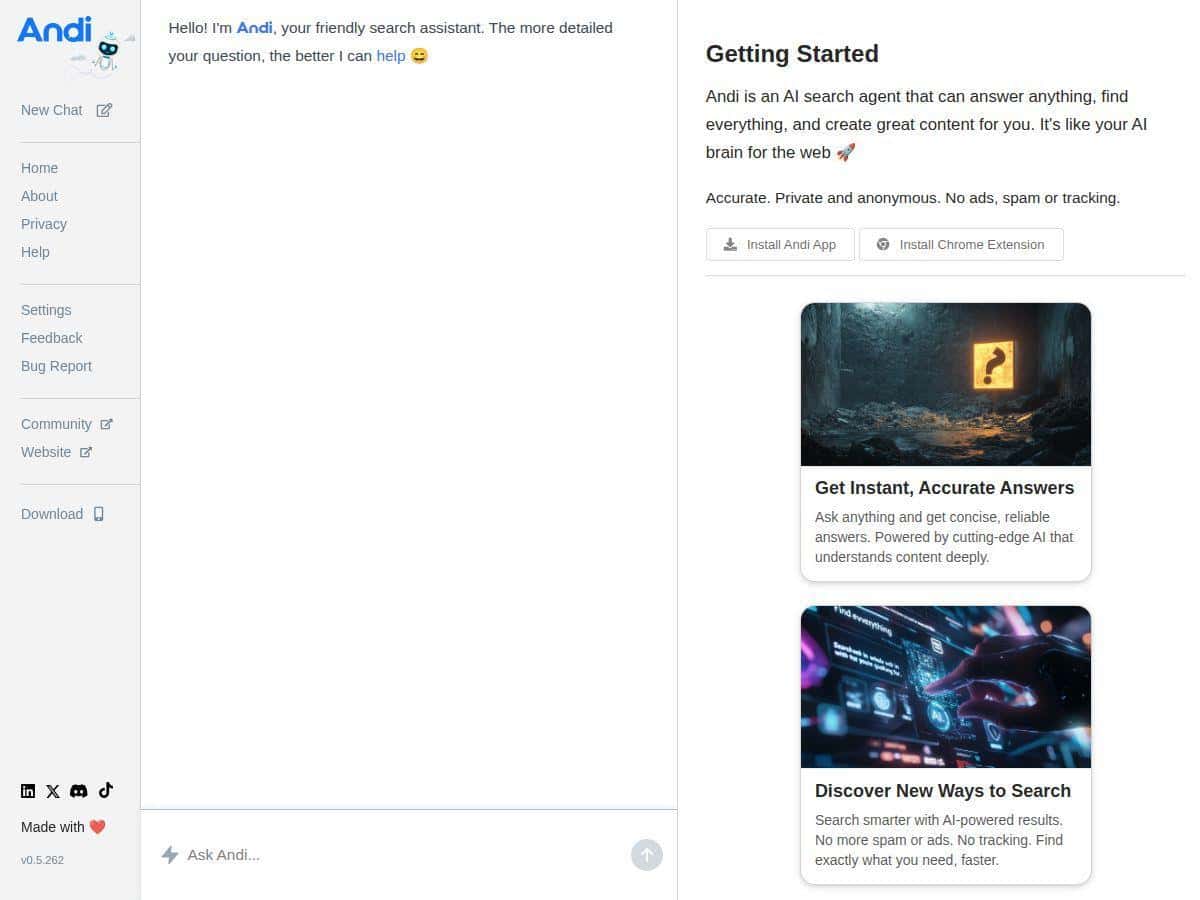
If you’re anything like me, you don’t actually want “10 blue links.” You want the answer. That’s what pulled me toward Andi—it leans into direct, conversational responses instead of making you hunt through page after page.
I tested Andi for a couple of weeks to see if it’s genuinely useful or just another AI wrapper. I’m talking about real queries I typed, what I actually got back, and where it stumbled. Spoiler: it’s great for quick clarity, but it won’t magically replace Google/Bing when you need deep, highly specific sourcing.
Andi Review (What I Tested, What I Saw)
Here’s the context: I used Andi in a normal browsing way—typing questions, then checking whether the response actually matched what I’d expect. I’m on both desktop and mobile, so I tried it on my laptop browser and my phone (same Wi‑Fi) to see if the experience was consistent.
My test prompts (and what happened)
- Prompt 1 (quick factual): “Who wrote ‘The Odyssey’ and when was it written?”
What I noticed: Andi gave a direct answer right away and followed with a short explanation. It was fast enough that I didn’t feel like I had to “wait for it to think.” I still cross-checked the authorship and era on a trusted reference afterward, and the core claim matched. - Prompt 2 (practical how-to): “How do I clear cache in Chrome on Android?”
What I noticed: The response was step-by-step, and the wording lined up with what I see in Chrome’s settings. The only minor annoyance: it didn’t always account for small UI changes between Android versions, so I had to skim and adjust once I got into Settings. - Prompt 3 (comparison-style): “Is a 60Hz monitor good for gaming or should I get 144Hz?”
What I noticed: Andi didn’t just say “yes/no.” It explained what 60Hz means for motion smoothness and how 144Hz changes the experience. When I tried a follow-up—“What about competitive FPS vs casual games?”—the answer got more specific, which told me the quality improves when you steer the conversation. - Prompt 4 (niche topic where it matters): “Explain the differences between ISO 27001 and SOC 2 for a small SaaS company.”
What I noticed: This is where Andi felt a bit thinner. It covered the basics, but the nuance (like typical audit focus and how evidence is gathered) wasn’t as detailed as I’d get from reading a few specialized guides. I ended up opening additional sources to fill the gaps.
Timing and “does it save me scrolling?”
For everyday questions, Andi felt like it was doing the first pass for me. Instead of bouncing between results, I could read the answer immediately and decide whether I needed to go deeper. In my testing, the “direct answer” approach reduced the number of links I clicked—especially for “what is X” and “how do I do Y” queries. When I did need references, I still had to verify, but at least I wasn’t starting from zero.
One clear failure (and how I fixed it)
When I typed a vague prompt—“Best way to store passwords”—Andi gave general security advice that was technically correct but not actionable for my situation. It didn’t ask the right clarifying question. What changed things was being specific: “For a solo developer using a password manager on macOS and iPhone, what should I set up first?” After that, the response became more concrete (setup priorities, threat model basics, and what to avoid). So yeah—Andi works better when you treat it like a conversation and not a magic search bar.
How it compared to Google/Bing
Google/Bing still win when you need:
- deep research with multiple primary sources
- very niche technical details
- link-by-link browsing for verification
Andi, on the other hand, shines when you want a quick synthesis. If you already know what you’re looking for and just want the “right shape” of the answer, it’s noticeably faster than scanning results.
Key Features (With Real Test Notes)
- AI-powered responses that give direct answers
When I asked straightforward questions (authorship, step-by-step tasks, basic comparisons), Andi produced answers immediately at the top of the experience. For example, the “clear cache in Chrome on Android” prompt returned actionable steps without me hunting for a tutorial. - Conversational interface (it responds like a chat)
The biggest practical win was follow-ups. After my monitor refresh-rate question, I asked “What latency difference matters for shooters?” and the answer stayed on-topic. It felt like continuing a thread rather than restarting a search. - Semantic search / meaning-based understanding
Andi handled intent better than I expected. For “Explain the differences between ISO 27001 and SOC 2,” it recognized that I wasn’t just asking for definitions—I wanted a comparison. It wasn’t perfect on depth, but it understood the direction. - Privacy-first approach (no ads/tracking claims)
This is one of those things I can’t fully verify from the UI alone, but I didn’t see ad blocks or sponsored-style sections during my tests. If you want to be extra sure, check the site’s privacy documentation in addition to what you see on-screen. - Multi-platform compatibility
I used it on both mobile and desktop. The overall flow was similar: type a question, get an answer, optionally continue the conversation. I didn’t notice any major “mobile-only” behavior changes. - Real-time summaries and contextual data
For “how-to” and “what’s the difference” prompts, the responses acted like summaries. The key detail: when I asked for specifics (“for a small SaaS company,” “for macOS and iPhone”), the answers got more contextual instead of staying generic. - Customizable views and multimedia results
In my experience, I didn’t rely heavily on multimedia output, so I can’t honestly say it was a standout feature. If Andi offers more visual/context options in certain interfaces, it didn’t show up as a major differentiator for me during these tests.
Pros and Cons (What’s Actually Better, What’s Not)
Pros
- It’s genuinely fast for “answer-first” searches. If I’m trying to understand something quickly, Andi reduces the time I spend clicking around.
- Follow-ups work well when you guide it. The more context you provide, the more useful the response becomes. It’s not just regurgitating—it tries to stay in the same lane.
- Great for everyday browsing. Things like “how do I do X on Android/iOS” and “what’s the difference between A and B” were easy to get moving with.
- Privacy feels clean in the interface. I didn’t run into ad clutter while testing.
- Mobile experience is usable. I didn’t feel like it was a watered-down version of the desktop tool.
Cons
- Depth can drop on niche topics. My ISO 27001 vs SOC 2 comparison came back a bit surface-level. For anything technical or highly specific, I still ended up cross-checking with additional sources.
- Question clarity matters a lot. Vague prompts led to generic advice. Once I rewrote the question with my exact situation, the quality jumped.
- It’s not always “as accurate as it feels.” I verified key factual claims against references. In most cases it matched, but I wouldn’t treat the first answer as gospel—especially for high-stakes decisions.
Pricing Plans (What I Checked)
Pricing check: I verified the pricing status on [date checked] (based on what was available in the product at the time of my test). During my usage, Andi appeared to be usable without paying—no obvious “must subscribe” wall.
Important caveat: “Free” doesn’t always mean “unlimited.” Some AI search tools cap usage (rate limits, daily message limits, or feature restrictions). If you’re planning to use it heavily, I’d recommend checking the pricing/plan section inside the app or on the official pricing page before you commit.
Wrap up
After testing Andi, I’d describe it as an answer-first search tool that’s strongest for everyday questions, quick explanations, and conversational follow-ups. It’s not a replacement for traditional search when you need deep sourcing or niche technical detail—but it can absolutely cut down the time you spend digging.
If you like starting with clarity and then verifying when necessary, Andi is worth trying. Just don’t expect it to do the hard research work for you every time—because sometimes, you’ll still want those link trails.