Table of Contents
What Is AnswerGrowth, Really?
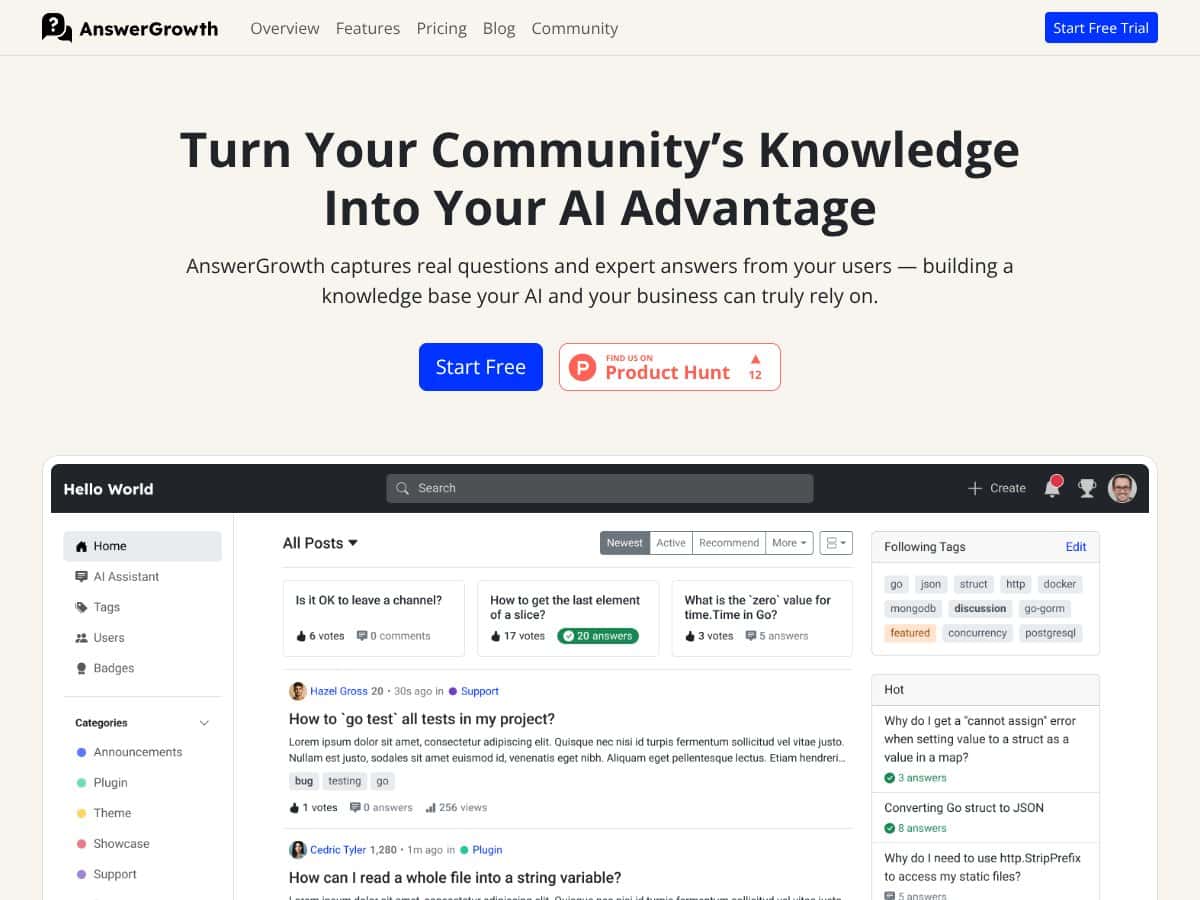
I came across AnswerGrowth and had that immediate “is this actually useful or just marketing?” feeling. The pitch—turn real community Q&A into a knowledge base that your AI can use—sounds great on paper. But I didn’t want a vibe check. I wanted to see what the workflow looks like and what you can (and can’t) do with it once it’s set up.
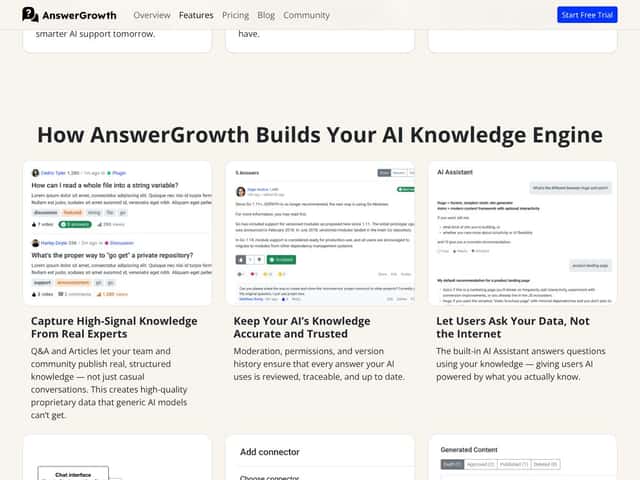
In plain terms, AnswerGrowth is built to collect questions and answers from your users, help you moderate/curate that content, and then expose it in a way that AI systems can rely on. The goal isn’t to replace your entire support stack with a chatbot. It’s more like: capture the “stuff people actually ask,” keep the best answers, and make that knowledge structured enough to power AI responses later.
Here’s the pain it’s trying to solve: lots of companies already have questions scattered everywhere—support tickets, forum threads, emails, docs, Slack, you name it. The problem is those answers are hard to reuse and they go stale fast. AnswerGrowth’s promise is to centralize that knowledge, verify it via moderation, and make it AI-ready instead of letting it rot in old threads.
One thing I’ll flag early: the site doesn’t give a ton of background on the company or founders. It does say it’s a commercial SaaS based on Apache Answer (an open-source project). That’s a good sign for technical legitimacy, but it also means you should still verify what’s inherited vs. what’s custom in the SaaS layer—especially around moderation, permissions, and integrations.
Also, this isn’t presented like a “type a few prompts and you’re done” tool. It felt closer to a system you configure around your data flows. When I say that, I mean you’ll likely spend time figuring out where your questions/answers come from, how moderation rules are applied, and how the AI integration is wired up. If you want a turnkey help center builder with AI baked in, you might feel like you’re doing more setup than you expected.
Finally, there’s no obvious public demo or clearly advertised trial path on the page I reviewed. That matters because if you’re evaluating for a team, you’ll want to validate integrations, moderation behavior, and content structure before committing. If you can’t test it first, you’re trusting the pitch—and I’m not a huge fan of that.
AnswerGrowth Pricing: What You’ll Need to Budget For
| Plan | Price | What You Get | My Take |
|---|---|---|---|
| Starter | Not publicly listed | Unlimited members, 20k monthly emails, 500k pageviews, 2 staff | This could work for small communities. The “unlimited members” part is attractive, but the email cap is the number I’d watch first if you expect lots of notifications or invites. |
| Pro | Not publicly listed | Unlimited members, 100k monthly emails, 500k pageviews, 5 staff | Mid-sized teams will probably land here. It’s the first step up that looks like it supports real internal coverage (more staff seats) without immediately jumping to enterprise. |
| Business | Not publicly listed | Unlimited members, 300k monthly emails, 500k pageviews, 15 staff | If you have multiple moderators, support leads, and admins, 15 staff seats can be meaningful. Still—without public pricing, you’ll want a quote that includes your expected email volume. |
My honest take on pricing: it’s hard to evaluate value without actual numbers. I’m not saying it’s bad—just that it’s not transparent enough for a fair comparison. If you’re a small team, you’ll need to ask for a quote and confirm exactly what triggers overages or upgrades.
The good news is the plan structure is easy to understand: unlimited members, fixed pageview capacity, and tiered staff access. That’s the kind of setup that can scale predictably—assuming your usage stays within the caps. The “gotcha” is the monthly email limit. If you’re sending lots of emails (onboarding, password resets, moderation notifications, digests), that number can become the real constraint, not pageviews.
Fair warning: if you’re expecting high growth fast, you should pressure-test your monthly email forecast before you sign anything. In my experience, email volume is where costs creep up because it’s tied to activity, not just traffic.
If you’re building a proprietary knowledge base and you know you’ll integrate AI deeply, it could be worth it. If you’re on a tight budget or you just want a basic help center, you’ll probably do better with tools that publish pricing and have a simpler “pay for what you use” model.
The Good and The Bad (With the Stuff That Actually Matters)
What I Liked
- Unlimited members: This is genuinely useful if you’re building a community or support hub. No per-user pricing is a big deal when your member count climbs.
- 500k pageviews capacity: That’s a solid ceiling for a lot of mid-market sites. If you’re not doing huge traffic yet, it gives you breathing room before you have to worry about usage gates.
- Tiered staff access: The difference between 2 staff (Starter) and 5 or 15 (higher tiers) matters in real operations. Moderation and approvals usually aren’t one-person jobs.
- Emphasis on proprietary Q&A: The whole point is not to scrape generic content. You’re capturing your own community’s questions and the answers you deem high-quality, which should make your knowledge base more defensible.
- AI integration direction: It’s positioned around connecting internal knowledge to AI systems (via integration methods). That’s important if you’re trying to move beyond “search the site” into “AI answers using your content.”
- Apache Answer foundation: Being based on an open-source project is a plus for trust and maintainability. I still recommend confirming what’s been customized in the SaaS version.
What Could Be Better
- No public pricing: This is the biggest issue. Without actual dollar figures, you can’t accurately compare it against alternatives or even estimate ROI.
- No clearly stated trial/free tier: If you can’t test moderation workflow, content structure, and integrations first, it’s harder to validate fit. That’s a risk for anyone who wants to evaluate quickly.
- Moderation, permissions, and versioning details aren’t obvious: I couldn’t find a lot of explicit clarity on how moderation states work, what user roles can do, or whether content versioning is built in. If those features are critical to your process, you’ll want to confirm during onboarding.
- Use cases and examples are light: I didn’t see enough concrete “here’s how a team used it” material to easily map it to my own workflow. If you’re looking for case-study proof, you’ll likely need to request it directly.
- Potential overkill for a simple FAQ: If your goal is just a basic help center with static pages, this may be more complex than you need (and potentially more expensive).
How AnswerGrowth Stacks Up Against Alternatives
Before I compare, here’s what I think matters most: community workflows (members, moderation, roles) vs. AI performance tracking (prompts, analytics). AnswerGrowth seems to lean toward the community/knowledge-base side. The alternatives below lean more toward AI tooling and tracking.
First Answer AI
- Strong focus on prompt-based AI optimization tracking, which is useful if you’re trying to measure and improve AI output quality over time.
- Pricing model appears to be pay-per-prompt, which can get unpredictable depending on usage.
- Pick First Answer AI if you care more about detailed AI performance insights than community content pipelines.
- Pick AnswerGrowth if you want your AI to answer using moderated, proprietary community Q&A (plus the community layer to run it).
LLM Pulse
- More about AI visibility/analytics for language models, geared toward enterprise AI teams.
- Public pricing (as listed) ranges from €49 to €99/month, which can be cheaper than AnswerGrowth’s custom quotes.
- Pick LLM Pulse if you want model insights and reporting and you’re okay with a narrower focus.
- Pick AnswerGrowth if engagement and community-driven knowledge collection are central to your product.
Otterly AI
- More centered on prompt management and AI tracking, with a noticeable emphasis on transcription and note sharing.
- Pricing is described as similar to AnswerGrowth, but the feature set feels less community-oriented.
- Pick Otterly AI if transcription + notes are the core workflow you need.
- Pick AnswerGrowth if your priority is memberships, forums/threads, moderation, and turning that into an AI-ready knowledge base.
Profound AI
- Enterprise-focused AI optimization with custom solutions.
- Starting price is listed at $499+/month, so it’s a very different budget category.
- Pick Profound AI if you need bespoke optimization and dedicated support for large organizations.
- Pick AnswerGrowth if you need a scalable system for community knowledge collection and want to avoid “enterprise-only” pricing.
Quick reality check: I’d treat these as different tool categories. If you mainly need analytics around AI prompts and model behavior, AnswerGrowth might feel like it’s missing the depth you want. If you mainly need a way to curate your own Q&A and make it usable for AI responses, AnswerGrowth is closer to what you’re after.
Final Thoughts (After You Ask the Right Questions)
AnswerGrowth looks like a mid-market platform aimed at teams that want community-driven knowledge and a workflow for moderation + AI readiness. It’s not positioned as a budget tool, and the lack of public pricing is the part that makes me pause.
Still, the limits they publish (unlimited members, 500k pageviews, and tiered staff/email caps) suggest they’re thinking about real operational needs. If you’re scaling a support site, a community, or an internal Q&A hub, those constraints can actually help you plan.
My rating: 7/10. It’s promising for teams focused on community + knowledge capture. But if you’re expecting transparent pricing, a clear trial path, or a lot of detailed documentation about moderation/permissions/versioning, you might need to do extra legwork during sales/onboarding.
Here’s how I’d decide quickly:
- Choose AnswerGrowth if you need moderated community Q&A to feed AI answers and you’re okay working through setup and integration steps.
- Skip it (or at least investigate harder) if you only want AI performance tracking, or if you need extremely detailed transparency on permissions/versioning before you buy.
- Ask about email usage early if your workflows trigger lots of notifications—email caps are often where budgets get squeezed.
If you’re building a community-driven site and want one platform to manage content, memberships, and engagement with an eye toward AI-ready knowledge, it’s worth a serious look. If your main goal is prompt analytics or enterprise AI optimization, you may find other tools fit better.
Common Questions About AnswerGrowth
- Is AnswerGrowth worth the money? It depends on your goals. If you want an integrated community + moderated knowledge base that can power AI responses, it could be worth it. If you only need AI tracking/analytics, you’ll probably get a better fit elsewhere.
- Is there a free version? I didn’t see a free tier or trial advertised publicly. You’ll likely need to contact them for pricing and onboarding details.
- How does it compare to [competitor]? Versus tools like First Answer AI or Otterly, AnswerGrowth is more about community features and knowledge collection. Versus LLM Pulse, it’s more about building a proprietary knowledge base than monitoring AI model behavior.
- Can I get a refund? Refund terms aren’t clearly posted in the info I reviewed. You’d want to confirm refund policy during the purchasing process.
- What kind of support is available? The plans mention tiered staff access, but the public details on support quality and response times aren’t clear. If support SLAs matter, ask for them before you commit.
- Can I scale up easily? The tier structure suggests you can scale as your team and usage grow (email/pageview limits increase by plan). Just make sure you understand what triggers upgrades.