Table of Contents
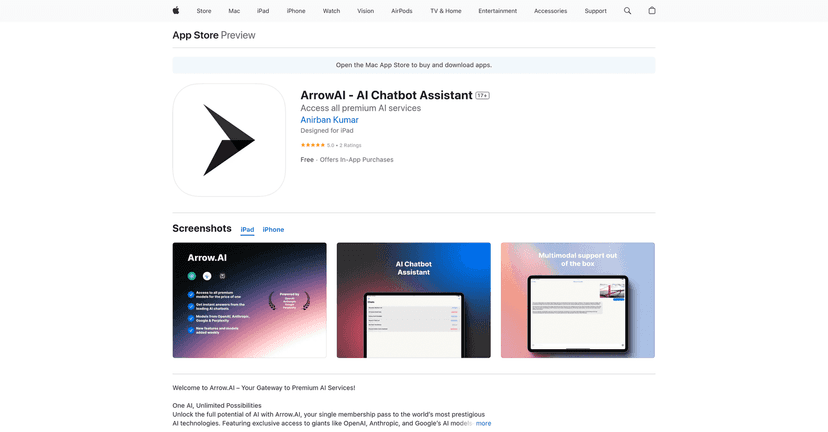
I’ve tested a lot of “AI chatbot” apps over the last year, and most of them end up being one of two things: either they lock you into a single model, or they make you juggle multiple subscriptions just to get decent results. ArrowAI is trying to solve that exact problem by acting like a single front door for multiple premium AI models—without me having to pay for each one separately.
In practice, that means you open one dashboard and can switch between models depending on what you’re doing. If I’m drafting something fast, I’ll often reach for one model. If I need more careful reasoning or a different writing style, I switch. ArrowAI’s pitch is basically: “stop managing subscriptions, just use the best model for the task.” And honestly? That’s a pretty compelling idea.

ArrowAI Review: What It’s Like to Use in Real Life
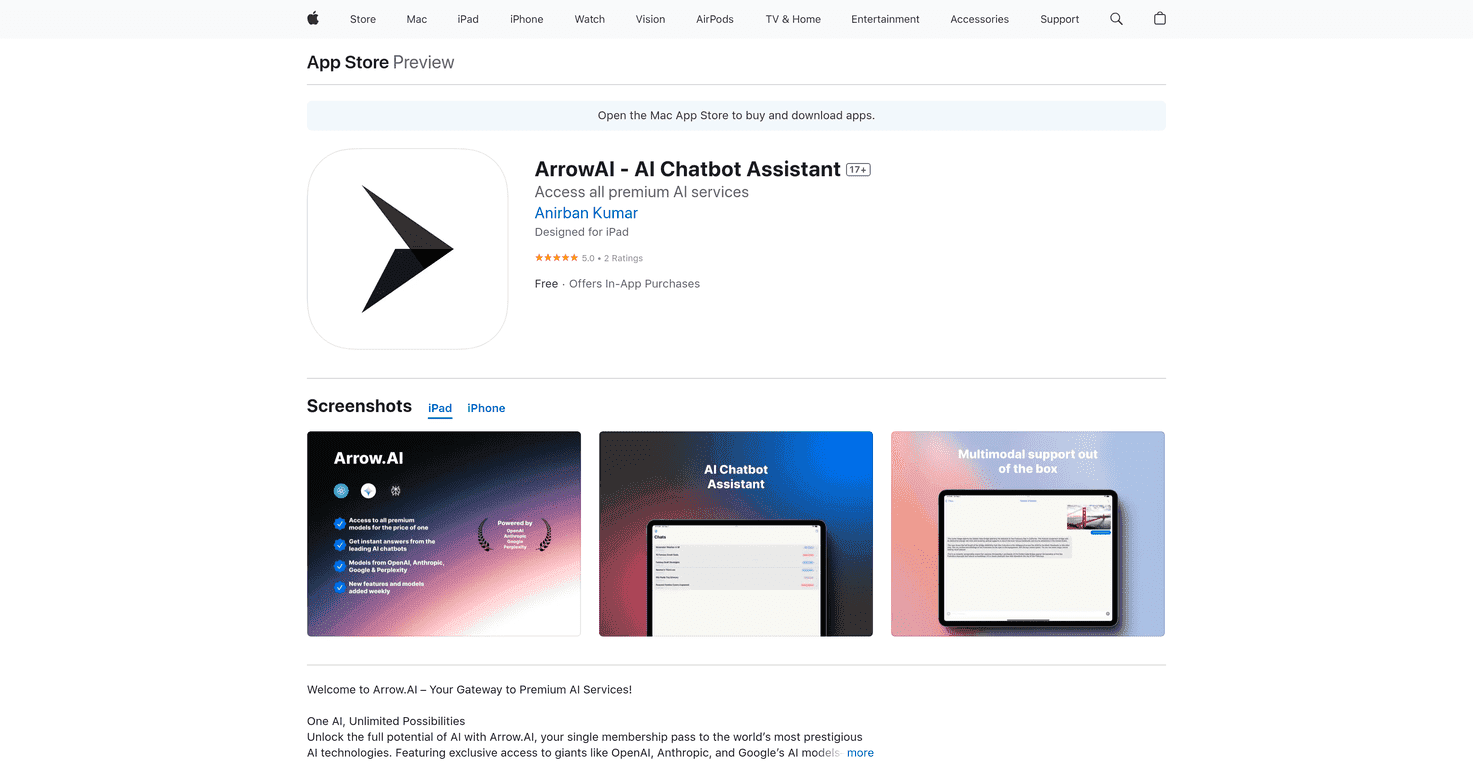
ArrowAI is an AI chatbot assistant that acts as a hub for premium AI services. Instead of you picking one provider and sticking to it, ArrowAI integrates model options like OpenAI’s GPT series, Anthropic’s Claude models, and Google’s Gemini models.
That sounds simple—and it is—but the real value shows up when you’re switching tasks. I don’t always need the same “brain” for every job. Sometimes I want faster output. Sometimes I want a more structured answer. Sometimes I’m dealing with messy input (like notes, screenshots, or a rough document) and I’d rather let a multimodal model handle it.
ArrowAI’s unified dashboard is also the kind of thing I appreciate as a busy user. There’s less friction in jumping between models, and I’m not constantly hunting for the “right” subscription. If you’ve ever had 2–3 AI apps installed just to cover different use cases, you’ll probably feel the difference right away.
Key Features I Actually Look For
- Multiple AI models in one place — so you can switch without starting over.
- Regular updates — the whole AI space changes fast, and it matters when tools get refreshed.
- Cost-effective setup — fewer subscriptions to manage.
- Unified AI dashboard — the interface is built to keep things simple, not scattered across apps.
- Access to major model families like GPT-4o, Claude 3, and Gemini 1.5 (as listed by the service).
- Multi-language support — useful if you write, study, or work in more than one language.
- Multi-modal capabilities — for analyzing images and documents, not just text prompts.
- Updates driven by feedback — at least that’s the stated direction, and it matches what I like to see from tools like this.
What “multi-model” means day-to-day
Here’s an example from my own workflow: I’ll ask for a quick outline first. If the structure is weak, I’ll switch models and ask for a rewritten version with clearer headings. Same prompt style, different “brain,” and I can usually spot improvements without redoing everything from scratch.
Another example: when I’m working with documents, I prefer tools that can handle more than plain text. ArrowAI’s multimodal angle is a big deal if you’ve ever tried to paste a messy screenshot and wished the AI could actually “see” what you meant.
Pros and Cons (The Honest Version)
Pros
- One subscription, multiple models — that’s the whole point, and it’s genuinely convenient.
- Potential savings — the listing mentions savings of up to $480/year versus paying for individual subscriptions (that number will depend on what you currently use, but the math is believable).
- User-friendly interface — I didn’t feel like I needed a tutorial just to start chatting or switching options.
- Multi-language and multi-mode support — helpful if you’re not writing in English only or if your tasks vary.
Cons
- Internet connection matters — like most cloud-based AI tools, it won’t be great if your connection is flaky.
- Paid-plan limitations — some features are restricted on the free tier, so casual users might hit a wall faster than they expect.
- Model switching isn’t magic — if your prompt is vague, you’ll still get vague answers. The “best model” can’t fully fix unclear instructions.
Pricing Plans: Free vs Pro Costs
ArrowAI includes a free version, but it offers limited access. If you’re just testing the waters or using it occasionally, that’s a decent start.
For more consistent use, you can choose in-app purchase options:
- ArrowAI Pro – Weekly: $5.99
- ArrowAI Pro – Monthly: $19.99
- ArrowAI Pro – Annual: $204.99
My personal take? If you’ll use it daily (school, work drafts, content planning, summarizing documents), the annual plan usually makes more sense. If you’re experimenting, the weekly/monthly options help you avoid locking in too early.
Wrap up
ArrowAI is one of those tools that makes sense if you want variety without the subscription headache. You get access to major AI model options in a unified dashboard, and that’s exactly the kind of convenience I’ve come to value—especially when I’m bouncing between writing, editing, and document-based tasks.
Is it perfect? No. The free tier is limited, and you still need solid prompts to get great results. But if you’re tired of juggling multiple AI apps, ArrowAI feels like a practical, cost-conscious way to keep your workflow moving.