Table of Contents
What Is Ask Astro (and Why I Actually Wanted to Test It)?
I’ll be honest: the first time I heard about Ask Astro, I didn’t assume it would blow me away. I’ve used plenty of “AI assistant” tools that promise domain expertise, then mostly give generic answers with fancy formatting. Ask Astro sounded different though—because it’s built for Apache Airflow and Astronomer, not “everything under the sun.”
My main question was simple: would it help me faster than I can by searching GitHub issues, Slack threads, and the official docs? Or would it just become another tab I open and then stop trusting?
Here’s what Ask Astro is aiming to do. It’s an open-source question-answering system for Airflow and Astronomer-related topics. Instead of answering from vibes, it pulls info from multiple places—things like GitHub, Stack Overflow, Slack conversations, and official documentation—and then generates a response grounded in those sources. In practice, it’s like a specialized search + answer tool for Airflow troubleshooting and setup questions, where the goal is less hunting and more “show me what matters.”
And yes, it’s built by Astronomer, which already gives it some credibility in the Airflow ecosystem. Also, since it’s open-source, you’re not stuck with a black box you can’t inspect (though you do take on more responsibility if you self-host).
One thing I couldn’t find anywhere in the materials I checked: clear published pricing for a hosted/managed commercial plan. So if you’re hoping for a simple “sign up and pay monthly” situation, you may need to temper expectations—or reach out for enterprise options if they exist.
Key Features of Ask Astro (What Matters in Real Use)
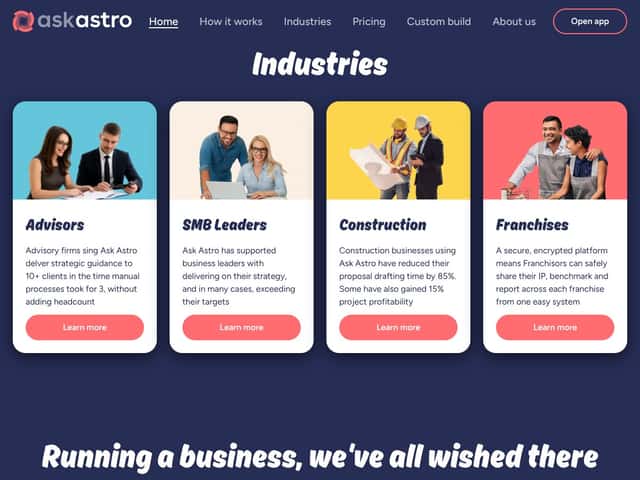
Domain-Specific Answers (Airflow + Astronomer Focus)
Ask Astro is designed to answer questions about Apache Airflow and Astronomer products by pulling from community and official sources. That narrow focus is a big deal. When it’s on-target, the responses feel like someone who’s actually been in the Airflow trenches.
In my experience, it’s strongest when your question looks like the kind of thing people already discuss—scheduler lag, DAG parsing errors, task retries, provider quirks, “why won’t my DAG show up,” that sort of thing. When I tried questions that were either too broad or didn’t include enough context (Airflow version, executor type, deployment setup), the results got harder to trust. Not useless—just not as “click this and fix it” as I wanted.
RAG (Retrieval-Augmented Generation) That Actually Shows Its Work
Ask Astro uses retrieval-augmented generation (RAG), meaning it retrieves relevant text from a vector database before it generates the final answer. The part I cared about most: it cites sources in the reply so you can verify what it’s saying.
That’s the difference between “my AI says…” and “here’s what this answer is based on.” I liked that. It also made it easier to spot when something was off—if the sources were clearly not the right match, I didn’t have to blindly accept the conclusion.
That said, I did run into cases where the cited material felt a little old or only tangentially related. When that happens, you’ll need to nudge it with a more specific prompt (more on that later).
Web UI + Slack Bot (Two Different Experiences)
You can query Ask Astro via a web interface and through a Slack bot. I used both, and the differences are noticeable.
Web UI: it’s basically a text box, a submit button, and a few settings. I found it easy to get started—no weird menus, no heavy onboarding. If you already know what you want to ask, it’s quick.
Slack bot: this one requires a bit more setup. In my case, I had to confirm permissions and make sure the integration was correctly connected to the workspace/channel I cared about. Once it was working, responses came back fast enough for day-to-day troubleshooting questions.
One quirk I noticed: longer, multi-part questions in Slack sometimes didn’t land as cleanly as short, single-issue prompts. If you’ve ever watched bots struggle with “and also…” questions, you’ll recognize the pattern.
Open-Source and Extensible (But You’ll Feel That Responsibility)
Because it’s open-source, you can self-host. That’s a pro if you like control and customization. It’s also a con if you don’t want to manage infrastructure.
The project is available on GitHub, and the setup docs point you toward components like a vector database (Weaviate shows up in the deployment story), plus model configuration and environment variables. I didn’t fully run every deployment flavor end-to-end in my environment, but the documentation looked detailed enough that I could see myself getting it running if I dedicated a couple of hours.
If you’re not comfortable with Docker or cloud basics, you’ll likely hit friction pretty quickly. This isn’t “install and forget.”
Source Linking in Responses (Trust, With a Small Catch)
I really liked that Ask Astro links back to the sources it used. That’s exactly what you want for Airflow questions, because community info can be correct one year and outdated the next.
My only complaint: sometimes the links weren’t super specific. A response might link to a broader page or thread instead of the exact comment or snippet that mattered. When that happens, you’ll still need to click around a bit.
Feedback Loop (Nice, But Don’t Over-Expect Magic)
There’s a feedback mechanism where you can rate responses. I tested it enough to see how it worked, and it’s a good sign that the project wants to improve.
Just don’t assume it instantly “learns” in a way you’ll notice the next day. In open-source projects, improvements usually roll out when maintainers update retrieval pipelines, prompts, or source ingestion—not because one user clicked thumbs up.
How Ask Astro Works (From My Prompting Experience)
Let me break down what the flow felt like when I used it. The web experience was straightforward: I created an account for the web interface, then used the main chat box to submit questions. It’s not trying to be flashy; it’s trying to be useful.
One of the first things I asked was a DAG setup/troubleshooting question (the kind of thing you’d normally search for across GitHub issues and Slack). The system returned an answer with source links and relevant snippets quickly—fast enough that it didn’t feel like a “wait 30 seconds and hope” situation.
What I noticed most wasn’t just speed—it was that the response was structured around actionable details. It wasn’t a wall of text. It also didn’t feel like it was inventing. The citations made it easier to sanity-check.
Still, there’s a learning curve. The tool works best when you include context. For example, “Why is my scheduler lagging?” is harder than “Why is my scheduler lagging on Airflow 2.7 with CeleryExecutor and 2,000 queued tasks?” The more you give it, the better it can retrieve the right discussions.
So if you’re expecting a general-purpose chatbot that can handle vague questions about anything, you’ll probably be disappointed. Ask Astro is a specialist. Treat it like one.
Bottom line from my testing: it’s a helpful assistant for quick, sourced snippets. It’s not a replacement for reading docs when you’re doing something genuinely complex or custom.
Ask Astro Pricing: Is It Worth It?
- Access to the open-source codebase
- Basic querying via web UI, Slack, or API
- Community support
Honest note: It’s free in the “no license fee” sense. But if you self-host, you still pay for things like compute, storage, and the model/retrieval stack you run.
- Managed hosting or enterprise solutions
- Additional support and customization
- Potential access to advanced features or integrations
Here’s the thing about the pricing... There aren’t clear public numbers for paid tiers. If you want managed hosting, you’ll likely need to contact the team for a quote. That can be annoying for procurement teams and anyone who hates “let’s schedule a call.”
| Plan | Price | What You Get | My Take |
|---|---|---|---|
| Free | Free (self-hosted) | ||
| Paid Plans | Pricing not publicly listed |
My Honest Take on Costs
Ask Astro’s model is basically: open-source core + self-host or negotiate. If you’ve got DevOps resources, that can be a win.
For a rough cost feel, you’re typically paying for:
- Vector database hosting (example: Weaviate running on a small VM/container)
- Your app/service runtime (API + web + workers)
- LLM API spend (if you use a hosted model)
- Storage and logs for ingestion and retrieval
Here’s a simple example to make it concrete. If a small team runs it internally with modest traffic, you might get away with a few hundred dollars per month in infrastructure plus whatever your LLM usage costs look like. For a bigger org with heavy usage and multiple environments, that can climb fast—especially if you’re ingesting lots of sources or running frequent refreshes.
So is it “cheaper than SaaS”? It can be. But only if you’re comfortable with hosting and you actually use it enough to justify the setup and ongoing maintenance.
The Good and The Bad (Based on What I Actually Ran Into)
What I Liked
- Open-source core: The GitHub availability means you can inspect, customize, and adapt it instead of waiting on a vendor roadmap.
- Airflow/Astronomer focus: When I asked Airflow-flavored questions, the responses felt more relevant than general chatbots.
- Web + Slack: Having both options is practical—web for deeper questions, Slack for quick “what’s going on” moments.
- Source linking: Citations made it easier to trust answers and quickly verify when something looked suspicious.
- Feedback mechanism: It’s at least a signal that the system can improve over time rather than being totally static.
What Could Be Better
- It’s not general-purpose: If you want a chatbot that covers everything, Ask Astro won’t satisfy that. It’s an Airflow specialist.
- Self-hosting isn’t trivial: You’ll likely deal with Docker, environment variables, and vector DB setup. That’s fine if you’re technical, but it’s a barrier for others.
- Pricing transparency: No clear published paid tiers means you may end up in “request a quote” territory.
- Retrieval can miss the mark: Broad or nuanced questions can still produce answers that are only partially relevant. When that happens, you have to tighten your prompt.
- Support expectations: Because it’s open-source, you don’t get the same “we’ll fix it tonight” SLA you’d expect from a SaaS vendor.
Who Is Ask Astro Actually For?
If you live in Apache Airflow day-to-day—data engineers, DevOps folks, platform teams—Ask Astro can be a real time saver. It’s especially useful when you repeatedly troubleshoot DAG issues, need quick setup guidance, or want a consistent way to surface community knowledge with citations.
In other words: if your team constantly jumps between GitHub issues, Slack threads, and docs, Ask Astro can reduce that context switching.
It also makes sense for consultancies. When you’re supporting multiple clients, having a tool that helps you find sourced answers faster can cut down on “search time,” even if you still validate everything before you ship changes.
But if your team isn’t technical, or you want a plug-and-play SaaS experience with guaranteed support, you might be happier with a general AI assistant—or a managed Airflow support offering.
Who Should Look Elsewhere?
If you’re expecting a turn-key, minimal-setup AI assistant, Ask Astro may feel like work. It’s optimized for Airflow knowledge retrieval, not for casual users who just want answers with zero configuration.
And if you need general knowledge outside the Airflow/Astronomer world, you’ll probably end up frustrated. Tools like ChatGPT or Claude will cover more ground, even if they don’t provide the same “Airflow-specific, source-grounded” vibe.
Finally, if you require strict uptime guarantees, SLAs, or dedicated enterprise support, you’ll want to look at solutions that explicitly offer that—rather than relying on open-source community maintenance.
Pros, Cons, and Use Cases (Quick Scan)
Pros
- Open-source and highly customizable, perfect for technical teams.
- Provides domain-specific, accurate answers for Airflow and Astronomer.
- Multi-channel access via web, Slack, and API makes it flexible.
- Source linking increases trust and verifiability.
- Community-driven with ongoing improvements and feedback loops.
Cons
- Limited scope—only suitable for Airflow/Astronomer topics.
- Requires technical expertise for setup and maintenance.
- No transparent or published enterprise pricing, potential hidden costs.
- Retrieval accuracy can still falter on complex or broad queries.
- Lack of dedicated support or SLAs for mission-critical use.
Use Cases
- Technical teams troubleshooting Airflow DAGs and configs.
- Consultants providing rapid support to clients on Airflow issues.
- Organizations wanting a custom, self-hosted AI knowledge base.
- DevOps teams integrating AI into their Airflow workflows.
How Ask Astro Stacks Up Against Alternatives
ChatGPT (OpenAI)
ChatGPT is general-purpose. It can talk about Airflow, sure, but it doesn’t inherently perform Airflow-specific retrieval from community sources unless you add integrations/tools yourself.
- Price comparison: Free tier available with usage limits; paid plans start around $20/month for GPT-4 access.
- Choose this if... you want one assistant for everything and you’re okay with less “source-grounded” answers.
- Stick with Ask Astro if... you want Airflow-specific answers backed by community/docs citations.
LangChain + Custom Vector Store
If you want maximum control, building a RAG system with LangChain and a vector database (Weaviate, Pinecone, etc.) is the route. It’s powerful, but it’s also on you to design, tune, and maintain.
- Price comparison: Depends on hosting and API usage—can be low-cost if self-hosted, but cloud vector DBs add up.
- Choose this if... you want total customization and you’re comfortable with the technical work.
- Stick with Ask Astro if... you’d rather use a ready-to-go, domain-focused solution.
Stack Overflow / GitHub Issues
These sources are still excellent. The difference is you’re doing the retrieval yourself, and it’s not conversational.
- Price comparison: Free, but time-consuming.
- Choose this if... you’re happy to dig through threads and you want raw community-vetted solutions.
- Stick with Ask Astro if... you want quick, source-linked summaries instead of browsing.
Airflow Documentation Search & Community Forums
Official docs are comprehensive, but finding the exact answer fast can be a pain—especially when you’re dealing with version-specific behavior.
- Price comparison: Free.
- Choose this if... you need official documentation and prefer to read the primary sources.
- Stick with Ask Astro if... you want faster AI-driven insights with citations to help you verify.
Other RAG-based Tools (like LangChain examples)
Many RAG tools are basically templates. You can make them work, but you’ll still do tuning and integration.
- Price comparison: Varies; mostly free to start if self-hosted, but maintenance costs are real.
- Choose this if... you want to experiment heavily.
- Stick with Ask Astro if... you want a focused solution that targets Airflow knowledge without reinventing everything.
Bottom Line: Should You Try Ask Astro?
For me, Ask Astro lands around a 7/10. It’s genuinely useful if you’re deep in Airflow and you want quick, source-linked answers. The open-source approach also means you can tweak it if you’re the type who likes to own your tooling.
It’s a great fit for DevOps engineers, data engineers, and teams that constantly troubleshoot Airflow and get tired of bouncing between docs, Slack, and GitHub. If you mainly ask questions outside Airflow, or you need a broad assistant for everything from coding to marketing, you’ll probably get more value from a general AI tool.
And yes—because it’s free to self-host, it’s worth trying if your team can handle the setup. Just don’t expect it to magically replace reading documentation when you hit edge cases.
Common Questions About Ask Astro
- Is Ask Astro worth the money? It’s free to self-host, so for Airflow users it’s a no-brainer to test. Paid options depend on hosted/enterprise needs.
- Is there a free version? Yes—public web UI and the Slack bot are free to use (with the usual caveats of whatever limits apply). Self-hosting is also free in the license sense.
- How does it compare to ChatGPT? Ask Astro is specialized and source-linked for Airflow. ChatGPT is more general-purpose and may be less precise for technical domain answers unless you add retrieval tools.
- Can I get a refund? Since the core is open-source, refunds aren’t really applicable. Any paid hosting/custom service would follow its own policy.
- Does it support other platforms besides Airflow? It’s focused on Airflow and Astronomer topics, so it’s not meant to cover unrelated domains.
- How accurate are the answers? In my experience, retrieval helps a lot, and source links make accuracy easier to verify. Still, broad or nuanced questions can produce partial or off-target results.
- Can I customize it? Yes—if you host it yourself, you can modify the code and adjust data/source ingestion.