Table of Contents
If you’re trying to get marketing moving faster, AskCory.ai is one of those tools that makes you go, “Wait… it can do this that quickly?” I spent a couple of weeks using it to generate campaign plans and multi-format content for a small business-style offer, and I’ll be honest about what worked, what didn’t, and where I still had to step in.
Here’s what I did, in plain terms: I started by entering basic business details (what we sell, who it’s for, and the main goal), then I picked an audience angle and a campaign objective. From there, the AI generated a strategy outline based on marketing frameworks, plus usable content drafts. The output wasn’t just “generic copy.” It came with structure—headings, messaging angles, and multiple content formats I could actually post or adapt.
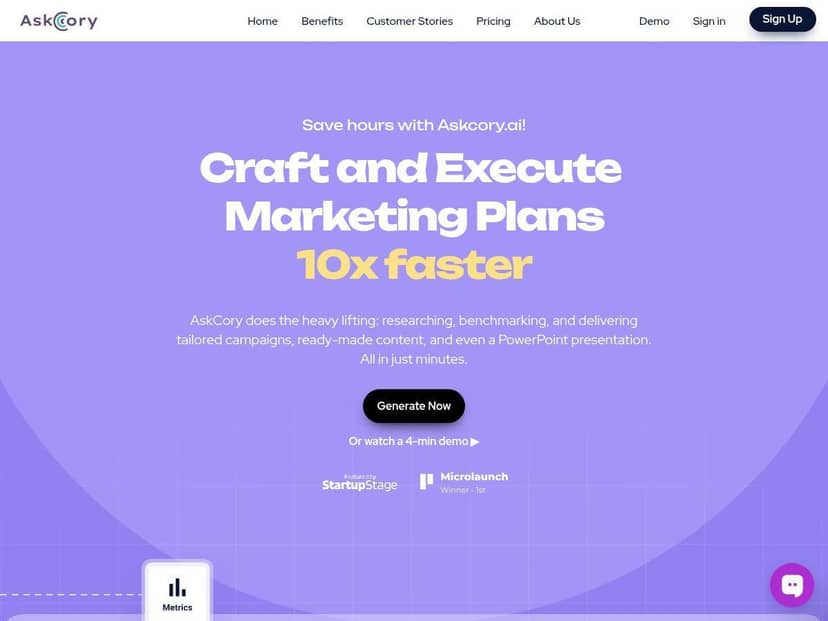
AskCory.ai Review (What I Actually Tested)
I’m not interested in “it’s fast” claims without context, so here’s the comparison I kept making while testing. Normally, when I’m planning a campaign from scratch, I’ll spend time building:
- a messaging angle (what we’re really saying and why it matters)
- a content structure (what goes where: ads, posts, landing page copy, email)
- a few reusable drafts I can tweak instead of starting over
With AskCory.ai, I could generate most of that structure in one sitting. In my testing, I went from blank page to a usable set of drafts much faster than my usual workflow—roughly “minutes” instead of “hours.” I didn’t just get one piece of content, either. I got a bundle: strategy notes plus multiple formats I could repurpose.
Example of how the workflow felt: I entered business basics and the target audience, then selected a campaign goal. The AI produced a strategy outline built around a structured framework (more on that in the features section). After that, I generated content in different formats (social posts, a longer guide-style draft, and presentation slide text). That “multi-format” part matters—because if you only get one output, you’re still doing a lot of manual conversion work.
What surprised me (in a good way): The drafts weren’t just fluffy paragraphs. They came with headings and messaging that were easier to edit. I could skim, pick the strongest angles, and tighten the language to match the tone I wanted.
What needed my help: Even when the tone was close, I still had to review for brand voice. In a few outputs, the AI leaned a little too “marketing generic” and I had to swap in my preferred phrasing and tighten the claims. Also, if you don’t provide enough specifics about your offer, the strategy can get broad—so you’ll want to feed it real details (more on that below).
Key Features (and How They Work in Practice)
- AI-Powered Marketing Strategy Generation
- This is the core of AskCory.ai. You provide inputs like your business description, target audience, and campaign goal. The tool then builds a strategy outline using a structured approach (it references frameworks like the Bullseye Framework). In my experience, the output is most useful when you give it something concrete—your offer, your differentiator, and what you want people to do next.
- What you get: a strategy plan with messaging direction and structured components you can turn into content.
- Quick example (based on my inputs): When I described an “audience pain + solution” angle and a clear conversion goal, the generated plan came back with messaging angles and content prompts that were easier to convert into posts and a longer guide. If I kept my inputs vague, the plan stayed vague too. Garbage in, garbage out—no surprise, but it’s worth saying.
- Fast Campaign Planning (up to “10x quicker”)
- I can’t measure “10x” perfectly for everyone, but I can tell you what I noticed: the time sink in marketing isn’t only writing—it’s deciding what to write and how to structure it. AskCory.ai handled a lot of that early planning for me. Instead of building a whole content map manually, I generated a first draft set and then edited.
- My time-saving moment: I spent more time refining than inventing. That’s the difference. If you’re the type who starts with a blank document every time, this will feel like a shortcut.
- Multi-Format Content Creation (posts, guides, images, presentations)
- This is one of the most practical features. In my test runs, I generated multiple content types from the same campaign inputs, including:
- social media post drafts
- a longer “guide” style draft (good for blogs or lead magnets)
- presentation slide text (so you’re not writing slide bullets from scratch)
- Why I liked it: It reduces the “copy-paste chaos” where you try to reformat one draft into five different assets. Instead, you get content designed for each format, then you tailor it.
- Team Collaboration and Project Sharing
- If you work with a team, you’ll care about this. I found it helpful for keeping outputs together under a project instead of scattering drafts across docs. Sharing also made it easier to get feedback without re-explaining the entire campaign context.
- What I used it for: I generated a set of drafts, shared the project, and then used feedback to adjust tone and messaging before exporting final versions.
- Access to KPIs and Industry Benchmarks
- This feature is easy to overlook until you need numbers. The way AskCory.ai helped me was by giving KPI-style guidance and benchmark framing alongside the strategy. I didn’t treat it like a magic truth source—more like a starting point for deciding what “good performance” looks like.
- What inputs matter: your industry context and campaign goal. When those were clear, the KPI guidance felt more relevant.
- Real-world tip: don’t blindly copy benchmarks. Use them to set targets, then compare with your own past data (even if it’s just a rough range).
- Customizable Tone of Voice
- This is where AskCory.ai can either sound on-brand or drift. I tested different tone settings and noticed the same pattern: the more specific you are about your voice (examples you like, words you use, words you hate), the better the output lands.
- What I noticed: In about a handful of outputs, the tone was close but needed tightening—especially around calls-to-action and “why us” claims. When I added clearer language preferences, the AI did a better job staying consistent.
- Flexible Subscription and Credit Purchase Options
- Not everyone writes content nonstop, so I liked that there are options beyond just one fixed monthly output. Credits can be useful if you want to generate a campaign bundle occasionally without committing to a heavier plan.
Pros and Cons (Based on My Results)
Pros
- Speed is real, especially for first drafts. In my workflow, AskCory.ai cut down the “planning time” because it generates structured strategy + multi-format drafts quickly.
- Easy to use without being locked into marketing jargon. I didn’t need a marketing degree to get usable outputs. The prompts and flow are straightforward.
- Tone can be customized (but you still need to review). When I adjusted tone settings and added clearer brand preferences, the outputs got noticeably closer to what I wanted.
- Framework-based strategy helps with structure. The Bullseye-style approach shows up in the way the plan is organized, which made it easier to turn into content and messaging.
- Sharing projects is genuinely helpful for teams. It reduced the “where are the drafts?” problem when handing things off.
Cons
- Free plan limits can be restrictive. If you want to test deeply (multiple formats, multiple projects), you’ll likely hit limits and need a paid plan.
- AI drafts sometimes need editing for brand voice and clarity. In a few cases, the language was a bit too generic, and I had to tighten it to match my preferred style.
- Mobile experience isn’t the strongest. I found it easier to work on a desktop or laptop—especially when reviewing longer drafts or editing multiple sections.
Pricing Plans
AskCory.ai offers three main plans: the Starter at $16.80/month billed annually (150 assets per month), the Professional at $46/month billed annually (600 assets), and a Custom option for larger teams who want unlimited features. There are also credit purchase options if you want flexibility without a full subscription. A free trial is available without a credit card.
Wrap up
So, should you use AskCory.ai? If you’re a freelancer, a small business, or a marketing team that needs structured first drafts—strategy plus multi-format content—this is a strong option. I’d especially recommend it if you hate starting from a blank page and you want a faster way to generate a campaign bundle you can edit.
On the other hand, if your brand voice is super specific and you expect zero editing, you might get frustrated. In my testing, the AI was helpful, but it wasn’t “publish-ready” without review in every case. Still, for the time saved, I think that trade-off is pretty reasonable.
If you want a low-risk way to decide, start with the free trial and test a real campaign you’d actually run—plug in your offer, generate the strategy, then generate 2–3 content formats. If the drafts are close enough that you’re mainly refining (not rewriting), you’ll probably like AskCory.ai.